

.PSP Bestandsextensie
PaintShop Pro-afbeelding
| Ontwikkelaar | Corel |
| Populariteit |
3,5 | 33 stemmen |
Wat is een PSP-bestand?
Een PSP-bestand is een bitmapafbeelding die is opgeslagen in de oorspronkelijke Paint Shop Pro-indeling (PSP). Het kan lagen, hulplijnen, metadata en andere objecten in de afbeelding bevatten. Corel verving de PSP-indeling door de .PSPIMAGE-indeling toen het versie 8 van Paint Shop Pro (nu PaintShop Pro) uitbracht.
Meer informatie
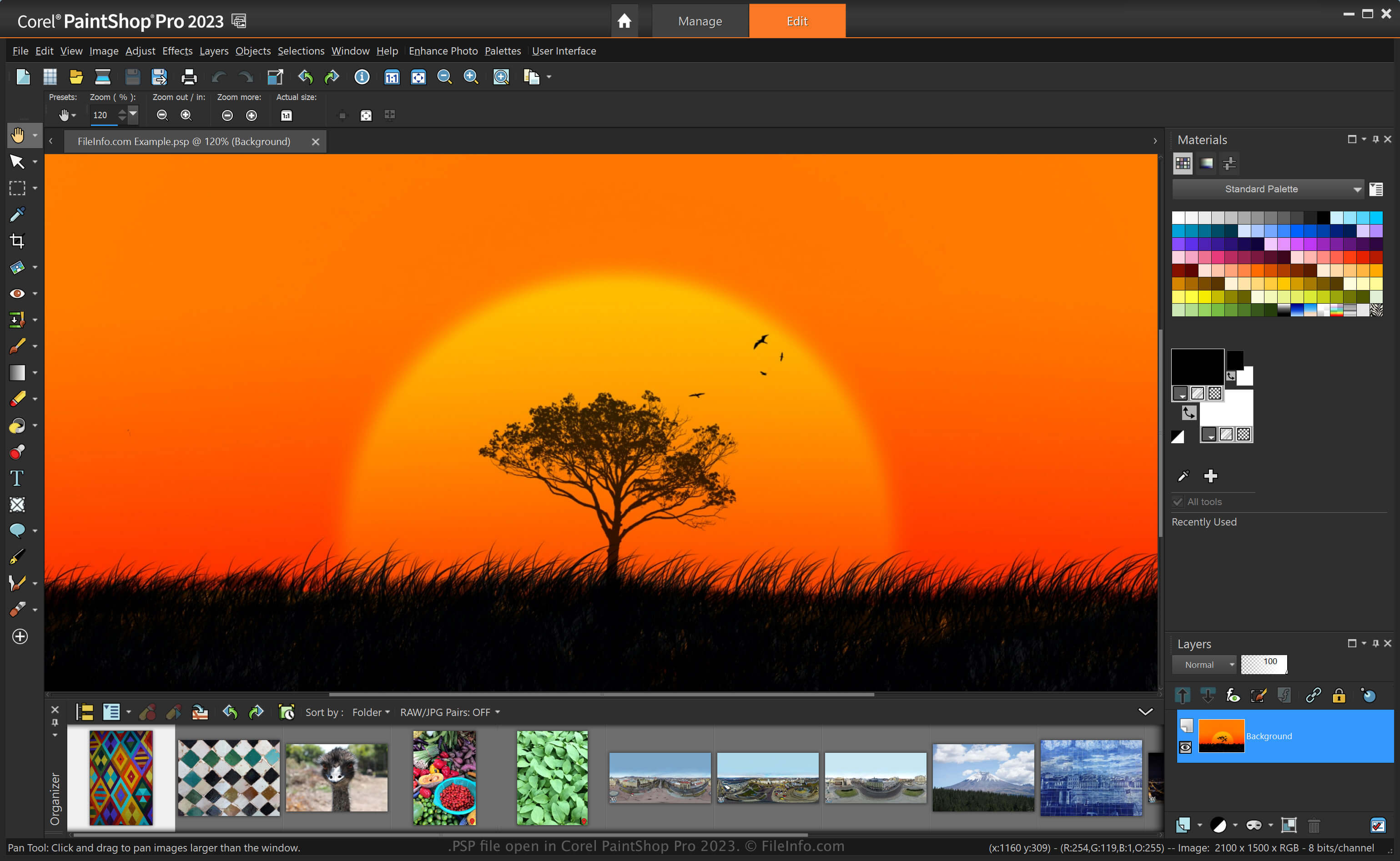
PaintShop Pro, vaak "PSP" genoemd, is een afbeeldingseditor met vergelijkbare mogelijkheden als Adobe Photoshop. Je kunt er bijvoorbeeld afbeeldingen en digitale foto's mee bewerken met verschillende hulpmiddelen. Het programma bevat werkruimten voor beginners en gevorderde gebruikers.
Voordat Corel de PSP-indeling verving door de PSPIMAGE-indeling bij de release van versie 8 van Paint Shop Pro, was de PSP-indeling de oorspronkelijke indeling voor het opslaan van afbeeldingen met de toepassing. Nadat je een afbeelding als PSP-bestand hebt opgeslagen, kun je deze sluiten en opnieuw openen om verder te gaan met bewerken.
Een PSP-bestand maken met PaintShop Pro
Hoewel Corel de PSP-indeling verving door de PSPIMAGE-indeling, kan PaintShop Pro afbeeldingen nog steeds als PSP-bestanden opslaan. Een PSP-bestand maken met PaintShop Pro:
- Selecteer .
- Bewerk de afbeelding.
- Selecteer of .
OPMERKING: Jasc Software ontwikkelde PaintShop Pro voordat Corel het in 2004 overnam.
Een PSP-bestand openen
Je kunt een PSP-bestand openen met Corel PaintShop Pro (Windows) door te selecteren. Je kunt PSP-bestanden ook openen met andere afbeeldingseditors, zoals de 32-bitsversie van CorelDRAW Graphics Suite (Windows en macOS) en ACD Systems Canvas (Windows).
Een PSP-bestand converteren
Verschillende toepassingen, zoals Corel PaintShop Pro en CorelDRAW Graphics Suite, kunnen PSP-bestanden naar andere indelingen converteren.
PaintShop Pro kan een PSP-bestand bijvoorbeeld converteren naar verschillende typen afbeeldingsbestanden, waaronder de volgende indelingen:
- .PSPIMAGE - PaintShop Pro-afbeelding
- .JPG - JPEG-afbeelding
- .PNG - Portable Network Graphic
- .BMP - Bitmapafbeelding
- .EMF - Enhanced Windows Metafile
- .EPS - Encapsulated PostScript-bestand
- .TIF - Tagged Image-bestand
- .GIF - Graphical Interchange Format-bestand
- .TGA - Targa-afbeelding
- .WMF - Windows Metafile
- .PSD - Windows Metafile
Programma's die PSP-bestanden openen
Pixel Studio-project
| Ontwikkelaar | Hippo Games |
| Populariteit |
4,0 | 2 stemmen |
Een PSP-bestand is een projectbestand dat is gemaakt door Hippo Games Pixel Studio, een pixelkunsteneditor voor meerdere platforms. Het bevat een pixelkunstafbeelding op basis van lagen. Met Pixel Studio kunnen gebruikers PSP-bestanden lokaal, in cloudopslag of op het Hippo Games Pixel Network opslaan.
Meer informatie
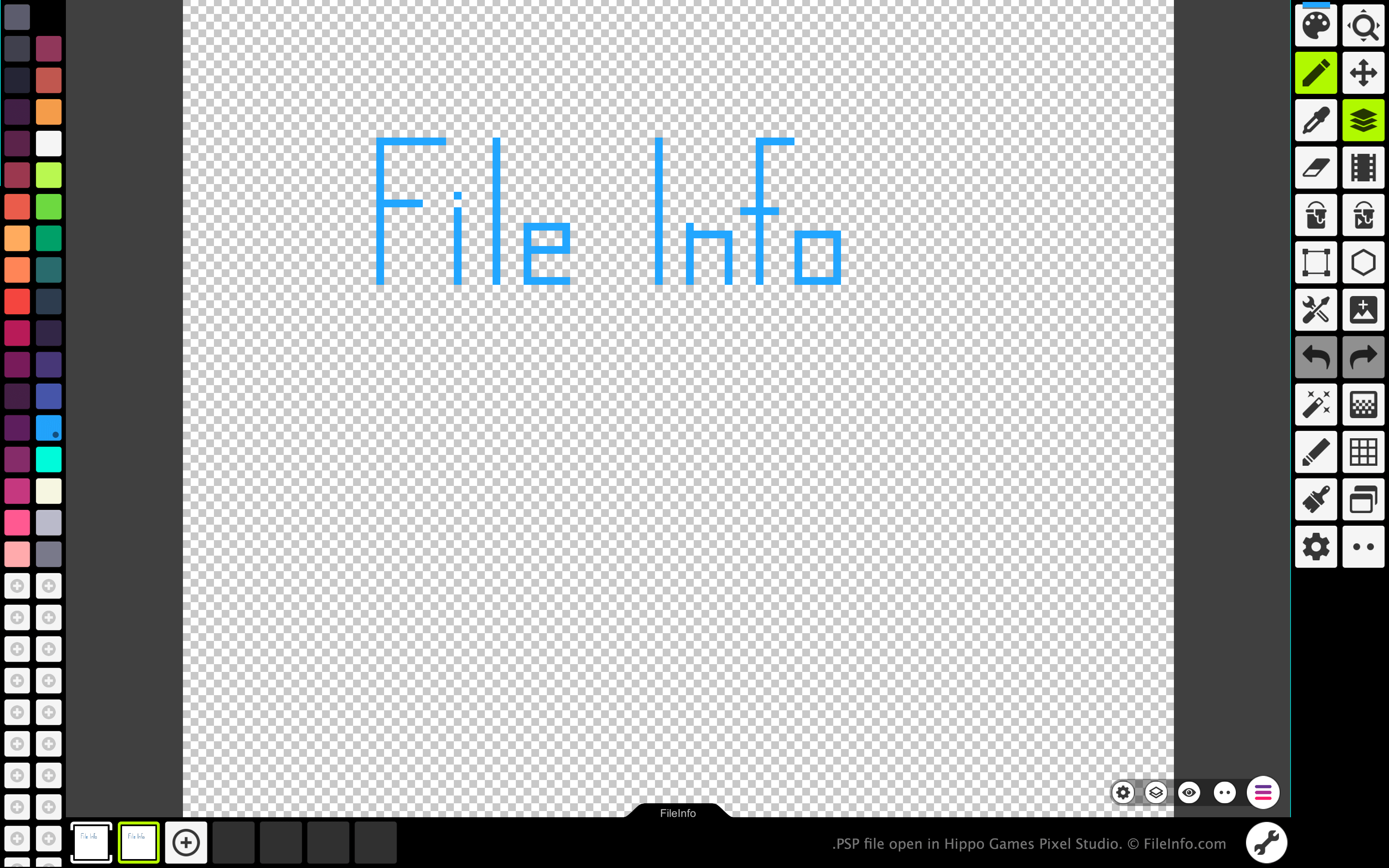
Met Pixel Studio kunnen pixelkunstenaars en ontwikkelaars van videogames pixelgebaseerde sprites en animaties maken. Het programma is beschikbaar voor Windows, macOS, Android en iOS, in zowel gratis als betaalde versies.
In alle versies van Pixel Studio kunnen kunstenaars de afbeeldingen en animaties die ze hebben gemaakt opslaan als PSP-bestanden. De PSP-indeling behoudt alle lagen, frames en bewerkingsgeschiedenis van een afbeelding. Hierdoor kunnen gebruikers van Pixel Studio elk van de lagen en frames van hun afbeelding of animatie blijven bewerken, zelfs nadat ze Pixel Studio hebben afgesloten.
Een PSP-bestand openen
Je kunt een PSP-bestand openen met Hippo Games Pixel Studio (voor meerdere platforms). Ga hiervoor als volgt te werk:
- Selecteer de menuknop met drie lijnen die in de rechterbenedenhoek van de app verschijnt.
- Selecteer .
- Ga naar je PSP-bestand en open het.
Een PSP-bestand converteren
Je kunt de betaalde versie van Pixel Studio gebruiken om de afbeelding of animatie in een PSP-bestand naar de volgende indelingen te converteren: