

.PSD Bestandsextensie
Adobe Photoshop-document
| Ontwikkelaar | Adobe |
| Populariteit |
4,2 | 721 stemmen |
Wat is een PSD-bestand?
Een PSD-bestand is de oorspronkelijke afbeeldingsindeling van Adobe Photoshop, een professioneel programma voor beeldbewerking dat wordt gebruikt om digitale foto's te verbeteren en webafbeeldingen te maken. PSD-bestanden kunnen afbeeldingslagen, aanpassingslagen, annotaties, bestandsinformatie, trefwoorden en andere Photoshop-specifieke elementen bevatten. Ze worden vaak gemaakt en gedeeld door grafische professionals.
Meer informatie
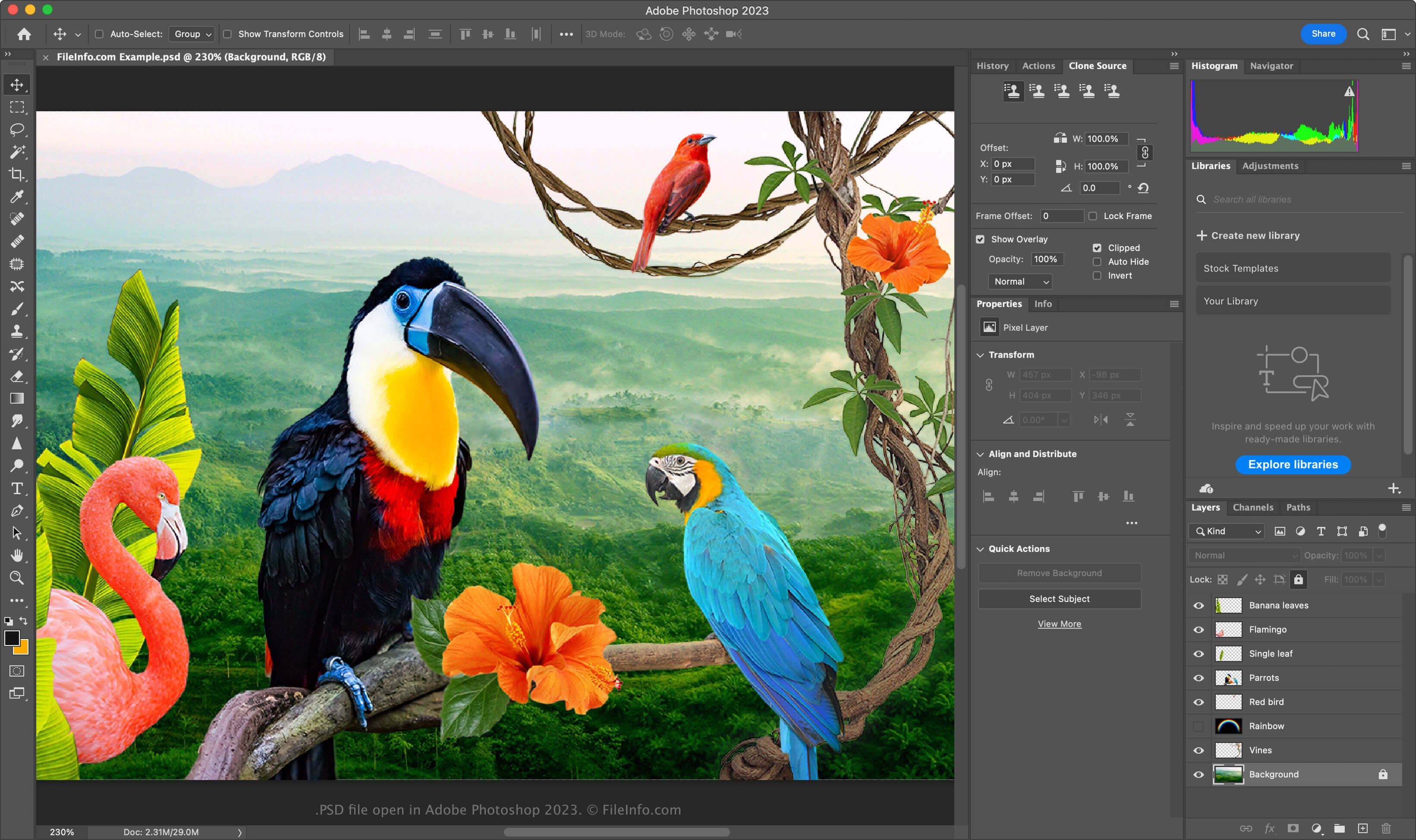
De PSD-indeling is een volledig bewerkbare, niet-gecomprimeerde indeling die ideaal is voor het bewerken van rasterafbeeldingen. Je kunt afzonderlijke elementen in een PSD-bestand wijzigen, zoals afbeeldingen, vormen, tekst en effecten. Met nieuwe versies van Photoshop (2024 en later) kun je door AI gegenereerde afbeeldingen maken en invoegen.
PSD-bestanden ondersteunen RGB, CMYK, grijswaarden, monochroom, duotoon, geïndexeerde kleuren, Lab-kleuren en meerkanaalskleuren. Je kunt de kleurmodus wijzigen door in Photoshop te selecteren.
De gegevensstructuur van een PSD-bestand
De Photoshop-bestandsindeling bestaat uit vijf secties:
- Bestandskop - Slaat afbeeldingseigenschappen op, zoals afmetingen, kleurdiepte, kleurmodus en aantal kanalen
- Gegevens kleurmodus – Bevat aanvullende gegevens als het bestand geïndexeerde kleuren of duotoonkleuren gebruikt
- Afbeeldingsbronnen – Bevat niet-afbeeldingselementen, zoals hulplijnen, tekststijlen of paden
- Laag- en maskerinformatie – Slaat gegevens op over lagen, maskers, overvloeimodi en effecten
- Afbeeldingsgegevens – Bevat de daadwerkelijke afbeeldingsgegevens (pixelgegevens) en de compressiemethode die wordt gebruikt om de totale bestandsgrootte te verkleinen (bijv. raw, RLE, ZIP)
OPMERKING: Photoshop ondersteunt PSD-bestanden tot 30.000 x 30.000 pixels of 2 GB groot. Afbeeldingen die groter zijn dan deze limieten moeten worden opgeslagen in de .PSB-indeling (Photoshop Big) voor grote documenten.
Een PSD-bestand openen
Je kunt PSD-bestanden in Windows en macOS openen met Adobe Photoshop. Om een PSD-bestand in Photoshop te openen, selecteer je .
Hoewel PSD-bestanden in een eigen indeling worden opgeslagen, kun je ze ook openen met andere platformonafhankelijke toepassingen, zoals Adobe Illustrator, Corel Painter, GIMP en Photopea (in een webbrowser).
In Windows kun je PSD-bestanden openen met de ingebouwde app Microsoft Photos. In macOS kun je ze bekijken met Apple Preview, die bij het besturingssysteem wordt geleverd.
Een PSD-bestand converteren
Verschillende toepassingen, waaronder Adobe Photoshop, Corel PaintShop Pro en Apple Preview, kunnen PSD-bestanden naar andere indelingen converteren.
Adobe Photoshop kan PSD-bestanden bijvoorbeeld exporteren naar: