

.PSD Extensão de arquivo
Documento do Adobe Photoshop
| Desenvolvedor | Adobe |
| Popularidade |
4,2 | 721 Votos |
O que é um arquivo PSD?
Um arquivo PSD é o formato de imagem nativo usado pelo Adobe Photoshop, um programa profissional de edição de imagens usado para aprimorar fotos digitais e criar gráficos para a web. Os arquivos PSD podem incluir camadas de imagem, camadas de ajuste, anotações, informações do arquivo, palavras-chave e outros elementos específicos do Photoshop. Eles são geralmente criados e compartilhados por profissionais de design gráfico.
Mais informações
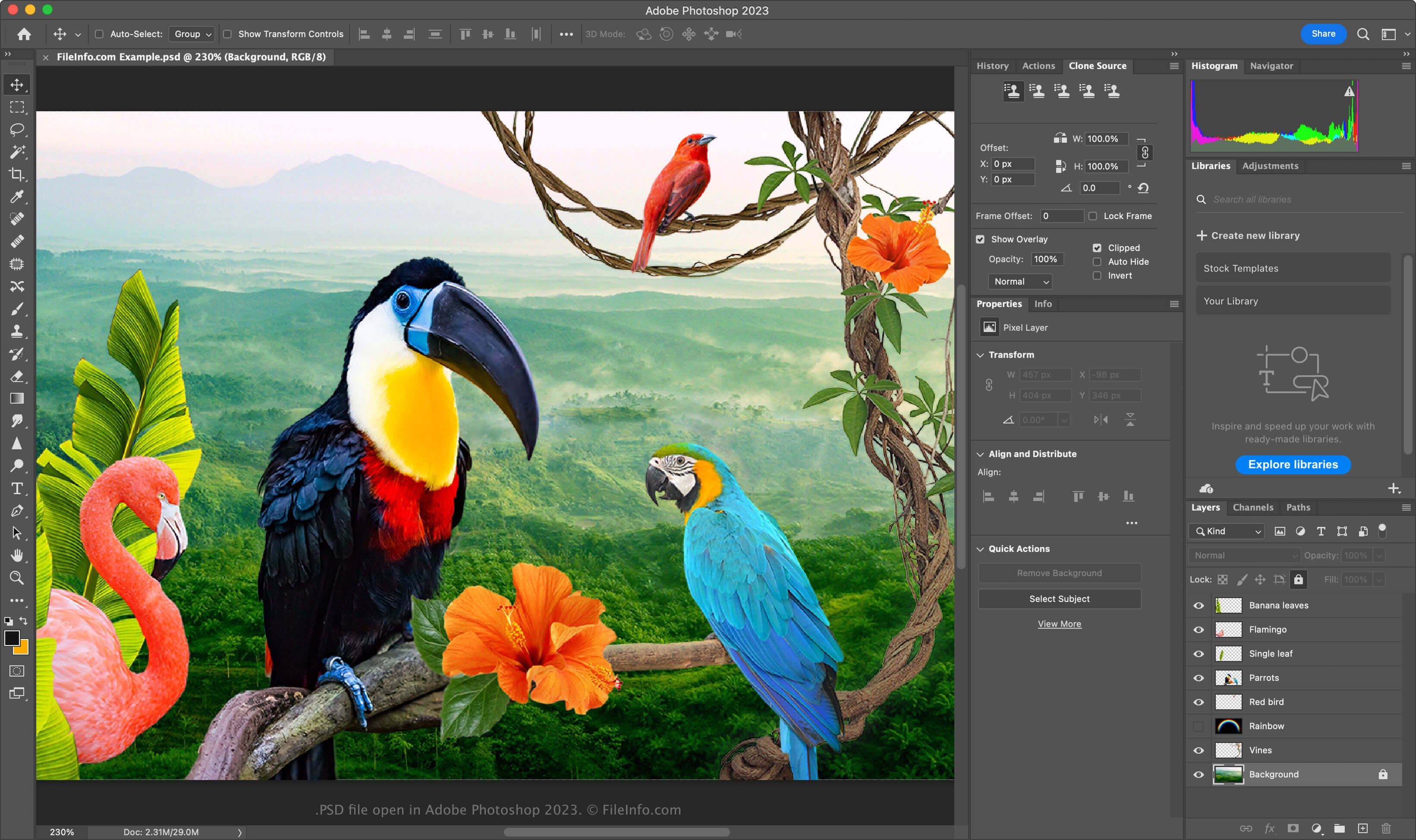
O formato PSD é um formato totalmente editável e não compactado, ideal para editar imagens rasterizadas. Você pode modificar elementos individuais dentro de um arquivo PSD, como imagens, formas, texto e efeitos. As versões mais recentes do Photoshop (2024 e posteriores) permitem criar e inserir gráficos gerados por IA.
Os arquivos PSD são compatíveis com os modos de cor RGB, CMYK, escala de cinza, monocromático, duotônico, cores indexadas, cores Lab e cores multicanal. Você pode alterar o modo de cor selecionando no Photoshop.
A estrutura de dados de um arquivo PSD
O formato de arquivo do Photoshop é composto por cinco seções:
- Cabeçalho do arquivo - Armazena propriedades da imagem, como dimensões, profundidade de bits, modo de cor e quantidade de canais
- Dados do modo de cor – Inclui dados adicionais se o arquivo usar cores indexadas ou duotônicas
- Recursos da imagem – Contém elementos que não são imagens, como guias, estilos de texto ou caminhos
- Informações de camadas e máscaras – Armazena dados sobre camadas, máscaras, modos de mesclagem e efeitos
- Dados da imagem – Contém os dados reais da imagem (dados de pixels) e o método de compactação usado para reduzir o tamanho geral do arquivo (por exemplo, bruto, RLE, ZIP)
NOTA: O Photoshop é compatível com arquivos PSD de até 30.000 x 30.000 pixels ou 2 GB. Imagens maiores que esses limites devem ser salvas no formato Large Document .PSB (Photoshop Big).
Como abrir um arquivo PSD
Você pode abrir arquivos PSD com o Adobe Photoshop no Windows e no macOS. Para abrir um arquivo PSD no Photoshop, selecione .
Embora os arquivos PSD sejam salvos em um formato proprietário, você também pode abri-los com outros aplicativos multiplataforma, como o Adobe Illustrator, o Corel Painter, o GIMP e o Photopea (em um navegador da web).
No Windows, você pode abrir arquivos PSD com o aplicativo integrado Microsoft Photos. No macOS, você pode visualizá-los com o Apple Preview, que vem incluído no sistema operacional.
Como converter um arquivo PSD
Vários aplicativos, incluindo o Adobe Photoshop, o Corel PaintShop Pro e o Apple Preview, podem converter arquivos PSD para outros formatos.
Por exemplo, o Adobe Photoshop pode exportar arquivos PSD para:
- .JPG - Imagem JPEG
- .PNG - Gráfico de Rede Portátil
- .TIF - Formato de Arquivo de Imagem Marcado
- .GIF - Formato de Intercâmbio de Elementos Gráficos
- .WEBP - Imagem WebP
- .BMP - Imagem Bitmap
- .DCM - Imagem DICOM
- .EPS - PostScript Encapsulado
- .AI - Arte do Adobe Illustrator
- .PDF - Formato de Documento Portátil