.PSD 文件扩展名

Adobe Photoshop Document

开发者 Adobe
受欢迎程度
4.2  |  719 
 
🔍使用File Helper直接在您的网络浏览器中打开 .PSD 文件在线查看

什么是 PSD 文件?

A PSD file is the native image format used by Adobe Photoshop, a professional image-editing program used for enhancing digital photos and creating web graphics. PSD files may include image layers, adjustment layers, annotations, file information, keywords, and other Photoshop-specific elements. They are commonly created and shared among graphics professionals.

更多信息

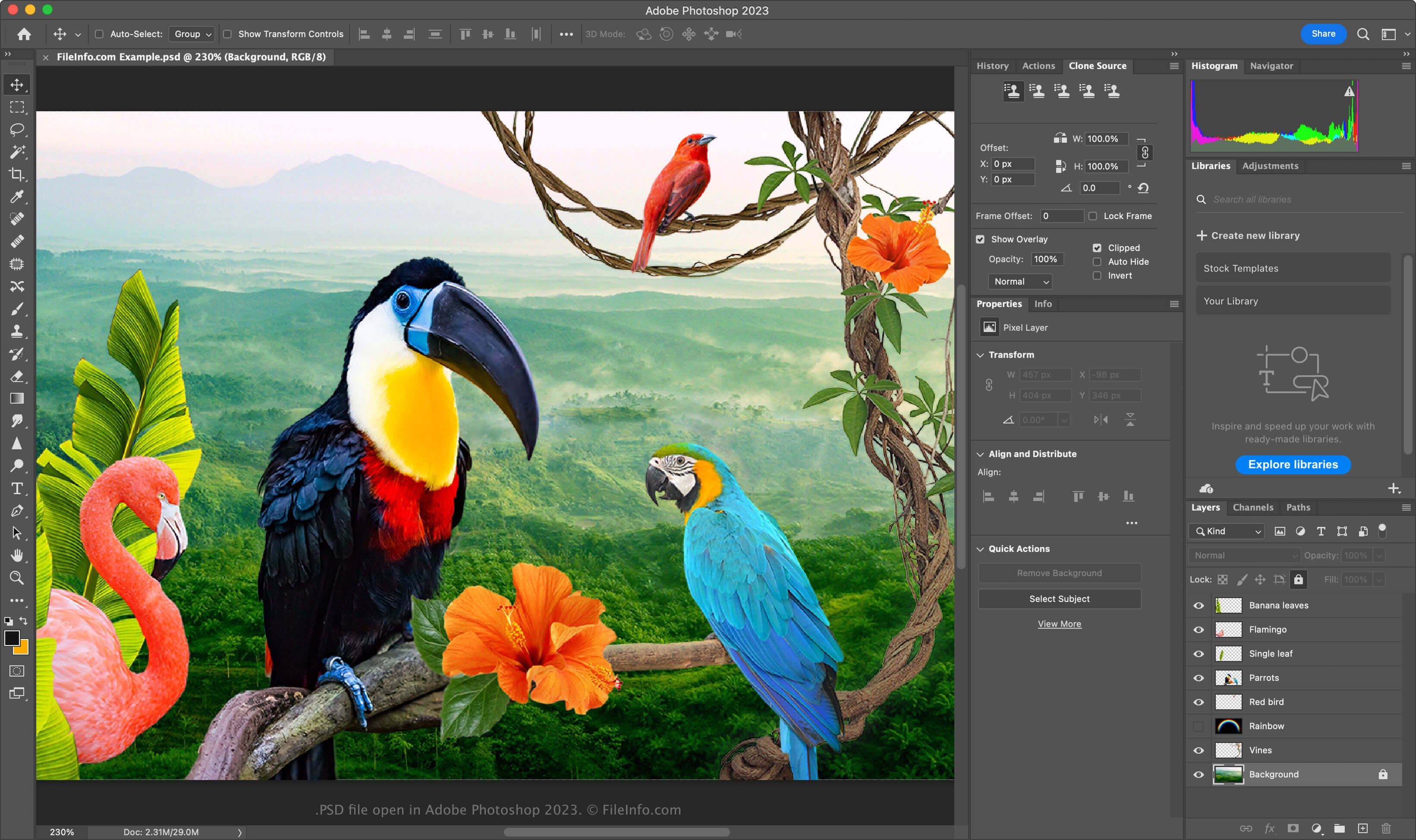
在 Adobe Photoshop 2025 中打开的 .psd 文件截图
在 Adobe Photoshop 2025 中打开的 PSD 文件

The PSD format is a fully editable, uncompressed format, ideal for editing raster images. You can modify individual elements within a PSD file, such as images, shapes, text, and effects. New versions of Photoshop (2024 and later) allow you to create and insert AI-generated graphics.

PSD files support RGB, CMYK, grayscale, monochrome, duotone, indexed color, Lab color, and multichannel color modes.  You can change the color mode by selecting the Image → Mode in Photoshop.

The data structure of a PSD file

The Photoshop file format is comprised of five sections:

  1. File Header - Stores image properties like dimensions, bit depth, color mode, and channel count
  2. Color Mode Data – Includes additional data if the file uses indexed or duotone colors
  3. Image Resources – Contains non-image elements such as guides, text styles, or paths
  4. Layer and Mask Information – Stores data about layers, masks, blending modes, and effects
  5. Image Data – Contains the actual image data (pixel data) and the compression method used to reduce the overall file size (e.g., raw, RLE, ZIP)

注: Photoshop supports PSD files up to 30,000 x 30,000 pixels or 2 GB in size. Images larger than these limits must be saved in the .PSB (Photoshop Big) Large Document format.

如何打开 PSD 文件

You can open PSD files with Adobe Photoshop in Windows and macOS. To open a PSD file in Photoshop, select File → Open.

While PSD files are saved in a proprietary format, you can also open them with other multi-platform applications, such as Adobe Illustrator, Corel Painter, GIMP, and Photopea (in a web browser).

In Windows, you can open PSD files with the built-in Microsoft Photos app. In macOS, you can view them with Apple Preview, which is bundled with the operating system.

如何转换 PSD 文件

Several applications, including Adobe Photoshop, Corel PaintShop Pro, and Apple Preview, can convert PSD files to other formats.

For example, Adobe Photoshop can export PSD files to:

  • .JPG - JPEG Image
  • .PNG - Portable Network Graphic
  • .TIF - Tagged Image File Format
  • .GIF - Graphical Interchange Format
  • .WEBP - WebP Image
  • .BMP - Bitmap Image
  • .DCM - DICOM Image
  • .EPS - Encapsulated PostScript
  • .AI - Adobe Illustrator Artwork
  • .PDF - Portable Document Format

可打开 PSD 文件的程序

Windows
Mac
操作系统自带
免费试用
免费试用
免费试用
免费
Linux
免费
Web
免费+

验证者 FileInfo.com

FileInfo.com 团队 独立研究了本页面列出的 Adobe Photoshop Document 文件格式和 Mac, Windows, Linux, Android, and iOS 应用。 我们的目标是达到 100% 的准确率,并且仅发布我们已验证过的文件类型信息。

如果您想为此页面提出新增或更新建议,请告诉我们