.PDF 文件扩展名

Portable Document Format File

开发者 Adobe
受欢迎程度
4.0  |  4921 
 
🔍使用File Helper直接在您的网络浏览器中打开 .PDF 文件在线查看

什么是 PDF 文件?

A PDF file is a widely used document type that maintains the original layout and formatting across different devices and operating systems. It is often used for sharing documents, such as reports, contracts, manuals, or forms, ensuring that the content appears the same for all users. PDF files can include text, images, annotations, and even interactive elements (e.g., buttons and checkboxes), and users typically create them from other file formats, such as Word .DOCX documents, Excel .XLSX spreadsheets, and images.

更多信息

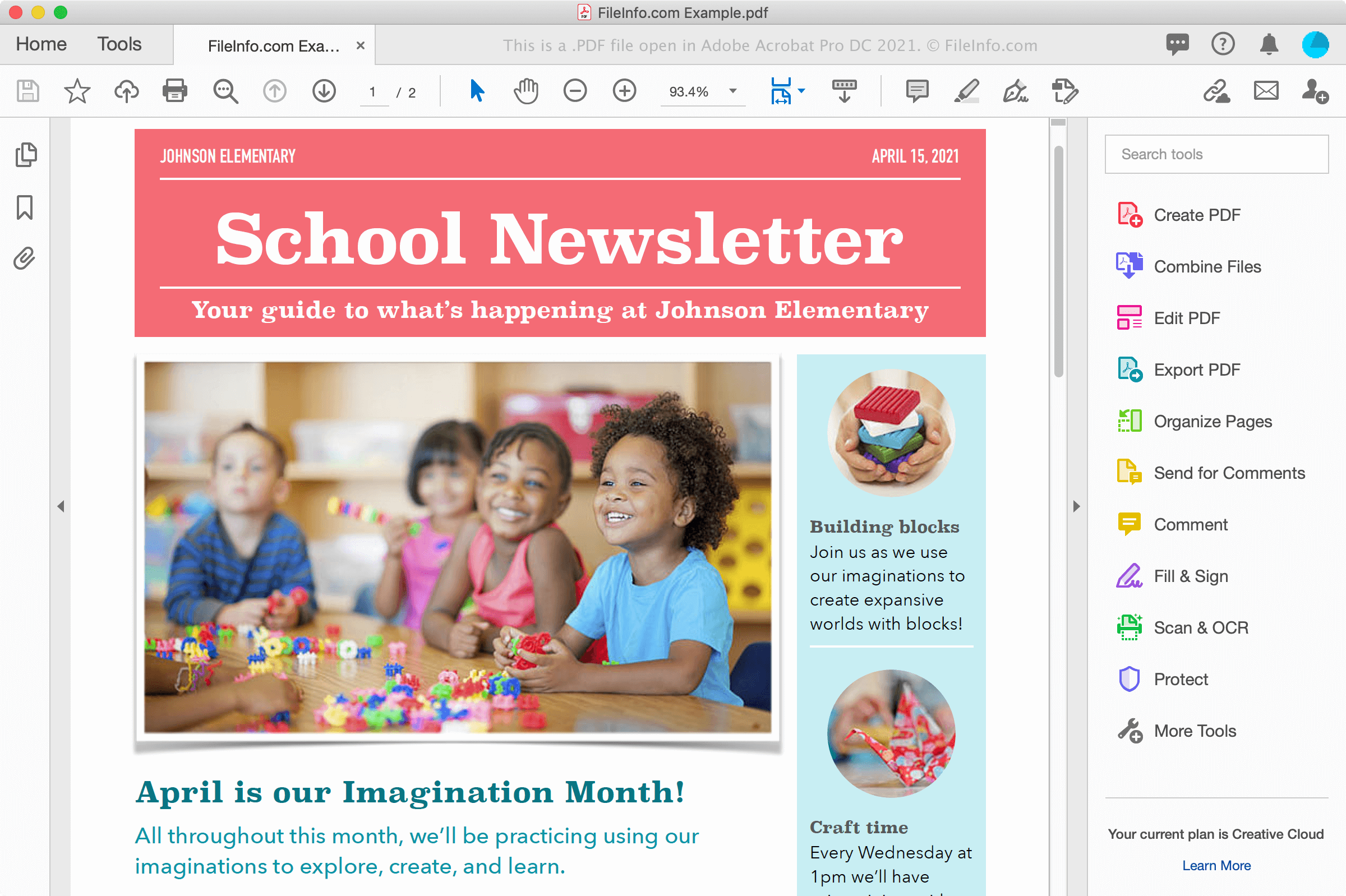
在 Adobe Acrobat Pro DC 2021 中打开的 .pdf 文件截图
在 Adobe Acrobat Pro DC 2021 中打开的 PDF 文件

You may encounter PDF files in various ways, whether downloading a document from a website or receiving a document from a co-worker or friend as an email attachment. PDF files also preserve fonts and formatting electronically across multiple platforms and appear the same on the screen as when printed on paper.

Creating PDF files

You may create PDF files with various programs, including word processors, image editors, and PDF file utilities like Adobe Acrobat. You may also create PDF files from documents using the Print dialog in Windows and macOS.

For example, in Windows, you can select File → Print... or click the printer icon to open the Print dialog within an application. Then, select Microsoft Print to PDF from the list of available printers in the Print dialog box and click Print to create the PDF file. In macOS, you can choose Print... from the application's File menu, and then select Save as PDF... from the PDF dropdown menu in the window.

注: View the PDF definition for more information.

如何打开 PDF 文件

You can open and view PDF files with a large number of applications, most notably, Adobe Acrobat Reader (multiplatform) and Adobe Acrobat (multiplatform), which can also edit them. Nitro Pro (Windows) and Smile PDFpenPro (macOS) are other applications that provide PDF viewing and editing capabilities.

Other options for viewing PDF files include Microsoft Word (Windows and macOS), Apple Preview (bundled with macOS), Foxit Reader, and web browsers, such as Google Chrome (multiplatform) and Microsoft Edge (multiplatform), which includes annotation capabilities.

On mobile devices, you can view PDF files with Adobe Reader (Android and iOS), Apple Books (iOS), Apple Pages (iOS), Google Play Books (Android), and in web browsers, such as Chrome and Safari.

如何转换 PDF 文件

Several applications, including Adobe Acrobat, Microsoft Word, Apple Preview, and Nitro Pro, can convert PDF files to other formats.

Adobe Acrobat can convert PDF files to the following formats:

Adobe also provides free online PDF to Word, PDF to Excel, PDF to PowerPoint, and PDF to JPG converters.

可打开 PDF 文件的程序

验证者 FileInfo.com

FileInfo.com 团队 独立研究了本页面列出的 Portable Document Format 文件格式和 Mac, Windows, Linux, Android, and iOS 应用。 我们的目标是达到 100% 的准确率,并且仅发布我们已验证过的文件类型信息。

如果您想为此页面提出新增或更新建议,请告诉我们