

.PDF Estensione file
File in Portable Document Format
| Sviluppatore | Adobe |
| Popolarità |
4,0 | 4927 Voti |
Che cos'è un file PDF?
Un file PDF è un tipo di documento ampiamente utilizzato che mantiene il layout e la formattazione originali su dispositivi e sistemi operativi diversi. Viene spesso utilizzato per condividere documenti, come report, contratti, manuali o moduli, assicurando che il contenuto appaia allo stesso modo per tutti gli utenti. I file PDF possono includere testo, immagini, annotazioni e persino elementi interattivi (ad esempio, pulsanti e caselle di controllo); in genere, gli utenti li creano a partire da altri formati di file, come documenti Word .DOCX, fogli di calcolo Excel .XLSX e immagini.
Maggiori informazioni
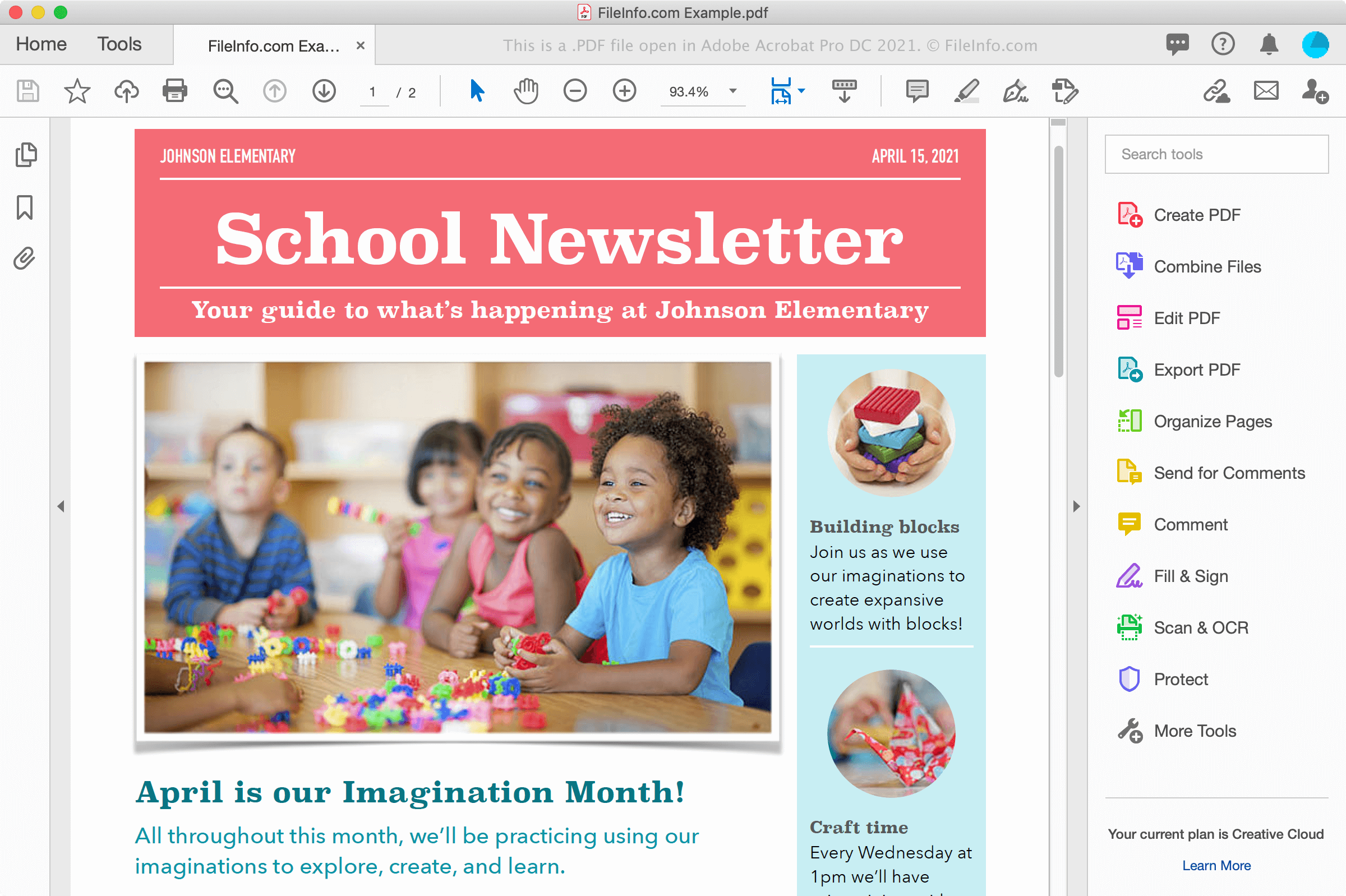
Puoi trovare file PDF in vari modi, ad esempio scaricando un documento da un sito web oppure ricevendo un documento da un collega o un amico come allegato di un'email. I file PDF conservano inoltre elettronicamente i caratteri e la formattazione su più piattaforme e hanno sullo schermo lo stesso aspetto che presentano quando vengono stampati su carta.
Creazione di file PDF
Puoi creare file PDF con vari programmi, inclusi elaboratori di testi, editor di immagini e utilità per file PDF come Adobe Acrobat. Puoi anche creare file PDF da documenti utilizzando la finestra di dialogo Stampa in Windows e macOS.
Ad esempio, in Windows puoi selezionare oppure fare clic sull'icona della stampante per aprire la finestra di dialogo Stampa all'interno di un'applicazione. Quindi, seleziona dall'elenco delle stampanti disponibili nella finestra di dialogo Stampa e fai clic su per creare il file PDF. In macOS, puoi scegliere dal menu dell'applicazione, quindi selezionare dal menu a discesa PDF nella finestra.
NOTA: Consulta la definizione di PDF per ulteriori informazioni.
Come aprire un file PDF
Puoi aprire e visualizzare file PDF con un gran numero di applicazioni, in particolare Adobe Acrobat Reader (multipiattaforma) e Adobe Acrobat (multipiattaforma), che possono anche modificarli. Nitro Pro (Windows) e Smile PDFpenPro (macOS) sono altre applicazioni che offrono funzionalità per la visualizzazione e la modifica dei PDF.
Altre opzioni per visualizzare i file PDF includono Microsoft Word (Windows e macOS), Apple Preview (incluso in macOS), Foxit Reader e i browser web, come Google Chrome (multipiattaforma) e Microsoft Edge (multipiattaforma), che include funzionalità per le annotazioni.
Sui dispositivi mobili puoi visualizzare i file PDF con Adobe Reader (Android e iOS), Apple Books (iOS), Apple Pages (iOS), Google Play Books (Android) e nei browser web, come Chrome e Safari.
Come convertire un file PDF
Diverse applicazioni, tra cui Adobe Acrobat, Microsoft Word, Apple Preview e Nitro Pro, possono convertire i file PDF in altri formati.
Adobe Acrobat può convertire i file PDF nei seguenti formati:
- .DOCX - Documento Word
- .XLSX - Foglio di calcolo Excel
- .PPTX - Presentazione PowerPoint
- .JPEG - Immagine JPEG
- .PNG - Immagine PNG
- .TIFF - Immagine TIFF
- .HTML - Pagina web HTML
Adobe offre anche convertitori online gratuiti da PDF a Word, da PDF a Excel, da PDF a PowerPoint e da PDF a JPG.