

.XLSX Estensione file
Foglio di calcolo Microsoft Excel
| Sviluppatore | Microsoft |
| Popolarità |
3,9 | 1007 Voti |
Che cos'è un file XLSX?
Un file XLSX è un foglio di calcolo di Excel creato da Microsoft Excel o esportato da un altro programma per fogli di calcolo, come OpenOffice Calc o Apple Numbers. Memorizza i dati nei fogli di lavoro, che contengono celle disposte in una griglia di righe e colonne, e può contenere anche grafici, funzioni matematiche, stili e formattazione. I file XLSX vengono comunemente utilizzati per memorizzare dati finanziari e salvare modelli matematici semplici o complessi.
Maggiori informazioni
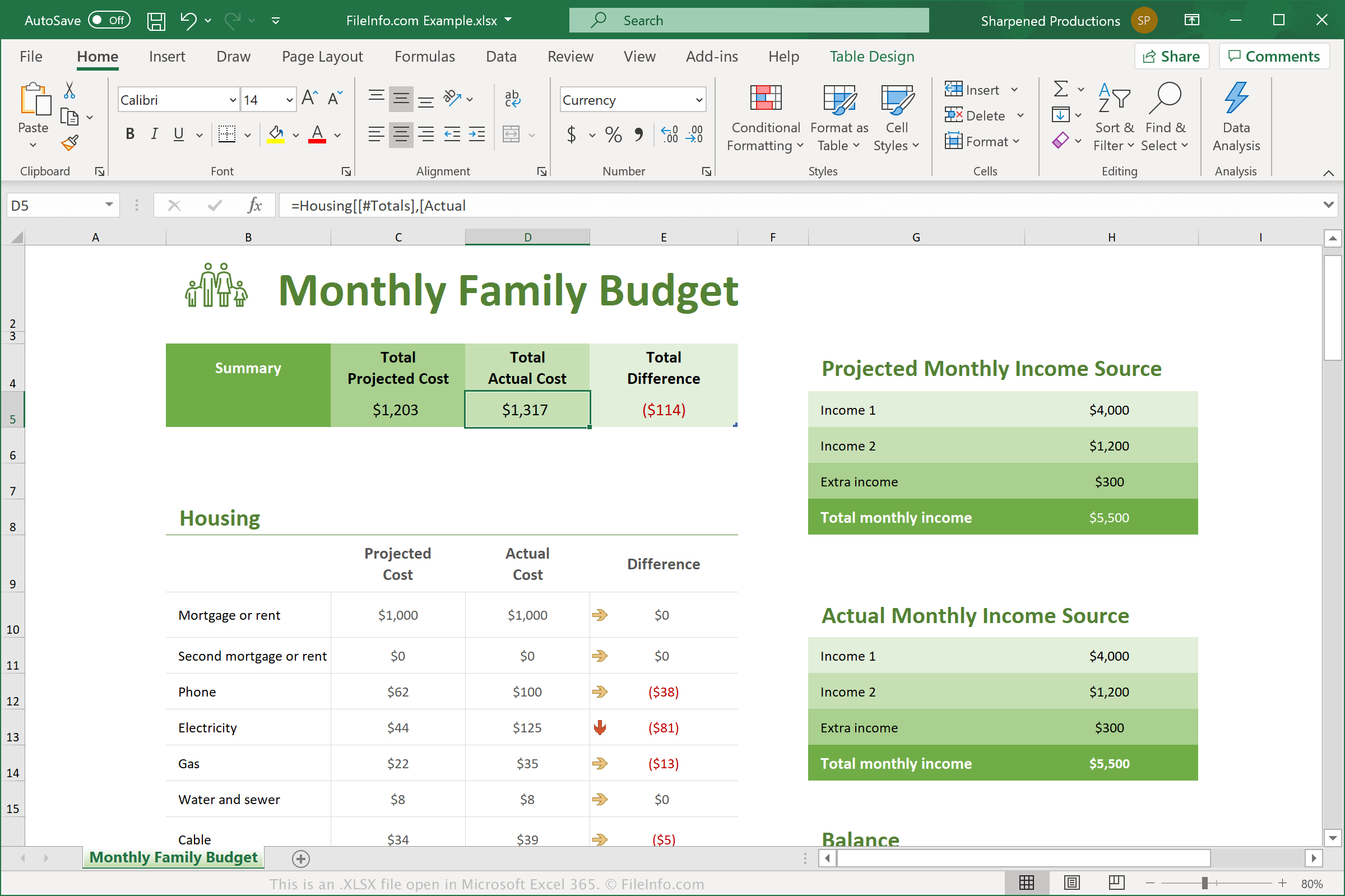
Microsoft ha introdotto il formato Excel Open XML Spreadsheet quando ha rilasciato Excel 2007. Da allora, i file XLSX sono diventati uno dei tipi di file più comuni per salvare i dati nei fogli di calcolo e, di conseguenza, ora vengono generalmente chiamati semplicemente fogli di calcolo Excel.
In Excel 2007, i file XLSX hanno sostituito i file .XLS come formato standard per salvare i fogli di calcolo in Excel. A differenza dei file XLS, che memorizzano i dati del foglio di calcolo in un unico file binario, i file XLSX vengono salvati nel formato Open XML, che memorizza i dati come file e cartelle separati in un pacchetto Zip compresso. L'archivio include il file [Content_Types].xml, che descrive il foglio di calcolo, e un file .XML per ogni foglio di lavoro contenuto nel foglio di calcolo.
Ogni cella di un foglio di calcolo XLSX può essere formattata singolarmente. Ad esempio, le celle possono avere un formato numerico, testuale, valutario o di altro tipo, oltre a un colore, uno stile del bordo, un carattere personalizzato e una dimensione. Le celle possono anche fare riferimento ad altre celle per calcolare un valore risultante.
NOTA: Per esplorare i contenuti di un file XLSX, puoi modificare l'estensione .xlsx in .zip e quindi decomprimere il file risultante con una qualsiasi utilità di decompressione Zip.
Nomi file .XLSX comuni
Workbook1.xlsx - Il nome file predefinito che Microsoft Excel assegna alle nuove cartelle di lavoro a partire da Excel 2007.
Come aprire un file XLSX
Puoi aprire i file XLSX con Microsoft Excel in Windows e macOS. Excel è l'opzione migliore per aprire i file XLSX perché supporta completamente la formattazione dei fogli di calcolo Excel, incluse immagini, grafici e spaziatura dei campi di dati. Excel è disponibile anche per i dispositivi Android e iOS.
Molti altri programmi per fogli di calcolo possono aprire e modificare i file XLSX, ma potrebbero non supportare completamente la formattazione dei fogli di calcolo originali. Tra i programmi alternativi ci sono Corel Quattro Pro (Windows), Apple Numbers (Mac) e OpenOffice Calc (multipiattaforma).
Puoi anche aprire i file XLSX con vari programmi web. Google Sheets è un'ottima opzione gratuita che ti consente di caricare un file XLSX e visualizzare, modificare, salvare e convertire il foglio di calcolo.
Come convertire un file XLSX
Diverse applicazioni per fogli di calcolo, tra cui Microsoft Excel, Apple Numbers e LibreOffice Calc, possono convertire i file XLSX in altri formati.
Ad esempio, puoi selezionare nelle versioni per Windows e Mac di Microsoft Excel per convertire i file XLSX in uno dei seguenti formati:
- .XLS - Foglio di calcolo Microsoft Excel (versione precedente)
- .XLSB - Foglio di calcolo binario Microsoft Excel
- .ODS - Foglio di calcolo OpenDocument
- .CSV - Valori separati da virgole
- .DIF - Formato di scambio dati
- .PDF - Portable Document Format
- .XPS - XML Paper Specification (solo Windows)
- .RTF - Rich Text Format
- .TXT - Testo normale
- .HTM, .HTML - Pagina web HTML
- .XML - Extensible Markup Language
- .MHT, .MHTML - Archivio HTML MIME