

.XLSX ファイル拡張子
Microsoft Excelスプレッドシート
| 開発元 | Microsoft |
| 人気度 |
3.9 | 1007 票 |
XLSXファイルとは?
XLSXファイルは、Microsoft Excelで作成された、またはOpenOffice CalcやApple Numbersなどの別のスプレッドシートプログラムからエクスポートされたExcelスプレッドシートです。データはワークシートに保存されます。ワークシートには、行と列のグリッド状に配置されたセルが含まれ、グラフ、数式、スタイル、書式設定が含まれる場合もあります。XLSXファイルは、財務データの保存や、単純または複雑な数学モデルの保存によく使用されます。
詳細情報
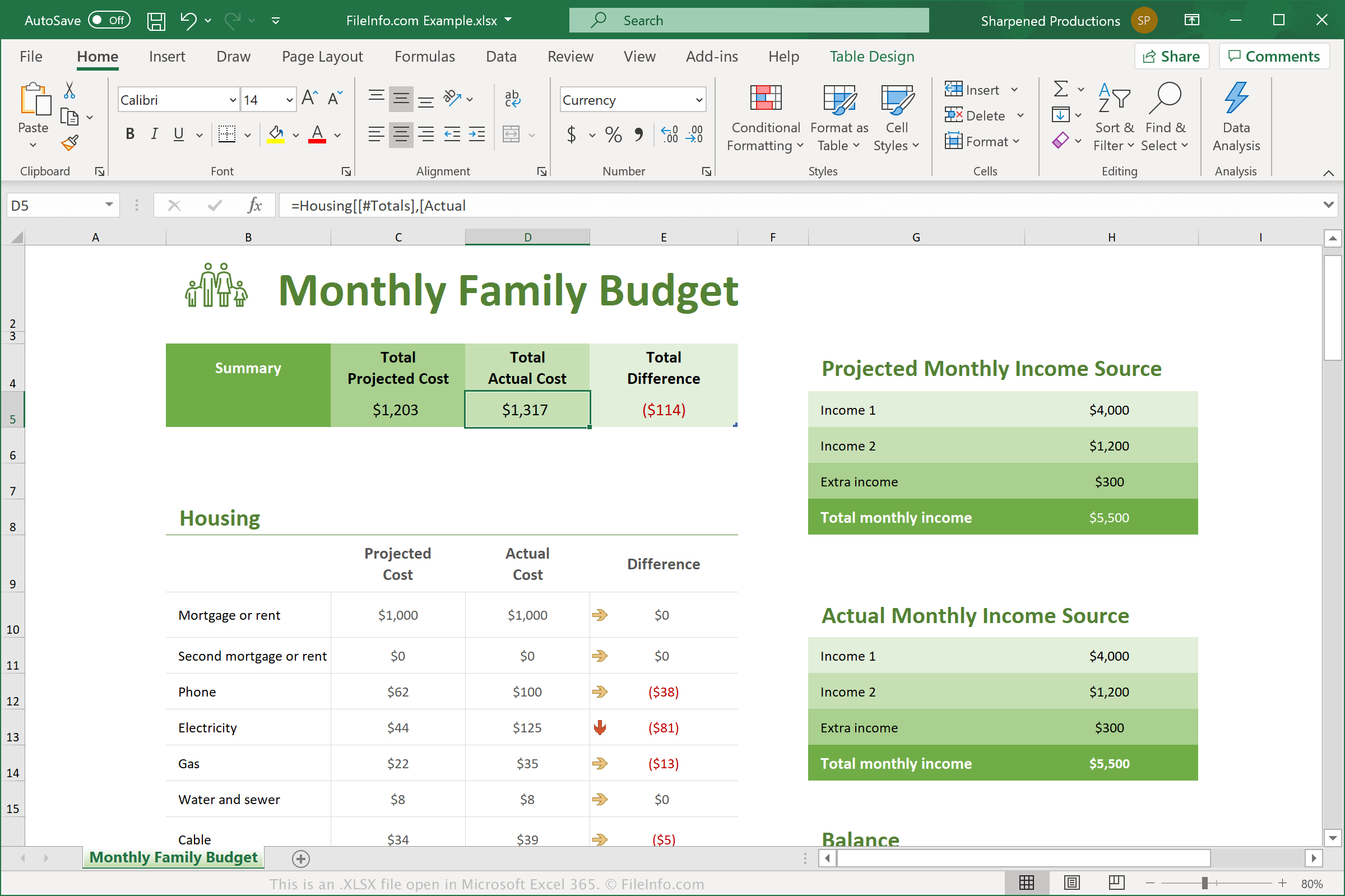
Microsoftは、Excel 2007のリリース時にExcel Open XML Spreadsheet(XLSX)形式を導入しました。それ以来、XLSXファイルはスプレッドシートにデータを保存するための最も一般的なファイル形式の1つとなり、現在では通常、単にExcelスプレッドシートと呼ばれています。
Excel 2007では、スプレッドシートをExcelで保存するための標準ファイルとして、XLSXファイルが.XLSファイルに取って代わりました。スプレッドシートデータを1つのバイナリファイルに保存するXLSファイルとは異なり、XLSXファイルはOpen XML形式で保存されます。この形式では、圧縮されたZipパッケージ内に、データが個別のファイルとフォルダーとして保存されます。アーカイブには、スプレッドシートについて説明する[Content_Types].xmlファイルと、スプレッドシート内の各ワークシートに対応する.XMLファイルが含まれます。
XLSXスプレッドシートの各セルは、個別に書式設定できます。たとえば、セルには数値、テキスト、通貨、その他の形式を設定できるほか、色、罫線のスタイル、カスタムフォント、サイズも設定できます。セルから別のセルを参照して、計算結果を求めることもできます。
注: XLSXファイルの内容を確認するには、.xlsx拡張子を.zipに変更し、任意のZip解凍ユーティリティでそのファイルを解凍します。
一般的な.XLSXファイル名
Workbook1.xlsx - Excel 2007以降で新しいブックに付けられる既定のファイル名です。
XLSXファイルの開き方
XLSXファイルは、WindowsおよびmacOSではMicrosoft Excelで開くことができます。Excelは、画像、グラフ、データフィールドの間隔など、Excelスプレッドシートの書式設定を完全にサポートしているため、XLSXファイルを開くには最適な選択肢です。ExcelはAndroidおよびiOSデバイスでも利用できます。
その他の多くのスプレッドシートプログラムでもXLSXファイルを開いて編集できますが、元のスプレッドシートの書式設定を完全にはサポートしていない場合があります。代替プログラムには、Corel Quattro Pro(Windows)、Apple Numbers(Mac)、OpenOffice Calc(マルチプラットフォーム)などがあります。
さまざまなWebプログラムでもXLSXファイルを開くことができます。Google Sheetsは、XLSXファイルをアップロードして、スプレッドシートの表示、編集、保存、変換ができる優れた無料オプションです。
XLSXファイルの変換方法
Microsoft Excel、Apple Numbers、LibreOffice Calcなど、いくつかのスプレッドシートアプリケーションでXLSXファイルを他の形式に変換できます。
たとえば、Microsoft ExcelのWindows版およびMac版でを選択すると、XLSXファイルを次のいずれかの形式に変換できます。
- .XLS - Microsoft Excelスプレッドシート(旧形式)
- .XLSB - Microsoft Excelバイナリスプレッドシート
- .ODS - OpenDocumentスプレッドシート
- .CSV - カンマ区切り値
- .DIF - データ交換形式
- .PDF - Portable Document Format
- .XPS - XML Paper Specification(Windowsのみ)
- .RTF - Rich Text Format
- .TXT - プレーンテキスト
- .HTM, .HTML - HTML Webページ
- .XML - Extensible Markup Language
- .MHT, .MHTML - MIME HTMLアーカイブ