

.PDF ファイル拡張子
Portable Document Formatファイル
| 開発元 | Adobe |
| 人気度 |
4.0 | 4927 票 |
PDFファイルとは?
PDFファイルは、さまざまなデバイスやオペレーティングシステム間で元のレイアウトと書式を維持する、広く使用されている文書形式です。レポート、契約書、マニュアル、フォームなどの文書を共有するためによく使用され、すべてのユーザーに同じように内容が表示されるようにします。PDFファイルには、テキスト、画像、注釈、さらにはインタラクティブな要素(ボタンやチェックボックスなど)を含めることができます。通常、Word .DOCX文書、Excel .XLSXスプレッドシート、画像など、別のファイル形式から作成します。
詳細情報
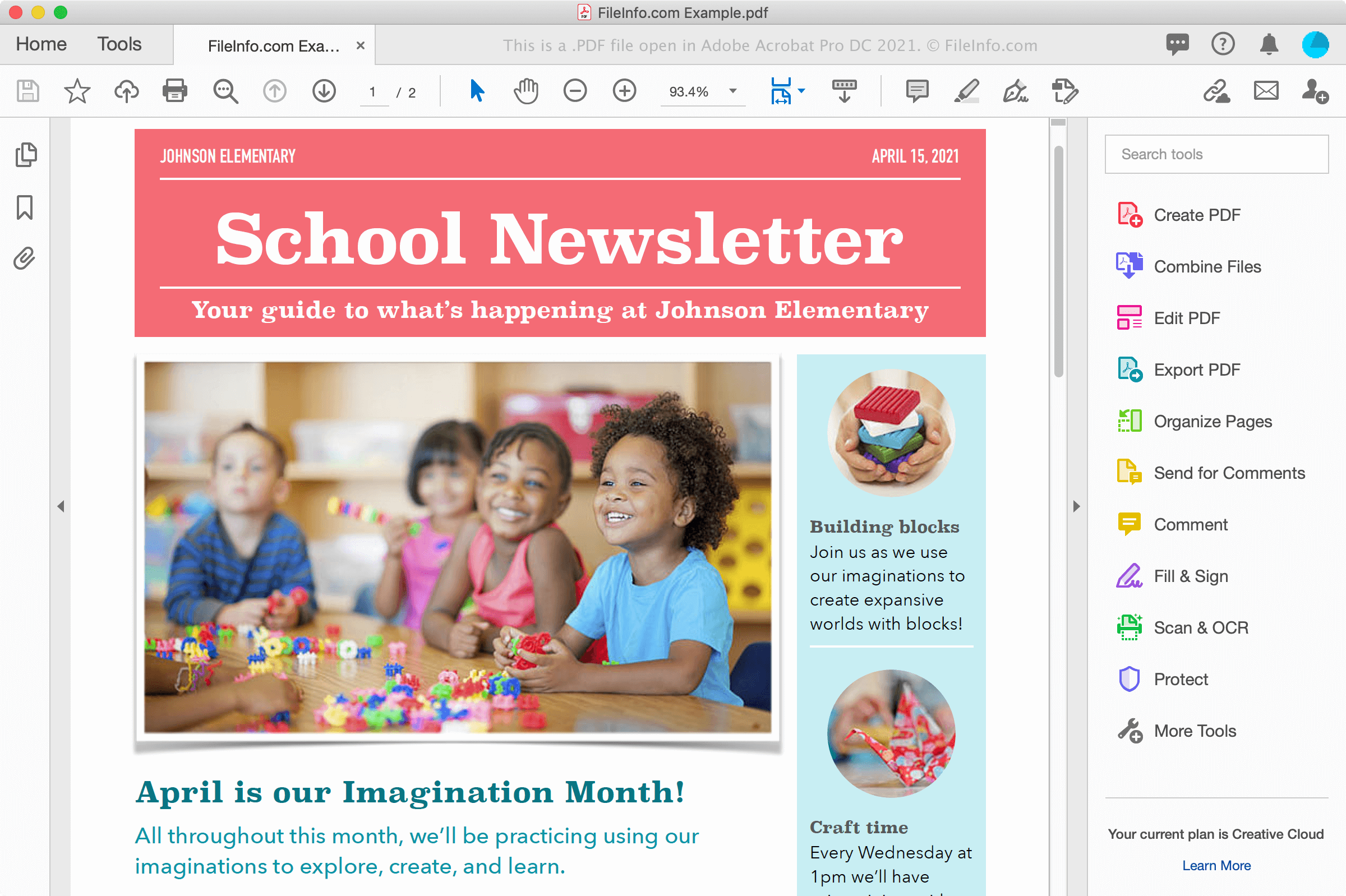
Webサイトから文書をダウンロードしたり、同僚や友人からメールの添付ファイルとして文書を受け取ったりするなど、さまざまな場面でPDFファイルを目にすることがあります。PDFファイルは、複数のプラットフォーム間でフォントや書式も電子的に保持し、紙に印刷したときと同じように画面に表示されます。
PDFファイルの作成
ワープロソフト、画像編集ソフト、Adobe AcrobatなどのPDFファイルユーティリティを含むさまざまなプログラムでPDFファイルを作成できます。WindowsやmacOSの印刷ダイアログを使用して、文書からPDFファイルを作成することもできます。
たとえばWindowsでは、を選択するか、プリンターアイコンをクリックして、アプリケーション内の印刷ダイアログを開きます。次に、印刷ダイアログボックスで使用可能なプリンターの一覧からを選択し、をクリックしてPDFファイルを作成します。macOSでは、アプリケーションのメニューからを選択し、ウィンドウのPDFドロップダウンメニューからを選択します。
注: 詳しくはPDFの定義をご覧ください。
PDFファイルの開き方
PDFファイルは多数のアプリケーションで開いて表示できます。特に、 Adobe Acrobat Reader(マルチプラットフォーム)とAdobe Acrobat(マルチプラットフォーム)がよく使用され、PDFファイルの編集も可能です。Nitro Pro(Windows)とSmile PDFpenPro(macOS)も、PDFファイルの表示および編集機能を提供するアプリケーションです。
PDFファイルを表示するその他の方法には、Microsoft Word(WindowsおよびmacOS)、Apple Preview(macOSに付属)、Foxit Reader、そしてGoogle Chrome(マルチプラットフォーム)やMicrosoft Edge(マルチプラットフォーム)などのWebブラウザーがあります。Microsoft Edgeには注釈機能も含まれています。
モバイルデバイスでは、Adobe Reader(AndroidおよびiOS)、Apple Books(iOS)、Apple Pages(iOS)、Google Play Books(Android)、そしてChromeやSafariなどのWebブラウザーでPDFファイルを表示できます。
PDFファイルの変換方法
Adobe Acrobat、Microsoft Word、Apple Preview、Nitro Proなど、いくつかのアプリケーションでPDFファイルを別の形式に変換できます。
Adobe Acrobatでは、PDFファイルを次の形式に変換できます。
- .DOCX - Word文書
- .XLSX - Excelスプレッドシート
- .PPTX - PowerPointプレゼンテーション
- .JPEG - JPEG画像
- .PNG - PNG画像
- .TIFF - TIFF画像
- .HTML - HTML Webページ
Adobeは、PDFからWord、PDFからExcel、PDFからPowerPoint、PDFからJPGへの無料オンラインコンバーターも提供しています。