

.PDF Bestandsextensie
Portable Document Format-bestand
| Ontwikkelaar | Adobe |
| Populariteit |
4,0 | 4927 stemmen |
Wat is een PDF-bestand?
Een PDF-bestand is een veelgebruikt documenttype dat de oorspronkelijke lay-out en opmaak op verschillende apparaten en besturingssystemen behoudt. Het wordt vaak gebruikt om documenten te delen, zoals rapporten, contracten, handleidingen of formulieren, zodat de inhoud er voor alle gebruikers hetzelfde uitziet. PDF-bestanden kunnen tekst, afbeeldingen, annotaties en zelfs interactieve elementen bevatten (bijvoorbeeld knoppen en selectievakjes), en gebruikers maken ze meestal vanuit andere bestandsindelingen, zoals Word .DOCX-documenten, Excel .XLSX-spreadshee22ts en afbeeldingen.
Meer informatie
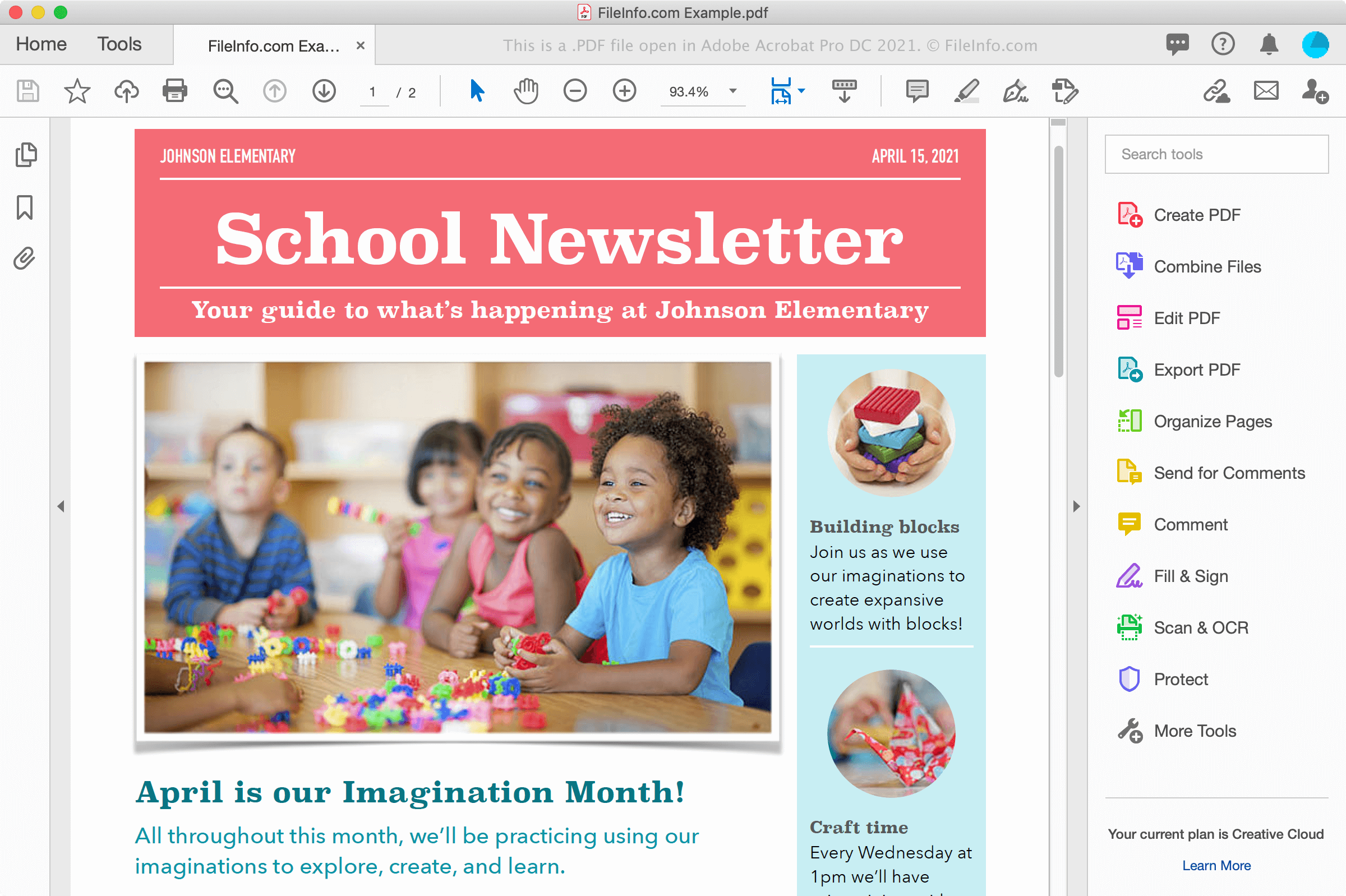
Je kunt PDF-bestanden op verschillende manieren tegenkomen, bijvoorbeeld wanneer je een document van een website downloadt of een document als e-mailbijlage van een collega of vriend ontvangt. PDF-bestanden behouden ook lettertypen en opmaak elektronisch op meerdere platforms en zien er op het scherm hetzelfde uit als wanneer ze op papier zijn afgedrukt.
PDF-bestanden maken
Je kunt PDF-bestanden maken met verschillende programma's, waaronder tekstverwerkers, afbeeldingseditors en hulpprogramma's voor PDF-bestanden, zoals Adobe Acrobat. Je kunt ook PDF-bestanden maken vanuit documenten met het dialoogvenster Afdrukken in Windows en macOS.
In Windows kun je bijvoorbeeld selecteren of op het printerpictogram klikken om het dialoogvenster Afdrukken binnen een toepassing te openen. Selecteer vervolgens in de lijst met beschikbare printers in het dialoogvenster Afdrukken en klik op om het PDF-bestand te maken. In macOS kun je kiezen in het menu van de toepassing en vervolgens selecteren in het vervolgkeuzemenu voor PDF in het venster.
OPMERKING: Bekijk de definitie van PDF voor meer informatie.
Een PDF-bestand openen
Je kunt PDF-bestanden met een groot aantal toepassingen openen en bekijken, met name Adobe Acrobat Reader (meerdere platforms) en Adobe Acrobat (meerdere platforms), waarmee je ze ook kunt bewerken. Nitro Pro (Windows) en Smile PDFpenPro (macOS) zijn andere toepassingen die mogelijkheden bieden om PDF-bestanden te bekijken en te bewerken.
Andere opties om PDF-bestanden te bekijken zijn Microsoft Word (Windows en macOS), Apple Preview (meegeleverd met macOS), Foxit Reader en webbrowsers, zoals Google Chrome (meerdere platforms) en Microsoft Edge (meerdere platforms), die mogelijkheden voor annotaties biedt.
Op mobiele apparaten kun je PDF-bestanden bekijken met Adobe Reader (Android en iOS), Apple Books (iOS), Apple Pages (iOS), Google Play Books (Android) en in webbrowsers, zoals Chrome en Safari.
Een PDF-bestand converteren
Verschillende toepassingen, waaronder Adobe Acrobat, Microsoft Word, Apple Preview en Nitro Pro, kunnen PDF-bestanden naar andere indelingen converteren.
Adobe Acrobat kan PDF-bestanden naar de volgende indelingen converteren:
- .DOCX - Word-document
- .XLSX - Excel-spreadsheet
- .PPTX - PowerPoint-presentatie
- .JPEG - JPEG-afbeelding
- .PNG - PNG-afbeelding
- .TIFF - TIFF-afbeelding
- .HTML - HTML-webpagina
Adobe biedt ook gratis online converters van PDF naar Word, van PDF naar Excel, van PDF naar PowerPoint en van PDF naar JPG.