

.DOCX Bestandsextensie
Microsoft Word-document
| Ontwikkelaar | Microsoft |
| Populariteit |
3,8 | 1839 stemmen |
Wat is een DOCX-bestand?
Een DOCX-bestand is een document dat is gemaakt met Microsoft Word of is geëxporteerd door een ander tekstverwerkingsprogramma, zoals OpenOffice Writer of Apple Pages. Het bevat opgemaakte tekst en kan ook afbeeldingen, tabellen, grafieken en andere documentelementen bevatten. DOCX-bestanden worden veel gebruikt in thuisomgevingen, het onderwijs en bedrijven voor brieven, cv's, uitnodigingen, nieuwsbrieven en andere documenten.
Meer informatie
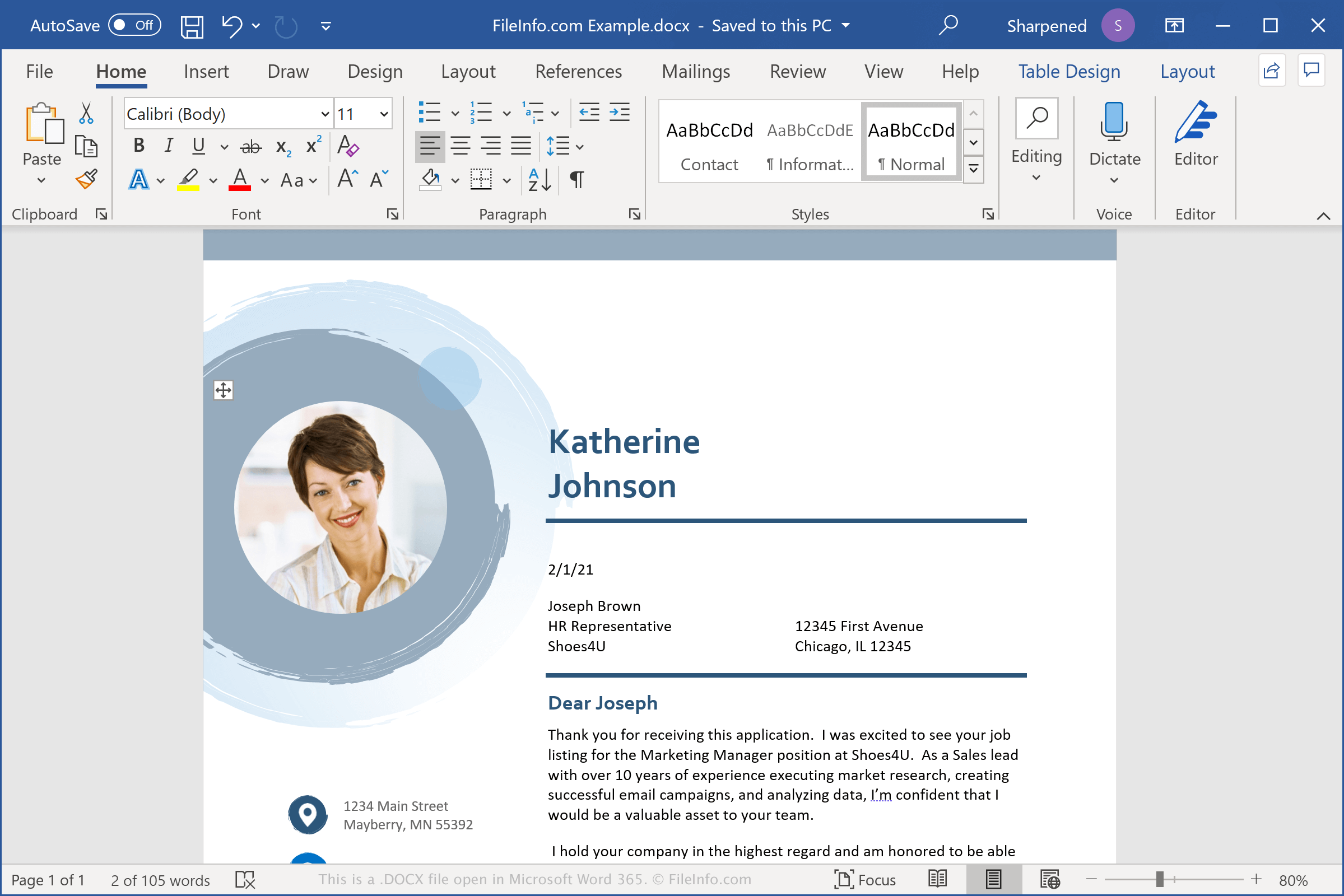
DOCX-bestanden slaan gegevens op in de Open XML Document-indeling, die werd geïntroduceerd met Microsoft Word 2007. Deze verving de .DOC-bestandsindeling als de standaardindeling voor het opslaan van documenten in Word. In tegenstelling tot DOC-bestanden, die documentgegevens in één binair bestand opslaan, slaan DOCX-bestanden gegevens op als afzonderlijke bestanden en mappen in een gecomprimeerd Zip-pakket. In een DOCX-bestand staan XML-bestanden en drie mappen: Word, docProps en _rels, waarin de inhoud, documenteigenschappen en relaties tussen de bestanden worden opgeslagen.
De Open XML-indeling is ontworpen om documentinhoud opener en toegankelijker te maken. Documenttekst wordt bijvoorbeeld opgeslagen in bestanden met platte tekst en documentafbeeldingen worden als afzonderlijke afbeeldingsbestanden, zoals .JPG of .PNG, in het DOCX-bestand opgeslagen. De opgenomen bestanden kunnen ook informatie over paginaopmaak, gegevens over het auteurschap en opmerkingen bij documentrevisies bevatten.
OPMERKING: Als je de inhoud van een DOCX-bestand wilt bekijken, wijzig je de extensie .docx in .zip en pak je het resulterende bestand uit met een hulpprogramma voor het decomprimeren van Zip-bestanden.
Veelvoorkomende .DOCX-bestandsnamen
Document1.docx - De standaardbestandsnaam die Microsoft Word aan nieuwe documenten geeft.
Een DOCX-bestand openen
Je kunt een DOCX-bestand openen met Microsoft Word in Windows en macOS. Word is de beste optie voor het openen van DOCX-bestanden, omdat het de opmaak van Word-documenten volledig ondersteunt, waaronder afbeeldingen, grafieken, tabellen en de afstand en uitlijning van tekst. Word is ook beschikbaar voor apparaten met Android en iOS.
Je kunt DOCX-bestanden ook openen met andere tekstverwerkingsprogramma's, maar een deel van de opmaak van de oorspronkelijke documenten kan verloren gaan. Andere tekstverwerkingsprogramma's die DOCX-bestanden ondersteunen zijn Corel WordPerfect (Windows), Apple Pages (Mac) en LibreOffice Writer (meerdere platforms).
Je kunt DOCX-bestanden online met verschillende programma's openen. Google Docs is een gratis webtoepassing waarmee je DOCX-bestanden kunt uploaden, bekijken, bewerken en opslaan.
Een DOCX-bestand converteren
Verschillende tekstverwerkingsprogramma's, waaronder Microsoft Word, Apple Pages en LibreOffice Writer, kunnen DOCX-bestanden naar andere indelingen converteren.
Selecteer bijvoorbeeld in de Windows- en Mac-versies van Microsoft Word om DOCX-bestanden naar een van de volgende indelingen te converteren: