

.RTF Bestandsextensie
Rich Text Format-bestand
| Ontwikkelaar | Microsoft |
| Populariteit |
3,4 | 570 stemmen |
Wat is een RTF-bestand?
Een RTF-bestand is een tekstdocument dat lettertype-opmaak ondersteunt, ook wel "rich text" genoemd. Voorbeelden hiervan zijn vetgedrukte, cursieve en onderstreepte tekst, evenals verschillende lettertypen en tekengroottes. RTF-bestanden ondersteunen ook opties voor pagina-opmaak, zoals aangepaste regelafstand, tabbreedte en documentmarges. Moderne versies van de RTF-indeling kunnen ook afbeeldingen bevatten, zoals .JPG- en .PNG-bestanden.
Meer informatie
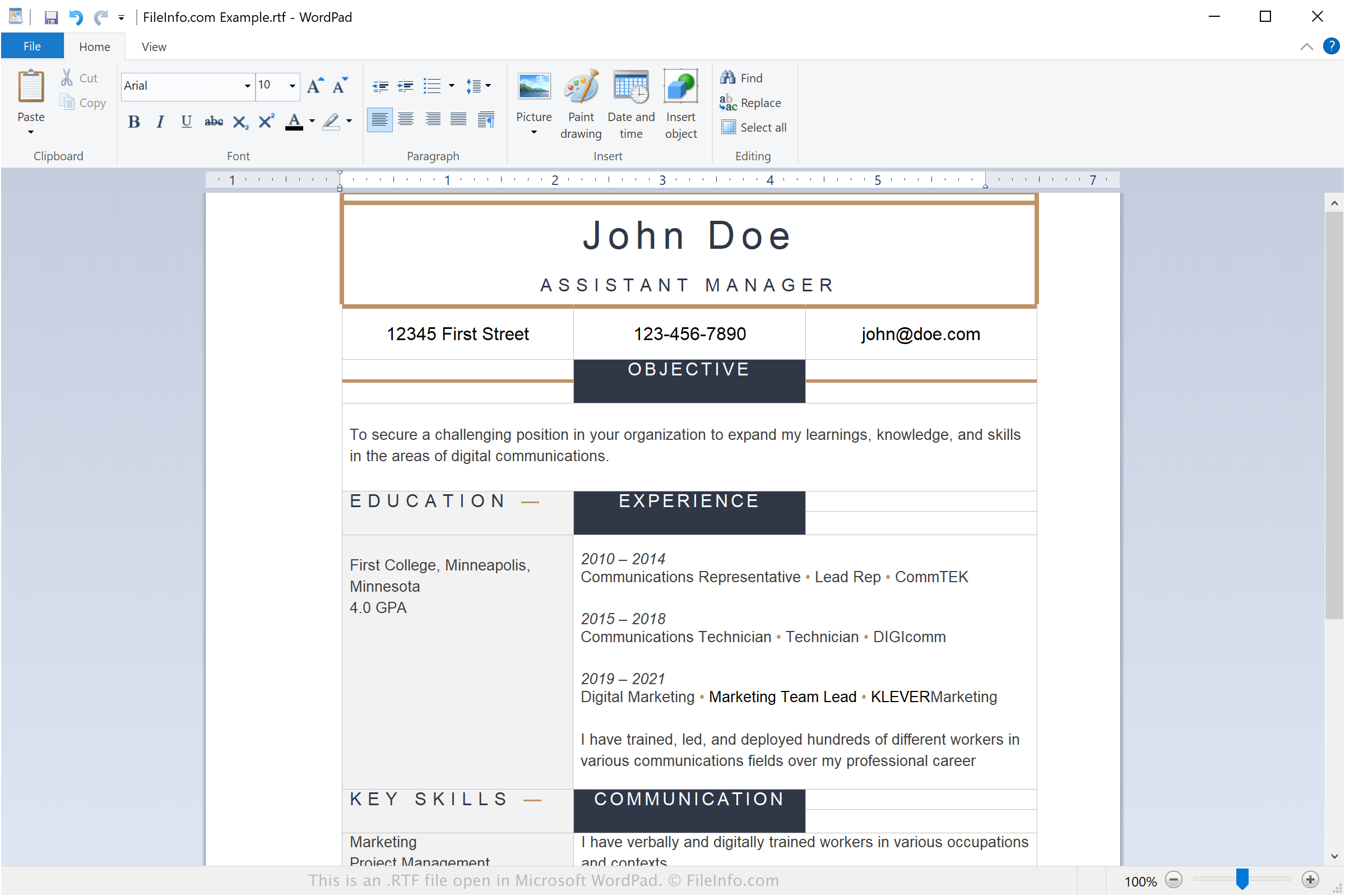
Microsoft introduceerde de Rich Text Format (RTF) in 1987 als alternatief voor de standaardindeling platte tekst. In de daaropvolgende decennia voerde het bedrijf verschillende geleidelijke updates aan de indeling door, zoals ondersteuning voor ingesloten afbeeldingen. Hoewel Microsoft in 2008 stopte met het bijwerken van de RTF-indeling, ondersteunen de meeste tekstverwerkers nog steeds RTF-bestanden.
Omdat RTF breed wordt ondersteund, is het een ideale keuze voor mensen die documenten willen overzetten en bewerken op meerdere besturingssystemen en apparaten. Als je bijvoorbeeld op je werk een Windows-pc gebruikt maar thuis een Mac, kun je een Microsoft WordPad-document op je werkcomputer opslaan als RTF-bestand, het bestand naar jezelf e-mailen en het thuis openen in Apple TextEdit.
OPMERKING: Je kunt kleine verschillen in de opmaak tegenkomen wanneer je een RTF-bestand dat door het ene programma is gemaakt in een ander programma opent. Deze wijzigingen kunnen worden toegeschreven aan de verschillende versies van de RTF-indeling die door verschillende programma's worden ondersteund.
Veelvoorkomende .RTF-bestandsnamen
New Rich Text Document.rtf - De standaardnaam voor nieuwe RTF-bestanden die via het contextmenu van Windows worden gemaakt (klik met de rechtermuisknop in een map en kies ).
Een RTF-bestand openen
Je kunt een RTF-bestand openen met de meeste tekstverwerkingsprogramma's, waaronder:
- Microsoft WordPad (Windows)
- Apple TextEdit (Mac)
- Microsoft Word (platformonafhankelijk)
- OpenOffice Writer (platformonafhankelijk)
- Google Docs (web, ChromeOS, iOS, Android)
Een RTF-bestand converteren
De meeste tekstverwerkers kunnen RTF-bestanden naar andere indelingen converteren. Microsoft WordPad kan bijvoorbeeld RTF-documenten converteren naar .DOCX-, .ODT- en .TXT-bestanden.
Selecteer in de Windows- en Mac-versies van Microsoft Word ook om RTF-bestanden naar een van de volgende indelingen te converteren:
- .DOCX - Microsoft Word-document
- .DOC - Microsoft Word-document (verouderd)
- .PDF - Portable Document Format
- .ODT - OpenDocument-tekstdocument
- .TXT - Platte tekst
- .HTM, .HTML - HTML-webpagina
- .XML - Extensible Markup Language
- .MHT, .MHTML - MIME HTML-archief
- .XPS - XML Paper Specification (alleen Windows)