

.XPS Bestandsextensie
XML Paper Specification-bestand
| Ontwikkelaar | Microsoft |
| Populariteit |
3,6 | 267 stemmen |
Wat is een XPS-bestand?
Een XPS-bestand is een document dat informatie over een vaste paginalay-out bevat, geschreven in de XPS-paginabeschrijvingstaal. Het bestand definieert de lay-out, het uiterlijk en de afdrukinformatie van een document. XPS-bestanden lijken op .PDF-bestanden, maar zijn opgeslagen in de eigen XPS-indeling van Microsoft.
Meer informatie
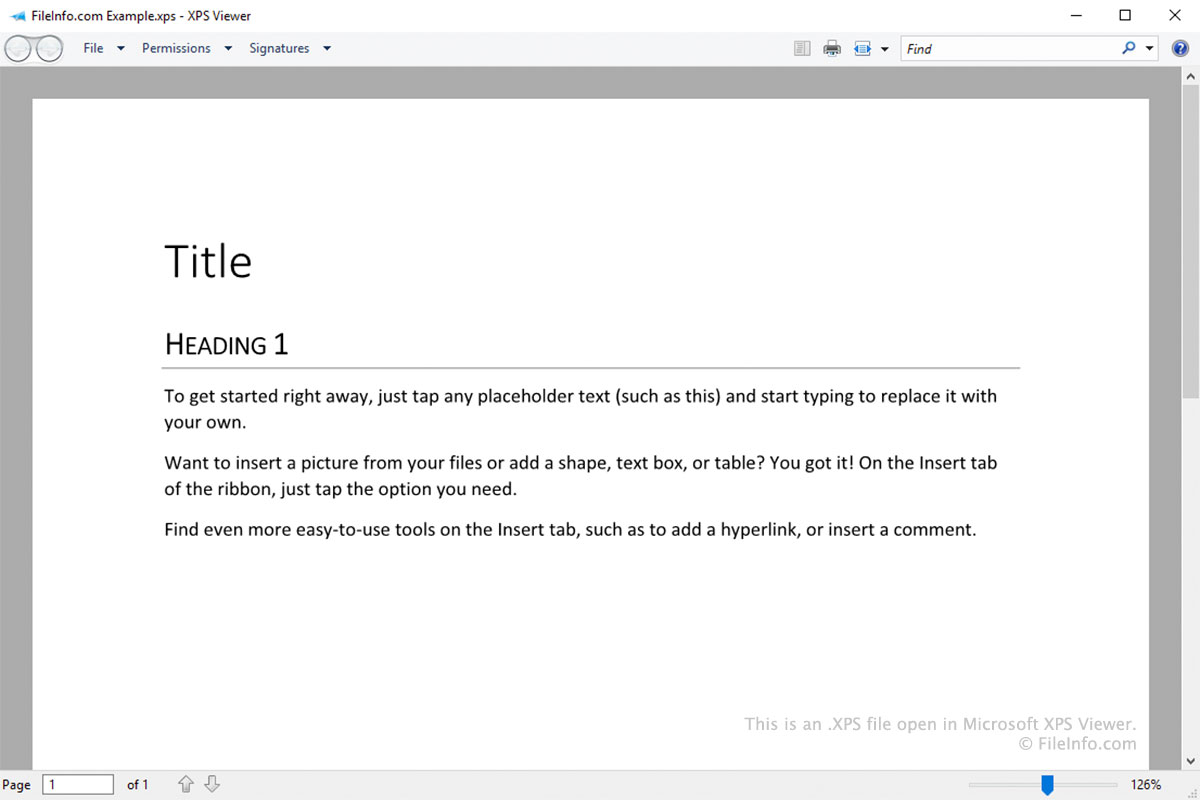
De XPS-indeling is ontworpen als vervanging voor de indeling Enhanced Metafile (.EMF). Deze lijkt op de PDF-indeling, maar is gebaseerd op XML in plaats van PostScript.
Windows-gebruikers kunnen een document als XPS-bestand opslaan door tijdens het afdrukken als printer te selecteren (vergelijkbaar met hoe gebruikers een document als PDF-bestand kunnen opslaan door te selecteren). Nadat je een document als XPS-bestand hebt opgeslagen, kun je het niet meer bewerken. Je kunt het bestand echter openen, bekijken, ondertekenen en de machtigingen ervan beheren in Microsoft XPS Viewer.
Oude versies van Windows (Vista tot en met 10) werden geleverd met Microsoft XPS Viewer. In latere uitgaven van Windows 10 stopte Microsoft standaard met het installeren van XPS Viewer. In plaats daarvan is XPS Viewer nu een optionele functie die gebruikers van Windows 10 en 11 kunnen inschakelen als ze dat willen.
Een XPS-bestand openen
Windows-gebruikers kunnen XPS-bestanden openen in Microsoft XPS Viewer. In Windows 11 en latere versies van Windows 10 moet je XPS Viewer handmatig installeren door naar te gaan en naar XPS Viewer te zoeken.
Andere apps waarmee je XPS-bestanden kunt openen zijn:
- NiXPS View en NiXPS Edit (Mac)
- KDE Okular en MuPDF (Linux)
- Google Drive (multiplatform)
Een XPS-bestand converteren
Met de meeste programma's waarmee je XPS-bestanden kunt openen, kun je deze naar de indeling .PDF converteren. Bijvoorbeeld:
- In Microsoft XPS Viewer kun je een XPS-bestand naar een PDF-bestand converteren met Microsoft Print to PDF.
- In Google Drive kun je de optie gebruiken om een XPS-bestand naar een PDF-bestand te converteren.