

.DOCX Dateiendung
Microsoft Word-Dokument
| Entwickler | Microsoft |
| Beliebtheit |
3,8 | 1839 Stimmen |
Was ist eine DOCX-Datei?
Eine DOCX-Datei ist ein Dokument, das mit Microsoft Word erstellt oder von einem anderen Textverarbeitungsprogramm wie OpenOffice Writer oder Apple Pages exportiert wurde. Sie enthält formatierten Text und kann außerdem Bilder, Tabellen, Diagramme und andere Dokumentelemente enthalten. DOCX-Dateien werden in privaten, akademischen und geschäftlichen Umgebungen häufig für Briefe, Lebensläufe, Einladungen, Newsletter und andere Dokumente verwendet.
Weitere Informationen
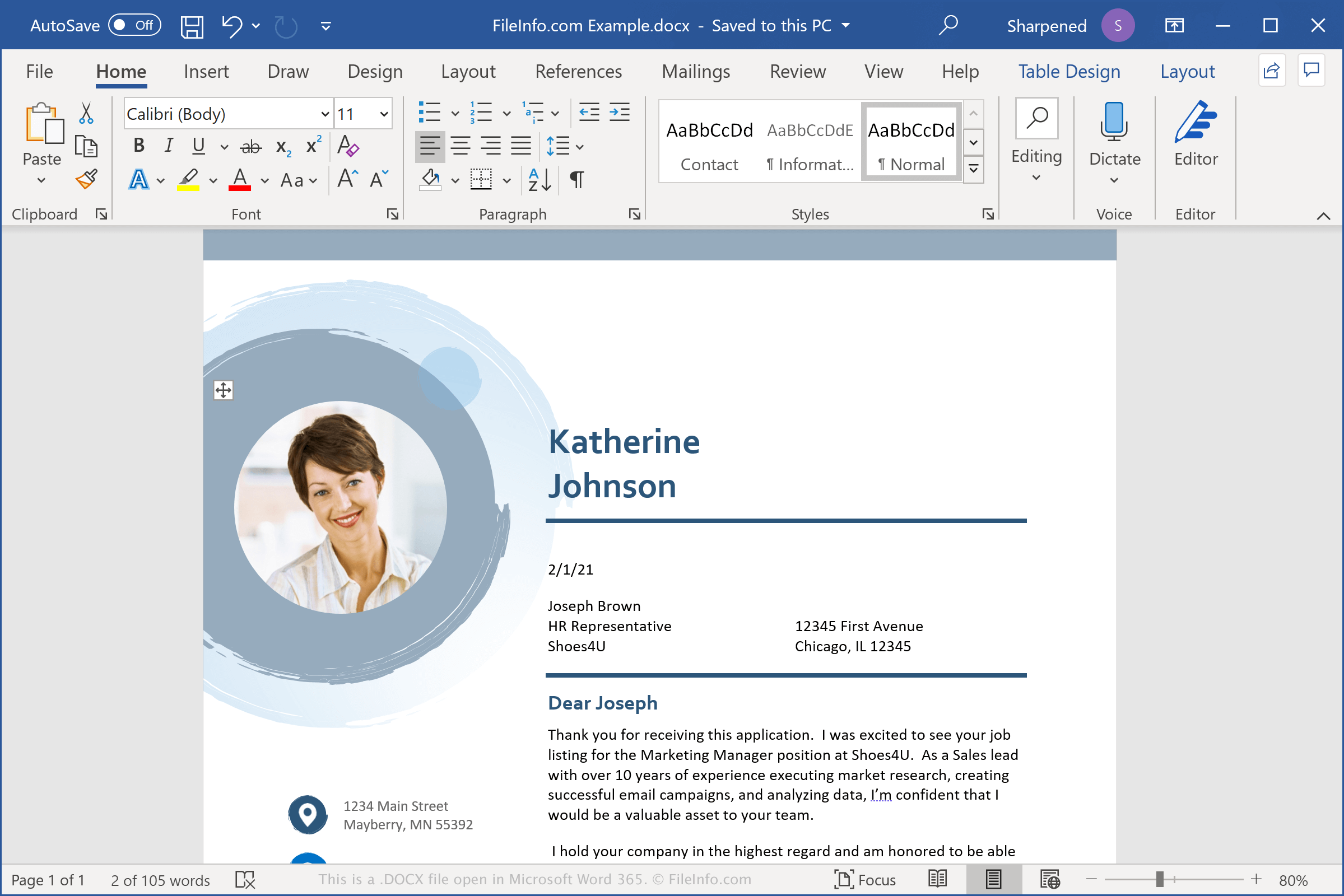
DOCX-Dateien speichern Daten im Open-XML-Dokumentformat, das mit Microsoft Word 2007 eingeführt wurde. Es ersetzte das .DOC-Dateiformat als Standardformat zum Speichern von Dokumenten in Word. Anders als DOC-Dateien, die Dokumentdaten in einer einzigen Binärdatei speichern, speichern DOCX-Dateien Daten als separate Dateien und Ordner in einem komprimierten ZIP-Paket. Eine DOCX-Datei enthält XML-Dateien und drei Ordner: Word, docProps und _rels. Diese speichern den Inhalt, die Dokumenteigenschaften und die Beziehungen zwischen den Dateien.
Das Open-XML-Format wurde entwickelt, um Dokumentinhalte offener und zugänglicher zu machen. Beispielsweise wird Dokumenttext in Textdateien gespeichert, und Dokumentbilder werden als einzelne Bilddateien wie .JPG oder .PNG innerhalb der DOCX-Datei gespeichert. Die enthaltenen Dateien können außerdem Informationen zur Seitenformatierung, Angaben zur Urheberschaft und Anmerkungen zur Dokumentüberprüfung enthalten.
HINWEIS: Um den Inhalt einer DOCX-Datei zu untersuchen, benennen Sie die .docx-Erweiterung in .zip um und dekomprimieren Sie anschließend die entstandene Datei mit einem beliebigen Dienstprogramm zum Dekomprimieren von ZIP-Dateien.
Häufige .DOCX-Dateinamen
Document1.docx - Der Standarddateiname, den Microsoft Word neuen Dokumenten zuweist.
So öffnen Sie eine DOCX-Datei
Sie können eine DOCX-Datei unter Windows und macOS mit Microsoft Word öffnen. Word eignet sich am besten zum Öffnen von DOCX-Dateien, da es die Formatierung von Word-Dokumenten vollständig unterstützt, einschließlich Bildern, Diagrammen, Tabellen sowie Textabständen und -ausrichtung. Word ist auch für Geräte mit Android und iOS verfügbar.
Sie können DOCX-Dateien auch mit anderen Textverarbeitungsprogrammen öffnen, aber dabei kann ein Teil der Formatierung der ursprünglichen Dokumente verloren gehen. Zu den alternativen Textverarbeitungsprogrammen, die DOCX-Dateien unterstützen, gehören Corel WordPerfect (Windows), Apple Pages (Mac) und LibreOffice Writer (plattformübergreifend).
Sie können DOCX-Dateien mit verschiedenen Programmen online öffnen. Google Docs ist eine kostenlose Webanwendung, mit der Sie DOCX-Dateien hochladen, anzeigen, bearbeiten und speichern können.
So konvertieren Sie eine DOCX-Datei
Mehrere Textverarbeitungsprogramme, darunter Microsoft Word, Apple Pages und LibreOffice Writer, können DOCX-Dateien in andere Formate konvertieren.
Wählen Sie beispielsweise in den Windows- und Mac-Versionen von Microsoft Word , um DOCX-Dateien in eines der folgenden Formate zu konvertieren: