

.DOCX Extension de fichier
Document Microsoft Word
| Développeur | Microsoft |
| Popularité |
3,8 | 1839 Votes |
Qu'est-ce qu'un fichier DOCX ?
Un fichier DOCX est un document créé avec Microsoft Word ou exporté par un autre programme de traitement de texte, comme OpenOffice Writer ou Apple Pages. Il contient du texte mis en forme et peut également inclure des images, des tableaux, des graphiques et d'autres éléments de document. Les fichiers DOCX sont très utilisés dans les environnements personnels, scolaires et professionnels pour les lettres, les CV, les invitations, les bulletins d'information et d'autres documents.
Plus d'informations
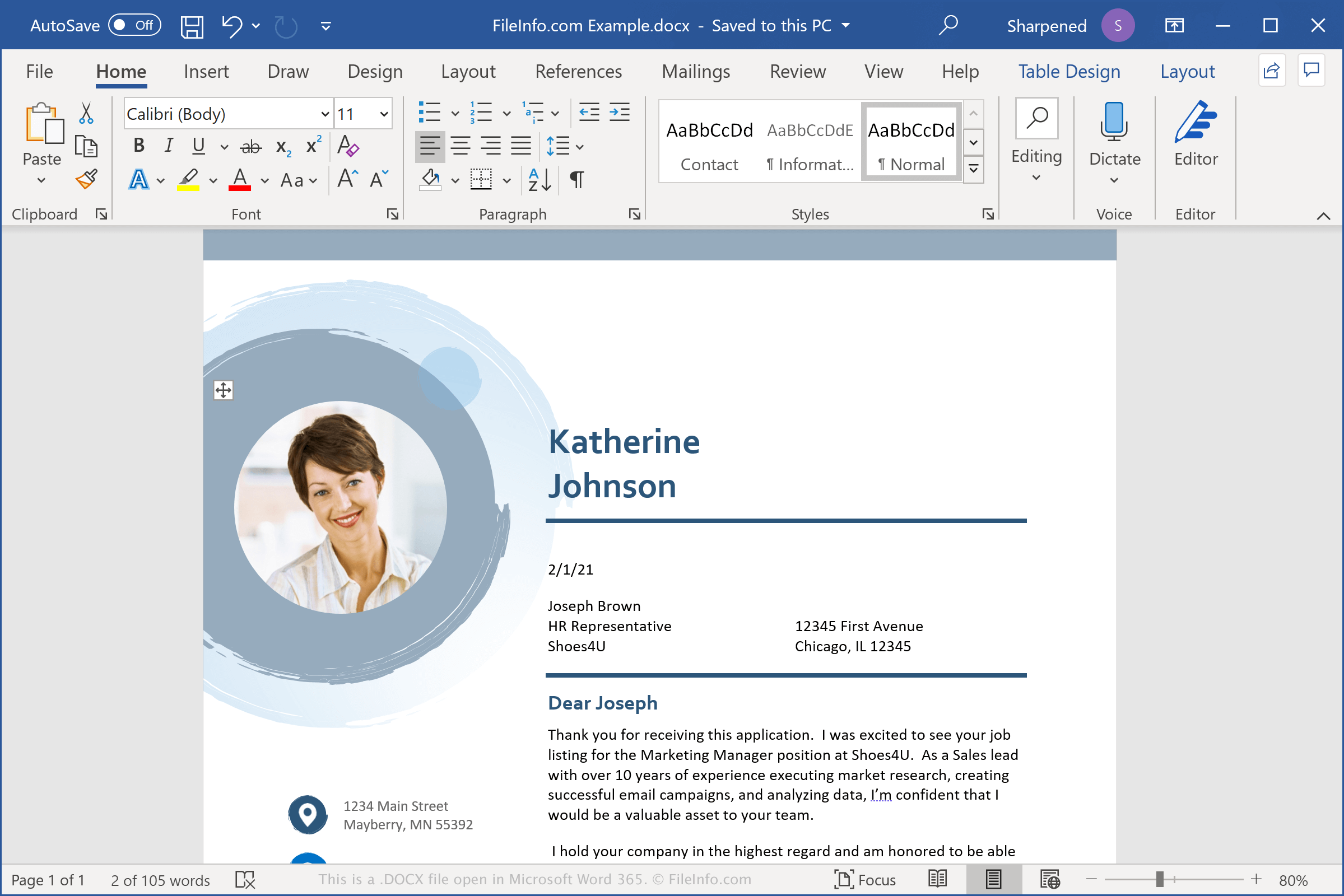
Les fichiers DOCX stockent les données au format Open XML Document, introduit avec Microsoft Word 2007. Il a remplacé le format de fichier .DOC comme format standard d'enregistrement des documents dans Word. Contrairement aux fichiers DOC, qui stockent les données du document dans un seul fichier binaire, les fichiers DOCX enregistrent les données dans des fichiers et dossiers distincts au sein d'une archive Zip compressée. Un fichier DOCX contient des fichiers XML et trois dossiers : Word, docProps et _rels, qui stockent le contenu, les propriétés du document et les relations entre les fichiers.
Le format Open XML est conçu pour rendre le contenu des documents plus ouvert et accessible. Par exemple, le texte des documents est enregistré dans des fichiers en texte brut, et les images des documents sont stockées sous forme de fichiers image individuels, comme .JPG ou .PNG, dans le fichier DOCX. Les fichiers inclus peuvent également contenir des informations de mise en page, des données sur les auteurs et des notes de révision du document.
REMARQUE : Pour explorer le contenu d'un fichier DOCX, renommez l'extension .docx en .zip, puis décompressez le fichier obtenu avec n'importe quel utilitaire de décompression Zip.
Noms de fichiers .DOCX courants
Document1.docx - Le nom de fichier par défaut que Microsoft Word attribue aux nouveaux documents.
Comment ouvrir un fichier DOCX
Vous pouvez ouvrir un fichier DOCX avec Microsoft Word sous Windows et macOS. Word est la meilleure option pour ouvrir les fichiers DOCX, car il prend entièrement en charge la mise en forme des documents Word, notamment les images, les graphiques, les tableaux ainsi que l'espacement et l'alignement du texte. Word est également disponible sur les appareils Android et iOS.
Vous pouvez également ouvrir les fichiers DOCX avec d'autres logiciels de traitement de texte, mais une partie de la mise en forme des documents originaux peut être perdue. Les logiciels de traitement de texte compatibles avec les fichiers DOCX incluent notamment Corel WordPerfect (Windows), Apple Pages (Mac) et LibreOffice Writer (multiplateforme).
Vous pouvez ouvrir les fichiers DOCX avec différents programmes en ligne. Google Docs est une application web gratuite qui vous permet de téléverser, d'afficher, de modifier et d'enregistrer des fichiers DOCX.
Comment convertir un fichier DOCX
Plusieurs applications de traitement de texte, notamment Microsoft Word, Apple Pages et LibreOffice Writer, peuvent convertir les fichiers DOCX vers d'autres formats.
Par exemple, dans les versions Windows et Mac de Microsoft Word, sélectionnez pour convertir les fichiers DOCX vers l'un des formats suivants :