

.DOCX Rozszerzenie pliku
Dokument programu Microsoft Word
| Deweloper | Microsoft |
| Popularność |
3,8 | 1839 Głosów |
Czym jest plik DOCX?
Plik DOCX to dokument utworzony w programie Microsoft Word lub wyeksportowany przez inny program do edycji tekstu, taki jak OpenOffice Writer lub Apple Pages. Zawiera sformatowany tekst, a także może zawierać obrazy, tabele, wykresy i inne elementy dokumentu. Pliki DOCX są powszechnie używane w środowiskach domowych, akademickich i biznesowych do tworzenia listów, życiorysów, zaproszeń, biuletynów i innych dokumentów.
Więcej informacji
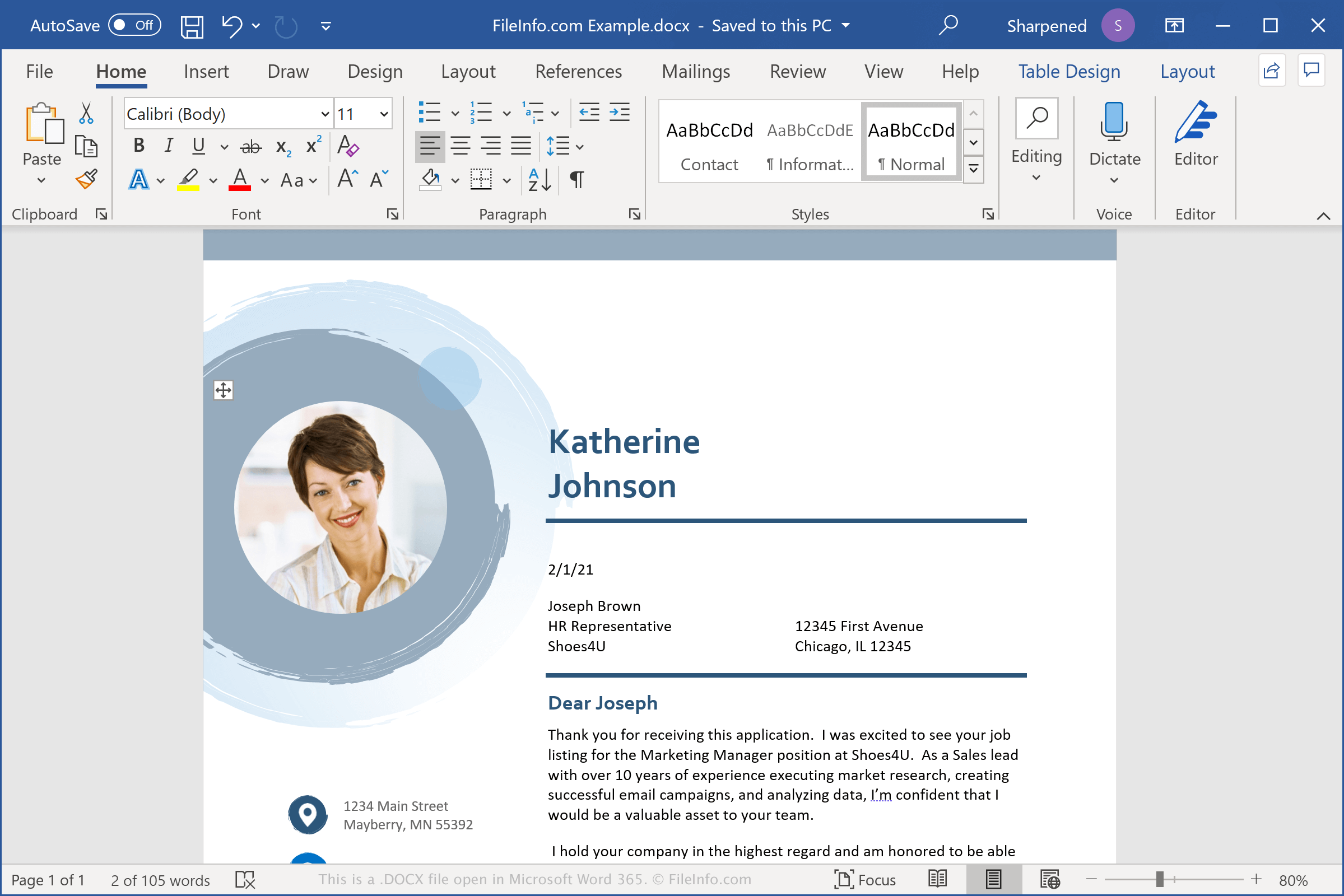
Pliki DOCX przechowują dane w formacie Open XML Document, który został wprowadzony wraz z programem Microsoft Word 2007. Zastąpił on format plików .DOC jako standardowy format zapisywania dokumentów w programie Word. W przeciwieństwie do plików DOC, które przechowują dane dokumentu w jednym pliku binarnym, pliki DOCX zapisują dane jako oddzielne pliki i foldery w skompresowanym pakiecie ZIP. Plik DOCX zawiera pliki XML oraz trzy foldery: Word, docProps i _rels, które przechowują zawartość, właściwości dokumentu oraz relacje między plikami.
Format Open XML został zaprojektowany tak, aby zawartość dokumentów była bardziej otwarta i dostępna. Na przykład tekst dokumentu jest zapisywany w plikach zawierających zwykły tekst, a obrazy dokumentu są przechowywane jako osobne pliki graficzne, takie jak .JPG lub .PNG, wewnątrz pliku DOCX. Dołączone pliki mogą również zawierać informacje o formatowaniu stron, dane o autorze i uwagi dotyczące przeglądania dokumentu.
UWAGA: Aby wyświetlić zawartość pliku DOCX, zmień nazwę rozszerzenia .docx na .zip, a następnie rozpakuj wynikowy plik za pomocą dowolnego narzędzia do dekompresji plików ZIP.
Popularne nazwy plików .DOCX
Document1.docx - Domyślna nazwa pliku nadawana nowym dokumentom przez program Microsoft Word.
Jak otworzyć plik DOCX
Plik DOCX można otworzyć za pomocą programu Microsoft Word w systemach Windows i macOS. Word jest najlepszym rozwiązaniem do otwierania plików DOCX, ponieważ w pełni obsługuje formatowanie dokumentów programu Word, w tym obrazy, wykresy, tabele oraz odstępy i wyrównanie tekstu. Program Word jest również dostępny na urządzenia Android i iOS.
Pliki DOCX można także otwierać za pomocą innych edytorów tekstu, ale część formatowania oryginalnych dokumentów może zostać utracona. Alternatywne edytory tekstu obsługujące pliki DOCX to między innymi Corel WordPerfect (Windows), Apple Pages (Mac) i LibreOffice Writer (wiele platform).
Pliki DOCX można otwierać za pomocą różnych programów online. Google Docs to bezpłatna aplikacja internetowa, która umożliwia przesyłanie, wyświetlanie, edytowanie i zapisywanie plików DOCX.
Jak przekonwertować plik DOCX
Kilka aplikacji do edycji tekstu, w tym Microsoft Word, Apple Pages i LibreOffice Writer, może konwertować pliki DOCX na inne formaty.
Na przykład w wersjach programu Microsoft Word dla systemów Windows i Mac wybierz , aby przekonwertować pliki DOCX na jeden z następujących formatów:
- .DOC - Dokument programu Microsoft Word (starsza wersja)
- .PDF - Portable Document Format
- .ODT - Dokument tekstowy OpenDocument
- .RTF - Rich Text Format
- .TXT - Zwykły tekst
- .HTML - Strona internetowa HTML
- .XML - Extensible Markup Language
- .MHTML - Archiwum MIME HTML
- .XPS - XML Paper Specification (tylko Windows)