

.HTML Rozszerzenie pliku
Plik języka HTML
| Deweloper | WHATWG |
| Popularność |
3,5 | 1881 Głosów |
Czym jest plik HTML?
Plik HTML zawiera język Hypertext Markup Language (HTML), który określa strukturę strony internetowej. Jest zapisany w standardowym formacie tekstowym i zawiera znaczniki definiujące układ oraz zawartość strony internetowej, w tym wyświetlany na niej tekst, tabele, obrazy i hiperłącza. Pliki HTML są powszechnie używane w internecie i wyświetlane w przeglądarkach internetowych.
Więcej informacji
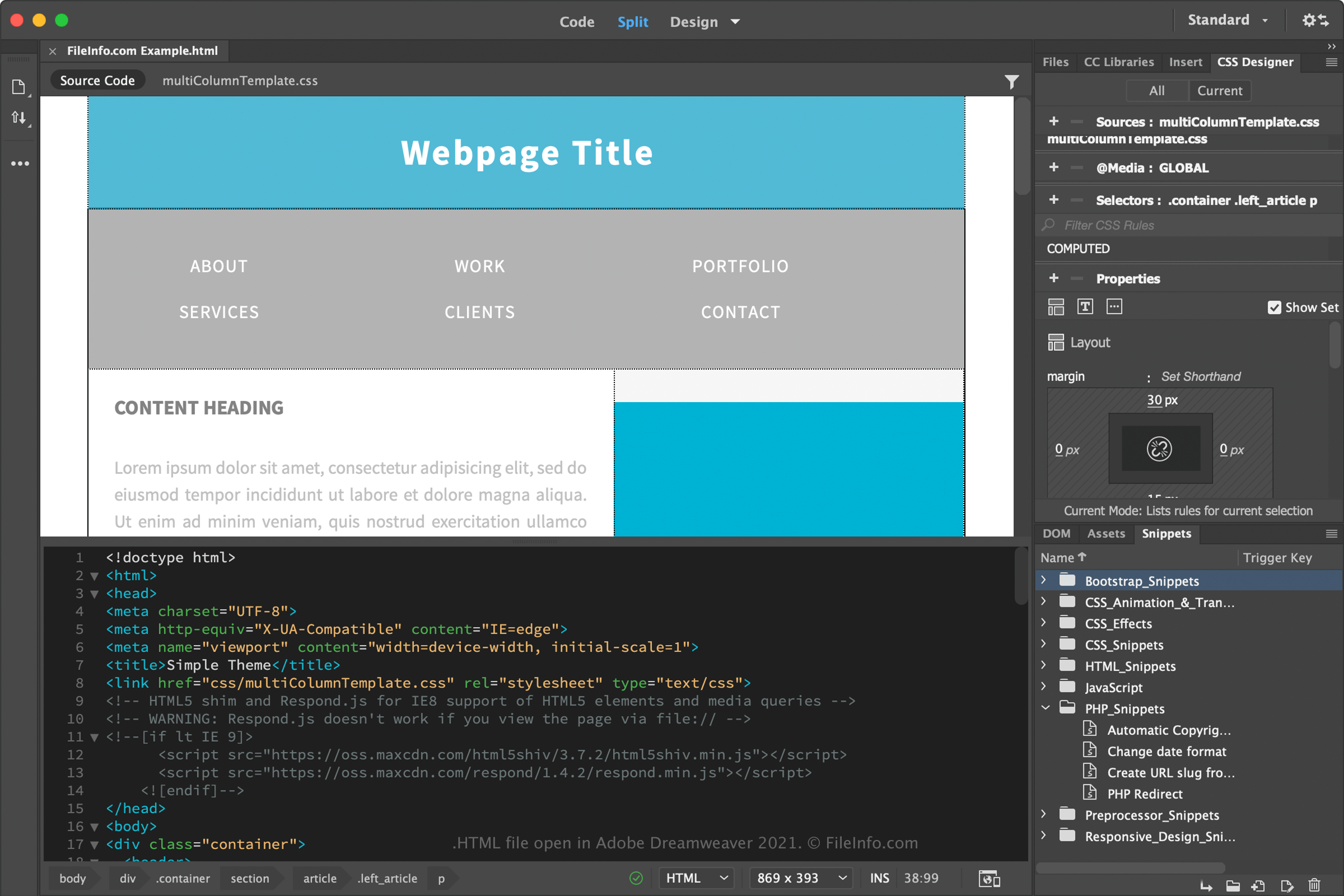
HTML został wprowadzony w 1991 roku przez Tima Bernersa-Lee i innych inżynierów CERN jako sposób na interpretowanie i wyświetlanie stron internetowych przez przeglądarki. Od czasu wydania stał się standardem w tworzeniu stron internetowych i przeszedł wiele zmian, w tym HTML 2 (1995), HTML 3 (styczeń 1997), HTML 4 (grudzień 1997) i HTML 5 (2014).
The Web Hypertext Application Technology Working Group (WHATWG) rozwija i udoskonala HTML. Grupa została założona w 2004 roku i składa się z głównych twórców przeglądarek, w tym firm Google, Microsoft, Apple i Mozilla.
Język znaczników zawiera elementy HTML, które tworzą strukturę stron internetowych. Zazwyczaj każdy element zawiera znacznik otwierający ujęty w nawiasy ostre (<tag>) oraz znacznik zamykający ujęty w nawiasy ostre, ale z ukośnikiem przed nazwą znacznika (</tag>).
Przykłady podstawowych elementów:
- <head> - Znacznik nagłówka używany do przechowywania metadanych strony internetowej
- <body> - Znacznik treści definiujący treść strony internetowej
- <h1> - Znacznik nagłówka tekstowego używany do tworzenia tytułu tekstowego na stronie internetowej
- <p> - Znacznik akapitu używany do definiowania akapitu na stronie internetowej
- <img> - Znacznik obrazu używany do osadzania obrazu na stronie internetowej
- <ul> - Lista nieuporządkowana używana do tworzenia listy punktowanej na stronie internetowej
- <div> - Znacznik podziału używany do tworzenia sekcji na stronie internetowej
Z czasem wprowadzono inne technologie internetowe, takie jak Cascading Style Sheets (CSS) i JavaScript, aby udoskonalać strony internetowe. We współczesnych stronach HTML najprawdopodobniej znajdziesz kod CSS lub JavaScript albo odwołania do .CSS lub .JS plików.
Twórcy stron internetowych często tworzą i edytują pliki HTML, a następnie przesyłają je na serwery internetowe, które przeglądarki analizują, gdy użytkownik odwiedza strony internetowe. Jeśli jesteś zwykłym użytkownikiem internetu, najprawdopodobniej nie zobaczysz kodu źródłowego HTML, ponieważ przeglądarka analizuje go w tle.
Możesz jednak wyświetlić kod HTML strony internetowej w przeglądarce, wykonując czynności właściwe dla danej przeglądarki:
- Google Chrome (Windows) - Wybierz
- Google Chrome (Mac) - Wybierz
- Mozilla Firefox - Wybierz
- Microsoft Edge - Wybierz
- Apple Safari - Wybierz
UWAGA: Większość stron w obrębie witryn statycznych ma rozszerzenie .html, natomiast strony w obrębie witryn dynamicznych mogą mieć rozszerzenie .php lub .asp.
Popularne nazwy plików .HTML
index.html - Główny plik HTML, czyli plik indeksu, ładowany, gdy przeglądarka internetowa klienta żąda katalogu serwera internetowego. Na przykład gdy wysłane zostanie żądanie http://www.sampledomain.com/, serwer internetowy domyślnie ładuje plik http://www.sampledomain.com/index.html, chyba że został skonfigurowany do używania innego pliku.
default.html - Plik indeksu często używany przez serwery internetowe systemu Windows, takie jak Microsoft IIS.
Jak otworzyć plik HTML
Pliki HTML można otwierać i edytować w różnych edytorach kodu źródłowego oraz aplikacjach do tworzenia stron internetowych. Microsoft Visual Studio Code (wieloplatformowy) to przydatny edytor kodu źródłowego, a Adobe Dreamweaver (wieloplatformowy) to popularna aplikacja do tworzenia stron internetowych.
Ponieważ język HTML jest zapisywany w postaci zwykłego tekstu, można również otwierać i edytować pliki HTML w podstawowym edytorze tekstu, takim jak Microsoft Notepad (Windows) lub Apple TextEdit (Mac). Te edytory tekstu nie oferują jednak funkcji dostępnych w edytorach kodu źródłowego i aplikacjach do tworzenia stron internetowych, które ułatwiają programistom pisanie kodu.
Stronę HTML można wyświetlić, otwierając ją w przeglądarce internetowej, takiej jak Google Chrome (wieloplatformowa), Microsoft Edge (wieloplatformowa), Mozilla Firefox (wieloplatformowa) lub Apple Safari (Mac i iOS).