

.HTML Přípona souboru
Soubor jazyka Hypertext Markup Language
| Vývojář | WHATWG |
| Popularita |
3,5 | 1881 hlasů |
Co je soubor HTML?
Soubor HTML obsahuje jazyk Hypertext Markup Language (HTML), který formátuje strukturu webové stránky. Je uložen ve standardním textovém formátu a obsahuje značky, které definují rozvržení a obsah webové stránky, včetně textu, tabulek, obrázků a hypertextových odkazů zobrazených na webové stránce. Soubory HTML se široce používají online a zobrazují se ve webových prohlížečích.
Další informace
HTML v roce 1991 představili Tim Berners-Lee a další inženýři CERN jako způsob, jak webovým prohlížečům umožnit interpretovat a zobrazovat webové stránky. Od svého vydání se stal standardem vývoje webu a prošel několika revizemi, mezi které patří HTML 2 (1995), HTML 3 (leden 1997), HTML 4 (prosinec 1997) a HTML 5 (2014).
Web Hypertext Application Technology Working Group (WHATWG) vyvíjí a zdokonaluje HTML. Skupina byla založena v roce 2004 a skládá se z hlavních vývojářů webových prohlížečů, včetně společností Google, Microsoft, Apple a Mozilla.
Značkovací jazyk obsahuje prvky HTML, které tvoří strukturu webových stránek. Každý prvek obvykle obsahuje počáteční značku uzavřenou do špičatých závorek (<tag>) a koncovou značku uzavřenou do špičatých závorek, před kterou je uvedeno lomítko (</tag>).
Mezi příklady základních prvků patří:
- <head> – značka Head používaná k obsahování metadat o webové stránce
- <body> – značka Body, která definuje tělo webové stránky
- <h1> – značka textového záhlaví používaná k vytvoření textového nadpisu na webové stránce
- <p> – značka odstavce používaná k definování odstavce na webové stránce
- <img> – značka obrázku používaná k vložení obrázku na webovou stránku
- <ul> – neuspořádaný seznam používaný k vytvoření seznamu s odrážkami na webové stránce
- <div> – značka oddílu používaná k vytvoření sekce na webové stránce
Postupem času byly představeny další webové technologie, například Cascading Style Sheets (CSS) a JavaScript, které vylepšují webové stránky. V moderních webových stránkách HTML nejspíše najdete kód CSS nebo JavaScript, případně odkazy na soubory .CSS nebo .JS.
Vývojáři webu často vytvářejí a upravují soubory HTML a poté je nahrávají na webové servery, které je při návštěvě webových stránek uživatelem zpracují ve webovém prohlížeči. Pokud jste běžným uživatelem internetu, zdrojový kód HTML nejspíše neuvidíte, protože ho webový prohlížeč zpracovává na pozadí.
HTML webové stránky však můžete zobrazit ve webovém prohlížeči pomocí těchto kroků, které se liší podle prohlížeče:
- Google Chrome (Windows) – vyberte
- Google Chrome (Mac) – vyberte
- Mozilla Firefox – vyberte
- Microsoft Edge – vyberte
- Apple Safari – vyberte
POZNÁMKA: Většina stránek v rámci statických webových stránek má příponu .html, zatímco stránky v rámci dynamických webových stránek mohou mít příponu .php nebo .asp.
Běžné názvy souborů .HTML
index.html - Hlavní neboli indexový soubor HTML, který se načte, když klientský webový prohlížeč požádá webový server o adresář. Když je například vyžadována adresa http://www.sampledomain.com/, webový server ve výchozím nastavení načte soubor http://www.sampledomain.com/index.html, pokud není nakonfigurován tak, aby používal jiný soubor.
default.html - Indexový soubor, který často používají webové servery Windows, například Microsoft IIS.
Jak otevřít soubor HTML
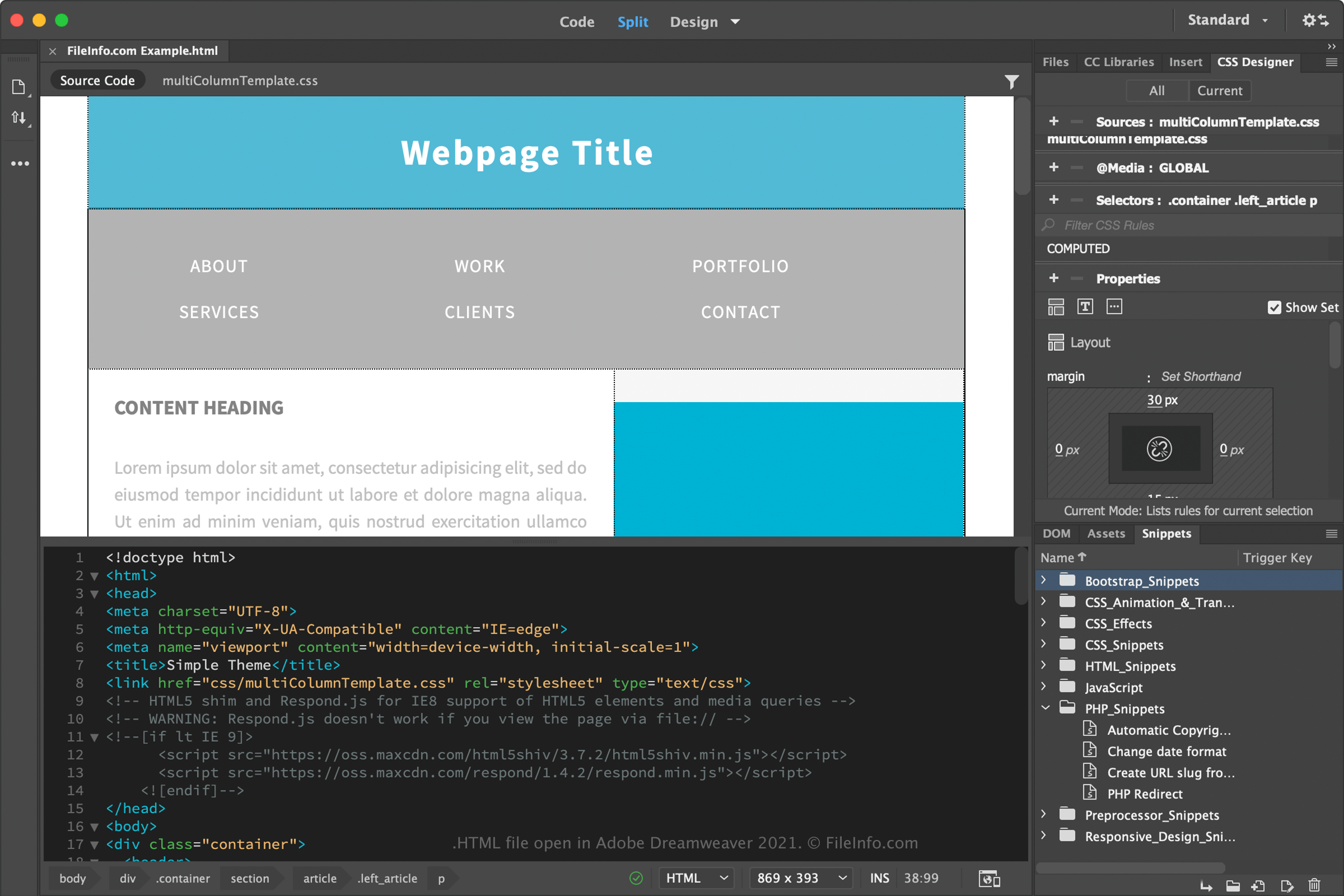
Soubory HTML můžete otevírat a upravovat v různých editorech zdrojového kódu a aplikacích pro vývoj webu. Microsoft Visual Studio Code (pro více platforem) je užitečný editor zdrojového kódu a Adobe Dreamweaver (pro více platforem) je oblíbená aplikace pro vývoj webu.
Protože se jazyk HTML ukládá jako prostý text, můžete soubory HTML otevírat a upravovat také v základním textovém editoru, například Microsoft Notepad (Windows) nebo Apple TextEdit (Mac). Tyto textové editory však neobsahují funkce editorů zdrojového kódu a aplikací pro vývoj webu, které vývojářům usnadňují programování.
Webovou stránku HTML si můžete prohlédnout tak, že ji otevřete ve webovém prohlížeči, například v prohlížeči Google Chrome (pro více platforem), Microsoft Edge (pro více platforem), Mozilla Firefox (pro více platforem) nebo Apple Safari (Mac a iOS).