.DOCX 파일 확장자

Microsoft Word Document

개발사 Microsoft
인기도
3.8  |  1834 투표
 
🔍File Helper(으)로 .DOCX 파일을 웹 브라우저에서 바로 여세요.온라인으로 보기

DOCX 파일이란 무엇인가요?

A DOCX file is a document created by Microsoft Word or exported by another word processing program, such as OpenOffice Writer or Apple Pages. It contains formatted text and may also include images, tables, charts, and other document elements. DOCX files are widely used in home, academic, and business environments for letters, resumes, invitations, newsletters, and other documents.

추가 정보

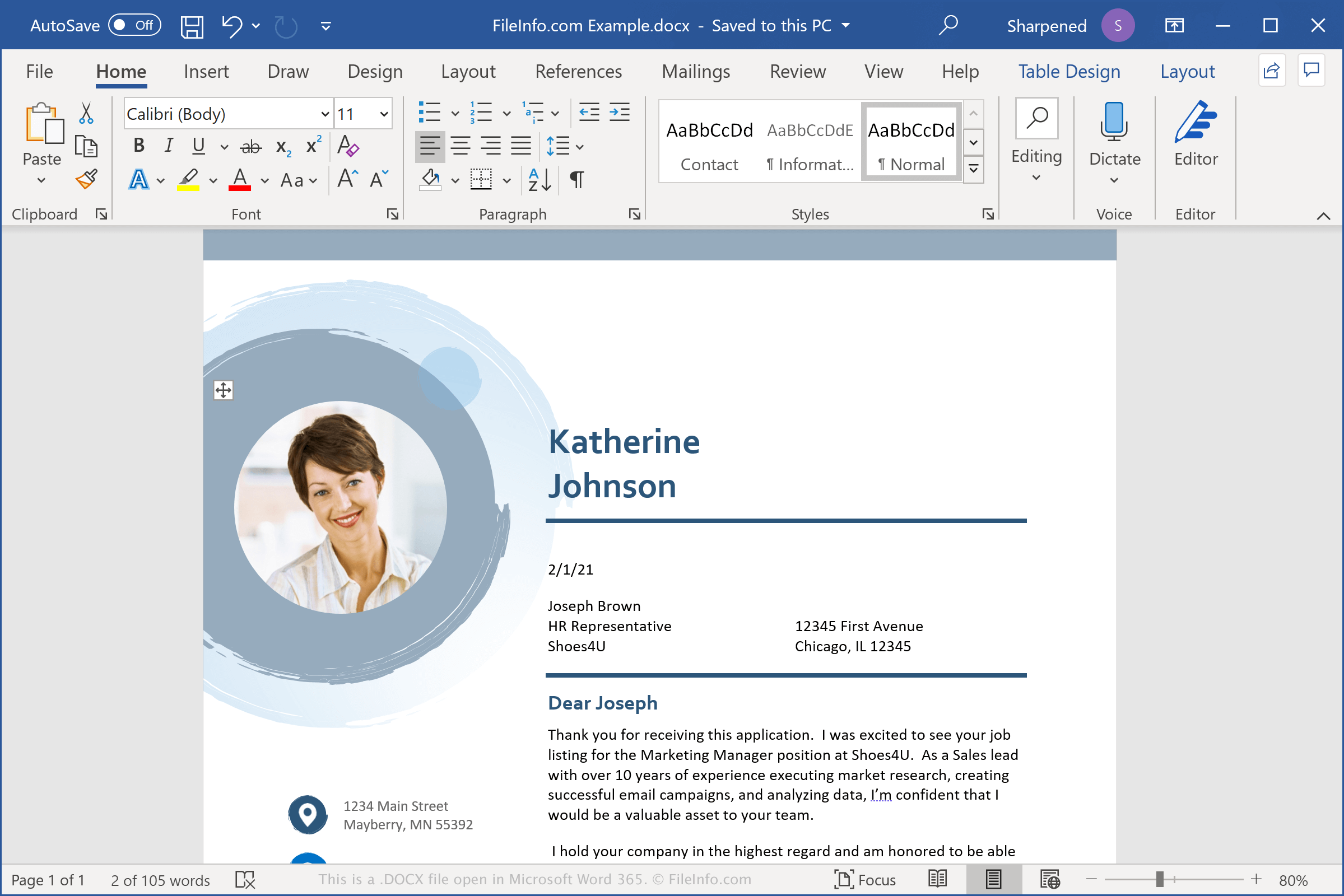
Microsoft Word 365에서 열린 .docx 파일의 스크린샷
Microsoft Word 365에서 열린 DOCX 파일

DOCX files store data in the Open XML Document format, which was introduced with Microsoft Word 2007. It replaced the .DOC file format as the standard format for saving documents in Word. Unlike DOC files, which store document data in a single binary file, DOCX files save data as separate files and folders in a compressed Zip package. Within a DOCX file are XML files and three folders: Word, docProps, and _rels, which store the content, document properties, and relationships between the files.

The Open XML format is designed to make document content more open and accessible. For example, document text is saved in plain text files, and document images are stored as individual image files, such as .JPG or .PNG, within the DOCX file. The included files may also contain page formatting information, authorship data, and document review notes.

참고: To explore the contents of a DOCX file, rename the .docx extension to .zip and then decompress the resulting file with any Zip decompression utility.

일반적인 .DOCX 파일 이름

Document1.docx - The default filename that Microsoft Word gives to new documents.

DOCX 파일을 여는 방법

You can open a DOCX file with Microsoft Word in Windows and macOS. Word is the best option for opening DOCX files because it fully supports the formatting of Word documents, which includes images, charts, tables, and text spacing and alignment. Word is also available for Android and iOS devices.

You can also open DOCX files with other word processors, but some of the formatting of the original documents may be lost. Alternative word processors that support DOCX files include Corel WordPerfect (Windows), Apple Pages (Mac), and LibreOffice Writer (multiplatform).

You can open DOCX files with various programs online. Google Docs is a free web application that allows you to upload, view, edit, and save DOCX files.

DOCX 파일을 변환하는 방법

Several word processing applications, including Microsoft Word, Apple Pages, and LibreOffice Writer, can convert DOCX files to other formats.

For example, in the Windows and Mac versions of Microsoft Word, select File → Save As to convert DOCX files to one of the following formats:

  • .DOC - Microsoft Word Document (Legacy)
  • .PDF - Portable Document Format
  • .ODT - OpenDocument Text Document
  • .RTF - Rich Text Format
  • .TXT - Plain Text
  • .HTML - HTML Webpage
  • .XML - Extensible Markup Language
  • .MHTML - MIME HTML Archive
  • .XPS - XML Paper Specification (Windows only)

DOCX 파일을 여는 프로그램

Mac
무료 체험판
OS에 포함됨
OS에 포함됨
무료 체험판
Web
무료 체험판
무료 체험판
무료 체험판
무료 체험판
Chrome OS
카테고리: 텍스트
업데이트: 2022-03-03

검증자 FileInfo.com

FileInfo.com 팀 이 페이지에 나열된 Microsoft Word Document 파일 형식과 Mac, Windows, Linux, Android, and iOS 앱을 독자적으로 조사했습니다. 저희의 목표는 100% 정확성이며, 검증한 파일 유형에 대한 정보만 게시합니다.

이 페이지에 추가하거나 업데이트할 내용을 제안하고 싶으시면 알려 주세요.