

.PDF Přípona souboru
Soubor ve formátu Portable Document Format
| Vývojář | Adobe |
| Popularita |
4,0 | 4927 hlasů |
Co je soubor PDF?
Soubor PDF je široce používaný typ dokumentu, který zachovává původní rozvržení a formátování na různých zařízeních a operačních systémech. Často se používá ke sdílení dokumentů, jako jsou zprávy, smlouvy, příručky nebo formuláře, a zajišťuje, že obsah se všem uživatelům zobrazí stejně. Soubory PDF mohou obsahovat text, obrázky, poznámky a dokonce i interaktivní prvky (například tlačítka a zaškrtávací políčka). Uživatelé je obvykle vytvářejí z jiných formátů souborů, například z dokumentů Word .DOCX, tabulek Excel .XLSX a obrázků.
Další informace
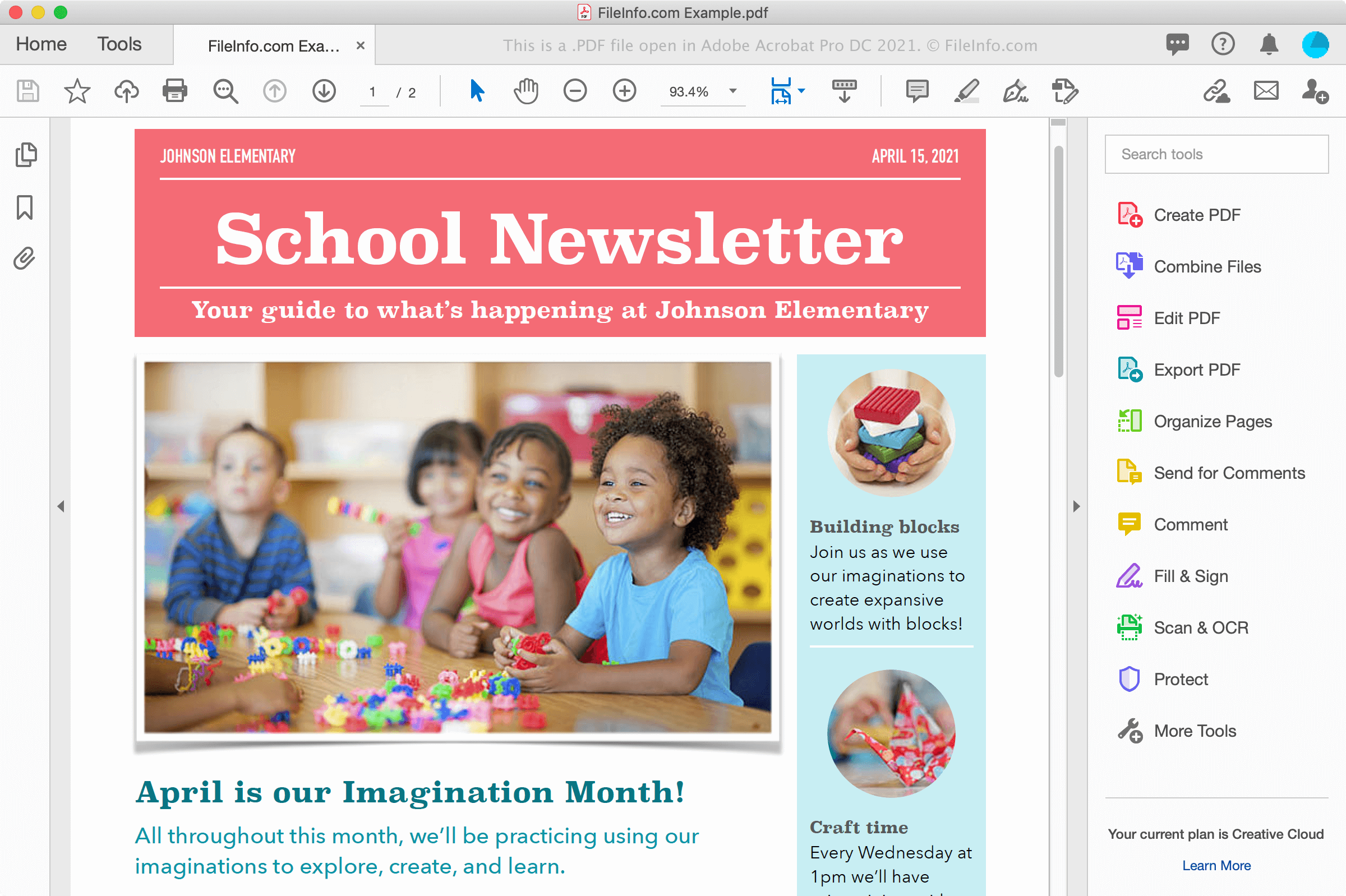
Se soubory PDF se můžete setkat různými způsoby, například při stahování dokumentu z webu nebo při přijetí dokumentu od spolupracovníka či přítele jako přílohy e-mailu. Soubory PDF také elektronicky zachovávají písma a formátování na více platformách a na obrazovce vypadají stejně jako po vytištění na papír.
Vytváření souborů PDF
Soubory PDF můžete vytvářet v různých programech, včetně textových editorů, editorů obrázků a nástrojů pro práci se soubory PDF, jako je Adobe Acrobat. Soubory PDF můžete také vytvářet z dokumentů pomocí dialogu Tisk ve Windows a macOS.
Například ve Windows můžete vybrat nebo kliknutím na ikonu tiskárny otevřít v aplikaci dialog Tisk. Poté v seznamu dostupných tiskáren v dialogovém okně Tisk vyberte a kliknutím na vytvořte soubor PDF. V macOS můžete v nabídce aplikace zvolit a poté v rozevírací nabídce PDF v okně vybrat .
POZNÁMKA: Další informace najdete v definici PDF.
Jak otevřít soubor PDF
Soubory PDF můžete otevírat a prohlížet v mnoha aplikacích, především v programech Adobe Acrobat Reader (pro více platforem) a Adobe Acrobat (pro více platforem), které umožňují také jejich úpravy. Dalšími aplikacemi s funkcemi pro prohlížení a úpravy souborů PDF jsou Nitro Pro (Windows) a Smile PDFpenPro (macOS).
Mezi další možnosti prohlížení souborů PDF patří Microsoft Word (Windows a macOS), Apple Preview (součást macOS), Foxit Reader a webové prohlížeče, například Google Chrome (pro více platforem) a Microsoft Edge (pro více platforem), který obsahuje funkce pro přidávání poznámek.
Na mobilních zařízeních můžete soubory PDF prohlížet v aplikacích Adobe Reader (Android a iOS), Apple Books (iOS), Apple Pages (iOS) a Google Play Books (Android) a ve webových prohlížečích, jako jsou Chrome a Safari.
Jak převést soubor PDF
Několik aplikací, včetně Adobe Acrobat, Microsoft Word, Apple Preview a Nitro Pro, dokáže převádět soubory PDF do jiných formátů.
Adobe Acrobat dokáže převádět soubory PDF do následujících formátů:
- .DOCX - dokument Word
- .XLSX - tabulka Excel
- .PPTX - prezentace PowerPoint
- .JPEG - obrázek JPEG
- .PNG - obrázek PNG
- .TIFF - obrázek TIFF
- .HTML - webová stránka HTML
Společnost Adobe také poskytuje bezplatné online převodníky PDF do Wordu, PDF do Excelu, PDF do PowerPointu a PDF do JPG.