

.XLSX Extension de fichier
Feuille de calcul Microsoft Excel
| Développeur | Microsoft |
| Popularité |
3,9 | 1007 Votes |
Qu'est-ce qu'un fichier XLSX ?
Un fichier XLSX est une feuille de calcul Excel créée par Microsoft Excel ou exportée par un autre programme de feuille de calcul, comme OpenOffice Calc ou Apple Numbers. Il stocke les données dans des feuilles de calcul contenant des cellules organisées sous forme de grille composée de lignes et de colonnes, et peut également contenir des graphiques, des fonctions mathématiques, des styles et une mise en forme. Les fichiers XLSX sont couramment utilisés pour stocker des données financières et enregistrer des modèles mathématiques simples ou complexes.
Plus d'informations
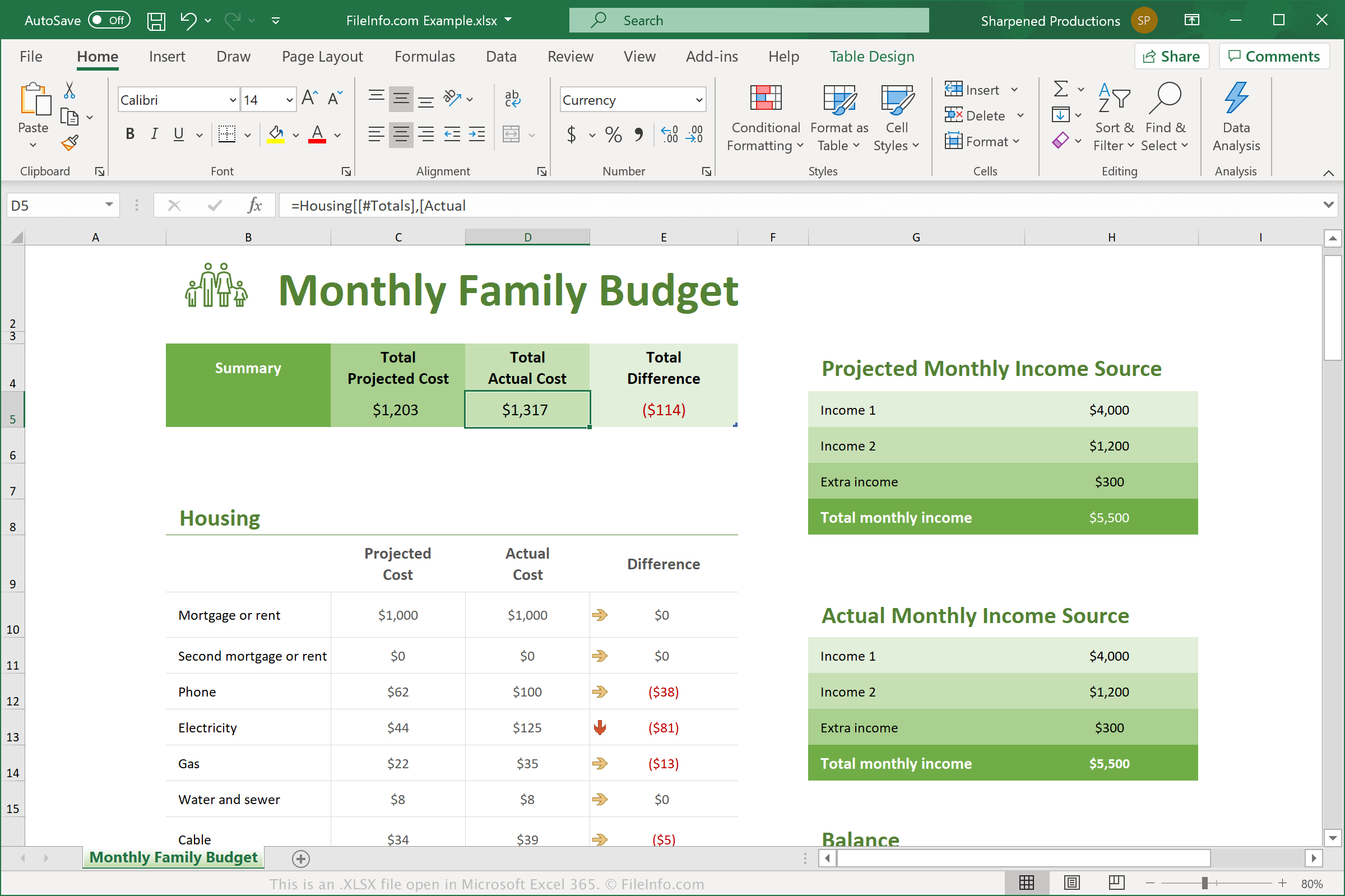
Microsoft a introduit le format Excel Open XML Spreadsheet (XLSX) lors de la sortie d'Excel 2007. Depuis, les fichiers XLSX sont devenus l'un des types de fichiers les plus courants pour enregistrer des données dans des feuilles de calcul et sont donc désormais généralement appelés simplement feuilles de calcul Excel.
Dans Excel 2007, les fichiers XLSX ont remplacé les fichiers .XLS comme format standard d'enregistrement des feuilles de calcul dans Excel. Contrairement aux fichiers XLS, qui stockent les données d'une feuille de calcul dans un seul fichier binaire, les fichiers XLSX sont enregistrés au format Open XML, qui stocke les données sous forme de fichiers et de dossiers distincts dans un paquet Zip compressé. L'archive contient le fichier [Content_Types].xml, qui décrit la feuille de calcul, ainsi qu'un fichier .XML pour chaque feuille de calcul du classeur.
Chaque cellule d'une feuille de calcul XLSX peut être mise en forme individuellement. Par exemple, les cellules peuvent utiliser un format numérique, texte, monétaire ou autre, ainsi qu'une couleur, un style de bordure, une police personnalisée et une taille. Les cellules peuvent également faire référence à d'autres cellules pour calculer une valeur résultante.
REMARQUE : Pour explorer le contenu d'un fichier XLSX, vous pouvez remplacer l'extension .xlsx par .zip, puis décompresser le fichier obtenu avec n'importe quel utilitaire de décompression Zip.
Noms de fichiers .XLSX courants
Workbook1.xlsx - Nom de fichier par défaut attribué par Microsoft Excel aux nouveaux classeurs à partir d'Excel 2007.
Comment ouvrir un fichier XLSX
Vous pouvez ouvrir les fichiers XLSX avec Microsoft Excel sous Windows et macOS. Excel est la meilleure option pour ouvrir les fichiers XLSX, car il prend entièrement en charge la mise en forme des feuilles de calcul Excel, notamment les images, les graphiques et l'espacement des champs de données. Excel est également disponible pour les appareils Android et iOS.
De nombreux autres programmes de feuille de calcul peuvent ouvrir et modifier les fichiers XLSX, mais ils ne prennent pas toujours entièrement en charge la mise en forme des feuilles de calcul d'origine. Les programmes alternatifs incluent Corel Quattro Pro (Windows), Apple Numbers (Mac) et OpenOffice Calc (multiplateforme).
Vous pouvez également ouvrir les fichiers XLSX avec divers programmes en ligne. Google Sheets est une excellente option gratuite qui vous permet de téléverser un fichier XLSX et d'afficher, de modifier, d'enregistrer et de convertir la feuille de calcul.
Comment convertir un fichier XLSX
Plusieurs applications de feuille de calcul, notamment Microsoft Excel, Apple Numbers et LibreOffice Calc, peuvent convertir les fichiers XLSX dans d'autres formats.
Par exemple, vous pouvez sélectionner dans les versions Windows et Mac de Microsoft Excel pour convertir les fichiers XLSX dans l'un des formats suivants :
- .XLS - Feuille de calcul Microsoft Excel (ancienne version)
- .XLSB - Feuille de calcul binaire Microsoft Excel
- .ODS - Feuille de calcul OpenDocument
- .CSV - Valeurs séparées par des virgules
- .DIF - Format d'échange de données
- .PDF - Format de document portable
- .XPS - Spécification XML Paper (Windows uniquement)
- .RTF - Format de texte enrichi
- .TXT - Texte brut
- .HTM, .HTML - Page web HTML
- .XML - Langage de balisage extensible
- .MHT, .MHTML - Archive HTML MIME