

.PSD Rozszerzenie pliku
Dokument Adobe Photoshop
| Deweloper | Adobe |
| Popularność |
4,2 | 721 Głosów |
Czym jest plik PSD?
Plik PSD to natywny format obrazów używany przez Adobe Photoshop, profesjonalny program do edycji obrazów służący do ulepszania zdjęć cyfrowych i tworzenia grafik internetowych. Pliki PSD mogą zawierać warstwy obrazu, warstwy dopasowania, adnotacje, informacje o pliku, słowa kluczowe i inne elementy charakterystyczne dla programu Photoshop. Są często tworzone i udostępniane przez specjalistów zajmujących się grafiką.
Więcej informacji
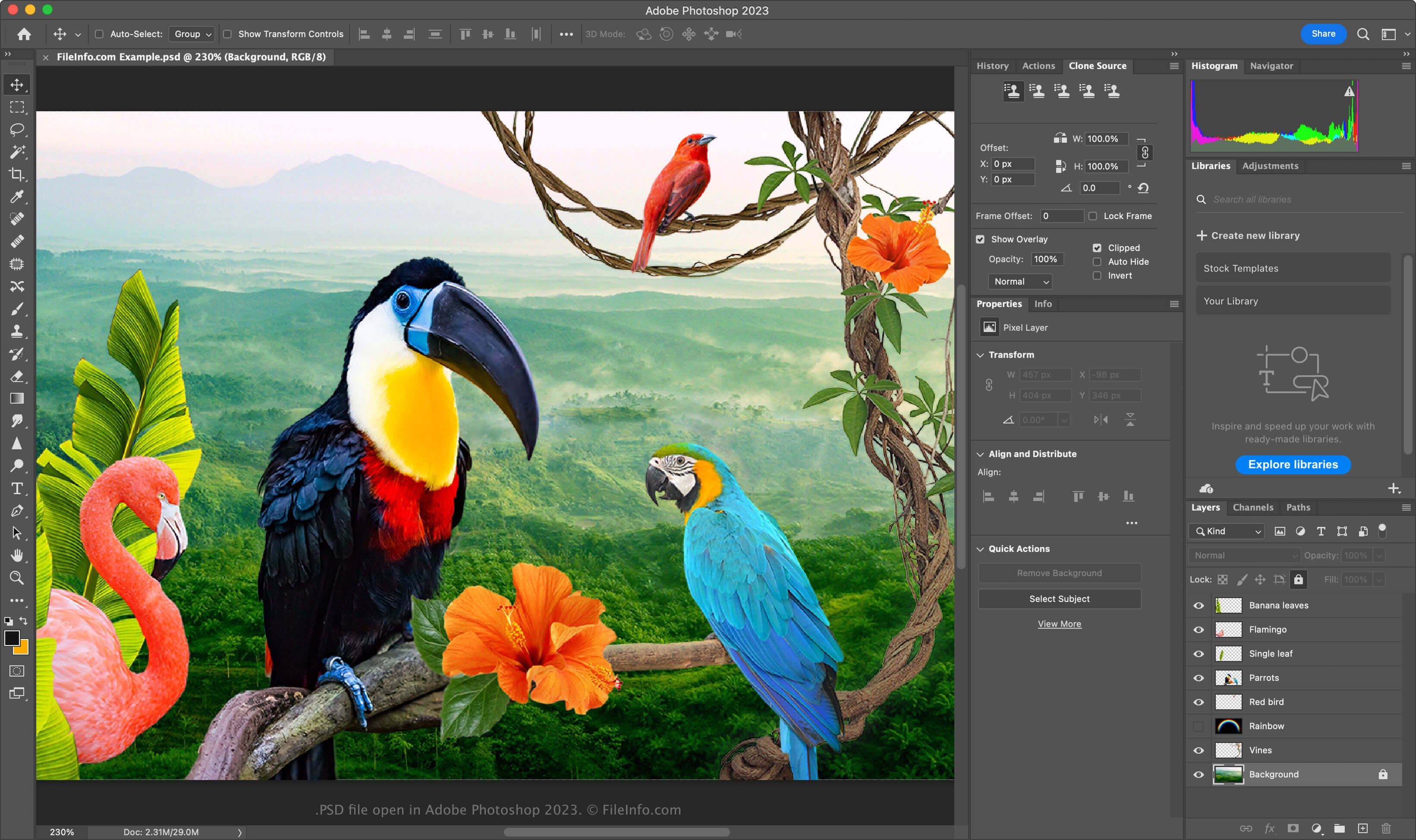
Format PSD jest w pełni edytowalnym, nieskompresowanym formatem, idealnym do edycji obrazów rastrowych. Możesz modyfikować poszczególne elementy pliku PSD, takie jak obrazy, kształty, tekst i efekty. Nowe wersje programu Photoshop (2024 i nowsze) umożliwiają tworzenie i wstawianie grafik generowanych przez AI.
Pliki PSD obsługują tryby kolorów RGB, CMYK, skali szarości, monochromatyczny, duotone, kolor indeksowany, Lab i wielokanałowy. Tryb kolorów możesz zmienić, wybierając w programie Photoshop opcję .
Struktura danych pliku PSD
Format pliku programu Photoshop składa się z pięciu sekcji:
- Nagłówek pliku — przechowuje właściwości obrazu, takie jak wymiary, głębia bitowa, tryb kolorów i liczba kanałów
- Dane trybu kolorów – zawierają dodatkowe dane, jeśli plik używa kolorów indeksowanych lub duotone
- Zasoby obrazu – zawierają elementy niezwiązane z obrazem, takie jak prowadnice, style tekstu lub ścieżki
- Informacje o warstwach i maskach – przechowują dane dotyczące warstw, masek, trybów mieszania i efektów
- Dane obrazu – zawierają rzeczywiste dane obrazu (dane pikseli) oraz metodę kompresji używaną do zmniejszenia całkowitego rozmiaru pliku (np. surową, RLE, ZIP)
UWAGA: Program Photoshop obsługuje pliki PSD o rozdzielczości do 30 000 × 30 000 pikseli lub rozmiarze do 2 GB. Obrazy przekraczające te limity należy zapisywać w formacie dużych dokumentów .PSB (Photoshop Big).
Jak otworzyć plik PSD
Pliki PSD możesz otwierać za pomocą programu Adobe Photoshop w systemach Windows i macOS. Aby otworzyć plik PSD w programie Photoshop, wybierz .
Chociaż pliki PSD są zapisywane w zastrzeżonym formacie, możesz je także otwierać za pomocą innych aplikacji wieloplatformowych, takich jak Adobe Illustrator, Corel Painter, GIMP i Photopea (w przeglądarce internetowej).
W systemie Windows pliki PSD możesz otwierać za pomocą wbudowanej aplikacji Microsoft Photos. W systemie macOS możesz je wyświetlać za pomocą programu Apple Preview, który jest dołączony do systemu operacyjnego.
Jak przekonwertować plik PSD
Kilka aplikacji, w tym Adobe Photoshop, Corel PaintShop Pro i Apple Preview, może konwertować pliki PSD do innych formatów.
Na przykład Adobe Photoshop może eksportować pliki PSD do formatów: