

.PSD Dateiendung
Adobe Photoshop-Dokument
| Entwickler | Adobe |
| Beliebtheit |
4,2 | 721 Stimmen |
Was ist eine PSD-Datei?
Eine PSD-Datei ist das native Bildformat von Adobe Photoshop, einem professionellen Bildbearbeitungsprogramm zum Optimieren digitaler Fotos und Erstellen von Webgrafiken. PSD-Dateien können Bildebenen, Einstellungsebenen, Anmerkungen, Dateiinformationen, Schlüsselwörter und andere Photoshop-spezifische Elemente enthalten. Sie werden häufig von Grafikprofis erstellt und untereinander ausgetauscht.
Weitere Informationen
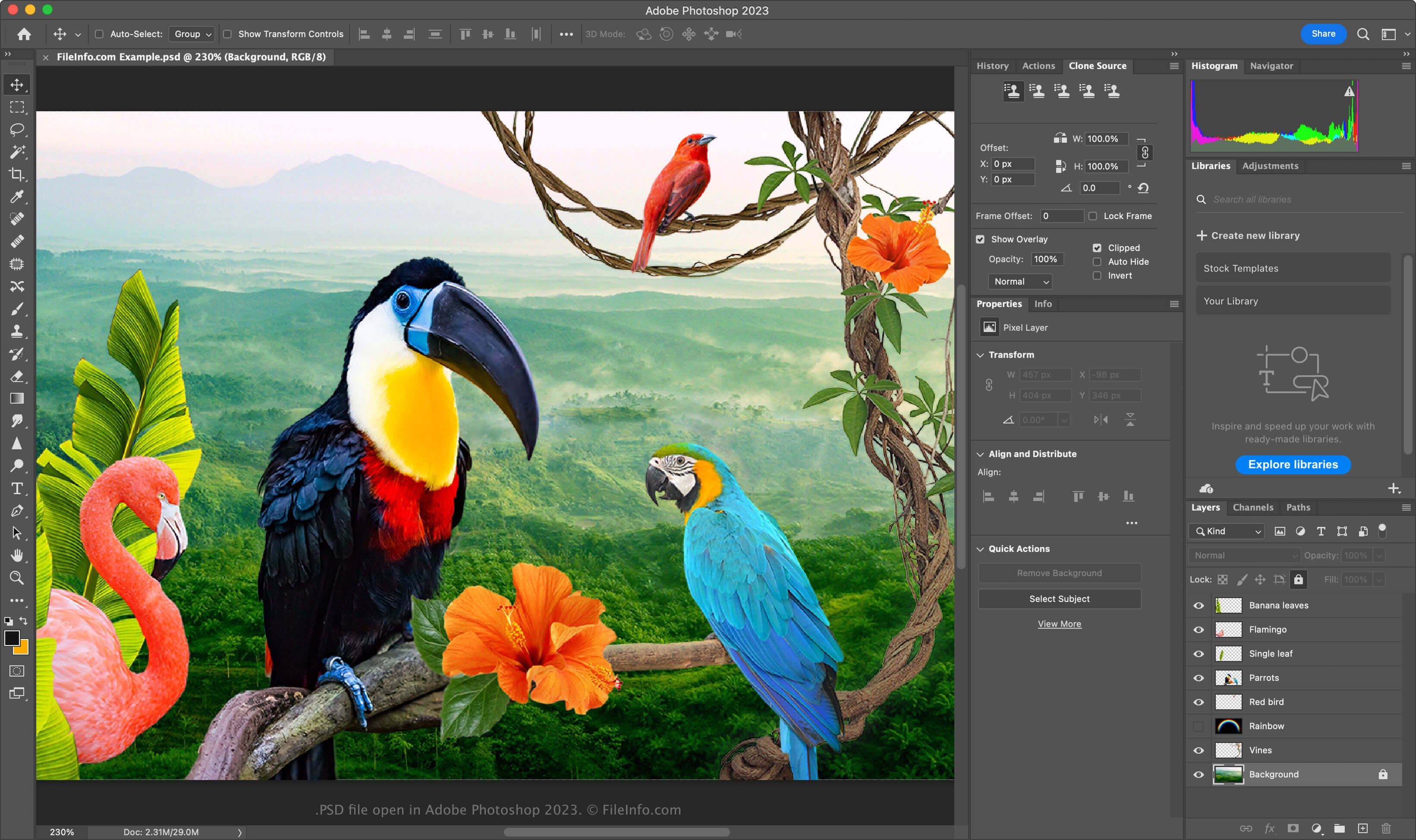
Das PSD-Format ist ein vollständig bearbeitbares, unkomprimiertes Format, das sich ideal zum Bearbeiten von Rasterbildern eignet. Sie können einzelne Elemente innerhalb einer PSD-Datei ändern, z. B. Bilder, Formen, Text und Effekte. Mit neuen Photoshop-Versionen (2024 und höher) können Sie KI-generierte Grafiken erstellen und einfügen.
PSD-Dateien unterstützen die Farbmodi RGB, CMYK, Graustufen, Monochrom, Duotone, indizierte Farben, Lab-Farben und Mehrkanalfarben. Sie können den Farbmodus ändern, indem Sie in Photoshop auswählen.
Die Datenstruktur einer PSD-Datei
Das Photoshop-Dateiformat besteht aus fünf Abschnitten:
- Dateikopf – Speichert Bildeigenschaften wie Abmessungen, Farbtiefe, Farbmodus und Kanalanzahl
- Farbenmodusdaten – Enthalten zusätzliche Daten, wenn die Datei indizierte Farben oder Duotone verwendet
- Bildressourcen – Enthalten Elemente, die keine Bilder sind, z. B. Hilfslinien, Textstile oder Pfade
- Ebenen- und Maskeninformationen – Speichern Daten zu Ebenen, Masken, Überblendmodi und Effekten
- Bilddaten – Enthalten die eigentlichen Bilddaten (Pixeldaten) und die verwendete Komprimierungsmethode, um die Gesamtgröße der Datei zu verringern (z. B. Raw, RLE, ZIP)
HINWEIS: Photoshop unterstützt PSD-Dateien mit einer Größe von bis zu 30.000 x 30.000 Pixeln oder 2 GB. Bilder, die diese Grenzen überschreiten, müssen im .PSB-Format (Photoshop Big) für große Dokumente gespeichert werden.
So öffnen Sie eine PSD-Datei
Sie können PSD-Dateien unter Windows und macOS mit Adobe Photoshop öffnen. Um eine PSD-Datei in Photoshop zu öffnen, wählen Sie .
PSD-Dateien werden zwar in einem proprietären Format gespeichert, Sie können sie aber auch mit anderen plattformübergreifenden Anwendungen öffnen, z. B. mit Adobe Illustrator, Corel Painter, GIMP und Photopea (in einem Webbrowser).
Unter Windows können Sie PSD-Dateien mit der integrierten App Microsoft Photos öffnen. Unter macOS können Sie sie mit Apple Preview anzeigen, die im Betriebssystem enthalten ist.
So konvertieren Sie eine PSD-Datei
Mehrere Anwendungen, darunter Adobe Photoshop, Corel PaintShop Pro und Apple Preview, können PSD-Dateien in andere Formate konvertieren.
Adobe Photoshop kann PSD-Dateien beispielsweise in folgende Formate exportieren: