

.PSD Extension de fichier
Document Adobe Photoshop
| Développeur | Adobe |
| Popularité |
4,2 | 721 Votes |
Qu'est-ce qu'un fichier PSD ?
Un fichier PSD est le format d’image natif utilisé par Adobe Photoshop, un programme professionnel de retouche d’image servant à améliorer des photos numériques et à créer des graphiques pour le Web. Les fichiers PSD peuvent inclure des calques d’image, des calques de réglage, des annotations, des informations sur le fichier, des mots-clés et d’autres éléments propres à Photoshop. Ils sont couramment créés et partagés par les professionnels du graphisme.
Plus d'informations
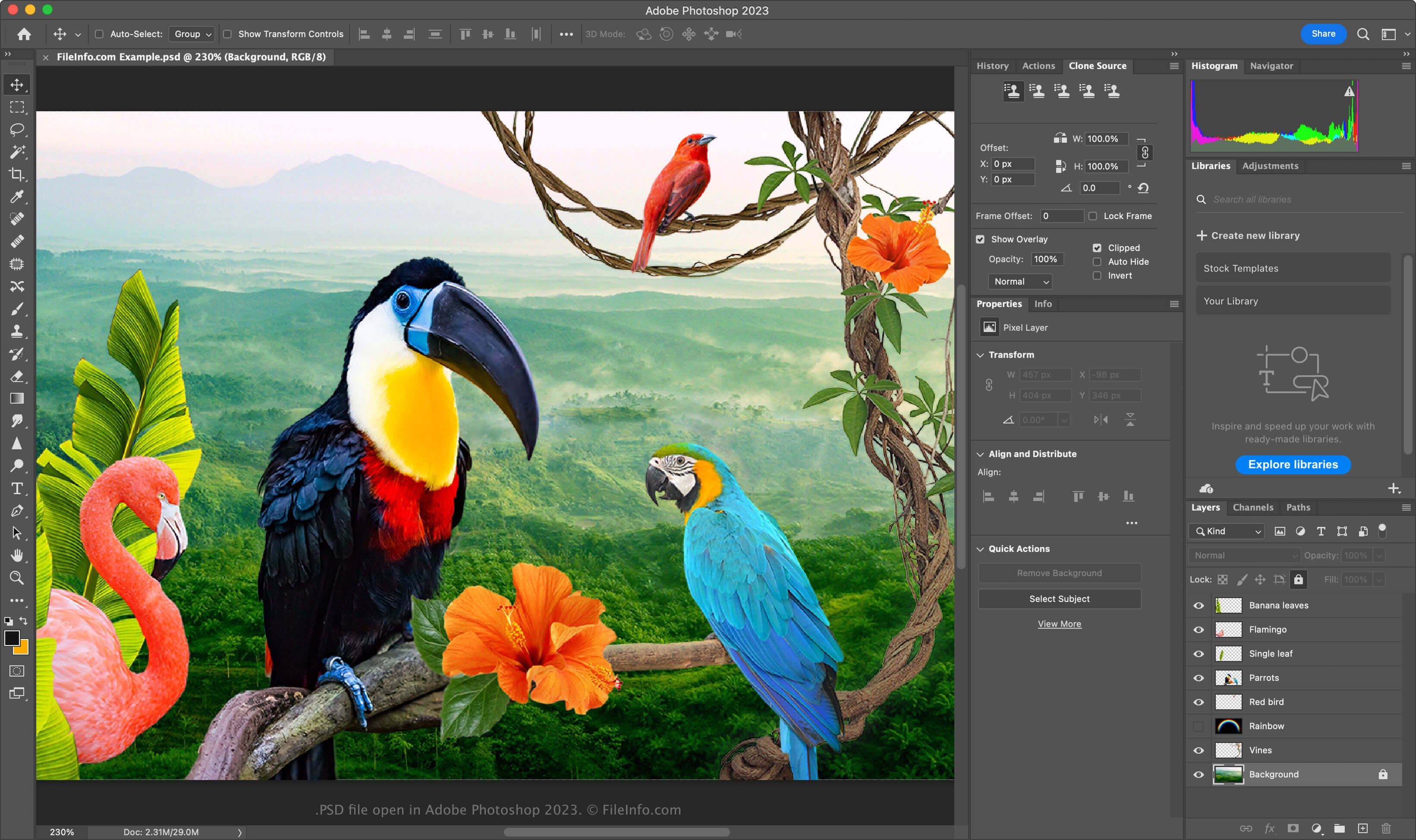
Le format PSD est un format entièrement modifiable et non compressé, idéal pour modifier des images matricielles. Vous pouvez modifier les éléments individuels d’un fichier PSD, comme les images, les formes, le texte et les effets. Les nouvelles versions de Photoshop (2024 et ultérieures) vous permettent de créer et d’insérer des graphiques générés par IA.
Les fichiers PSD prennent en charge les modes colorimétriques RGB, CMYK, niveaux de gris, monochrome, bichromie, couleurs indexées, couleurs Lab et couleurs multicanales. Vous pouvez modifier le mode colorimétrique en sélectionnant dans Photoshop.
La structure des données d’un fichier PSD
Le format de fichier Photoshop comprend cinq sections :
- En-tête du fichier - Stocke les propriétés de l’image, comme ses dimensions, sa profondeur de couleur, son mode colorimétrique et le nombre de couches
- Données du mode colorimétrique – Inclut des données supplémentaires si le fichier utilise des couleurs indexées ou en bichromie
- Ressources de l’image – Contient des éléments autres que l’image, comme les repères, les styles de texte ou les tracés
- Informations sur les calques et les masques – Stocke les données concernant les calques, les masques, les modes de fusion et les effets
- Données de l’image – Contient les données réelles de l’image (données de pixels) ainsi que la méthode de compression utilisée pour réduire la taille globale du fichier (par exemple, brute, RLE, ZIP)
REMARQUE : Photoshop prend en charge les fichiers PSD allant jusqu’à 30 000 x 30 000 pixels ou 2 Go. Les images dépassant ces limites doivent être enregistrées au format .PSB (Photoshop Big) Large Document.
Comment ouvrir un fichier PSD
Vous pouvez ouvrir les fichiers PSD avec Adobe Photoshop sous Windows et macOS. Pour ouvrir un fichier PSD dans Photoshop, sélectionnez .
Bien que les fichiers PSD soient enregistrés dans un format propriétaire, vous pouvez également les ouvrir avec d’autres applications multiplateformes, comme Adobe Illustrator, Corel Painter, GIMP et Photopea (dans un navigateur Web).
Sous Windows, vous pouvez ouvrir les fichiers PSD avec l’application Microsoft Photos intégrée au système. Sous macOS, vous pouvez les afficher avec Apple Preview, qui est incluse avec le système d’exploitation.
Comment convertir un fichier PSD
Plusieurs applications, notamment Adobe Photoshop, Corel PaintShop Pro et Apple Preview, peuvent convertir les fichiers PSD dans d’autres formats.
Par exemple, Adobe Photoshop peut exporter les fichiers PSD vers les formats suivants :