

.PSD Estensione file
Documento Adobe Photoshop
| Sviluppatore | Adobe |
| Popolarità |
4,2 | 721 Voti |
Che cos'è un file PSD?
Un file PSD è il formato immagine nativo utilizzato da Adobe Photoshop, un programma professionale di modifica delle immagini usato per migliorare le foto digitali e creare grafiche per il Web. I file PSD possono includere livelli immagine, livelli di regolazione, annotazioni, informazioni sul file, parole chiave e altri elementi specifici di Photoshop. Vengono comunemente creati e condivisi dai professionisti della grafica.
Maggiori informazioni
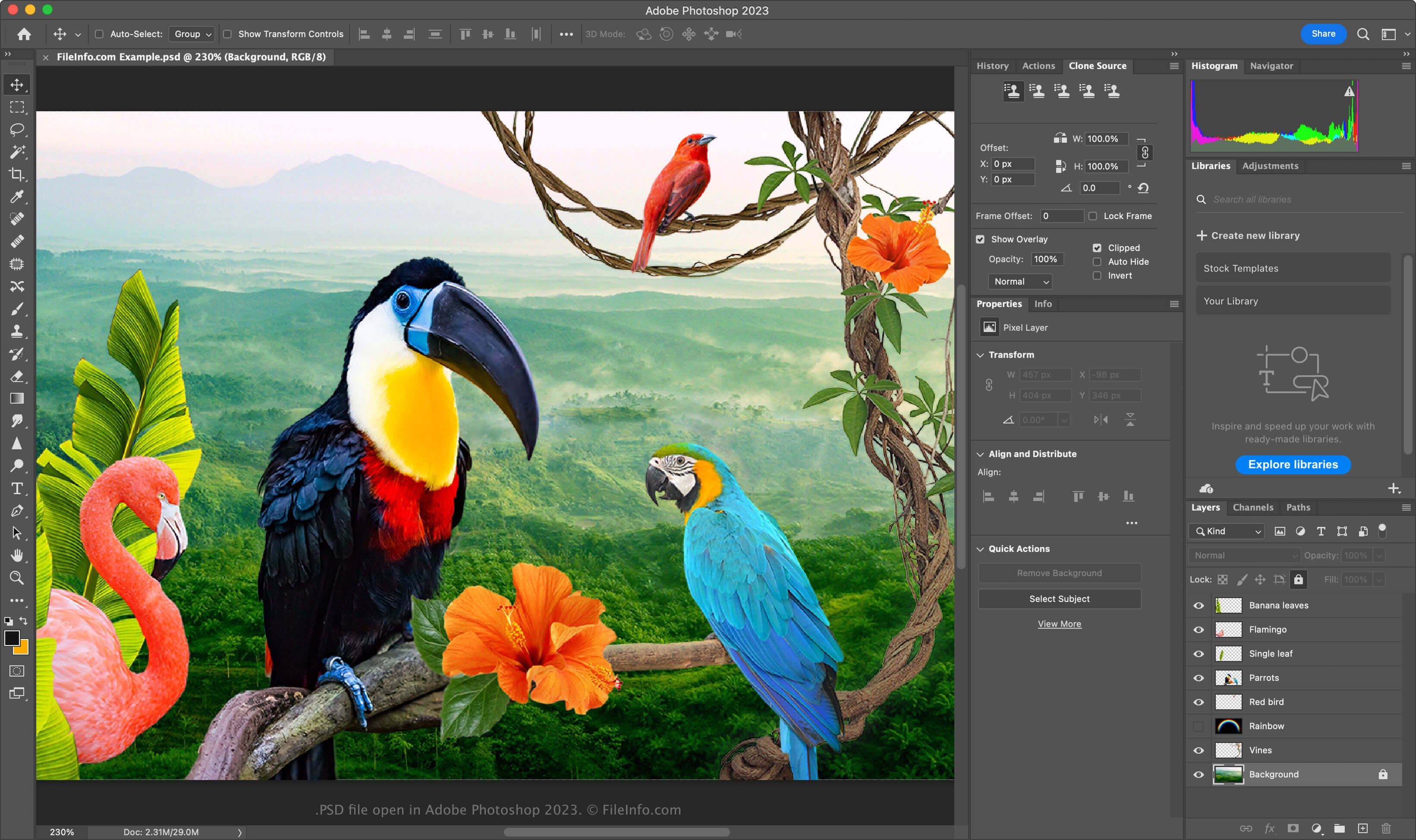
Il formato PSD è un formato completamente modificabile e non compresso, ideale per modificare immagini raster. È possibile modificare singoli elementi all'interno di un file PSD, come immagini, forme, testo ed effetti. Le versioni più recenti di Photoshop (2024 e successive) consentono di creare e inserire grafiche generate dall'IA.
I file PSD supportano le modalità colore RGB, CMYK, scala di grigi, monocromatica, bicromia, colore indicizzato, colore Lab e colore multicanale. È possibile cambiare la modalità colore selezionando in Photoshop.
La struttura dei dati di un file PSD
Il formato di file di Photoshop è composto da cinque sezioni:
- Intestazione del file - Memorizza proprietà dell'immagine come dimensioni, profondità di colore, modalità colore e numero di canali
- Dati della modalità colore – Include dati aggiuntivi se il file utilizza colori indicizzati o bicromia
- Risorse immagine – Contiene elementi non grafici come guide, stili di testo o tracciati
- Informazioni su livelli e maschere – Memorizza dati su livelli, maschere, modalità di fusione ed effetti
- Dati immagine – Contiene i dati effettivi dell'immagine (dati dei pixel) e il metodo di compressione utilizzato per ridurre le dimensioni complessive del file (ad es. raw, RLE, ZIP)
NOTA: Photoshop supporta file PSD fino a 30.000 x 30.000 pixel o di dimensioni pari a 2 GB. Le immagini più grandi di questi limiti devono essere salvate nel formato .PSB (Photoshop Big) per documenti di grandi dimensioni.
Come aprire un file PSD
È possibile aprire i file PSD con Adobe Photoshop in Windows e macOS. Per aprire un file PSD in Photoshop, selezionare .
Sebbene i file PSD vengano salvati in un formato proprietario, è possibile aprirli anche con altre applicazioni multipiattaforma, come Adobe Illustrator, Corel Painter, GIMP e Photopea (in un browser Web).
In Windows, è possibile aprire i file PSD con l'app Microsoft Photos integrata. In macOS, è possibile visualizzarli con Apple Preview, incluso nel sistema operativo.
Come convertire un file PSD
Diverse applicazioni, tra cui Adobe Photoshop, Corel PaintShop Pro e Apple Preview, possono convertire i file PSD in altri formati.
Ad esempio, Adobe Photoshop può esportare i file PSD nei seguenti formati: