

.PSP Dateiendung
PaintShop Pro-Bild
| Entwickler | Corel |
| Beliebtheit |
3,5 | 33 Stimmen |
Was ist eine PSP-Datei?
Eine PSP-Datei ist ein Bitmapbild, das im nativen Paint-Shop-Pro- (PSP-)Format gespeichert wurde. Sie kann Ebenen, Hilfslinien, Metadaten und andere Objekte innerhalb des Bildes enthalten. Corel ersetzte das PSP-Format durch das .PSPIMAGE-Format, als das Unternehmen Version 8 von Paint Shop Pro (jetzt PaintShop Pro) veröffentlichte.
Weitere Informationen
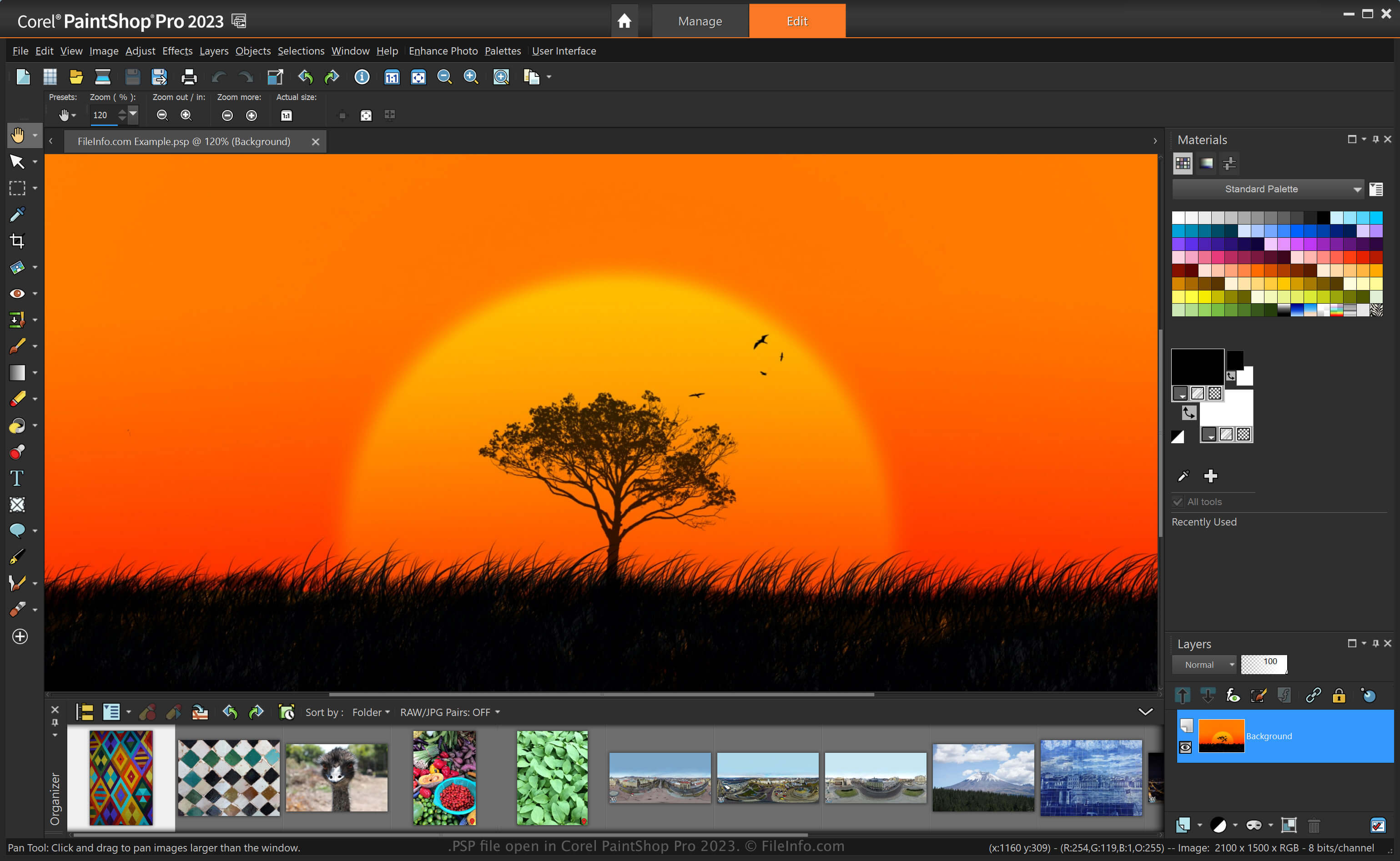
PaintShop Pro, oft „PSP“ genannt, ist ein Bildbearbeitungsprogramm mit ähnlichen Funktionen wie Adobe Photoshop. Beispielsweise können Sie damit Bilder und Digitalfotos mit verschiedenen Werkzeugen bearbeiten. Außerdem umfasst es Arbeitsbereiche für Einsteiger und Fortgeschrittene.
Bevor Corel das PSP-Format mit der Veröffentlichung von Version 8 von Paint Shop Pro durch das PSPIMAGE-Format ersetzte, war das PSP-Format das native Format zum Speichern von Bildern mit der Anwendung. Nachdem Sie ein Bild als PSP-Datei gespeichert haben, können Sie es schließen und erneut öffnen, um die Bearbeitung fortzusetzen.
So erstellen Sie eine PSP-Datei mit PaintShop Pro
Obwohl Corel das PSP-Format durch das PSPIMAGE-Format ersetzte, kann PaintShop Pro Bilder weiterhin als PSP-Dateien speichern. So erstellen Sie eine PSP-Datei mit PaintShop Pro:
- Wählen Sie .
- Bearbeiten Sie das Bild.
- Wählen Sie oder .
HINWEIS: Jasc Software entwickelte PaintShop Pro, bevor Corel das Unternehmen 2004 übernahm.
So öffnen Sie eine PSP-Datei
Sie können eine PSP-Datei mit Corel PaintShop Pro (Windows) öffnen, indem Sie auswählen. Sie können PSP-Dateien auch mit anderen Bildbearbeitungsprogrammen öffnen, etwa mit der 32-Bit-Version von CorelDRAW Graphics Suite (Windows und macOS) und ACD Systems Canvas (Windows).
So konvertieren Sie eine PSP-Datei
Verschiedene Anwendungen, etwa Corel PaintShop Pro und CorelDRAW Graphics Suite, können PSP-Dateien in andere Formate konvertieren.
PaintShop Pro kann eine PSP-Datei beispielsweise in verschiedene Bilddateitypen konvertieren, einschließlich der folgenden Formate:
- .PSPIMAGE - PaintShop-Pro-Bild
- .JPG - JPEG-Bild
- .PNG - Portable-Network-Graphic
- .BMP - Bitmapbild
- .EMF - Erweitertes Windows-Metafile
- .EPS - Gekapselte-PostScript-Datei
- .TIF - Tagged-Image-Datei
- .GIF - Datei im Graphics-Interchange-Format
- .TGA - Targa-Grafik
- .WMF - Windows-Metafile
- .PSD - Windows-Metafile
Programme, die .PSP-Dateien öffnen
Pixel Studio-Projekt
| Entwickler | Hippo Games |
| Beliebtheit |
4,0 | 2 Stimmen |
Eine PSP-Datei ist eine von Hippo Games Pixel Studio erstellte Projektdatei. Dabei handelt es sich um einen plattformübergreifenden Editor für Pixelgrafiken. Sie enthält ein ebenenbasiertes Pixelbild. Mit Pixel Studio können Benutzer PSP-Dateien lokal, im Cloud-Speicher oder im Hippo Games Pixel Network speichern.
Weitere Informationen
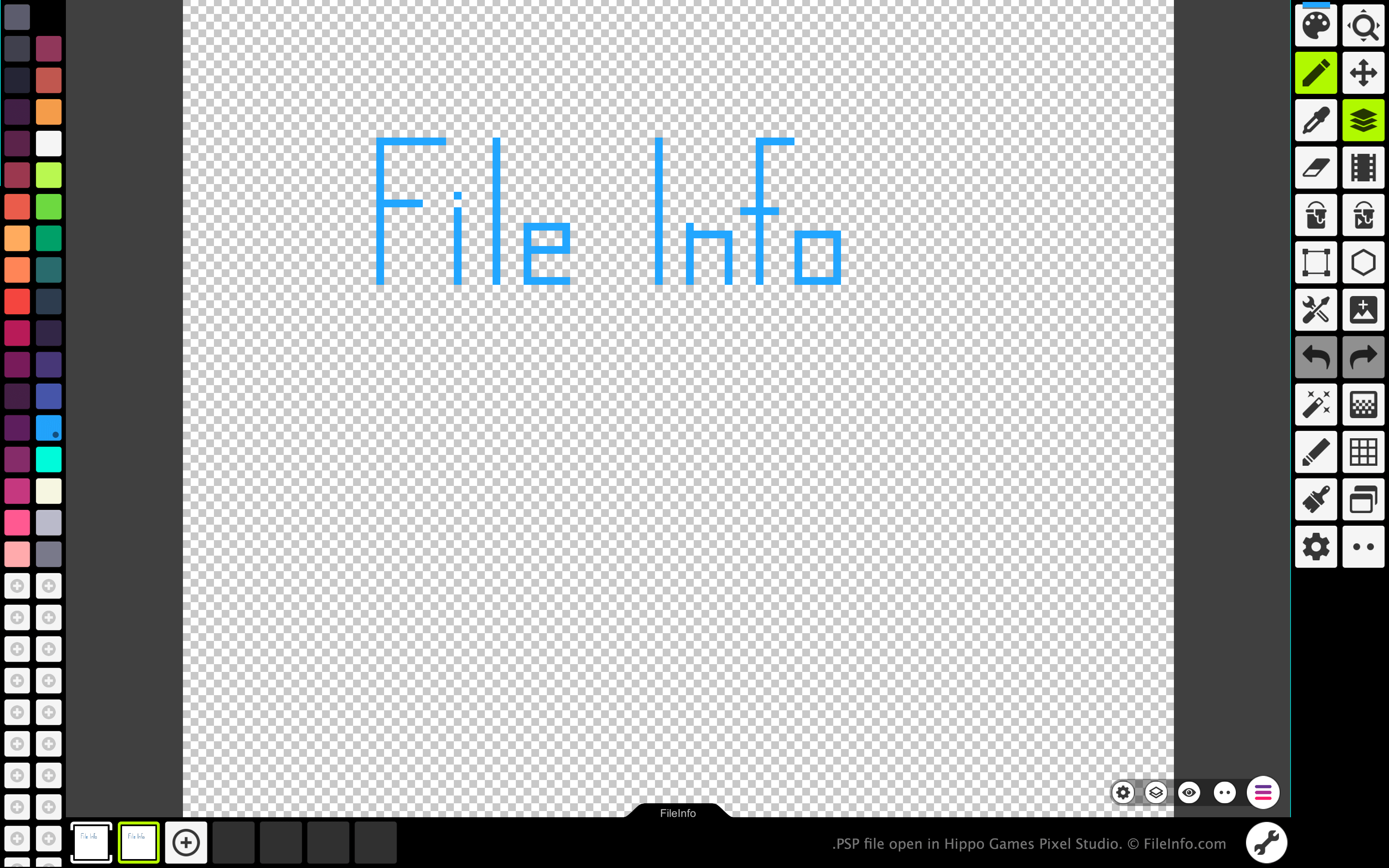
Mit Pixel Studio können Pixelkünstler und Videospielentwickler pixelbasierte Sprites und Animationen erstellen. Das Programm ist für Windows, macOS, Android und iOS in kostenlosen und kostenpflichtigen Versionen verfügbar.
In allen Versionen von Pixel Studio können Künstler die von ihnen erstellten Bilder und Animationen als PSP-Dateien speichern. Das PSP-Format behält alle Ebenen, Einzelbilder und den Bearbeitungsverlauf eines Bildes bei. Dadurch können Pixel-Studio-Benutzer die einzelnen Ebenen und Einzelbilder ihrer Bilder oder Animationen weiter bearbeiten, auch nachdem sie Pixel Studio beendet haben.
So öffnen Sie eine PSP-Datei
Sie können eine PSP-Datei mit Hippo Games Pixel Studio (plattformübergreifend) öffnen. Gehen Sie dazu wie folgt vor:
- Wählen Sie die Menüschaltfläche mit den drei Linien aus, die unten rechts in der App angezeigt wird.
- Wählen Sie aus.
- Navigieren Sie zu Ihrer PSP-Datei und öffnen Sie sie.
So konvertieren Sie eine PSP-Datei
Mit der kostenpflichtigen Version von Pixel Studio können Sie das Bild oder die Animation, die eine PSP-Datei enthält, in die folgenden Formate konvertieren: