

.PUB Bestandsextensie
Publisher-document
| Ontwikkelaar | Microsoft |
| Populariteit |
3,7 | 504 stemmen |
Wat is een PUB-bestand?
Een PUB-bestand is een document dat is gemaakt met Microsoft Publisher, een dtp-programma waarmee je professionele documenten en marketingmateriaal maakt. Het bevat een pagina-indeling en ontwerpelementen, zoals tekst, vormen en vector- of rasterafbeeldingen. Gebruikers slaan brochures, nieuwsbrieven, flyers, uitnodigingen en posters vaak op als PUB-bestanden.
Meer informatie
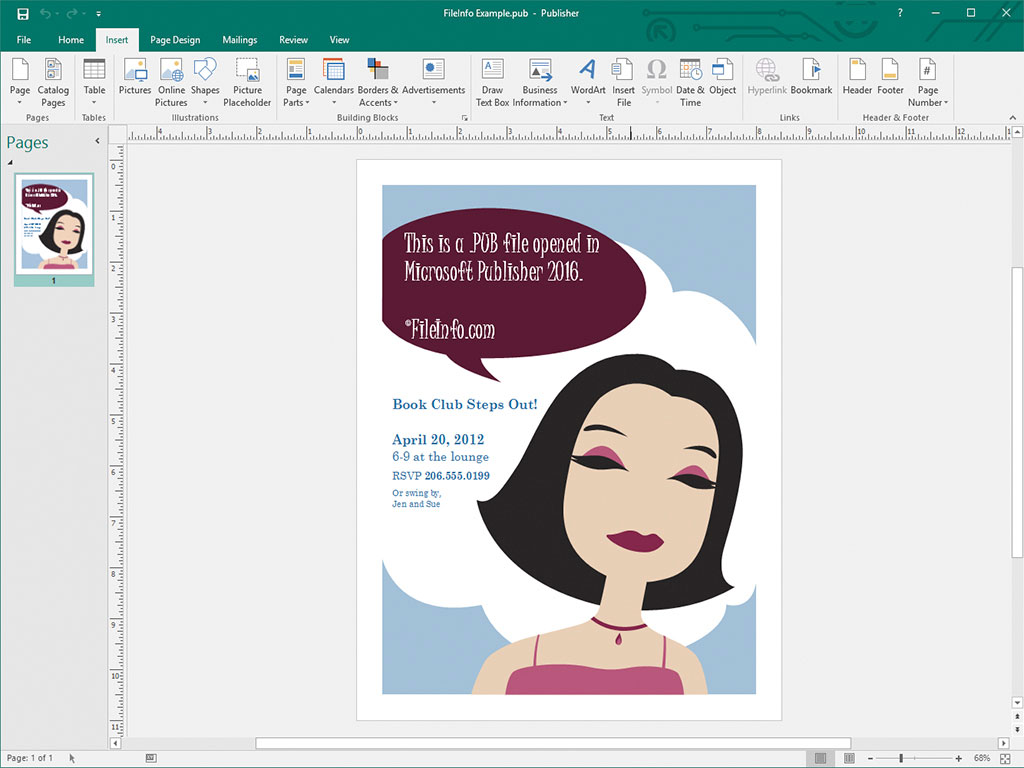
Zowel amateur- als professionele ontwerpers gebruiken Microsoft Publisher voornamelijk om marketingmateriaal en andere documenten te ontwerpen. De software is alleen beschikbaar voor Windows als onderdeel van de Microsoft 365-abonnementsservice of als eenmalige, zelfstandige aankoop.
Wanneer je een document opslaat in Publisher, maakt het programma een PUB-bestand om de inhoud van het document op te slaan. Nadat je het PUB-bestand hebt opgeslagen, kun je het sluiten en later opnieuw openen om verder te werken aan het document.
OPMERKING: Naast het opslaan van pagina-indelingen als PUB-bestanden kunnen ervaren Publisher-gebruikers ook PUB-bestanden maken om gegevensbronnen voor Afdruk samenvoegen te integreren en op te slaan en gegevensbladen te genereren.
Een PUB-bestand openen
Je kunt een PUB-bestand openen met Microsoft Publisher door te selecteren in de menubalk van het programma en vervolgens naar je PUB-bestand te gaan en het te openen.
Je kunt PUB-bestanden ook openen met verschillende andere dtp-toepassingen. Je kunt PUB-bestanden bijvoorbeeld openen met LibreOffice Draw (onderdeel van LibreOffice) en CorelDRA
Een PUB-bestand converteren
Microsoft Publisher kan PUB-bestanden converteren naar verschillende bestandstypen, waaronder de volgende indelingen:
- .PDF - Portable Document Format
- .JPEG - JPEG-afbeelding
- .PNG - Portable Network Graphic
- .TIF - Tagged Image File Format
- .EMF - Enhanced Windows Metafile
- .WMF - Windows Metafile
- .BMP - Bitmapafbeelding
- .EPS - Encapsulated PostScript
- .PS - PostScript-bestand
- .DOCX - Microsoft Word-document
- .RTF - Rich Text Format
- .TXT - Tekstbestand zonder opmaak
- .HTML - Hypertext Markup Language
- .XPS - XML Paper Specification
OPMERKING: Bij het converteren naar een DOCX-bestand blijft de opmaak behouden, maar niet de afbeeldingen of kolommen in het PUB-bestand.
Programma's die PUB-bestanden openen
Openbaar-sleutelbestand
| Ontwikkelaar | N.v.t. |
| Populariteit |
3,1 | 47 stemmen |
Een PUB-bestand is een openbare sleutel die wordt gebruikt in openbare-sleutel-cryptografie. Het bevat versleutelde tekst die wordt gebruikt om gegevens te versleutelen en te ontsleutelen, samen met een bijbehorende privésleutel. Programma's zoals ssh-keygen en PuTTY kunnen PUB-bestanden (en bijbehorende privésleutels) maken.
Meer informatie

Cryptografie met openbare sleutels is een veelgebruikte vorm van cryptografie waarbij paren van "sleutels" worden gebruikt. Dit zijn reeksen versleutelde tekst die met programma's voor het genereren van sleutels zijn gemaakt. Sleutelparen bestaan uit een openbare sleutel, die bedoeld is om met anderen te worden gedeeld, en een privésleutel, die niet bedoeld is om te worden gedeeld.
Openbare sleutels die door programma's zoals ssh-keygen en PuTTY zijn gemaakt, worden opgeslagen als PUB-bestanden. ssh-keygen maakt bijvoorbeeld sleutels met de namen id_rsa.pub en slaat deze standaard op in de map ~/.ssh.
PUB-bestanden die met OpenSSH zijn gemaakt, zoals bestanden die door ssh-keygen zijn gemaakt, worden voornamelijk gebruikt om de inloggegevens van een gebruiker te verifiëren wanneer die gebruiker zich aanmeldt bij een server. In deze gevallen moet het PUB-bestand op de betreffende server worden opgeslagen (vaak in een map .ssh/authorized_keys), terwijl de gebruiker zijn privésleutel behoudt.
PuTTY PUB-bestanden
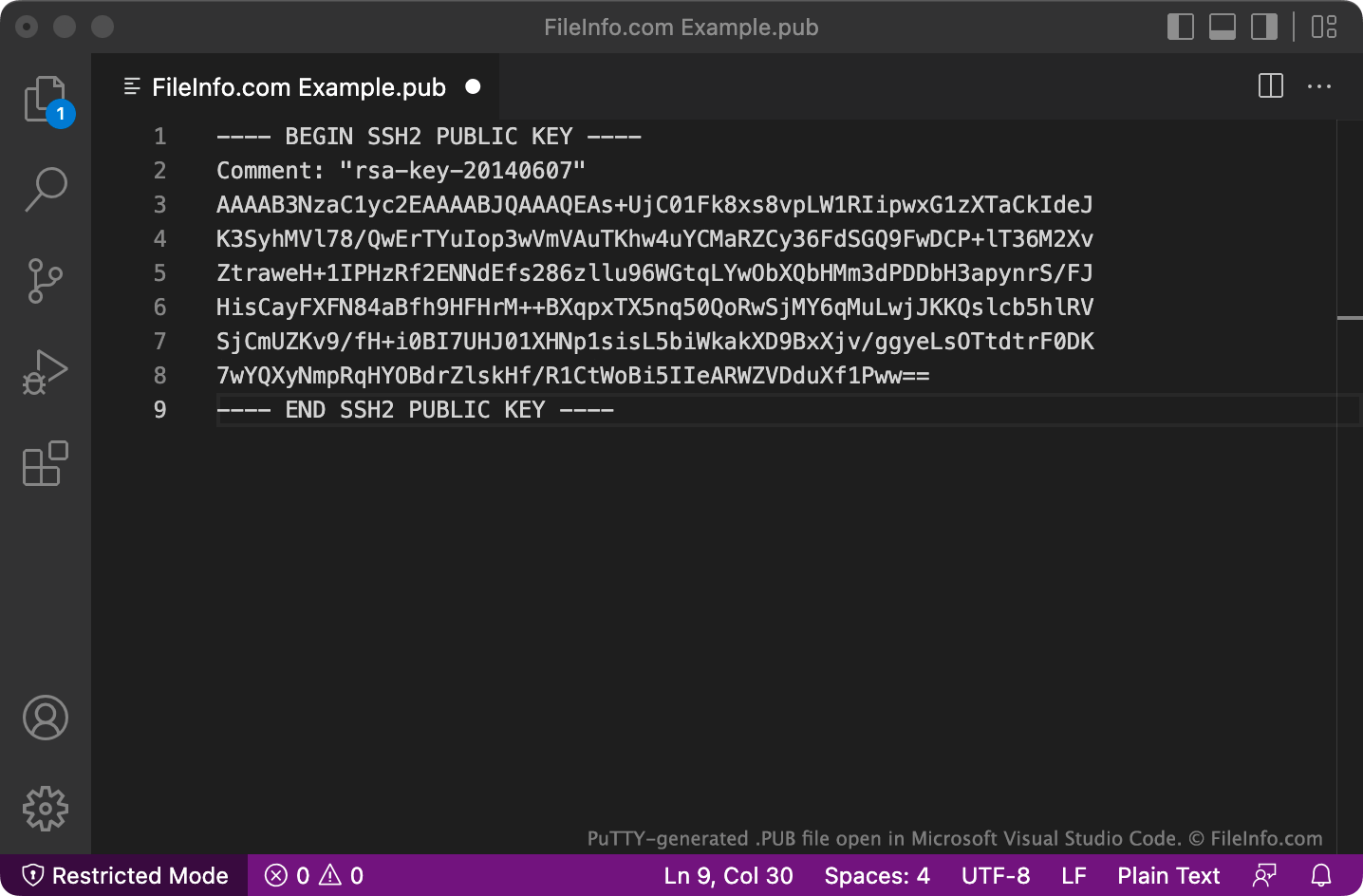
PuTTY slaat PUB-bestanden op in een indeling met meerdere regels die OpenSSH mogelijk niet standaard herkent. Als je PUB-bestanden die in deze indeling zijn opgeslagen met OpenSSH wilt gebruiken, verwijder je de regels BEGIN, Comment: en END, evenals eventuele regeleinden. Voeg vervolgens ssh-rsa toe aan het begin van het bestand.
Een PUB-bestand openen
Je kunt een PUB-bestand openen en de tekst die het bevat bekijken in elke teksteditor, zoals Microsoft Notepad (Windows), Apple TextEdit (Mac) of GitHub Atom (multiplatform).