

.PUB ファイル拡張子
Publisherドキュメント
| 開発元 | Microsoft |
| 人気度 |
3.7 | 504 票 |
PUBファイルとは?
PUBファイルは、専門的なドキュメントやマーケティング資料の作成に使用されるDTPプログラム、Microsoft Publisherで作成されたドキュメントです。テキスト、図形、vectorまたはrasterグラフィックなどのページレイアウトとデザイン要素が含まれています。ユーザーは、パンフレット、ニュースレター、チラシ、招待状、ポスターをPUBファイルとして保存することがよくあります。
詳細情報
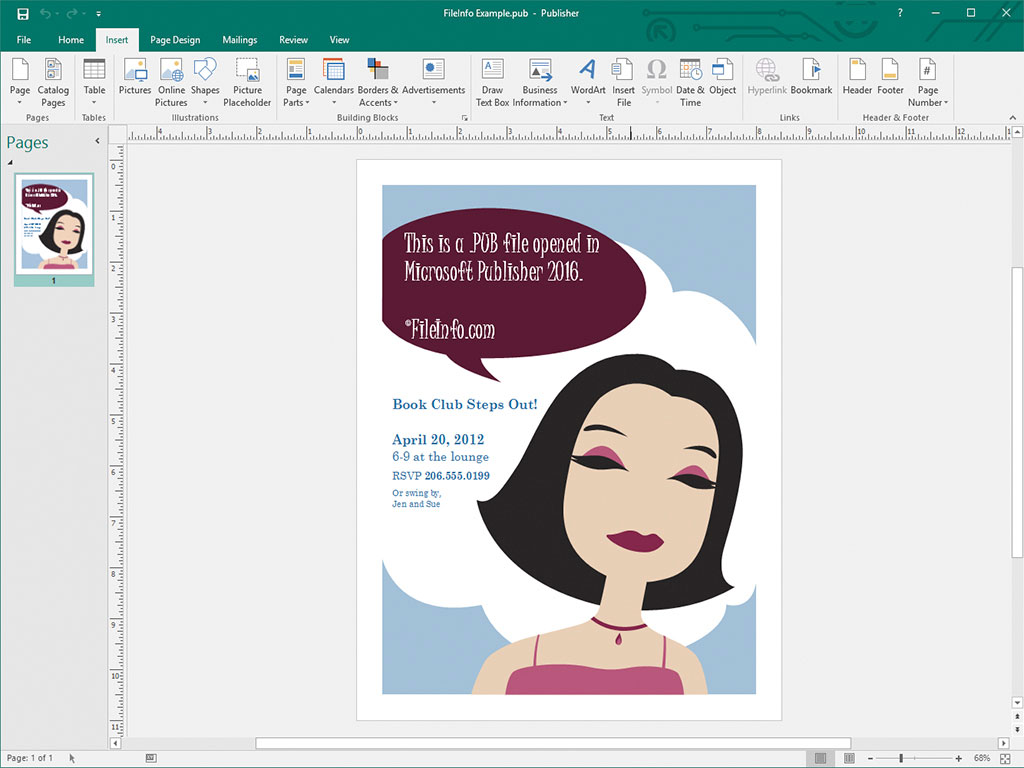
個人およびプロのデザイナーは、主にMicrosoft Publisherを使ってマーケティング資料やその他のドキュメントをデザインします。このソフトウェアは、Microsoft 365サブスクリプションサービスの一部として、または買い切り型の単体製品として、Windowsでのみ利用できます。
Publisherでドキュメントを保存すると、プログラムはドキュメントの内容を保存するためにPUBファイルを作成します。PUBファイルを保存した後、PUBファイルを閉じて、後で再度開き、ドキュメントの編集を続けることができます。
注: ページレイアウトをPUBファイルとして保存するほか、高度なPublisherユーザーは、差し込み印刷やデータシートの生成に使用するデータソースを統合および保存するためにPUBファイルを作成することもあります。
PUBファイルの開き方
プログラムのメニューバーからを選択し、PUBファイルを探して開くことで、Microsoft PublisherでPUBファイルを開けます。
ほかにも、複数のDTPアプリケーションでPUBファイルを開けます。たとえば、LibreOffice(LibreOfficeに含まれています)のLibreOffice DrawやCorelDRA
PUBファイルの変換方法
Microsoft Publisherでは、PUBファイルを次のような複数のファイル形式に変換できます。
- .PDF - Portable Document Format
- .JPEG - JPEG画像
- .PNG - Portable Network Graphic
- .TIF - Tagged Image File Format
- .EMF - Enhanced Windows Metafile
- .WMF - Windows Metafile
- .BMP - ビットマップ画像
- .EPS - Encapsulated PostScript
- .PS - PostScriptファイル
- .DOCX - Microsoft Wordドキュメント
- .RTF - Rich Text Format
- .TXT - プレーンテキストファイル
- .HTML - Hypertext Markup Language
- .XPS - XML Paper Specification
注: DOCXファイルに変換すると、書式は保持されますが、PUBファイルに含まれるグラフィックや列は保持されません。
PUBファイルを開くプログラム
公開鍵ファイル
| 開発元 | 不明 |
| 人気度 |
3.1 | 47 票 |
PUBファイルは、公開鍵暗号で使用される公開鍵です。対応する秘密鍵とともに、データの暗号化と復号に使用される暗号化されたテキストが含まれています。ssh-keygenやPuTTYなどのプログラムで、PUBファイル(および対応する秘密鍵)を作成できます。
詳細情報

公開鍵暗号は、鍵生成プログラムを使用して作成された暗号化テキストの文字列である「鍵」のペアを使用する、一般的な暗号方式です。鍵のペアは、他の人と共有することを前提とした公開鍵と、共有を前提としない秘密鍵で構成されます。
ssh-keygenやPuTTYなどのプログラムで作成された公開鍵は、PUBファイルとして保存されます。たとえば、ssh-keygenはid_rsa.pubという名前の鍵を作成し、デフォルトでは~/.sshディレクトリに保存します。
ssh-keygenなどで作成されたOpenSSHのPUBファイルは、主にユーザーがサーバーにログインするときに、そのユーザーの認証情報を認証するために使用されます。この場合、PUBファイルは対象のサーバー(多くの場合、.ssh/authorized_keysディレクトリ)に保存し、ユーザーは秘密鍵を保持します。
PuTTYのPUBファイル
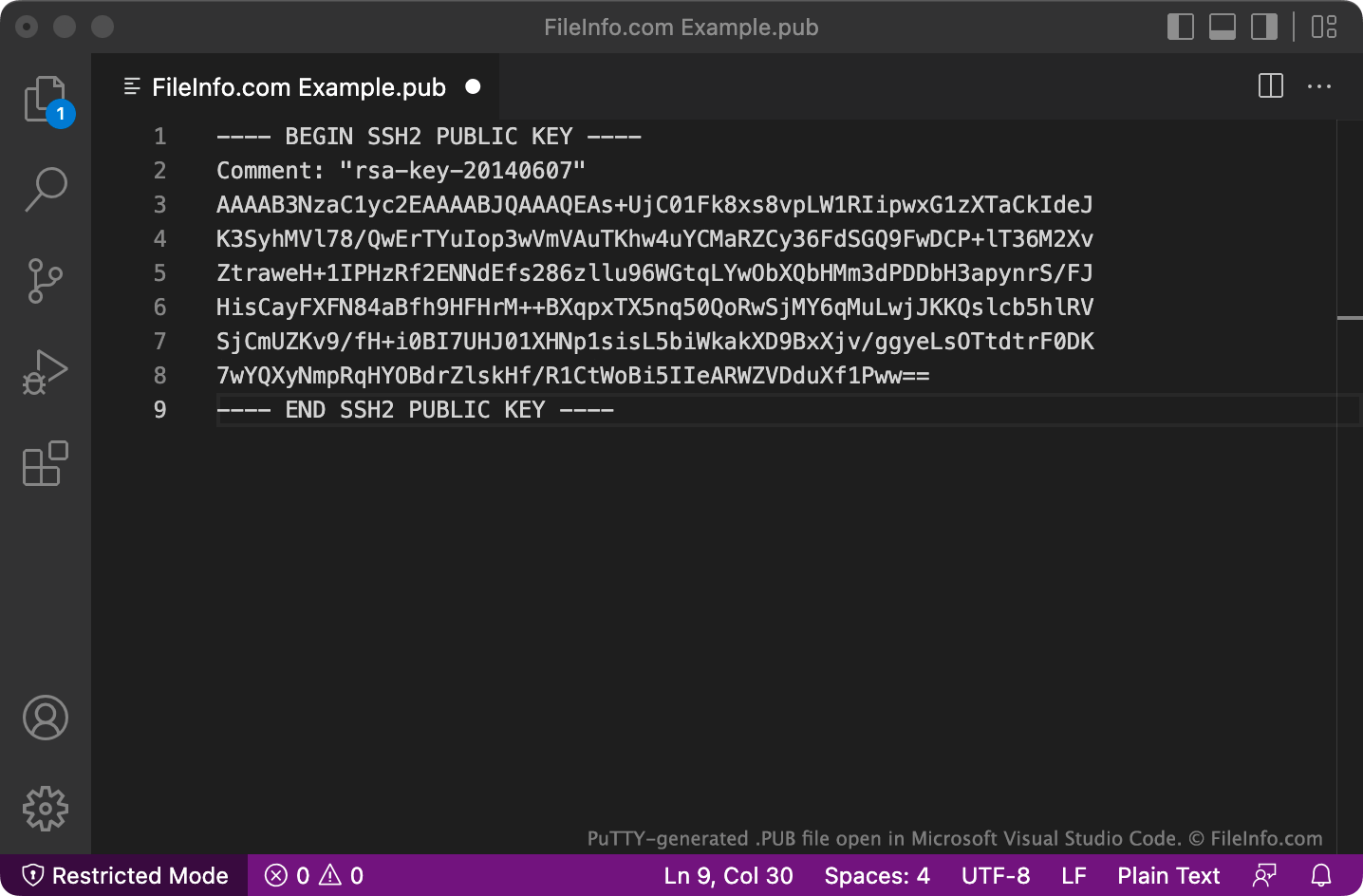
PuTTYはPUBファイルを複数行形式で保存しますが、OpenSSHではデフォルトで認識されない場合があります。この形式で保存されたPUBファイルをOpenSSHで使用するには、BEGIN、Comment:、ENDの各行と、すべての改行を削除します。次に、ファイルの先頭にssh-rsa を追加します。
PUBファイルの開き方
PUBファイルは、Microsoft Notepad(Windows)、Apple TextEdit(Mac)、GitHub Atom(マルチプラットフォーム)などのテキストエディターで開いて、含まれているテキストを表示できます。