

.PUB Dateiendung
Publisher-Dokument
| Entwickler | Microsoft |
| Beliebtheit |
3,7 | 504 Stimmen |
Was ist eine PUB-Datei?
Eine PUB-Datei ist ein von Microsoft Publisher erstelltes Dokument. Microsoft Publisher ist ein Desktop-Publishing-Programm zum Erstellen professioneller Dokumente und Marketingmaterialien. Sie enthält ein Seitenlayout und Designelemente wie Text, Formen sowie Vektor- oder Rastergrafiken. Benutzer speichern häufig Broschüren, Newsletter, Flyer, Einladungen und Poster als PUB-Dateien.
Weitere Informationen
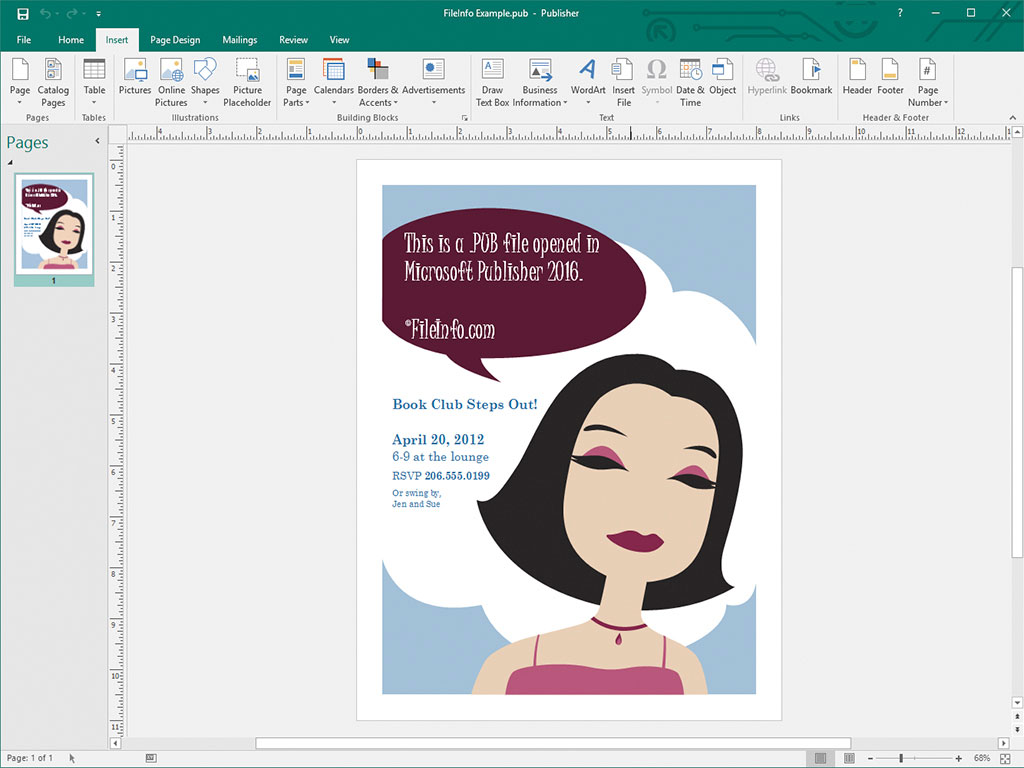
Gelegenheits- und professionelle Designer verwenden Microsoft Publisher hauptsächlich zum Gestalten von Marketingmaterialien und anderen Dokumenten. Die Software ist nur für Windows als Teil des Microsoft 365-Abonnementdienstes oder als einmaliger, eigenständiger Kauf erhältlich.
Wenn Sie ein Dokument in Publisher speichern, erstellt das Programm eine PUB-Datei, um den Inhalt des Dokuments zu speichern. Nach dem Speichern der PUB-Datei können Sie die PUB-Datei schließen und später erneut öffnen, um das Dokument weiter zu bearbeiten.
HINWEIS: Neben dem Speichern von Seitenlayouts als PUB-Dateien können erfahrene Publisher-Benutzer auch PUB-Dateien erstellen, um Datenquellen für Serienbriefe und die Erstellung von Datenblättern zu integrieren und zu speichern.
So öffnen Sie eine PUB-Datei
Sie können eine PUB-Datei mit Microsoft Publisher öffnen, indem Sie in der Menüleiste des Programms auswählen und anschließend zu Ihrer PUB-Datei navigieren und sie öffnen.
Sie können PUB-Dateien auch mit mehreren anderen Desktop-Publishing-Anwendungen öffnen. Beispielsweise können Sie PUB-Dateien mit LibreOffice Draw (in LibreOffice enthalten) und CorelDRA
So konvertieren Sie eine PUB-Datei
Microsoft Publisher kann PUB-Dateien in mehrere Dateitypen konvertieren, darunter die folgenden Formate:
- .PDF - Portable Document Format
- .JPEG - JPEG-Bild
- .PNG - Portable Network Graphic
- .TIF - Tagged Image File Format
- .EMF - Enhanced Windows Metafile
- .WMF - Windows Metafile
- .BMP - Bitmap-Bild
- .EPS - Encapsulated PostScript
- .PS - PostScript-Datei
- .DOCX - Microsoft-Word-Dokument
- .RTF - Rich-Text-Format
- .TXT - Nur-Text-Datei
- .HTML - Hypertext Markup Language
- .XPS - XML Paper Specification
HINWEIS: Bei der Konvertierung in eine DOCX-Datei bleibt die Formatierung erhalten, nicht jedoch die Grafiken oder Spalten, die in der PUB-Datei enthalten sind.
Programme, die .PUB-Dateien öffnen
Datei mit öffentlichem Schlüssel
| Entwickler | k. A. |
| Beliebtheit |
3,1 | 47 Stimmen |
Eine PUB-Datei ist ein öffentlicher Schlüssel, der in der Kryptografie mit öffentlichen Schlüsseln verwendet wird. Sie enthält verschlüsselten Text, der zum Ver- und Entschlüsseln von Daten verwendet wird, sowie einen dazugehörigen privaten Schlüssel. Programme wie ssh-keygen und PuTTY können PUB-Dateien (und die dazugehörigen privaten Schlüssel) erstellen.
Weitere Informationen

Kryptografie mit öffentlichen Schlüsseln ist eine gängige Form der Kryptografie, bei der Paare von „Schlüsseln“ verwendet werden. Dabei handelt es sich um Zeichenfolgen aus verschlüsseltem Text, die mit Programmen zur Schlüsselgenerierung erstellt werden. Schlüsselpaare bestehen aus einem öffentlichen Schlüssel, der mit anderen geteilt werden soll, und einem privaten Schlüssel, der nicht geteilt werden soll.
Von Programmen wie ssh-keygen und PuTTY erstellte öffentliche Schlüssel werden als PUB-Dateien gespeichert. Beispielsweise erstellt ssh-keygen Schlüssel mit den Namen id_rsa.pub und speichert sie standardmäßig im Verzeichnis ~/.ssh.
Mit OpenSSH erstellte PUB-Dateien, beispielsweise durch ssh-keygen, werden hauptsächlich dazu verwendet, die Zugangsdaten eines Benutzers zu authentifizieren, wenn sich dieser Benutzer bei einem Server anmeldet. In diesen Fällen soll die PUB-Datei auf dem betreffenden Server gespeichert werden (häufig in einem Verzeichnis wie .ssh/authorized_keys), während der Benutzer seinen privaten Schlüssel behält.
PUB-Dateien von PuTTY
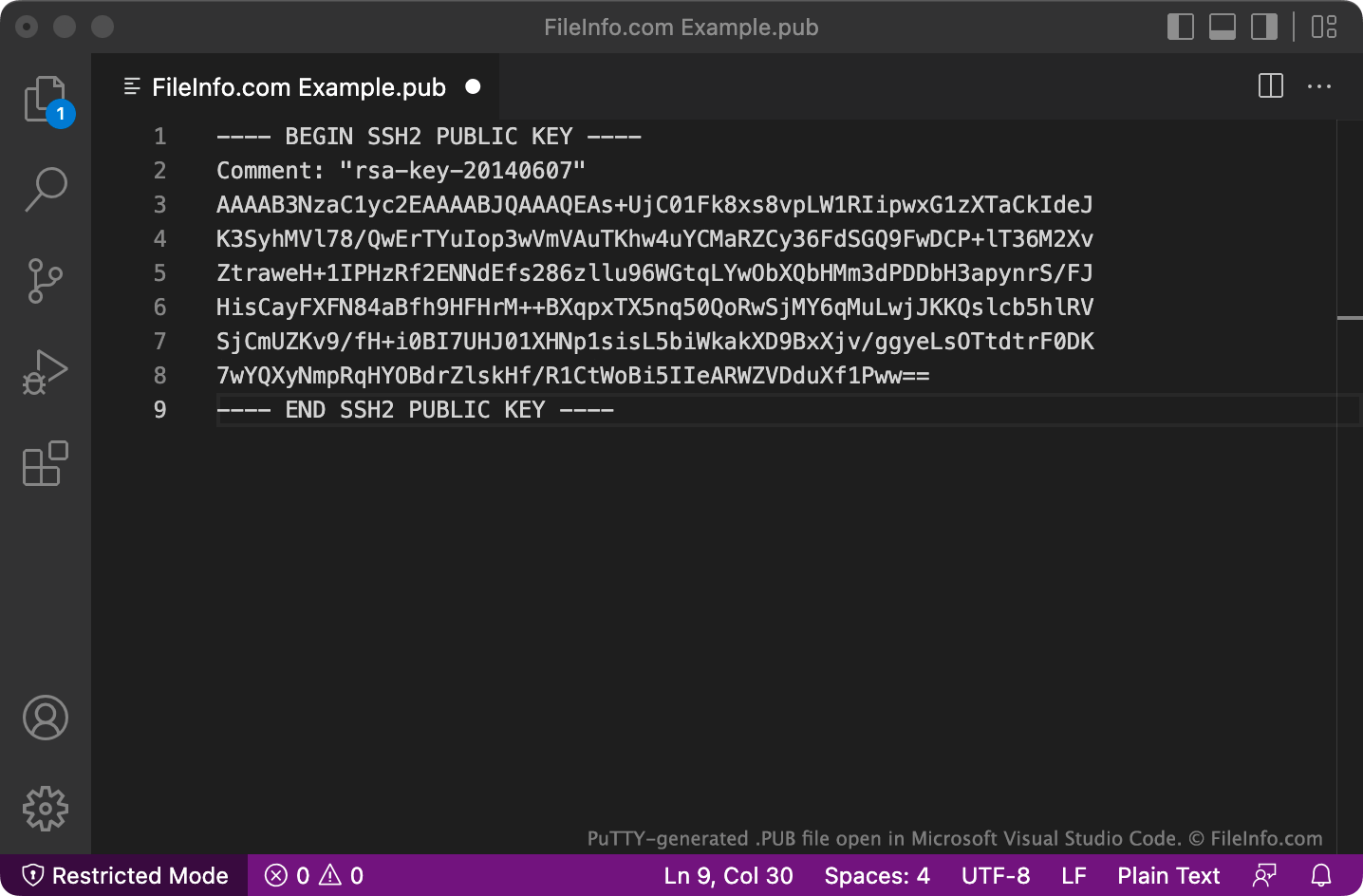
PuTTY speichert PUB-Dateien in einem mehrzeiligen Format, das OpenSSH möglicherweise standardmäßig nicht erkennt. Um in diesem Format gespeicherte PUB-Dateien mit OpenSSH zu verwenden, entfernen Sie die Zeilen BEGIN, Comment: und END sowie alle Zeilenumbrüche. Fügen Sie anschließend am Anfang der Datei ssh-rsa ein.
So öffnen Sie eine PUB-Datei
Sie können eine PUB-Datei öffnen und den darin enthaltenen Text in jedem Texteditor anzeigen, beispielsweise in Microsoft Notepad (Windows), Apple TextEdit (Mac) oder GitHub Atom (plattformübergreifend).