

.PUB Přípona souboru
Dokument Publisheru
| Vývojář | Microsoft |
| Popularita |
3,7 | 504 hlasů |
Co je soubor PUB?
Soubor PUB je dokument vytvořený v programu Microsoft Publisher, což je program pro stolní publikování používaný k vytváření profesionálních dokumentů a marketingových materiálů. Obsahuje rozvržení stránky a prvky návrhu, jako je text, tvary a vektorová nebo rastrová grafika. Uživatelé často ukládají brožury, zpravodaje, letáky, pozvánky a plakáty jako soubory PUB.
Další informace
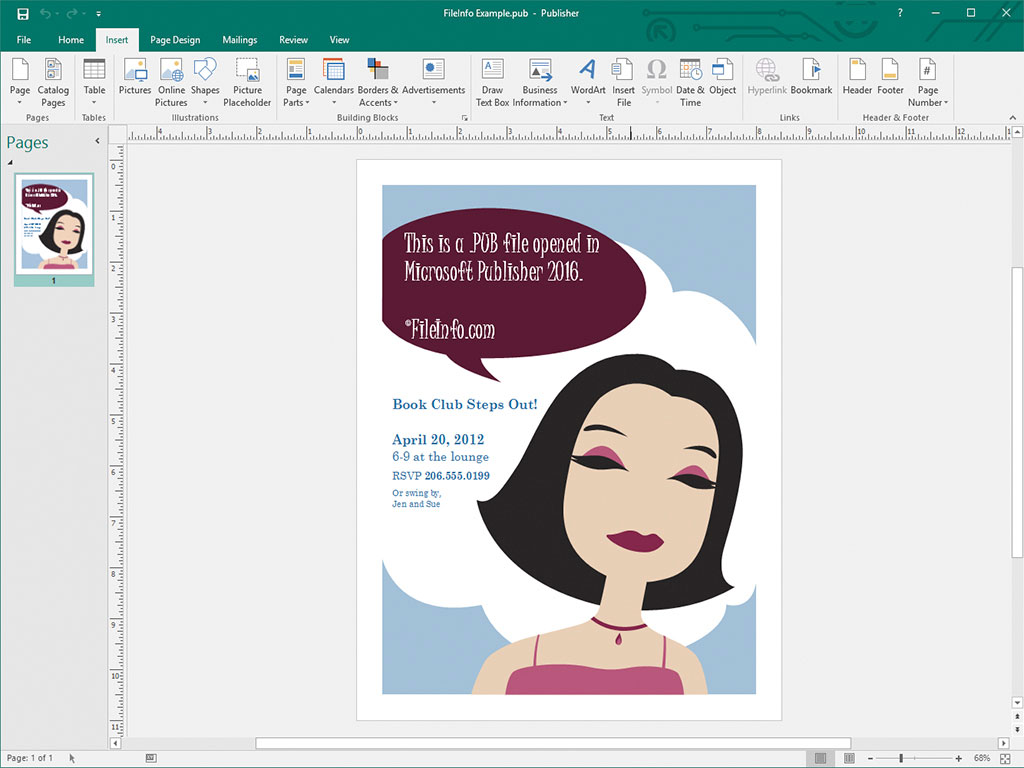
Příležitostní i profesionální návrháři používají Microsoft Publisher především k navrhování marketingových materiálů a dalších dokumentů. Tento software je dostupný pouze pro Windows jako součást předplatného Microsoft 365 nebo jako jednorázově zakoupený samostatný program.
Když uložíte dokument v Publisheru, program vytvoří soubor PUB pro uložení obsahu dokumentu. Po uložení souboru PUB jej můžete zavřít a později znovu otevřít a pokračovat v úpravách dokumentu.
POZNÁMKA: Kromě ukládání rozvržení stránek jako souborů PUB mohou pokročilí uživatelé Publisheru vytvářet soubory PUB také za účelem integrace a ukládání zdrojů dat pro hromadnou korespondenci a generování datových listů.
Jak otevřít soubor PUB
Soubor PUB můžete otevřít v programu Microsoft Publisher tak, že na panelu nabídek programu vyberete a poté vyhledáte a otevřete svůj soubor PUB.
Soubory PUB můžete otevřít také v několika dalších aplikacích pro stolní publikování. Soubory PUB můžete například otevřít v programu LibreOffice Draw (je součástí LibreOffice) a CorelDRA
Jak převést soubor PUB
Microsoft Publisher dokáže převést soubory PUB do několika typů souborů, včetně následujících formátů:
- .PDF - Portable Document Format
- .JPEG - obrázek JPEG
- .PNG - Portable Network Graphic
- .TIF - Tagged Image File Format
- .EMF - Enhanced Windows Metafile
- .WMF - Windows Metafile
- .BMP - bitmapový obrázek
- .EPS - Encapsulated PostScript
- .PS - soubor PostScript
- .DOCX - dokument Microsoft Word
- .RTF - Rich Text Format
- .TXT - soubor prostého textu
- .HTML - Hypertext Markup Language
- .XPS - XML Paper Specification
POZNÁMKA: Při převodu do souboru DOCX zůstane zachováno formátování, nikoli však grafika nebo sloupce obsažené v souboru PUB.
Programy, které otevírají soubory PUB
Soubor veřejného klíče
| Vývojář | Neuvedeno |
| Popularita |
3,1 | 47 hlasů |
Soubor PUB je veřejný klíč používaný v kryptografii s veřejným klíčem. Obsahuje zašifrovaný text používaný k šifrování a dešifrování dat společně s odpovídajícím soukromým klíčem. Programy jako ssh-keygen a PuTTY mohou vytvářet soubory PUB (a odpovídající soukromé klíče).
Další informace

Kryptografie s veřejným klíčem je běžná forma kryptografie, která používá dvojice „klíčů“, což jsou řetězce zašifrovaného textu vytvořené pomocí programů pro generování klíčů. Dvojice klíčů se skládají z veřejného klíče, který je určen ke sdílení s ostatními, a soukromého klíče, který není určen ke sdílení.
Veřejné klíče vytvořené programy jako ssh-keygen a PuTTY se ukládají jako soubory PUB. Například ssh-keygen vytváří klíče s názvy id_rsa.pub a ve výchozím nastavení je ukládá do adresáře ~/.ssh.
Soubory PUB vytvořené pomocí OpenSSH, například soubory vytvořené programem ssh-keygen, se používají především k ověření přihlašovacích údajů uživatele při jeho přihlašování k serveru. V takových případech je soubor PUB určen k uložení na příslušném serveru (často v adresáři .ssh/authorized_keys), zatímco uživatel si ponechá svůj soukromý klíč.
Soubory PUB programu PuTTY
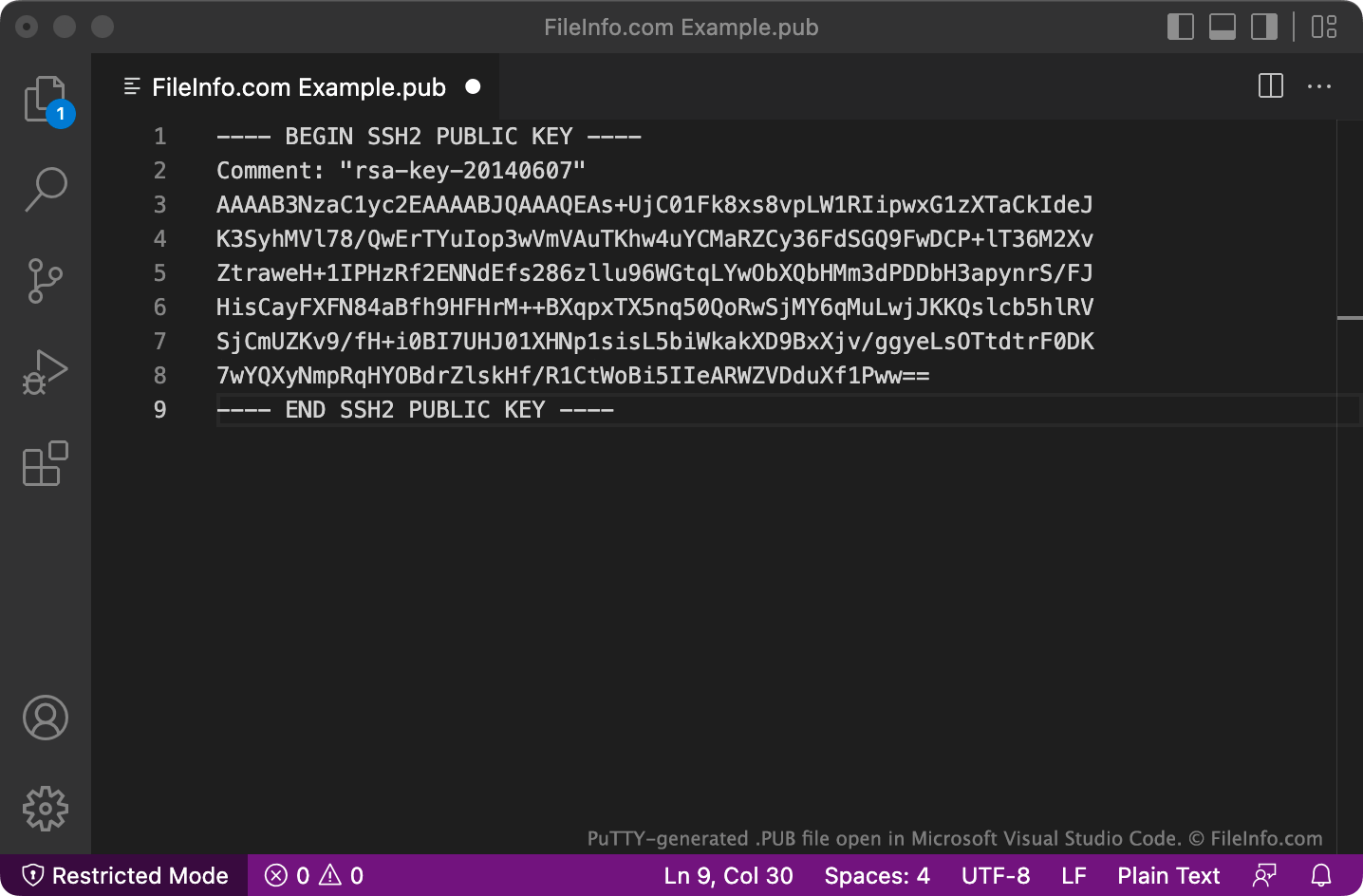
PuTTY ukládá soubory PUB ve víceřádkovém formátu, který OpenSSH ve výchozím nastavení nemusí rozpoznat. Chcete-li soubory PUB uložené v tomto formátu používat s OpenSSH, odstraňte řádky BEGIN, Comment: a END i všechny znaky nového řádku. Poté na začátek souboru přidejte ssh-rsa .
Jak otevřít soubor PUB
Soubor PUB můžete otevřít a zobrazit text, který obsahuje, v libovolném textovém editoru, například v programu Microsoft Notepad (Windows), Apple TextEdit (Mac) nebo GitHub Atom (pro více platforem).