

.PUB 파일 확장자
- 1.Publisher 문서
- 2.공개 키 파일
Publisher 문서
| 개발사 | Microsoft |
| 인기도 |
3.7 | 504 표 |
PUB 파일이란 무엇인가요?
PUB 파일은 전문적인 문서와 마케팅 자료를 만드는 데 사용되는 데스크톱 출판 프로그램인 Microsoft Publisher로 만든 문서입니다. 텍스트, 도형, vector 또는 raster 그래픽과 같은 페이지 레이아웃과 디자인 요소가 포함되어 있습니다. 사용자는 브로셔, 뉴스레터, 전단지, 초대장, 포스터를 PUB 파일로 저장하는 경우가 많습니다.
추가 정보
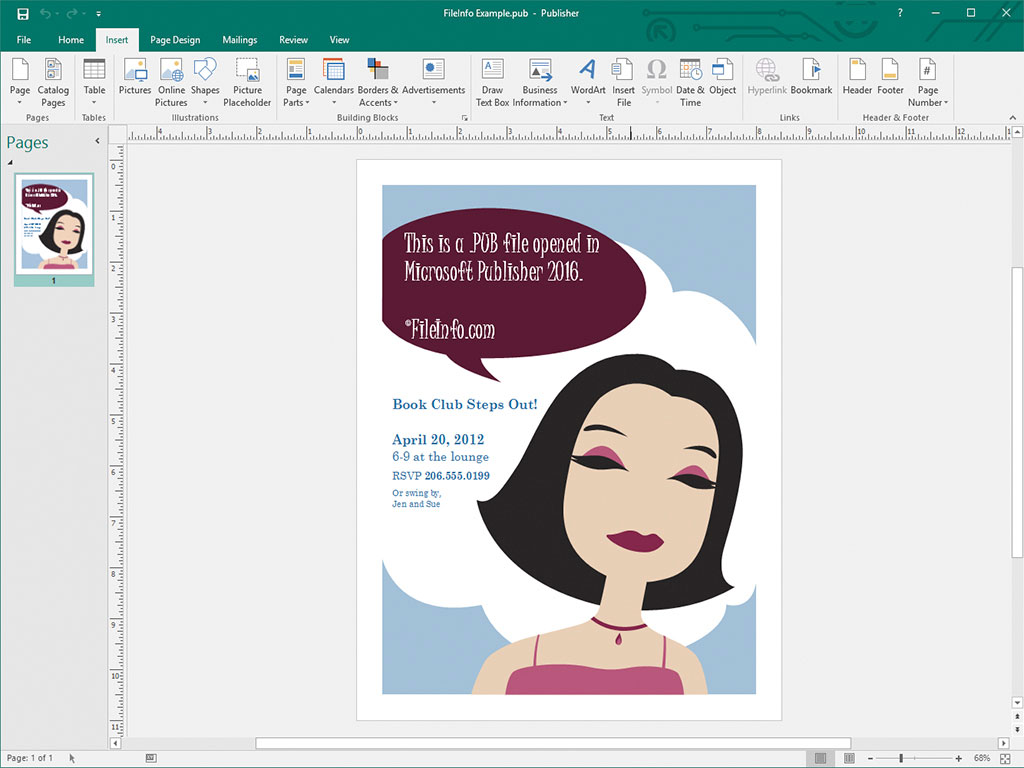
일반 디자이너와 전문 디자이너는 주로 Microsoft Publisher를 사용하여 마케팅 자료와 기타 문서를 디자인합니다. 이 소프트웨어는 Microsoft 365 구독 서비스의 일부로 사용하거나 일회성 독립 실행형 제품으로 구매하는 경우에만 Windows에서 사용할 수 있습니다.
Publisher에서 문서를 저장하면 프로그램은 문서의 내용을 저장하기 위해 PUB 파일을 만듭니다. PUB 파일을 저장한 후에는 PUB 파일을 닫았다가 다시 열어 나중에 문서 편집을 계속할 수 있습니다.
참고: 페이지 레이아웃을 PUB 파일로 저장하는 것 외에도, 고급 Publisher 사용자는 편지 병합 및 데이터 시트 생성을 위한 데이터 원본을 통합하고 저장하기 위해 PUB 파일을 만들 수도 있습니다.
PUB 파일을 여는 방법
프로그램의 메뉴 모음에서 을 선택한 다음 PUB 파일이 있는 위치로 이동하여 열면 Microsoft Publisher로 PUB 파일을 열 수 있습니다.
다른 여러 데스크톱 출판 애플리케이션으로도 PUB 파일을 열 수 있습니다. 예를 들어 LibreOffice Draw(LibreOffice에 포함됨) 및 CorelDRA
PUB 파일을 변환하는 방법
Microsoft Publisher는 PUB 파일을 다음 형식을 비롯한 여러 파일 형식으로 변환할 수 있습니다:
- .PDF - Portable Document Format
- .JPEG - JPEG 이미지
- .PNG - Portable Network Graphic
- .TIF - Tagged Image File Format
- .EMF - Enhanced Windows Metafile
- .WMF - Windows Metafile
- .BMP - 비트맵 이미지
- .EPS - Encapsulated PostScript
- .PS - PostScript 파일
- .DOCX - Microsoft Word 문서
- .RTF - Rich Text Format
- .TXT - 일반 텍스트 파일
- .HTML - Hypertext Markup Language
- .XPS - XML Paper Specification
참고: DOCX 파일로 변환하면 서식은 유지되지만 PUB 파일에 포함된 그래픽이나 열은 유지되지 않습니다.
PUB 파일을 여는 프로그램
공개 키 파일
| 개발사 | 해당 없음 |
| 인기도 |
3.1 | 47 표 |
PUB 파일은 공개 키 암호화에 사용되는 공개 키입니다. 여기에는 데이터의 암호화와 복호화에 사용되는 암호화된 텍스트와 이에 대응하는 개인 키가 함께 포함되어 있습니다. ssh-keygen 및 PuTTY와 같은 프로그램은 PUB 파일과 이에 대응하는 개인 키를 생성할 수 있습니다.
추가 정보

공개 키 암호화는 "키" 쌍을 사용하는 일반적인 암호화 방식입니다. 키는 키 생성 프로그램을 사용해 만든 암호화된 텍스트 문자열입니다. 키 쌍은 다른 사람과 공유하기 위한 공개 키와 공유하지 않아야 하는 개인 키로 구성됩니다.
ssh-keygen 및 PuTTY와 같은 프로그램에서 생성한 공개 키는 PUB 파일로 저장됩니다. 예를 들어 ssh-keygen은 id_rsa.pub라는 이름의 키를 생성하고 기본적으로 ~/.ssh 디렉터리에 저장합니다.
ssh-keygen으로 생성한 것과 같이 OpenSSH를 사용해 만든 PUB 파일은 주로 사용자가 서버에 로그인할 때 해당 사용자의 자격 증명을 인증하는 데 사용됩니다. 이러한 경우 PUB 파일은 해당 서버(대개 .ssh/authorized_keys 디렉터리)에 저장하고, 사용자는 개인 키를 보관합니다.
PuTTY PUB 파일
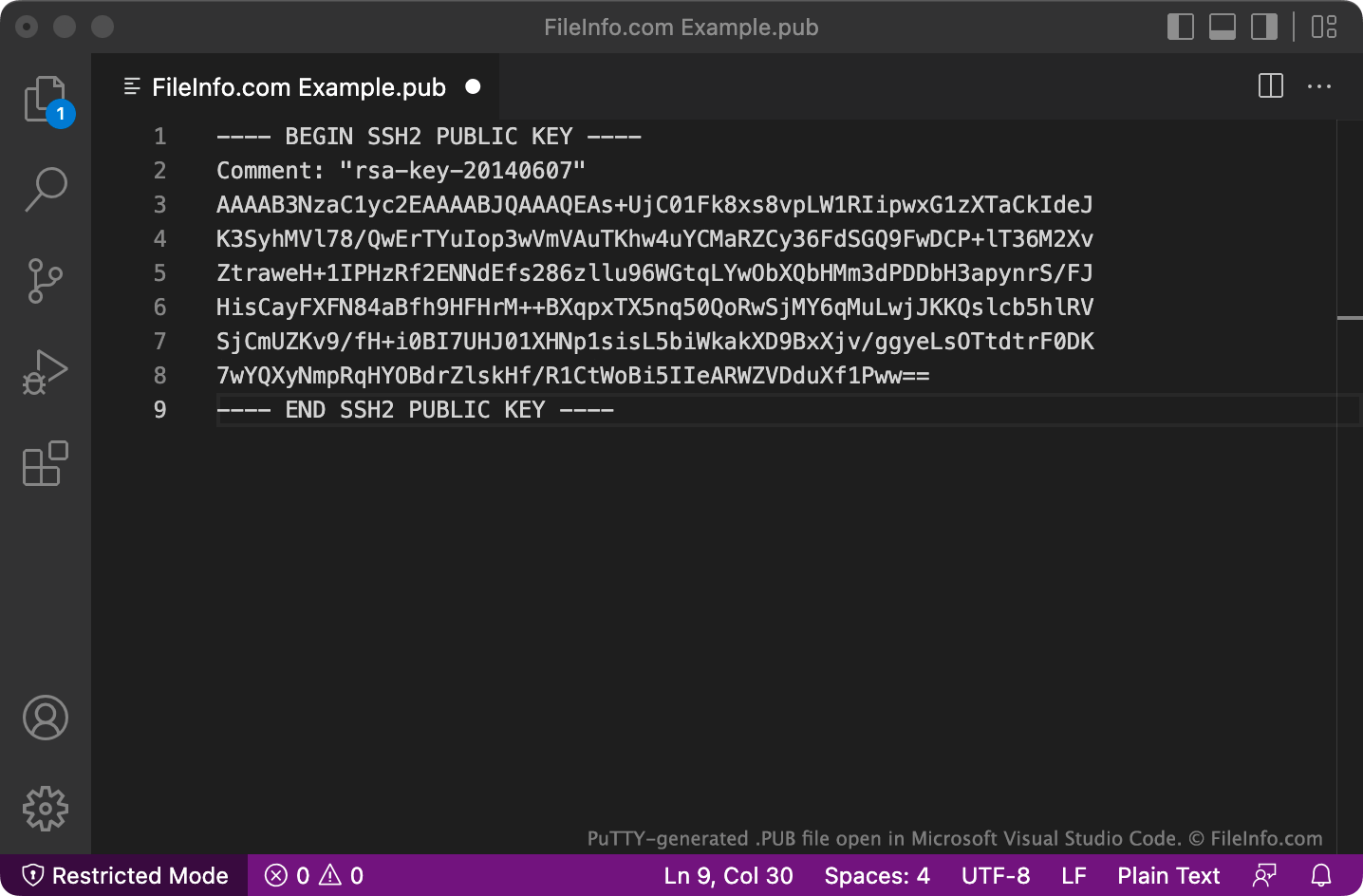
PuTTY는 OpenSSH가 기본적으로 인식하지 못할 수 있는 여러 줄 형식으로 PUB 파일을 저장합니다. 이 형식으로 저장된 PUB 파일을 OpenSSH에서 사용하려면 BEGIN, Comment:, END 줄과 모든 줄 바꿈을 제거합니다. 그런 다음 파일의 시작 부분에 ssh-rsa 를 추가합니다.
PUB 파일을 여는 방법
Microsoft Notepad(Windows), Apple TextEdit(Mac) 또는 GitHub Atom(멀티플랫폼)과 같은 텍스트 편집기에서 PUB 파일을 열고 포함된 텍스트를 볼 수 있습니다.