

.PUB Rozszerzenie pliku
Dokument Publishera
| Deweloper | Microsoft |
| Popularność |
3,7 | 504 Głosy |
Czym jest plik PUB?
Plik PUB to dokument utworzony w programie Microsoft Publisher, aplikacji do składu publikacji używanej do tworzenia profesjonalnych dokumentów i materiałów marketingowych. Zawiera układ strony i elementy projektu, takie jak tekst, kształty oraz grafiki wektorowe lub rastrowe. Użytkownicy często zapisują broszury, biuletyny, ulotki, zaproszenia i plakaty jako pliki PUB.
Więcej informacji
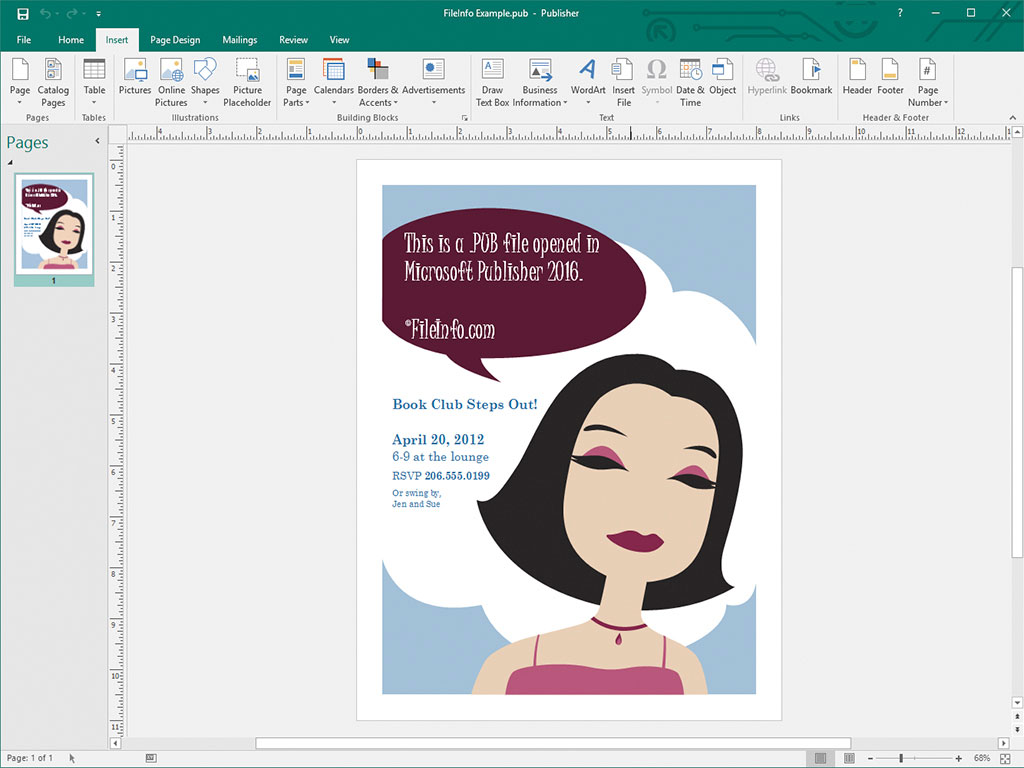
Projektanci amatorzy i profesjonaliści używają głównie programu Microsoft Publisher do projektowania materiałów marketingowych i innych dokumentów. Oprogramowanie jest dostępne wyłącznie dla systemu Windows w ramach usługi subskrypcji Microsoft 365 lub jako jednorazowy, samodzielny zakup.
Po zapisaniu dokumentu w programie Publisher program tworzy plik PUB, w którym przechowuje zawartość dokumentu. Po zapisaniu pliku PUB możesz go zamknąć i ponownie otworzyć, aby kontynuować edytowanie dokumentu w późniejszym czasie.
UWAGA: Oprócz zapisywania układów stron jako plików PUB zaawansowani użytkownicy programu Publisher mogą także tworzyć pliki PUB w celu integrowania i przechowywania źródeł danych na potrzeby korespondencji seryjnej oraz generowania arkuszy danych.
Jak otworzyć plik PUB
Plik PUB możesz otworzyć w programie Microsoft Publisher, wybierając na pasku menu programu opcję , a następnie przechodząc do pliku PUB i otwierając go.
Pliki PUB możesz także otwierać w kilku innych aplikacjach do składu publikacji. Możesz na przykład otwierać pliki PUB w programie LibreOffice Draw (dołączonym do pakietu LibreOffice) oraz CorelDRA
Jak przekonwertować plik PUB
Program Microsoft Publisher może konwertować pliki PUB na kilka typów plików, w tym na następujące formaty:
- .PDF - Portable Document Format
- .JPEG - obraz JPEG
- .PNG - Portable Network Graphic
- .TIF - Tagged Image File Format
- .EMF - Enhanced Windows Metafile
- .WMF - Windows Metafile
- .BMP - obraz bitmapowy
- .EPS - Encapsulated PostScript
- .PS - plik PostScript
- .DOCX - dokument Microsoft Word
- .RTF - Rich Text Format
- .TXT - plik tekstowy
- .HTML - Hypertext Markup Language
- .XPS - XML Paper Specification
UWAGA: Podczas konwertowania do pliku DOCX formatowanie zostanie zachowane, ale grafiki i kolumny zawarte w pliku PUB nie zostaną zachowane.
Programy otwierające pliki PUB
Plik klucza publicznego
| Deweloper | Brak danych |
| Popularność |
3,1 | 47 Głosów |
Plik PUB to klucz publiczny używany w kryptografii klucza publicznego. Zawiera zaszyfrowany tekst używany do szyfrowania i odszyfrowywania danych, a także odpowiadający mu klucz prywatny. Programy takie jak ssh-keygen i PuTTY mogą tworzyć pliki PUB (oraz odpowiadające im klucze prywatne).
Więcej informacji

Kryptografia klucza publicznego to powszechna forma kryptografii, która wykorzystuje pary „kluczy” — ciągów zaszyfrowanego tekstu tworzonych za pomocą programów do generowania kluczy. Pary kluczy składają się z klucza publicznego, który można udostępniać innym osobom, oraz klucza prywatnego, którego nie należy udostępniać.
Klucze publiczne tworzone przez programy takie jak ssh-keygen i PuTTY są zapisywane jako pliki PUB. Na przykład ssh-keygen tworzy klucze o nazwach id_rsa.pub i domyślnie zapisuje je w katalogu ~/.ssh.
Pliki PUB utworzone za pomocą OpenSSH, takie jak te tworzone przez ssh-keygen, służą głównie do uwierzytelniania danych logowania użytkownika, gdy loguje się on do serwera. W takich przypadkach plik PUB powinien być przechowywany na danym serwerze (często w katalogu .ssh/authorized_keys), a użytkownik zachowuje swój klucz prywatny.
Pliki PUB programu PuTTY
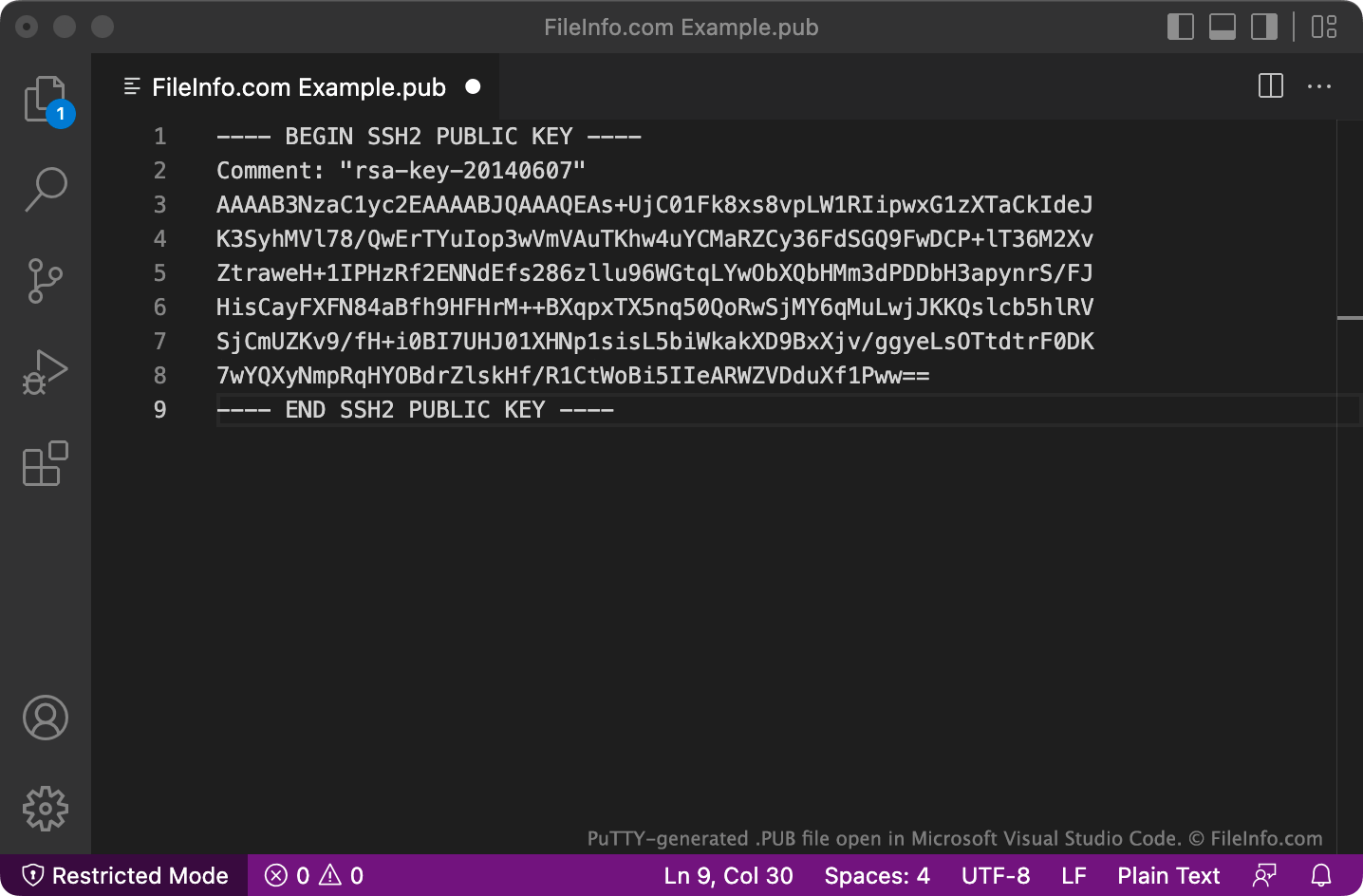
PuTTY zapisuje pliki PUB w wielowierszowym formacie, którego OpenSSH może domyślnie nie rozpoznawać. Aby używać plików PUB zapisanych w tym formacie z OpenSSH, usuń wiersze BEGIN, Comment: i END, a także wszystkie znaki nowego wiersza. Następnie dodaj ssh-rsa na początku pliku.
Jak otworzyć plik PUB
Plik PUB można otworzyć i wyświetlić zawarty w nim tekst w dowolnym edytorze tekstu, takim jak Microsoft Notepad (Windows), Apple TextEdit (Mac) lub GitHub Atom (wieloplatformowym).