.TSCPROJ 文件扩展名

TechSmith Camtasia Project

开发者 TechSmith
受欢迎程度
4.2  |  10 
 

什么是 TSCPROJ 文件?

A TSCPROJ file is a project created by TechSmith Camtasia, a screen recording and video editing application. It contains the locations of all of the .TREC recordings and media files included in the project, along with the edits and effects applied to the project. The Windows version of Camtasia saves projects as TSCPROJ files by default, while the macOS version saves projects as .CMPROJ files; both versions can open TSCPROJ files.

更多信息

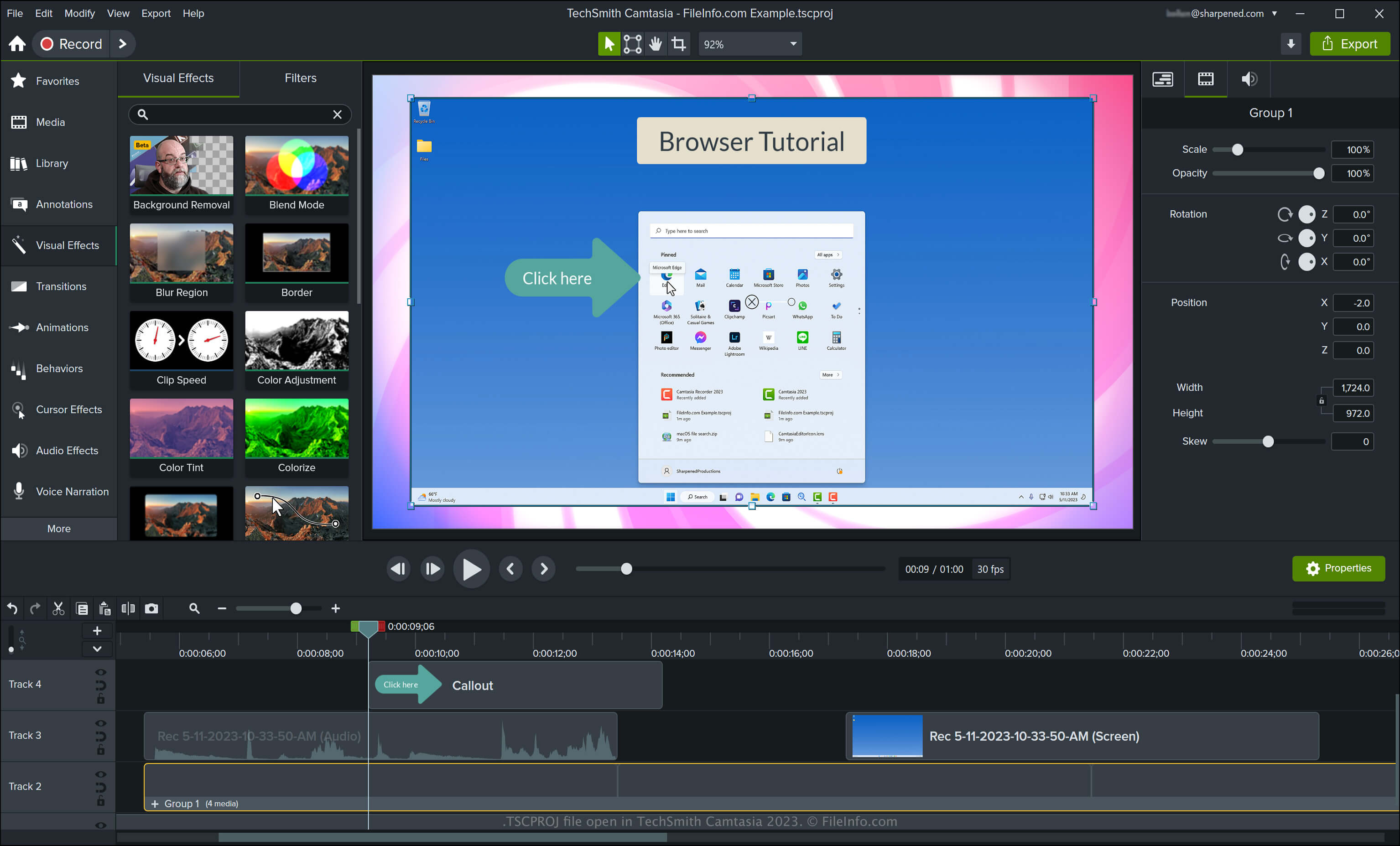
在 TechSmith Camtasia 2023 中打开的 .tscproj 文件截图
在 TechSmith Camtasia 2023 中打开的 TSCPROJ 文件

Camtasia can create various types of videos, including tutorials, video game recordings, training videos, and webinar recordings. TechSmith introduced the TSCPROJ file type when it released version 9 of Camtasia for Windows, replacing the .CAMPROJ file type used by the Windows versions of Camtasia. While the macOS version of Camtasia saves projects as CMPROJ files, it can also export them as TSCPROJ files.

How to create a TSCPROJ file with the Windows version of Camtasia

When saving a video with the Windows version of Camtasia, the application creates a TSCPROJ project file to store the contents. After saving the TSCPROJ file, you can close it and re-open it for further editing. To create a TSCPROJ file with the Windows version of Camtasia, follow these steps:

  1. Select File → New Project or New Project From Template... if you have not yet started a project
  2. Select File → Save or Save As...
  3. Name the project, choose the save location, then click Save

If you save a project as a standalone project (selected by default in the Windows "Save As" dialog) with the Windows version of Camtasia, the app creates a file folder with the .tscproj file extension (bears the same name as the project). You can open the folder by double-clicking it. Then, you can view the project's contents and the actual TSCPROJ file.

How to create a TSCPROJ file with the macOS version of Camtasia

You can create a TSCPROJ file with the macOS version of Camtasia by selecting File → Export → Project for Windows. This workflow creates a .ZIP archive, which contains the TSCPROJ file.

如何打开 TSCPROJ 文件

You can open a TSCPROJ file with TechSmith Camtasia in Windows and macOS by selecting File → Open Project.

注: If you saved the project as a standalone project with the Windows version of Camtasia, you need to double-click the file folder with the .tscproj file extension (bears the same name as the project), then, you can open the actual TSCPROJ file.

Opening a TSCPROJ file with a text editor

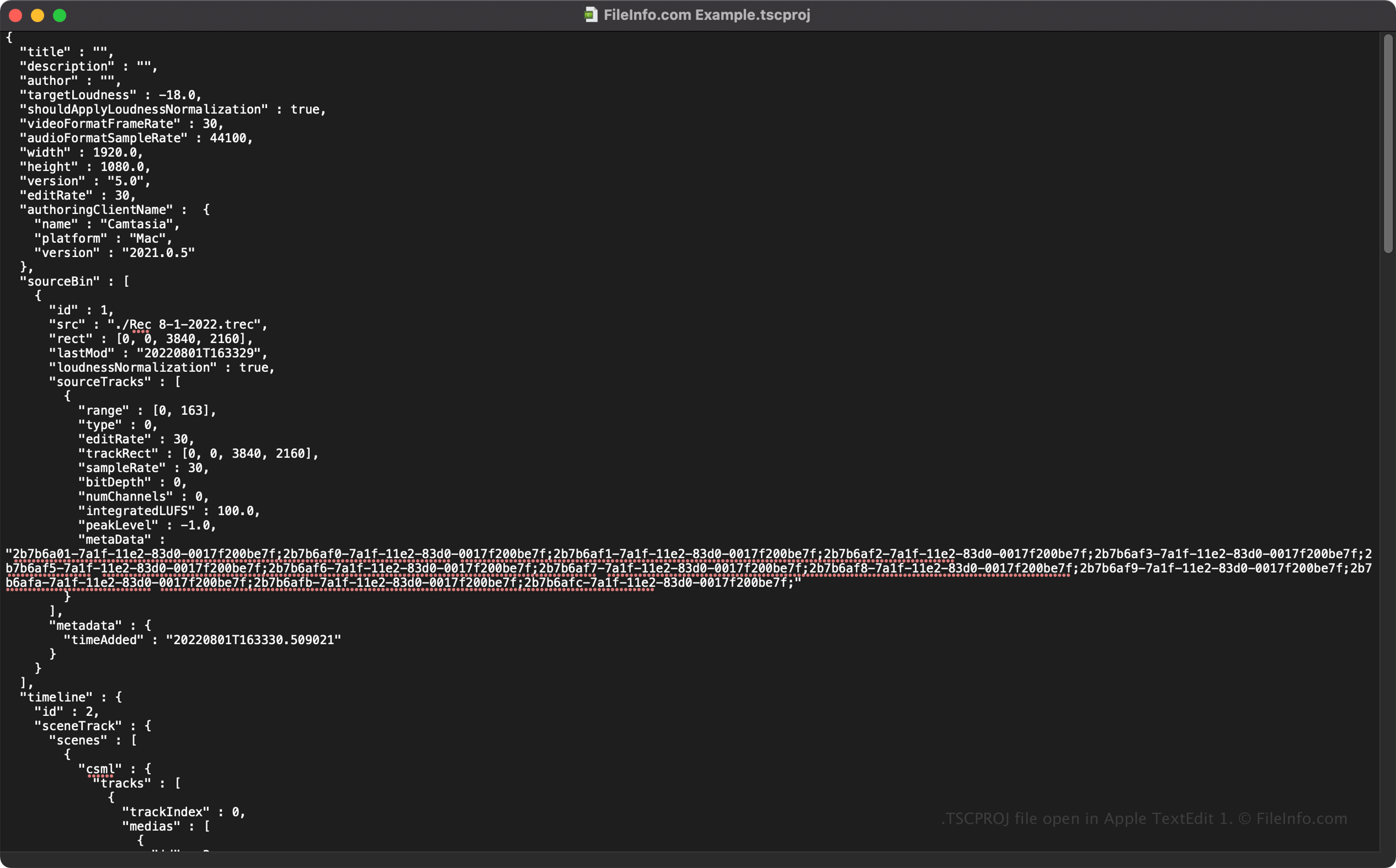
TSCPROJ file open in Apple TextEdit

Since TSCPROJ files store information in plain text, you can open TSCPROJ files with text editors, such as Microsoft Notepad and Apple TextEdit, and view their information and metadata.

You can modify the TSCPROJ file's properties when opened in a text editor. However, remember that if you incorrectly edit the file, you may inadvertently corrupt the project.

如何转换 TSCPROJ 文件

Camtasia can convert a TSCPROJ file to several file types, including the following formats:

  • .MP4 - MPEG-4 Video
  • .GIF - Graphical Interchange Format
  • .M4A - MPEG-4 Audio (Windows only)
  • .MOV - Apple QuickTime Movie (macOS only)

You can also export a TSCPROJ file as a .CAMPACKAGE to back up or share resources with other Camtasia users. To do this, select File → Export → Package.

使用File Viewer Plus打开 400 多种文件格式。免费下载

可打开 TSCPROJ 文件的程序

Windows
免费试用
Mac
免费试用
分类: 设置
更新时间: 2023-05-11

验证者 FileInfo.com

FileInfo.com 团队 独立研究了本页面列出的 TechSmith Camtasia Project 文件格式和 Mac and Windows 应用。 我们的目标是达到 100% 的准确率,并且仅发布我们已验证过的文件类型信息。

如果您想为此页面提出新增或更新建议,请告诉我们