.TSCPROJ ファイル拡張子

TechSmith Camtasia Project

開発元 TechSmith
人気度
4.2  |  10 
 

TSCPROJファイルとは?

A TSCPROJ file is a project created by TechSmith Camtasia, a screen recording and video editing application. It contains the locations of all of the .TREC recordings and media files included in the project, along with the edits and effects applied to the project. The Windows version of Camtasia saves projects as TSCPROJ files by default, while the macOS version saves projects as .CMPROJ files; both versions can open TSCPROJ files.

詳細情報

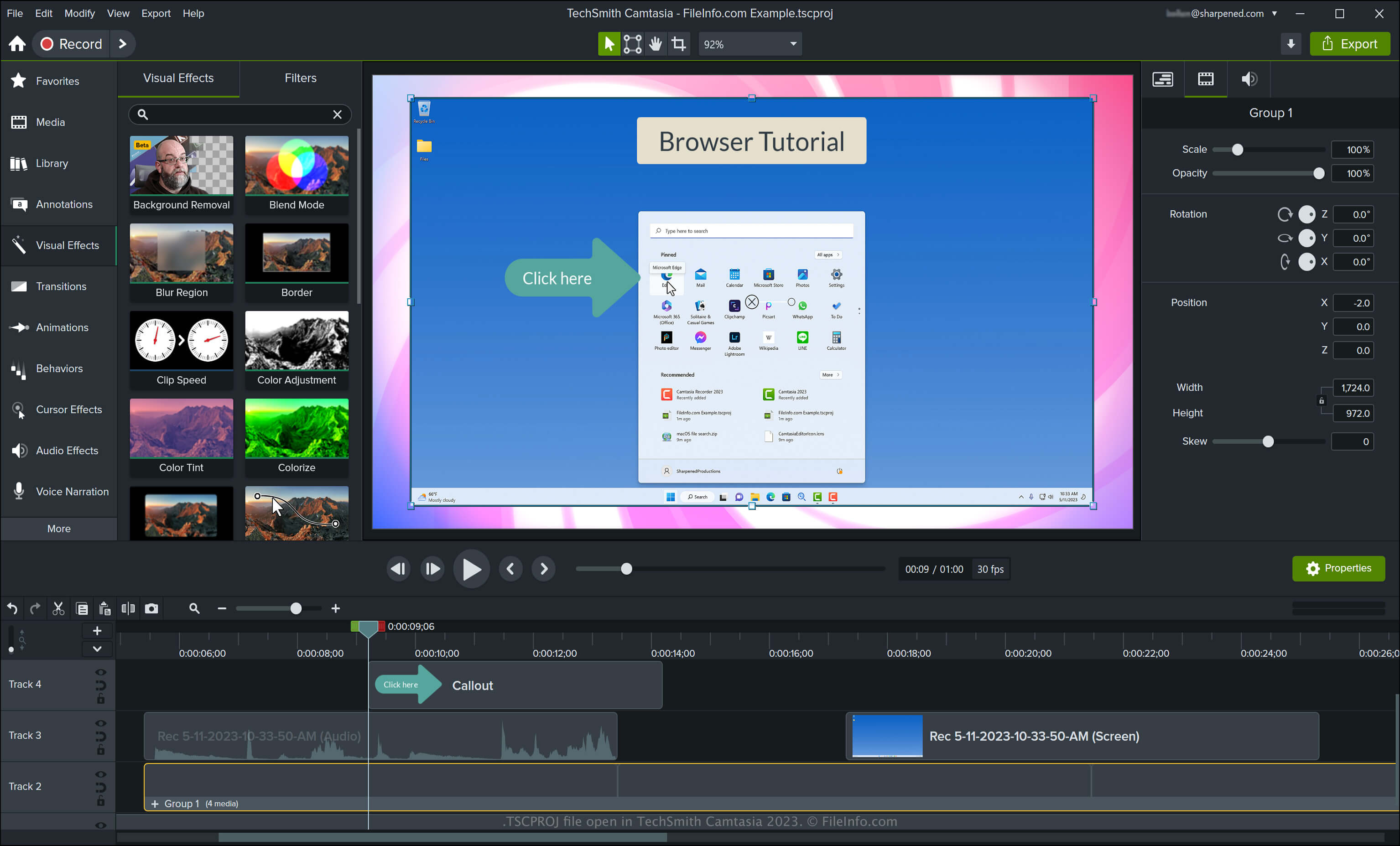
TechSmith Camtasia 2023で開いた.tscprojファイルのスクリーンショット
TechSmith Camtasia 2023で開いたTSCPROJファイル

Camtasia can create various types of videos, including tutorials, video game recordings, training videos, and webinar recordings. TechSmith introduced the TSCPROJ file type when it released version 9 of Camtasia for Windows, replacing the .CAMPROJ file type used by the Windows versions of Camtasia. While the macOS version of Camtasia saves projects as CMPROJ files, it can also export them as TSCPROJ files.

How to create a TSCPROJ file with the Windows version of Camtasia

When saving a video with the Windows version of Camtasia, the application creates a TSCPROJ project file to store the contents. After saving the TSCPROJ file, you can close it and re-open it for further editing. To create a TSCPROJ file with the Windows version of Camtasia, follow these steps:

  1. Select File → New Project or New Project From Template... if you have not yet started a project
  2. Select File → Save or Save As...
  3. Name the project, choose the save location, then click Save

If you save a project as a standalone project (selected by default in the Windows "Save As" dialog) with the Windows version of Camtasia, the app creates a file folder with the .tscproj file extension (bears the same name as the project). You can open the folder by double-clicking it. Then, you can view the project's contents and the actual TSCPROJ file.

How to create a TSCPROJ file with the macOS version of Camtasia

You can create a TSCPROJ file with the macOS version of Camtasia by selecting File → Export → Project for Windows. This workflow creates a .ZIP archive, which contains the TSCPROJ file.

TSCPROJファイルの開き方

You can open a TSCPROJ file with TechSmith Camtasia in Windows and macOS by selecting File → Open Project.

注: If you saved the project as a standalone project with the Windows version of Camtasia, you need to double-click the file folder with the .tscproj file extension (bears the same name as the project), then, you can open the actual TSCPROJ file.

Opening a TSCPROJ file with a text editor

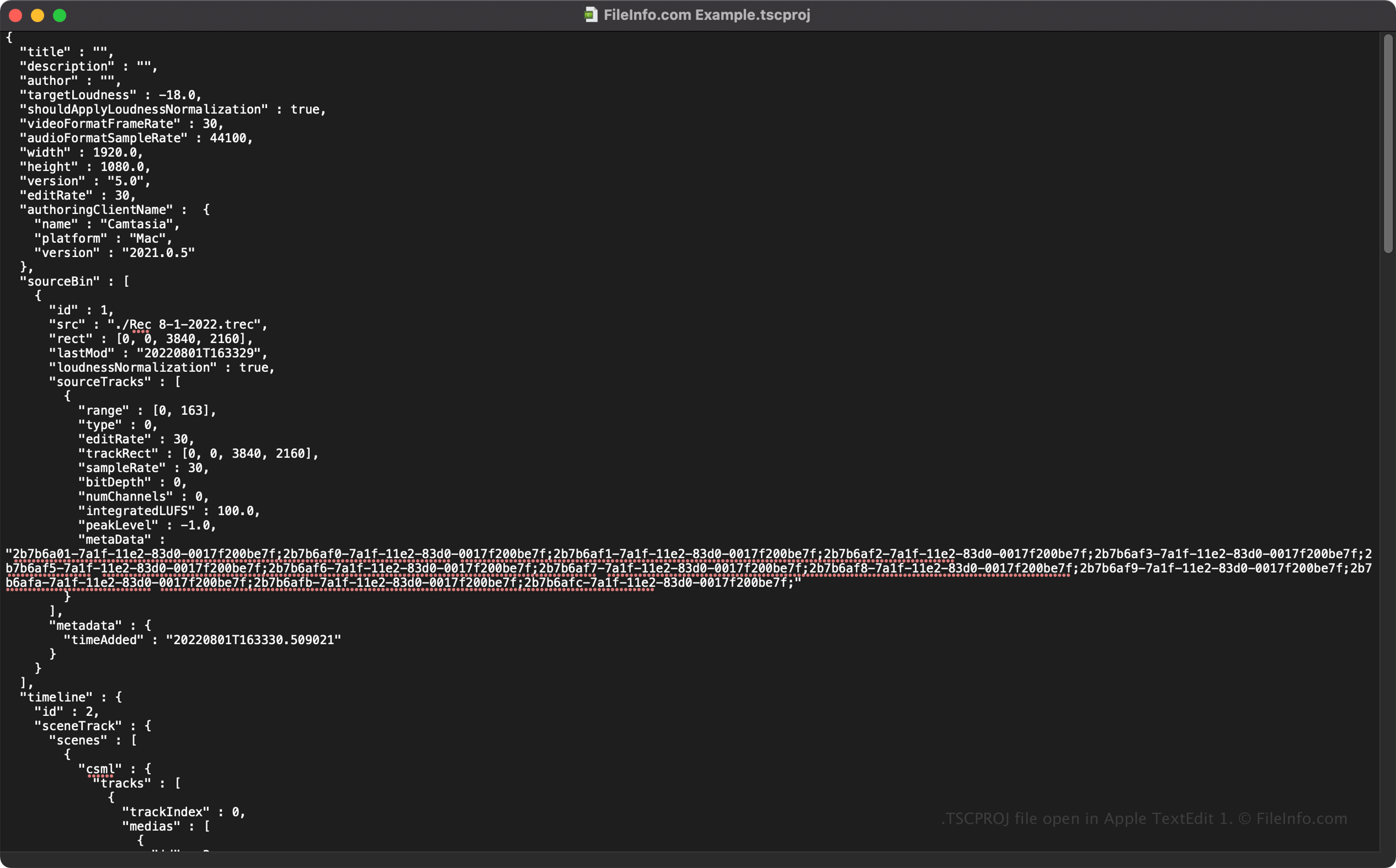
TSCPROJ file open in Apple TextEdit

Since TSCPROJ files store information in plain text, you can open TSCPROJ files with text editors, such as Microsoft Notepad and Apple TextEdit, and view their information and metadata.

You can modify the TSCPROJ file's properties when opened in a text editor. However, remember that if you incorrectly edit the file, you may inadvertently corrupt the project.

TSCPROJファイルの変換方法

Camtasia can convert a TSCPROJ file to several file types, including the following formats:

  • .MP4 - MPEG-4 Video
  • .GIF - Graphical Interchange Format
  • .M4A - MPEG-4 Audio (Windows only)
  • .MOV - Apple QuickTime Movie (macOS only)

You can also export a TSCPROJ file as a .CAMPACKAGE to back up or share resources with other Camtasia users. To do this, select File → Export → Package.

File Viewer Plusで400種類以上のファイル形式を開けます。無料ダウンロード

TSCPROJファイルを開くプログラム

Windows
無料体験版
Mac
無料体験版
カテゴリ: 設定
更新日: 2023-05-11

検証者 FileInfo.com

FileInfo.comチーム は、このページに掲載されているTechSmith Camtasia Projectファイル形式とMac and Windowsアプリについて独自に調査しました。 私たちの目標は100%の正確性であり、検証済みのファイルタイプに関する情報のみを公開しています。

このページへの追加や更新をご提案いただける場合は、お知らせください。