.CAMPACKAGE ファイル拡張子

Camtasia Package

開発元 TechSmith
人気度
2.0  |  2 
 

CAMPACKAGEファイルとは?

A CAMPACKAGE file is a package of video resources created by TechSmith Camtasia, a screen recording and video editing application. It stores one or more resources Camtasia users utilize to enhance a video, such as templates, themes, libraries, presets, and shortcuts. The primary purpose of CAMPACKAGE files is to back up or share resources with other Camtasia users.

詳細情報

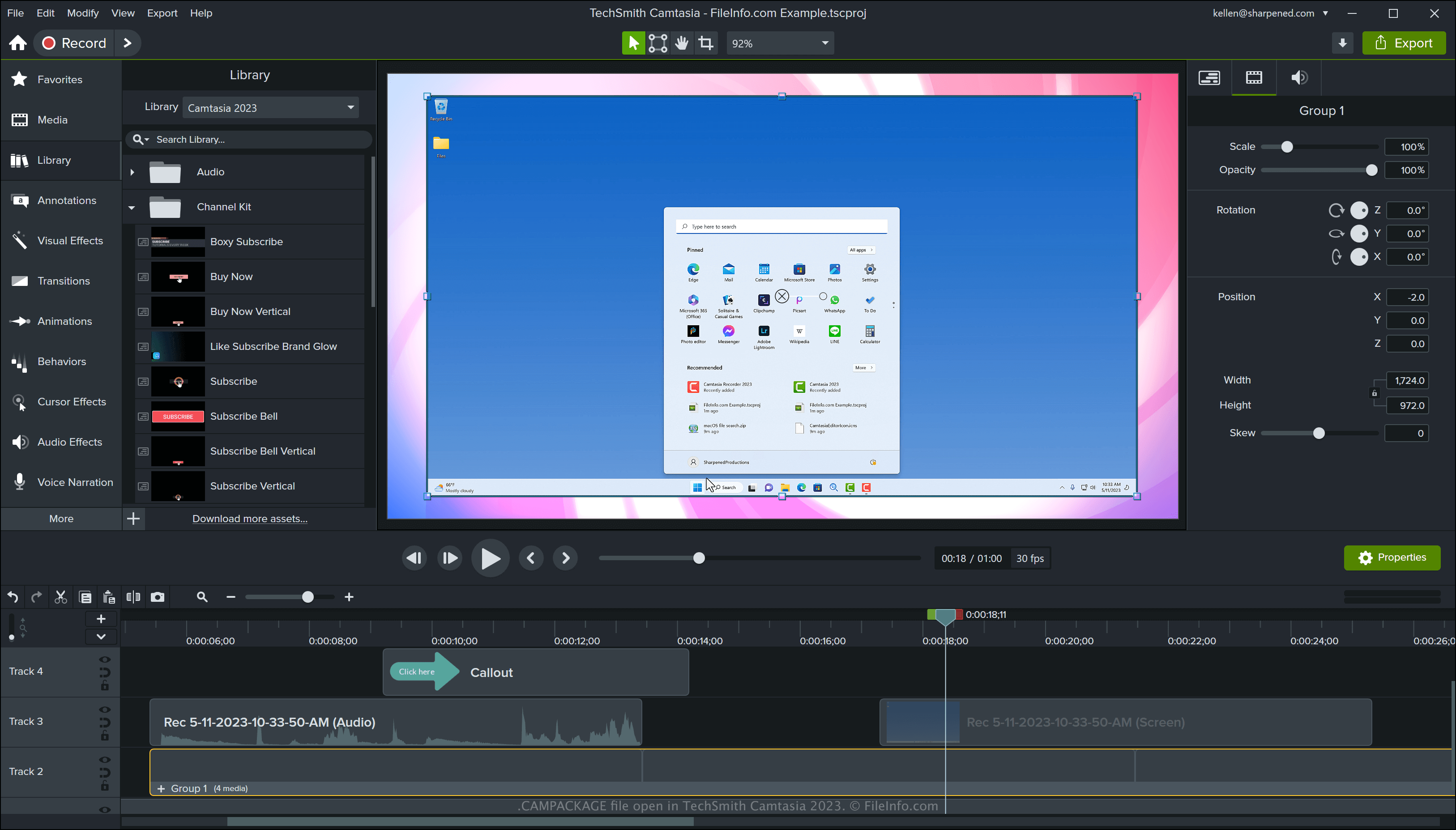
TechSmith Camtasia 2023で開いた.campackageファイルのスクリーンショット
TechSmith Camtasia 2023で開いたCAMPACKAGEファイル

Camtasia is a Windows and macOS tool that captures screen activity, such as a software demonstration, how-to tutorial, video conference, or online gaming session. The software comes packaged with various resources for enhancing videos, such as templates, motion graphics, lower thirds, and themes. You can also create custom resources with Camtasia.

TechSmith developed the CAMPACKAGE file type to allow you to transfer resources referenced by a project when sharing the project or backing it up. Then, you or another Camtasia user can import the resources into a .TSCPROJ or .CMPROJ project.

How to create a CAMPACKAGE file with Camtasia

To create a CAMPACKAGE file with Camtasia, open a project, then select File → Export → Package. After exporting the package, you can share it with other Camtasia users or store it in a safe location as a backup.

CAMPACKAGEファイルの開き方

You can open a CAMPACKAGE file with TechSmith Camtasia in Windows and macOS. To open a CAMPACKAGE file with Camtasia, select File → Import → Package.

File Viewer Plusで400種類以上のファイル形式を開けます。無料ダウンロード

CAMPACKAGEファイルを開くプログラム

Windows
無料体験版
Mac
無料体験版
カテゴリ: データ
更新日: 2023-05-11

検証者 FileInfo.com

FileInfo.comチーム は、このページに掲載されているCamtasia Packageファイル形式とMac and Windowsアプリについて独自に調査しました。 私たちの目標は100%の正確性であり、検証済みのファイルタイプに関する情報のみを公開しています。

このページへの追加や更新をご提案いただける場合は、お知らせください。