

.TSCPROJ Přípona souboru
Projekt TechSmith Camtasia
| Vývojář | TechSmith |
| Popularita |
4,2 | 10 hlasů |
Co je soubor TSCPROJ?
Soubor TSCPROJ je projekt vytvořený v aplikaci TechSmith Camtasia pro nahrávání obrazovky a úpravu videa. Obsahuje umístění všech nahrávek a mediálních souborů .TREC zahrnutých v projektu spolu s úpravami a efekty použitými v projektu. Verze Camtasia pro Windows ve výchozím nastavení ukládá projekty jako soubory TSCPROJ, zatímco verze pro macOS ukládá projekty jako soubory .CMPROJ; obě verze dokážou otevřít soubory TSCPROJ.
Další informace
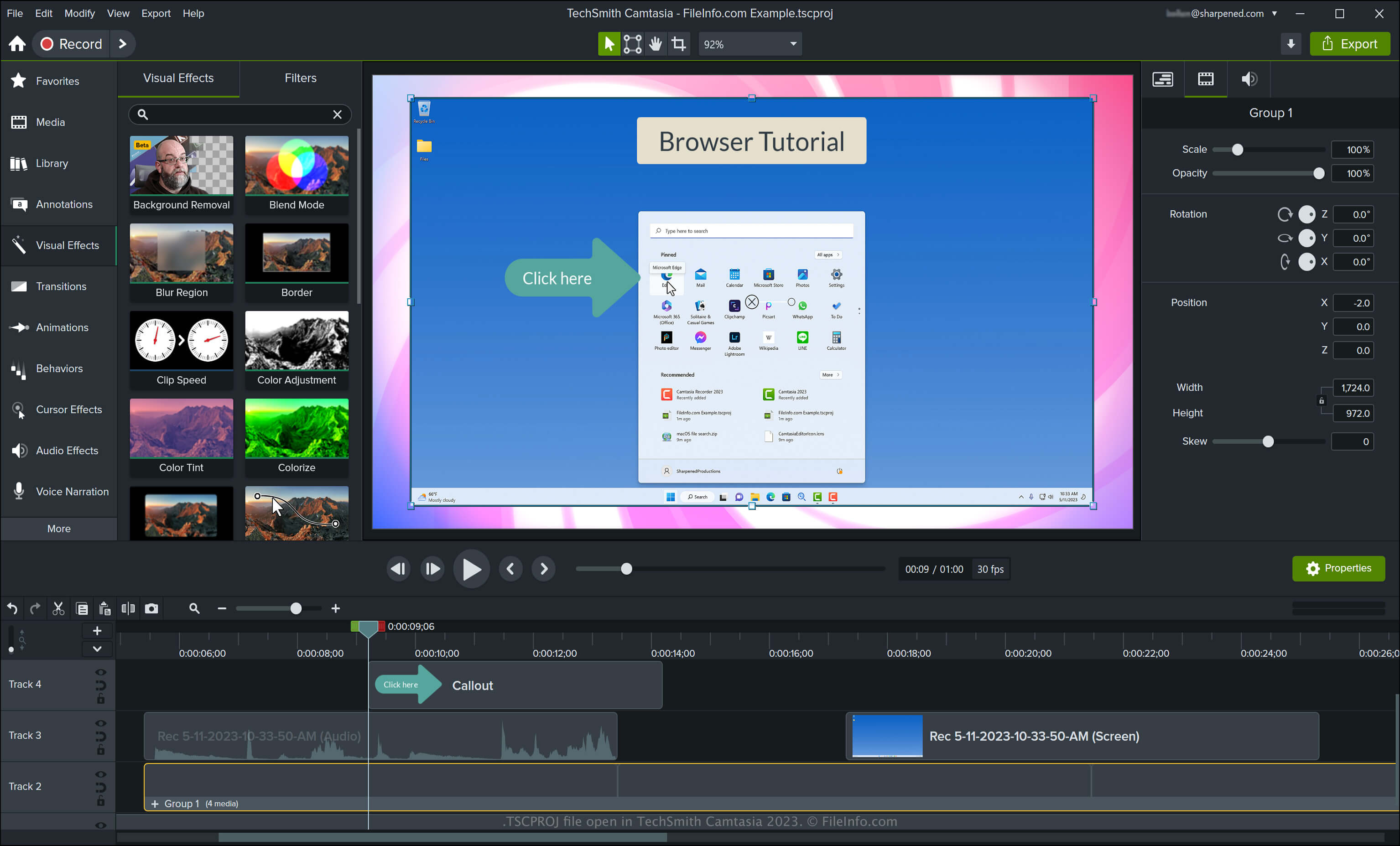
Camtasia dokáže vytvářet různé typy videí včetně výukových materiálů, nahrávek videoher, školicích videí a nahrávek webinářů. Společnost TechSmith představila typ souboru TSCPROJ při vydání verze 9 aplikace Camtasia pro Windows, čímž nahradila typ souboru .CAMPROJ používaný verzemi Camtasia pro Windows. Verze Camtasia pro macOS ukládá projekty jako soubory CMPROJ, ale může je také exportovat jako soubory TSCPROJ.
Jak vytvořit soubor TSCPROJ ve verzi Camtasia pro Windows
Při ukládání videa ve verzi Camtasia pro Windows aplikace vytvoří soubor projektu TSCPROJ, do kterého uloží jeho obsah. Po uložení souboru TSCPROJ jej můžete zavřít a znovu otevřít pro další úpravy. Soubor TSCPROJ ve verzi Camtasia pro Windows vytvoříte následujícím postupem:
- Vyberte nebo , pokud jste projekt ještě nezačali vytvářet
- Vyberte nebo
- Pojmenujte projekt, vyberte umístění pro uložení a klikněte na
Jak vytvořit soubor TSCPROJ ve verzi Camtasia pro macOS
Soubor TSCPROJ ve verzi Camtasia pro macOS vytvoříte výběrem možnosti . Tento postup vytvoří archiv .ZIP, který obsahuje soubor TSCPROJ.
Jak otevřít soubor TSCPROJ
Soubor TSCPROJ můžete otevřít v aplikaci TechSmith Camtasia pro Windows a macOS výběrem možnosti .
POZNÁMKA: Pokud jste projekt ve verzi Camtasia pro Windows uložili jako samostatný projekt, musíte dvakrát kliknout na složku se souborem s příponou .tscproj (má stejný název jako projekt) a poté můžete otevřít samotný soubor TSCPROJ.
Otevření souboru TSCPROJ v textovém editoru
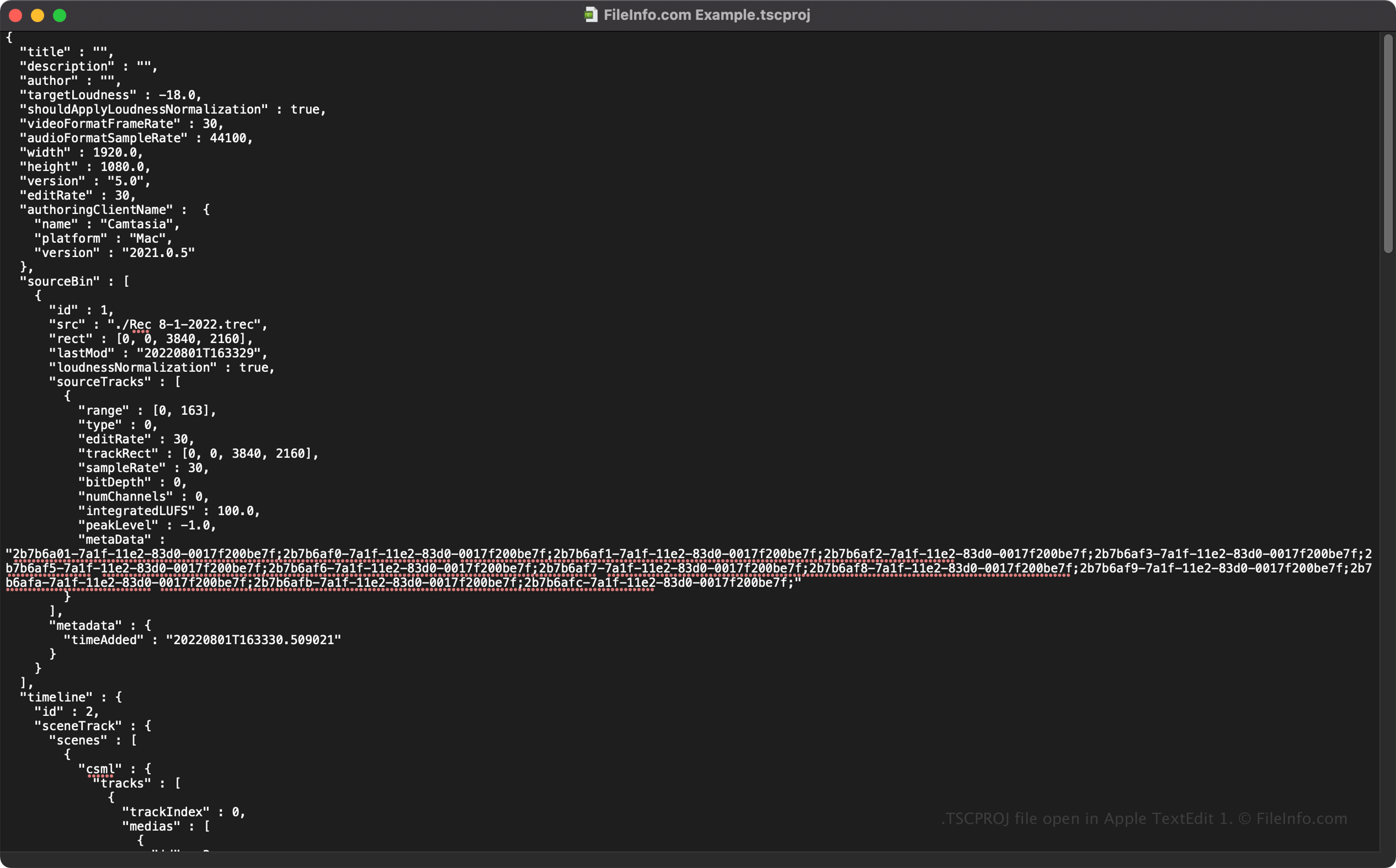
Protože soubory TSCPROJ ukládají informace ve formě prostého textu, můžete je otevřít v textových editorech, jako jsou Microsoft Notepad a Apple TextEdit, a zobrazit jejich informace a metadata.
Vlastnosti souboru TSCPROJ můžete upravovat, když jej otevřete v textovém editoru. Nezapomeňte však, že pokud soubor upravíte nesprávně, můžete projekt nechtěně poškodit.
Jak převést soubor TSCPROJ
Camtasia dokáže převést soubor TSCPROJ na několik typů souborů včetně následujících formátů:
- .MP4 - MPEG-4 Video
- .GIF - Graphical Interchange Format
- .M4A - MPEG-4 Audio (pouze Windows)
- .MOV - Apple QuickTime Movie (pouze macOS)
Soubor TSCPROJ můžete také exportovat jako soubor .CAMPACKAGE a zálohovat nebo sdílet zdroje s dalšími uživateli Camtasia. Provedete to výběrem možnosti .