.TSCPROJ 파일 확장자

TechSmith Camtasia Project

개발사 TechSmith
인기도
4.2  |  10 투표
 

TSCPROJ 파일이란 무엇인가요?

A TSCPROJ file is a project created by TechSmith Camtasia, a screen recording and video editing application. It contains the locations of all of the .TREC recordings and media files included in the project, along with the edits and effects applied to the project. The Windows version of Camtasia saves projects as TSCPROJ files by default, while the macOS version saves projects as .CMPROJ files; both versions can open TSCPROJ files.

추가 정보

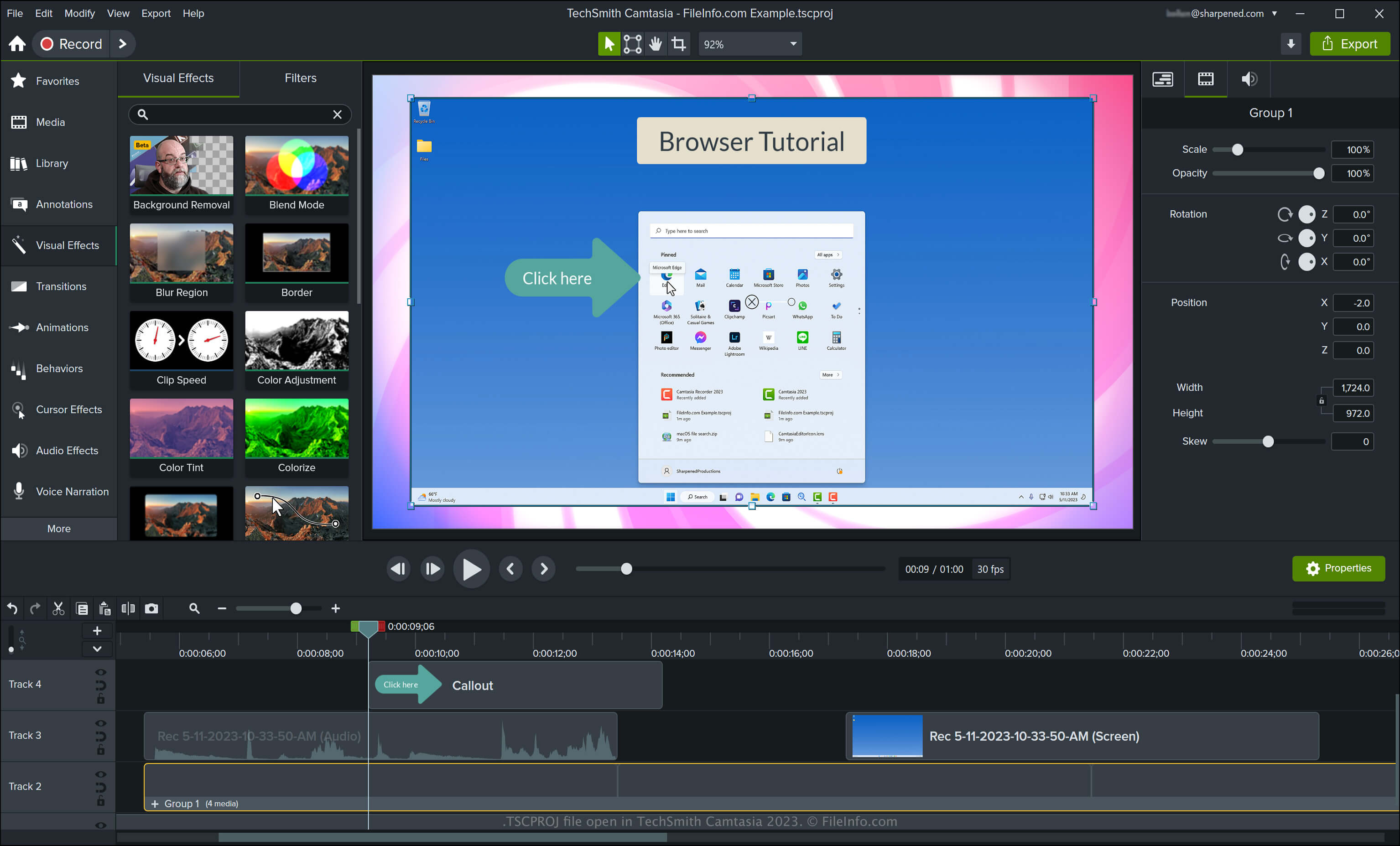
TechSmith Camtasia 2023에서 열린 .tscproj 파일의 스크린샷
TechSmith Camtasia 2023에서 열린 TSCPROJ 파일

Camtasia can create various types of videos, including tutorials, video game recordings, training videos, and webinar recordings. TechSmith introduced the TSCPROJ file type when it released version 9 of Camtasia for Windows, replacing the .CAMPROJ file type used by the Windows versions of Camtasia. While the macOS version of Camtasia saves projects as CMPROJ files, it can also export them as TSCPROJ files.

How to create a TSCPROJ file with the Windows version of Camtasia

When saving a video with the Windows version of Camtasia, the application creates a TSCPROJ project file to store the contents. After saving the TSCPROJ file, you can close it and re-open it for further editing. To create a TSCPROJ file with the Windows version of Camtasia, follow these steps:

  1. Select File → New Project or New Project From Template... if you have not yet started a project
  2. Select File → Save or Save As...
  3. Name the project, choose the save location, then click Save

If you save a project as a standalone project (selected by default in the Windows "Save As" dialog) with the Windows version of Camtasia, the app creates a file folder with the .tscproj file extension (bears the same name as the project). You can open the folder by double-clicking it. Then, you can view the project's contents and the actual TSCPROJ file.

How to create a TSCPROJ file with the macOS version of Camtasia

You can create a TSCPROJ file with the macOS version of Camtasia by selecting File → Export → Project for Windows. This workflow creates a .ZIP archive, which contains the TSCPROJ file.

TSCPROJ 파일을 여는 방법

You can open a TSCPROJ file with TechSmith Camtasia in Windows and macOS by selecting File → Open Project.

참고: If you saved the project as a standalone project with the Windows version of Camtasia, you need to double-click the file folder with the .tscproj file extension (bears the same name as the project), then, you can open the actual TSCPROJ file.

Opening a TSCPROJ file with a text editor

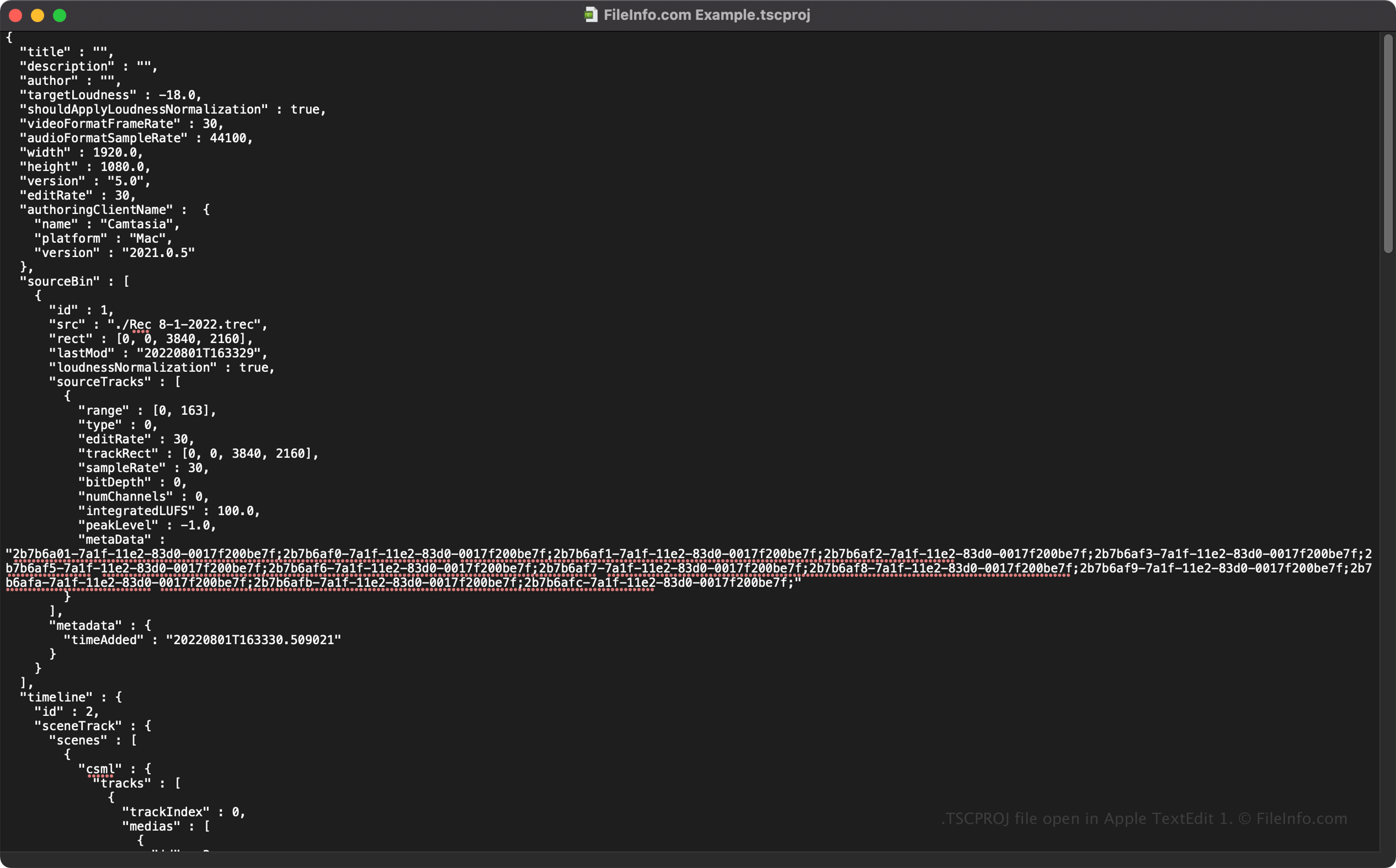
TSCPROJ file open in Apple TextEdit

Since TSCPROJ files store information in plain text, you can open TSCPROJ files with text editors, such as Microsoft Notepad and Apple TextEdit, and view their information and metadata.

You can modify the TSCPROJ file's properties when opened in a text editor. However, remember that if you incorrectly edit the file, you may inadvertently corrupt the project.

TSCPROJ 파일을 변환하는 방법

Camtasia can convert a TSCPROJ file to several file types, including the following formats:

  • .MP4 - MPEG-4 Video
  • .GIF - Graphical Interchange Format
  • .M4A - MPEG-4 Audio (Windows only)
  • .MOV - Apple QuickTime Movie (macOS only)

You can also export a TSCPROJ file as a .CAMPACKAGE to back up or share resources with other Camtasia users. To do this, select File → Export → Package.

File Viewer Plus(으)로 400개 이상의 파일 형식을 여세요.무료 다운로드

TSCPROJ 파일을 여는 프로그램

Windows
무료 체험판
Mac
무료 체험판
카테고리: 설정
업데이트: 2023-05-11

검증자 FileInfo.com

FileInfo.com 팀 이 페이지에 나열된 TechSmith Camtasia Project 파일 형식과 Mac and Windows 앱을 독자적으로 조사했습니다. 저희의 목표는 100% 정확성이며, 검증한 파일 유형에 대한 정보만 게시합니다.

이 페이지에 추가하거나 업데이트할 내용을 제안하고 싶으시면 알려 주세요.