

.TSCPROJ Estensione file
Progetto TechSmith Camtasia
| Sviluppatore | TechSmith |
| Popolarità |
4,2 | 10 Voti |
Che cos'è un file TSCPROJ?
Un file TSCPROJ è un progetto creato da TechSmith Camtasia, un'applicazione per la registrazione dello schermo e il montaggio video. Contiene i percorsi di tutte le registrazioni .TREC e dei file multimediali inclusi nel progetto, insieme alle modifiche e agli effetti applicati al progetto. La versione Windows di Camtasia salva i progetti come file TSCPROJ per impostazione predefinita, mentre la versione macOS salva i progetti come file .CMPROJ; entrambe le versioni possono aprire i file TSCPROJ.
Maggiori informazioni
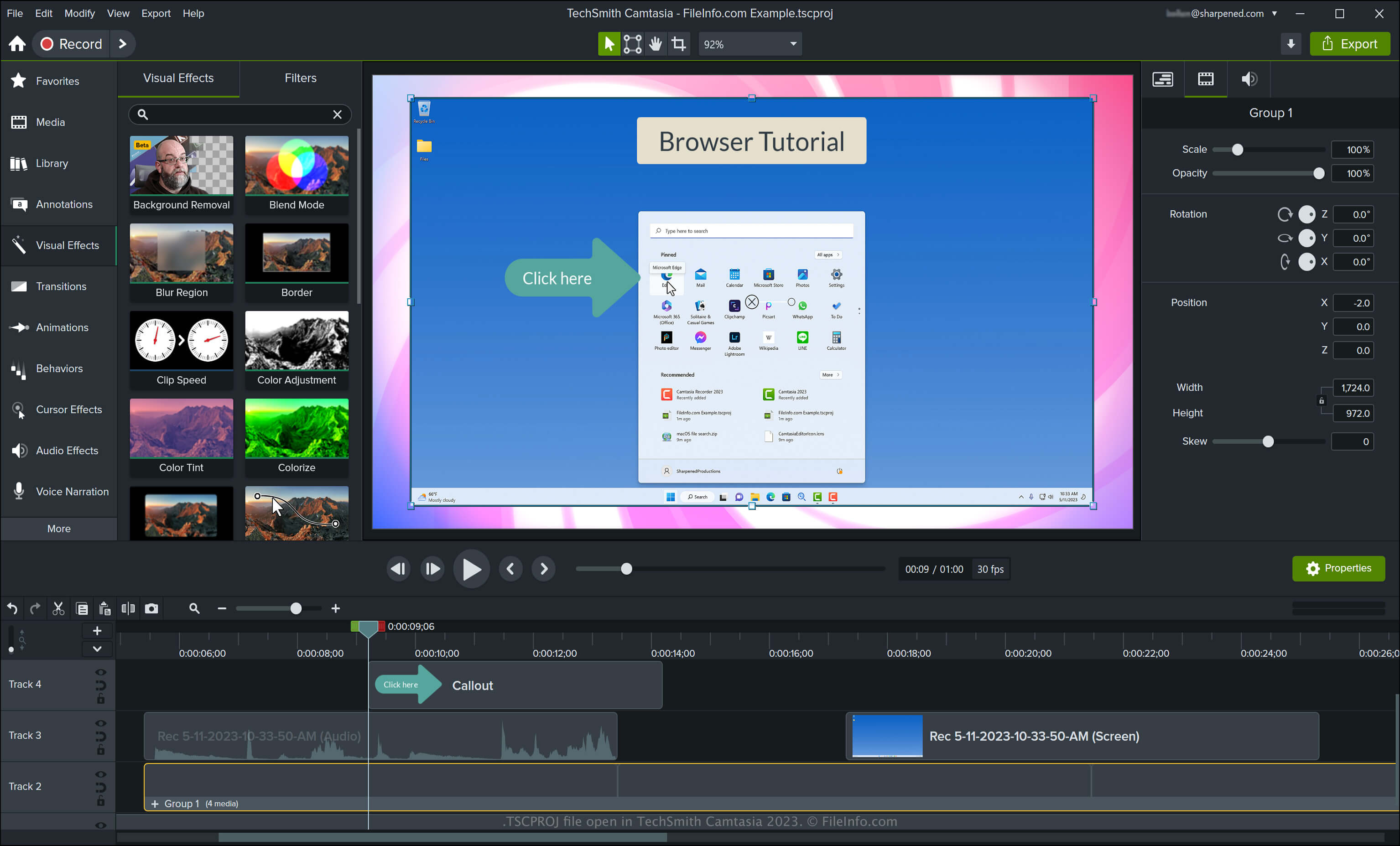
Camtasia può creare vari tipi di video, tra cui tutorial, registrazioni di videogiochi, video di formazione e registrazioni di webinar. TechSmith ha introdotto il tipo di file TSCPROJ quando ha rilasciato la versione 9 di Camtasia per Windows, sostituendo il tipo di file .CAMPROJ usato dalle versioni Windows di Camtasia. Anche se la versione macOS di Camtasia salva i progetti come file CMPROJ, può anche esportarli come file TSCPROJ.
Come creare un file TSCPROJ con la versione Windows di Camtasia
Quando salvi un video con la versione Windows di Camtasia, l'applicazione crea un file di progetto TSCPROJ per memorizzarne i contenuti. Dopo aver salvato il file TSCPROJ, puoi chiuderlo e riaprirlo per apportare altre modifiche. Per creare un file TSCPROJ con la versione Windows di Camtasia, segui questi passaggi:
- Seleziona oppure se non hai ancora iniziato un progetto
- Seleziona oppure
- Assegna un nome al progetto, scegli il percorso di salvataggio, quindi fai clic su
Come creare un file TSCPROJ con la versione macOS di Camtasia
Puoi creare un file TSCPROJ con la versione macOS di Camtasia selezionando . Questa procedura crea un archivio .ZIP che contiene il file TSCPROJ.
Come aprire un file TSCPROJ
Puoi aprire un file TSCPROJ con TechSmith Camtasia in Windows e macOS selezionando .
NOTA: Se hai salvato il progetto come progetto autonomo con la versione Windows di Camtasia, devi fare doppio clic sulla cartella di file con l'estensione .tscproj (che ha lo stesso nome del progetto), quindi puoi aprire il file TSCPROJ effettivo.
Apertura di un file TSCPROJ con un editor di testo
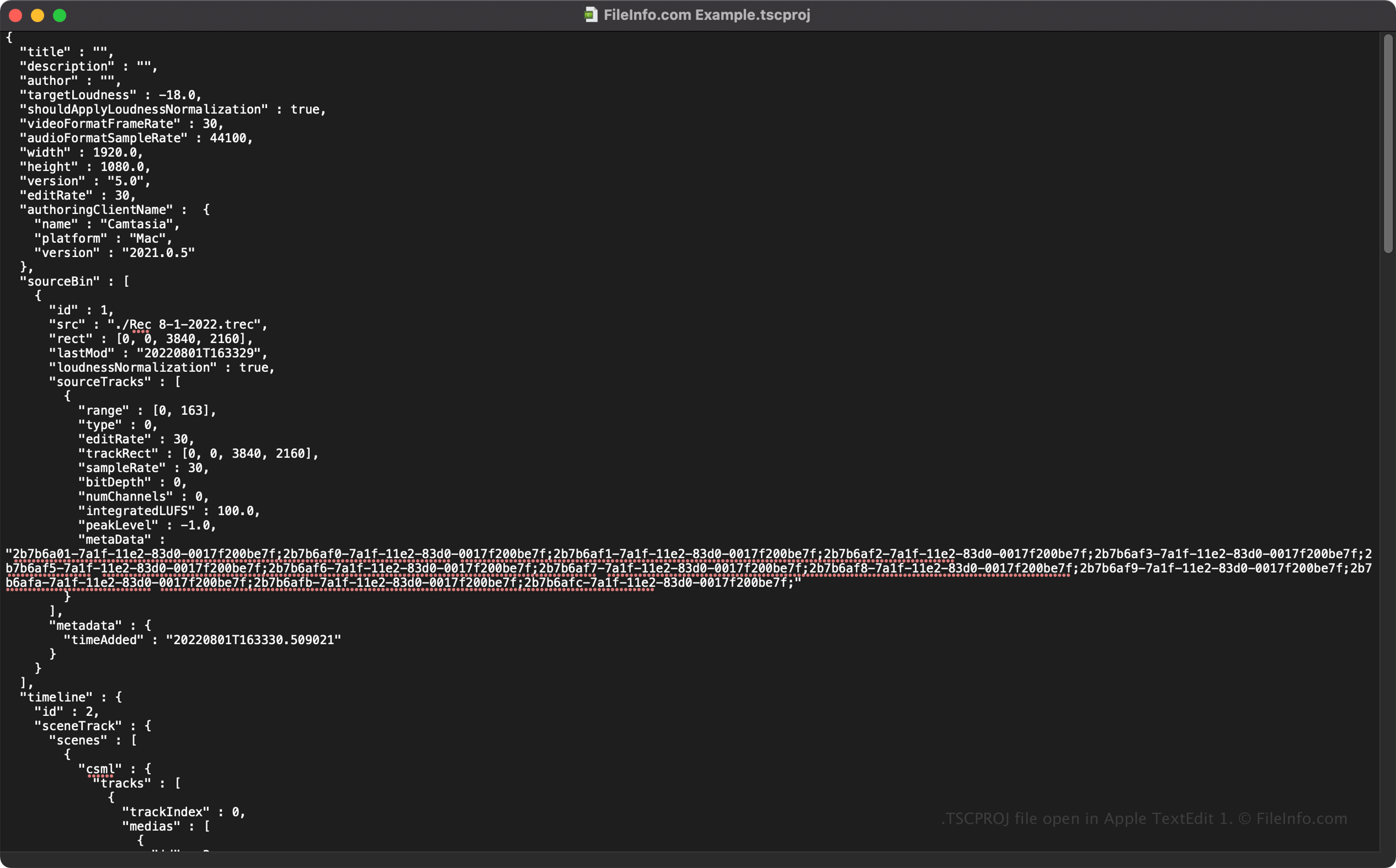
Poiché i file TSCPROJ memorizzano le informazioni in testo normale, puoi aprire i file TSCPROJ con editor di testo, come Microsoft Notepad e Apple TextEdit, e visualizzare le relative informazioni e i metadati.
Puoi modificare le proprietà del file TSCPROJ quando lo apri in un editor di testo. Tuttavia, ricorda che se modifichi il file in modo errato, potresti danneggiare involontariamente il progetto.
Come convertire un file TSCPROJ
Camtasia può convertire un file TSCPROJ in diversi tipi di file, inclusi i seguenti formati:
- .MP4 - Video MPEG-4
- .GIF - Graphical Interchange Format
- .M4A - Audio MPEG-4 (solo Windows)
- .MOV - Filmato Apple QuickTime (solo macOS)
Puoi anche esportare un file TSCPROJ come .CAMPACKAGE per eseguire il backup o condividere le risorse con altri utenti di Camtasia. Per farlo, seleziona .