

.TSCSHADERVID Estensione file
Sfondo dinamico Camtasia
| Sviluppatore | TechSmith |
| Popolarità |
2,0 | 1 Voto |
Che cos'è un file TSCSHADERVID?
Un file TSCSHADERVID contiene uno sfondo dinamico utilizzato da TechSmith Camtasia, un'applicazione per la registrazione dello schermo e il montaggio video. Memorizza impostazioni in testo semplice che definiscono l'aspetto e il movimento dello sfondo che gli utenti di Camtasia aggiungono ai video per migliorarli. Puoi aprire i file TSCSHADVID principalmente in Camtasia, ma puoi anche aprirli con un editor di testo per visualizzarne il contenuto.
Maggiori informazioni
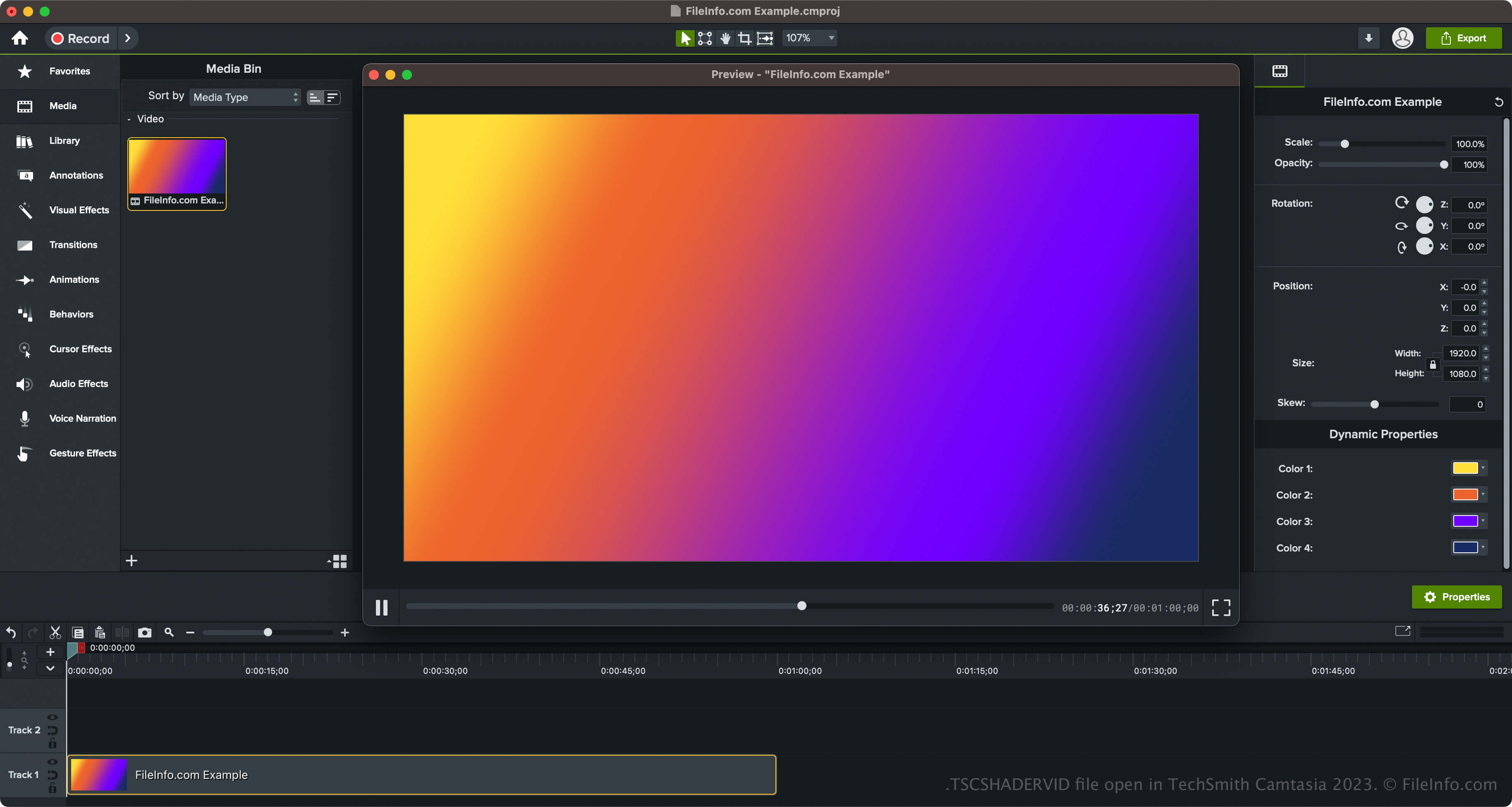
TechSmith ha introdotto gli sfondi dinamici e il tipo di file TSCSHADERVID con il rilascio di Camtasia 2023. Il software viene fornito con vari stili di sfondo, tra cui anelli, stelle, raggi solari, triangoli, increspature al neon e luci radiali.
Come accedere agli sfondi dinamici in Camtasia
Puoi accedere agli sfondi dinamici in Camtasia selezionando "Library" nel riquadro sul lato sinistro dell'interfaccia del programma, quindi aprendo la cartella "Dynamic Backgrounds". Puoi poi trascinare lo sfondo dinamico nel video.
Camtasia ti consente anche di esportare lo sfondo dinamico in un file .LIBZIP per condividere la risorsa con altri utenti di Camtasia 2023 e versioni successive. Per esportare la risorsa, che include il file TSCSHADERVID, un file .ASSETPROJ e altre risorse, fai clic con il pulsante destro del mouse sullo sfondo dinamico e seleziona .
Come aprire un file TSCSHADERVID
Puoi aprire i file TSCSHADERVID con TechSmith Camtasia in Windows e macOS. Per aprire e aggiungere file TSCDF in Camtasia, puoi semplicemente fare doppio clic sul file: Camtasia lo aggiungerà al "Media Bin" (che si trova all'interno di "Media" nel riquadro sul lato sinistro dell'interfaccia del programma). Puoi anche trascinare il file TSCSHADERVID in un progetto video Camtasia aperto.
Inoltre, se stai aprendo uno sfondo dinamico esportato come risorsa in un file LIBZIP, puoi selezionare .
Apertura di un file TSCSHADERVID con un editor di testo
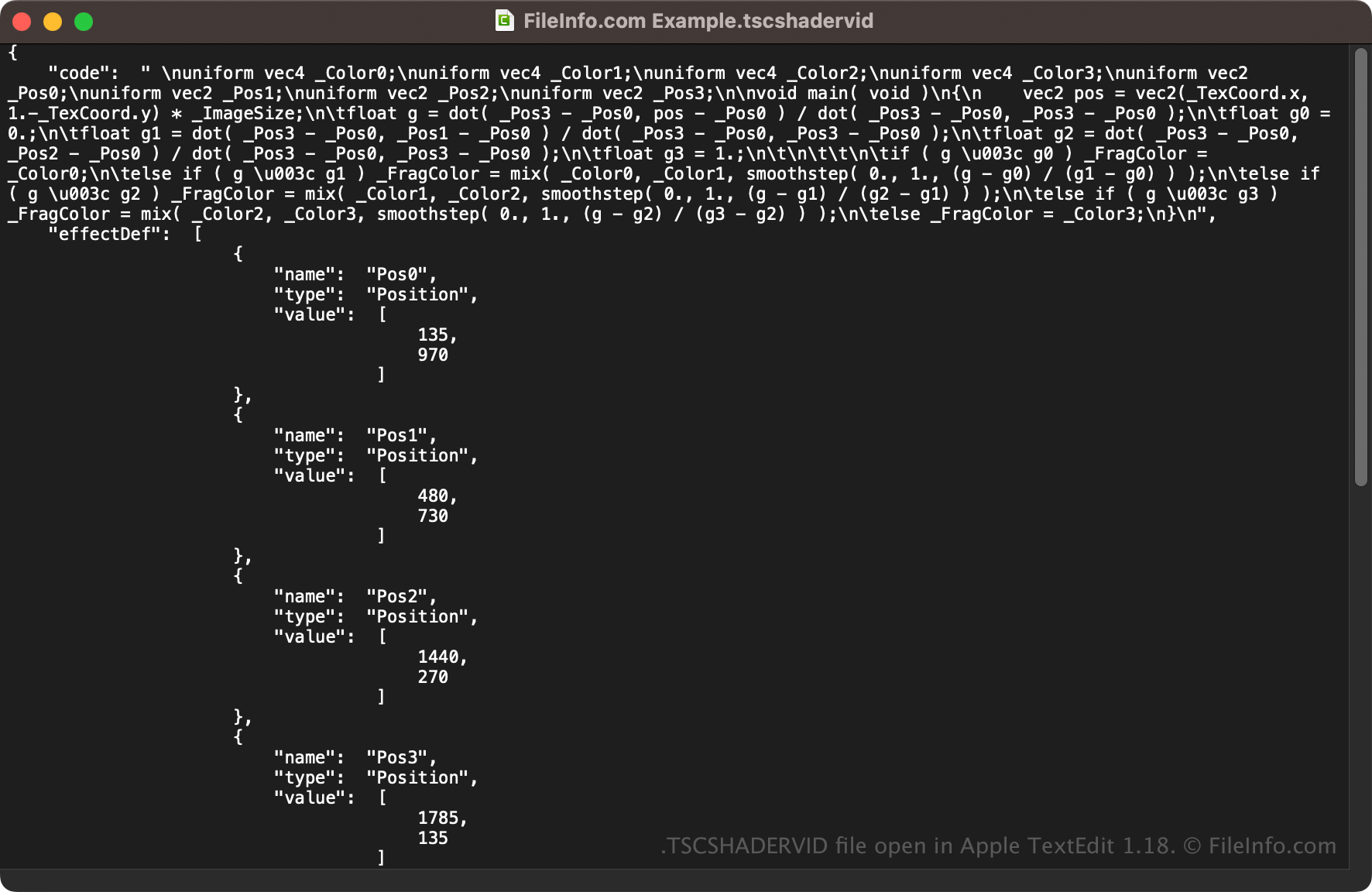
Poiché i file TSCSHADERVID vengono salvati in testo semplice, puoi anche aprirli con un editor di testo, come Microsoft Notepad (Windows) o Apple TextEdit (macOS), oppure con un editor di codice sorgente. Potrebbe essere necessario rinominare l'estensione del file .tscshadervid in .txt affinché l'editor di testo lo riconosca.
Quando apri il file TSCSHADERVID in un editor di testo o in un editor di codice sorgente, puoi modificarne le proprietà. Tuttavia, se modifichi il file in modo errato, potresti danneggiare inavvertitamente lo sfondo dinamico.