

.TSCSHADERVID Bestandsextensie
Camtasia-dynamische achtergrond
| Ontwikkelaar | TechSmith |
| Populariteit |
2,0 | 1 stem |
Wat is een TSCSHADERVID-bestand?
Een TSCSHADERVID-bestand bevat een dynamische achtergrond die wordt gebruikt door TechSmith Camtasia, een toepassing voor schermopnamen en videobewerking. Het bestand bevat instellingen in platte tekst die het uiterlijk en de beweging van de achtergrond bepalen die Camtasia-gebruikers aan video's toevoegen om deze te verbeteren. Gebruikers openen TSCSHADERVID-bestanden voornamelijk in Camtasia, maar kunnen ze ook met een teksteditor openen om de inhoud te bekijken.
Meer informatie
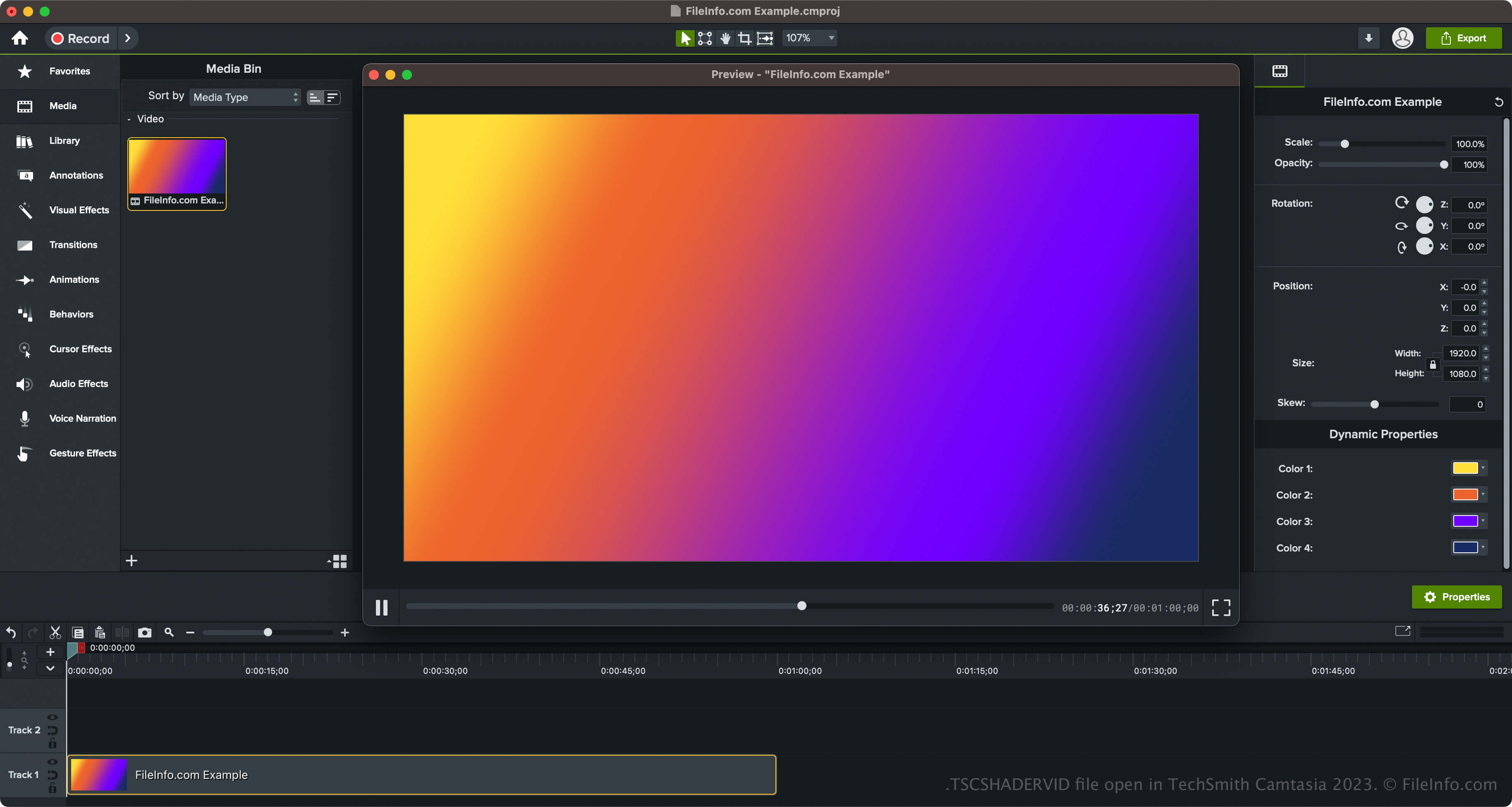
TechSmith introduceerde dynamische achtergronden en het TSCSHADERVID-bestandstype bij de release van Camtasia 2023. De software wordt geleverd met verschillende achtergrondstijlen, waaronder ringen, sterren, zonnestralen, driehoeken, neonrimpelingen en radiale lichten.
Dynamische achtergronden openen in Camtasia
Je kunt de dynamische achtergronden in Camtasia openen door in het deelvenster aan de linkerkant van de programma-interface te selecteren en vervolgens de map te openen. Je kunt de dynamische achtergrond daarna naar je video slepen.
Met Camtasia kun je je dynamische achtergrond ook exporteren naar een .LIBZIP-bestand om het element te delen met andere gebruikers van Camtasia 2023 en hoger. Om het element te exporteren, dat het TSCSHADERVID-bestand, een .ASSETPROJ-bestand en andere bronnen bevat, klik je met de rechtermuisknop op de dynamische achtergrond en selecteer je .
Een TSCSHADERVID-bestand openen
Je kunt TSCSHADERVID-bestanden openen met TechSmith Camtasia in Windows en macOS. Om TSCDF-bestanden in Camtasia te openen en toe te voegen, kun je gewoon dubbelklikken op het bestand. Camtasia voegt het dan toe aan de (in in het deelvenster aan de linkerkant van de programma-interface). Je kunt het TSCSHADERVID-bestand ook naar een geopend Camtasia-videoproject slepen.
Als je daarnaast een dynamische achtergrond opent die als element in een LIBZIP-bestand is geëxporteerd, kun je selecteren.
Een TSCSHADERVID-bestand openen met een teksteditor
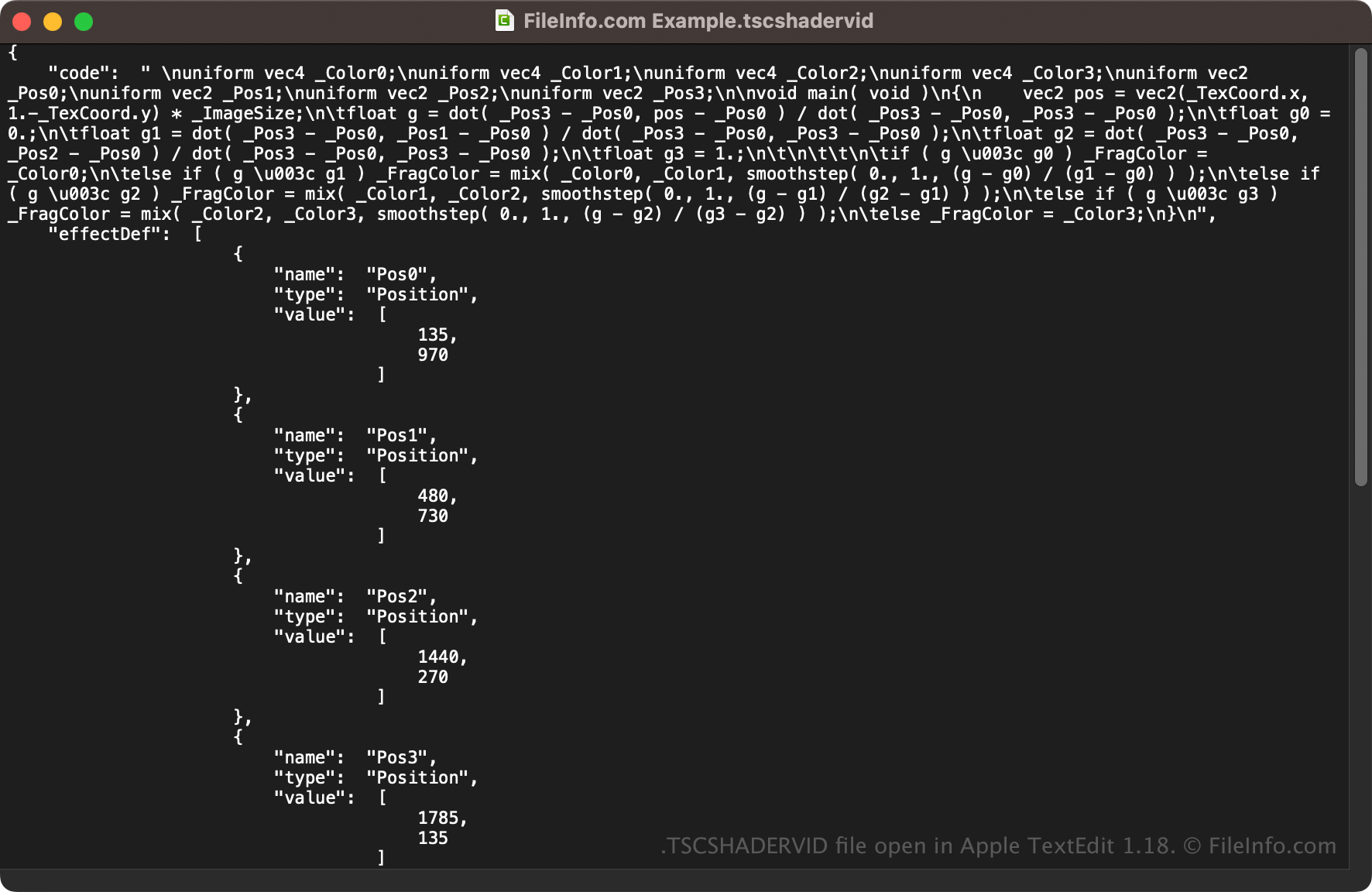
Omdat TSCSHADERVID-bestanden als platte tekst worden opgeslagen, kun je ze ook openen met een teksteditor, zoals Microsoft Notepad (Windows) of Apple TextEdit (macOS), of met een broncode-editor. Mogelijk moet je de bestandsextensie .tscshadervid wijzigen in .txt zodat de teksteditor het bestand herkent.
Wanneer je het bestand in een teksteditor of broncode-editor opent, kun je de eigenschappen van het TSCSHADERVID-bestand wijzigen. Als je het bestand echter verkeerd bewerkt, kun je de dynamische achtergrond onbedoeld beschadigen.