.TSCSHADERVID 文件扩展名

Camtasia Dynamic Background

开发者 TechSmith
受欢迎程度
2.0  |  1 
 

什么是 TSCSHADERVID 文件?

A TSCSHADERVID file contains a dynamic background used by TechSmith Camtasia, a screen recording and video editing application. It stores plain text settings that make up the appearance and movement of the background that Camtasia users add to videos to enhance them. Users primarily open TSCSHADERVID files in Camtasia but may also open them with a text editor to view their contents.

更多信息

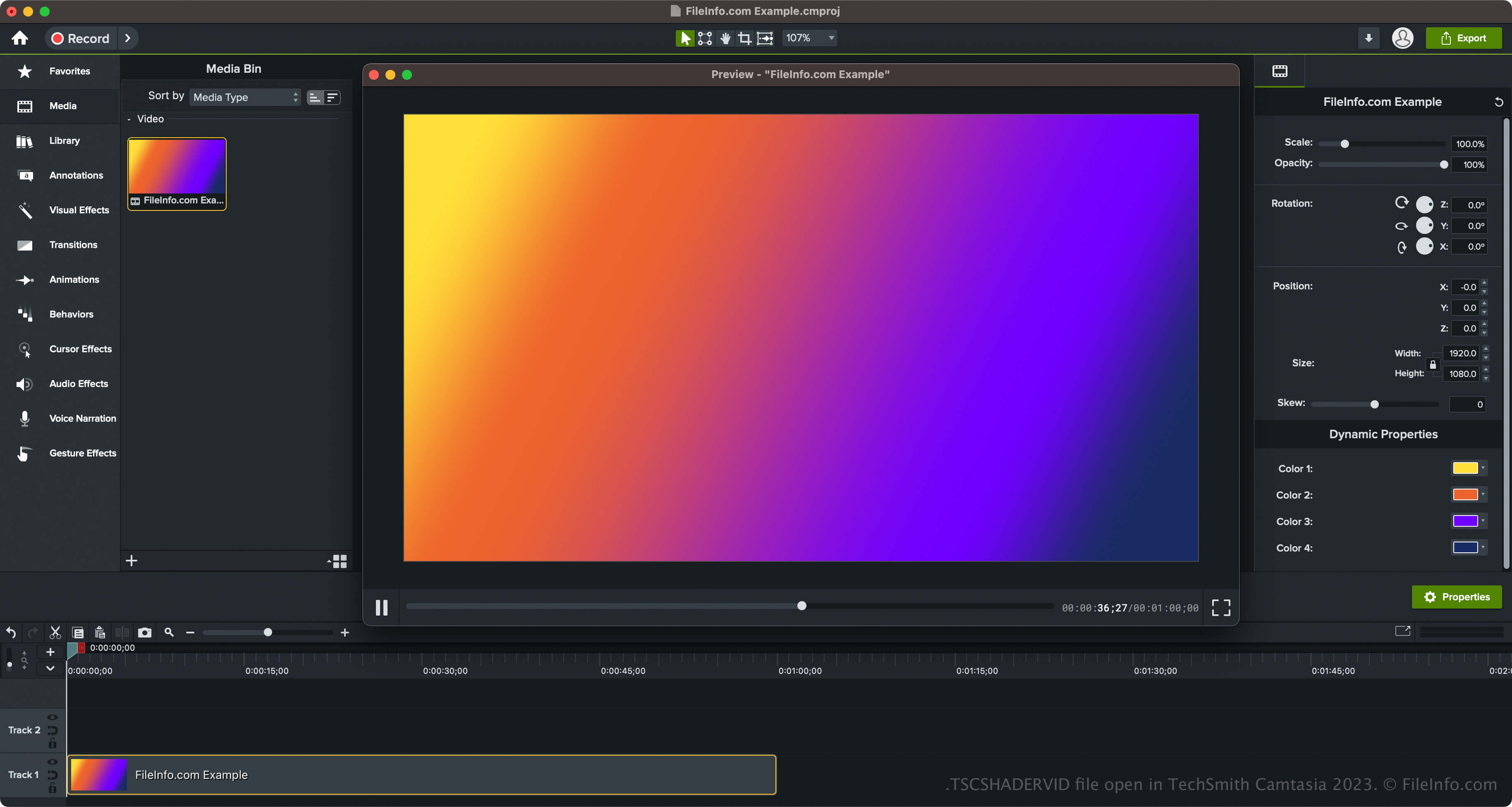
在 TechSmith Camtasia 2023 中打开的 .tscshadervid 文件截图
在 TechSmith Camtasia 2023 中打开的 TSCSHADERVID 文件

TechSmith introduced dynamic backgrounds and the TSCSHADERVID file type when it released Camtasia 2023. The software comes packaged with various styles of backgrounds, including rings, stars, sunbursts, triangles, neon ripples, and radial lights.

How to access dynamic backgrounds in Camtasia

You can access the dynamic backgrounds in Camtasia by selecting "Library" in the pane on the left side of the program interface, then opening the "Dynamic Backgrounds" folder. You can then drag and drop the dynamic background onto your video.

Camtasia also lets you export your dynamic background in a .LIBZIP file to share the asset with other Camtasia 2023 and later users. To export the asset, which includes the TSCSHADERVID file, an .ASSETPROJ file, and other resources, right-click the dynamic background and select Export Asset.

如何打开 TSCSHADERVID 文件

You can open TSCSHADERVID files with TechSmith Camtasia in Windows and macOS. To open and add TSCDF files in Camtasia, you can simply double-click the file, and Camtasia will add it to the "Media Bin" (located within "Media" in the pane on the left side of the program interface. You can also drag and drop the TSCSHADERVID file into an opened Camtasia video project.

Additionally, if you are opening a dynamic background exported as an asset in a LIBZIP file, you can select File → Import → Zipped Project.

Opening a TSCSHADERVID file with a text editor

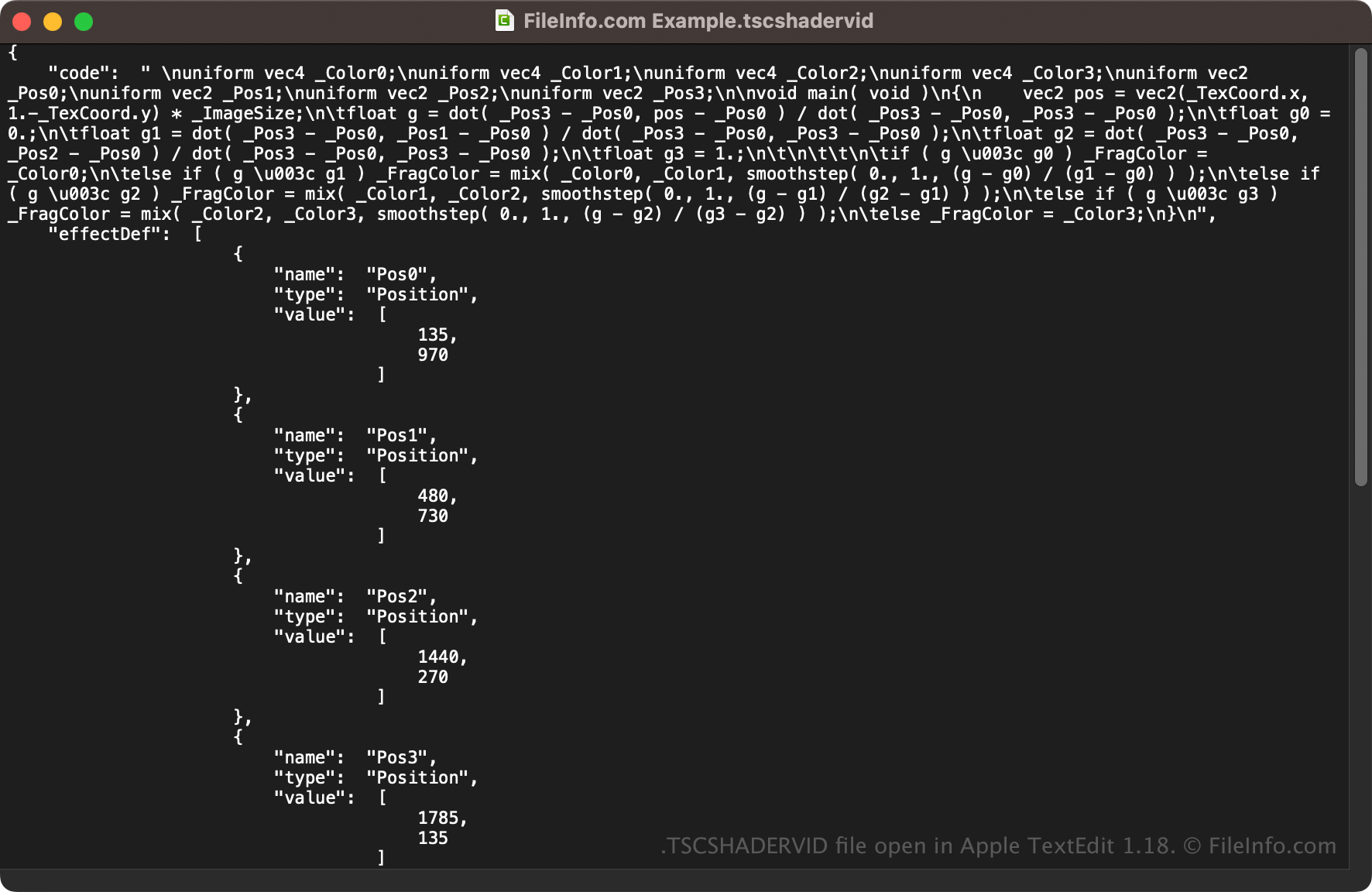
TSCSHADERVID file open in Apple TextEdit 1.18

Since TSCSHADERVID files are saved in plain text, you can also open them with a text editor, such as Microsoft Notepad (Windows) or Apple TextEdit (macOS), or a source code editor. You may need to rename the .tscshadervid file extension to .txt for the text editor to recognize it.

When opened in a text editor or source code editor, you can modify the properties of the TSCSHADERVID file. However, if you incorrectly edit the file, you may inadvertently break the dynamic background.

使用File Viewer Plus打开 400 多种文件格式。免费下载

可打开 TSCSHADERVID 文件的程序

Windows
免费试用
Mac
免费试用
分类: 杂项
更新时间: 2023-05-18

验证者 FileInfo.com

FileInfo.com 团队 独立研究了本页面列出的 Camtasia Dynamic Background 文件格式和 Mac and Windows 应用。 我们的目标是达到 100% 的准确率,并且仅发布我们已验证过的文件类型信息。

如果您想为此页面提出新增或更新建议,请告诉我们