

.TSCSHADERVID Dateiendung
Dynamischer Hintergrund für Camtasia
| Entwickler | TechSmith |
| Beliebtheit |
2,0 | 1 Stimme |
Was ist eine TSCSHADERVID-Datei?
Eine TSCSHADERVID-Datei enthält einen dynamischen Hintergrund, der von TechSmith Camtasia, einer Anwendung zur Bildschirmaufzeichnung und Videobearbeitung, verwendet wird. Sie speichert Einstellungen im Klartext, die das Aussehen und die Bewegung des Hintergrunds bestimmen, den Camtasia-Benutzer zu Videos hinzufügen, um diese aufzuwerten. Benutzer öffnen TSCSHADERVID-Dateien hauptsächlich in Camtasia, können sie aber auch mit einem Texteditor öffnen, um ihren Inhalt anzuzeigen.
Weitere Informationen
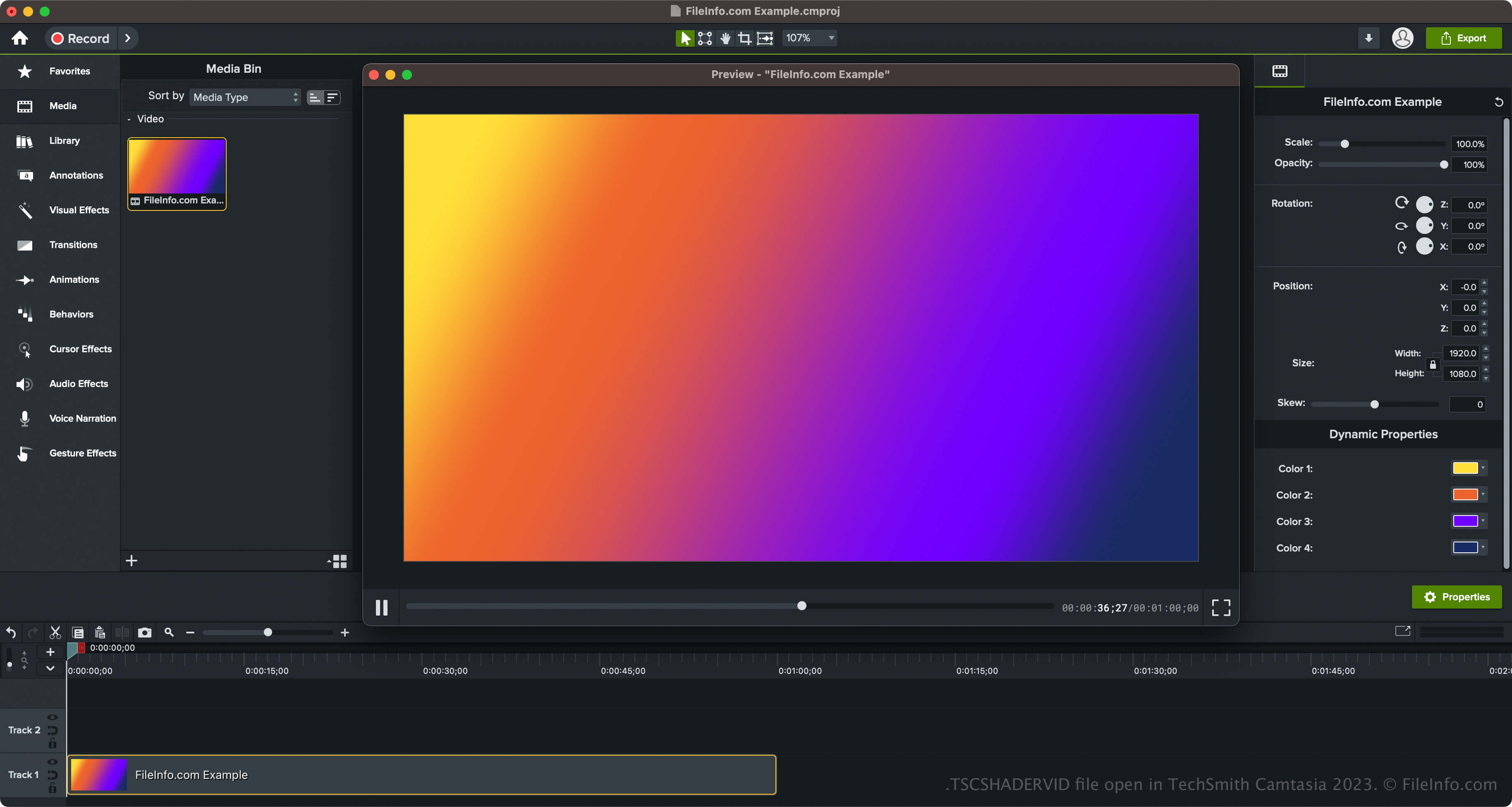
TechSmith führte dynamische Hintergründe und den TSCSHADERVID-Dateityp mit der Veröffentlichung von Camtasia 2023 ein. Die Software wird mit verschiedenen Hintergrundstilen geliefert, darunter Ringe, Sterne, Sonnenstrahlen, Dreiecke, Neonwellen und radiale Lichter.
So greifen Sie in Camtasia auf dynamische Hintergründe zu
Sie können in Camtasia auf die dynamischen Hintergründe zugreifen, indem Sie im linken Bereich der Programmoberfläche „Library“ auswählen und anschließend den Ordner „Dynamic Backgrounds“ öffnen. Danach können Sie den dynamischen Hintergrund per Drag-and-drop auf Ihr Video ziehen.
Camtasia ermöglicht Ihnen außerdem, Ihren dynamischen Hintergrund in eine .LIBZIP-Datei zu exportieren, um das Asset mit anderen Benutzern von Camtasia 2023 und höher zu teilen. Um das Asset zu exportieren, das die TSCSHADERVID-Datei, eine .ASSETPROJ-Datei und weitere Ressourcen enthält, klicken Sie mit der rechten Maustaste auf den dynamischen Hintergrund und wählen Sie aus.
So öffnen Sie eine TSCSHADERVID-Datei
Sie können TSCSHADERVID-Dateien mit TechSmith Camtasia unter Windows und macOS öffnen. Um TSCDF-Dateien in Camtasia zu öffnen und hinzuzufügen, können Sie einfach auf die Datei doppelklicken. Camtasia fügt sie dann dem „Media Bin“ hinzu (dieser befindet sich innerhalb von „Media“ im linken Bereich der Programmoberfläche). Sie können die TSCSHADERVID-Datei auch per Drag-and-drop in ein geöffnetes Camtasia-Videoprojekt ziehen.
Wenn Sie einen dynamischen Hintergrund öffnen, der als Asset in einer LIBZIP-Datei exportiert wurde, können Sie außerdem auswählen.
Öffnen einer TSCSHADERVID-Datei mit einem Texteditor
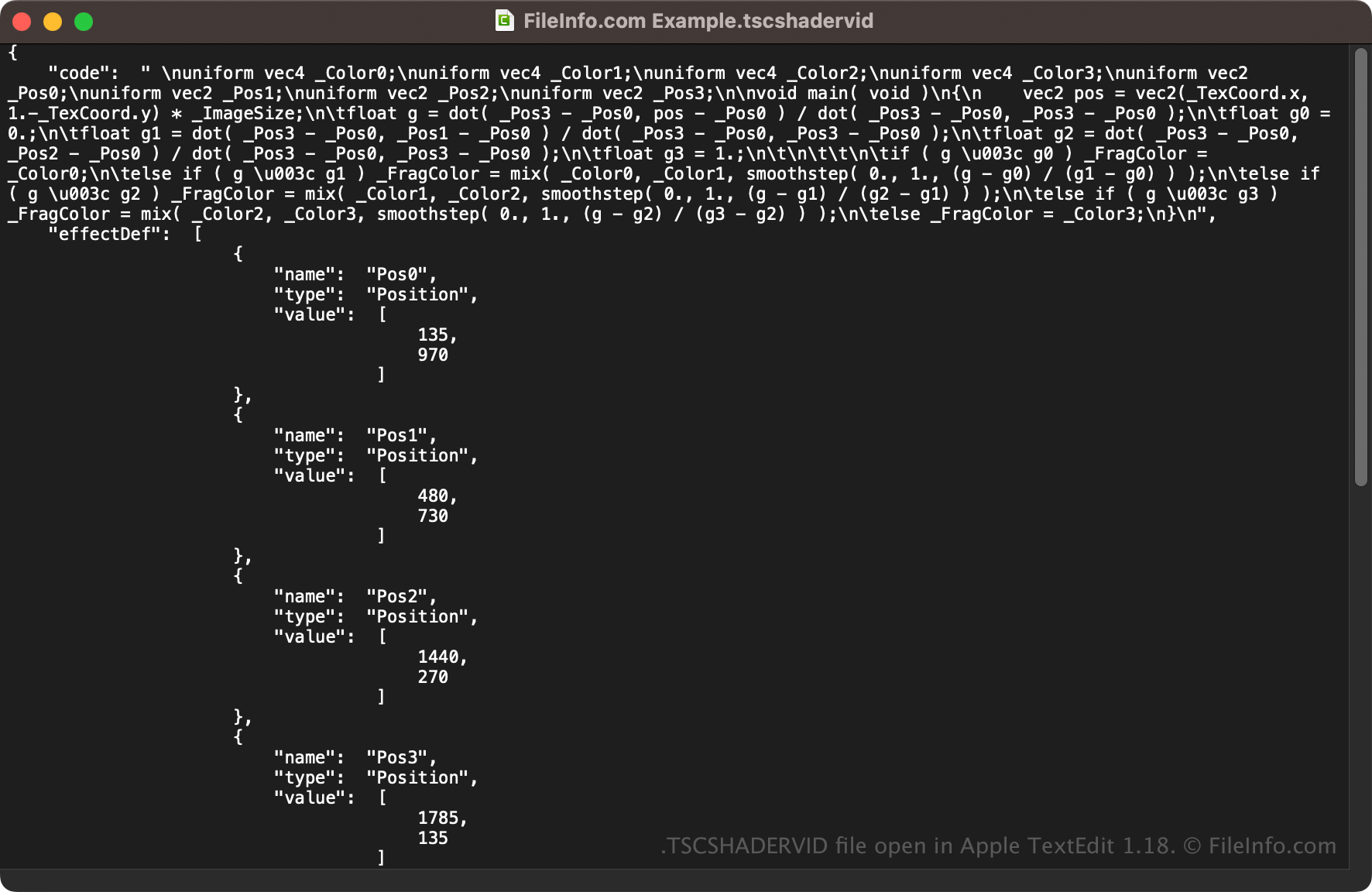
Da TSCSHADERVID-Dateien im Klartext gespeichert werden, können Sie sie auch mit einem Texteditor wie Microsoft Notepad (Windows) oder Apple TextEdit (macOS) oder mit einem Quelltexteditor öffnen. Möglicherweise müssen Sie die Dateierweiterung .tscshadervid in .txt umbenennen, damit der Texteditor sie erkennt.
Wenn Sie die Datei in einem Texteditor oder Quelltexteditor öffnen, können Sie die Eigenschaften der TSCSHADERVID-Datei ändern. Wenn Sie die Datei jedoch falsch bearbeiten, kann dies den dynamischen Hintergrund unbeabsichtigt beschädigen.