.ZIP Estensione file

2 tipi di file usano l'estensione .zip.

Zipped File

Sviluppatore Phil Katz
Popolarità
3.9  |  3001 Voti
 

Che cos'è un file ZIP?

A ZIP file is an archive that contains one or more files compressed or "zipped" with Zip compression. It stores files separately from each other, allowing the files to be compressed using different methods and extracted without compressing or decompressing the entire archive.

Maggiori informazioni

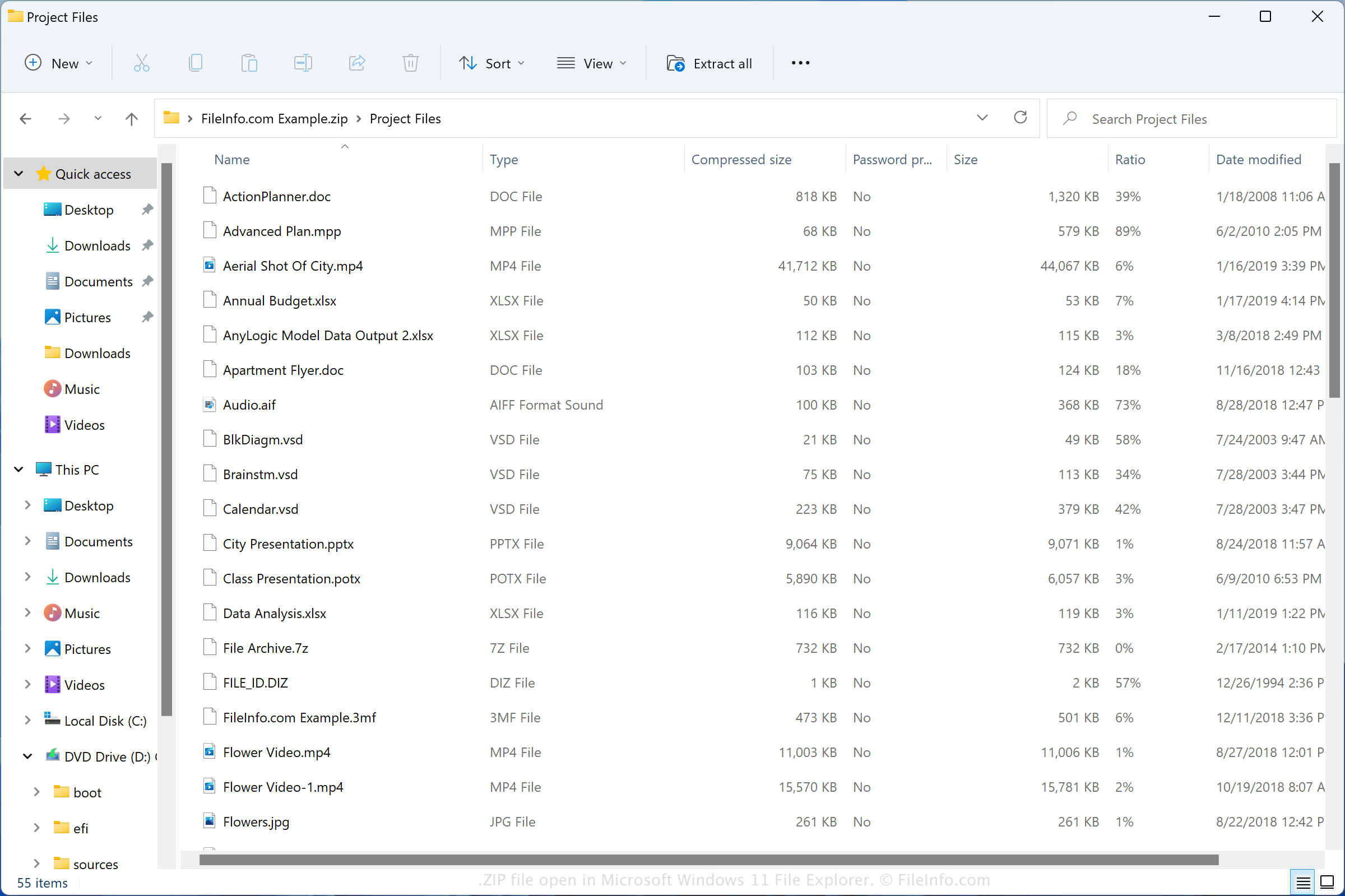
Screenshot di un file .zip in Microsoft Windows 11 File Explorer
File ZIP aperto in Microsoft Windows 11 File Explorer

The Zip format was created in 1989 by Phil Katz and was used in the PKZIP utility developed by PKWARE, Inc. The format grew in popularity and is now supported by most file compression/decompression programs.

You may encounter ZIP files in various ways, such as receiving compressed files via email from a friend or co-worker, downloading files online, or exploring backup files that have been compressed with Zip compression. Both Windows and macOS come with programs that can compress and decompress ZIP files.

How to create a ZIP file

Windows users can create ZIP archives by right-clicking a file and selecting Send to → Compressed (zipped) folder. macOS users can create ZIP archives by right-clicking a file and selecting Compress "[filename]".

Nomi file .ZIP comuni

New Compressed (zipped) Folder.zip - The name Microsoft Windows gives to new ZIP files created via the context menu (right-click and choose New → Compressed (zipped) Folder).

Come aprire un file ZIP

In Windows, you can open a ZIP file with File Explorer, also known as "Windows Explorer," simply by double-clicking the file. You can then choose one, multiple, or all of the files to extract from the Zip archive. In macOS, you can open a ZIP file with Apple Archive Utility by double-clicking the file.

You can also open ZIP files with other compression utilities, such as Corel WinZip (Windows), Corel WinZip Mac (macOS), RARLAB WinRAR (Windows), and 7-Zip (Windows).

Come convertire un file ZIP

Many compression utilities, such as ConeXware PowerArchiver, Corel WinZip, and 7-Zip, can convert ZIP files by extracting their contents and then compressing them in a different archive format.

For example, the Windows version of PowerArchiver can extract the contents of a ZIP file, then compress them as various archive types, including the following formats:

  • .7Z - 7-Zip Compressed File
  • .TAR - Consolidated Unix File Archive
  • .CAB - Windows Cabinet File
  • .LZH - LZH Compressed File
  • .RAR - WinRAR Compressed Archive
  • .PA - PowerArchiver Compressed File
  • .BH - BlakHole Archive
Apri e visualizza i file .zip con File Viewer Plus.Download gratuito

Programmi che aprono i file ZIP

Windows
Incluso nel sistema operativo
Prova gratuita
Prova gratuita
Gratuito
Gratuito
Mac
Incluso nel sistema operativo
Prova gratuita
Gratuito
Linux
Gratuito
Gratuito
Gratuito
Gratuito
iOS
Android
Chrome OS
Incluso nel sistema operativo

MAME Game ROM

Sviluppatore The MAME Team
Popolarità
3.4  |  276 Voti
 

A ZIP file is a ROM used by MAME and other arcade video game emulators. It may contain the entire contents of an arcade game, or it may be supplemented by a .CHD (Compressed Hunks of Data) file. ZIP files are compressed using Zip compression.

Maggiori informazioni

Video game system emulators like MAME (short for Multiple Arcade Machine Emulator) allow gamers to play classic video games on their PCs and mobile devices. MAME specializes in emulating arcade games, originally played in arcade cabinets.

Players distribute MAME ROMs, which contain the contents of an arcade game, as ZIP files. If the ROM was created from an arcade game stored on a chip, its entire contents may be stored in a ZIP file. If the ROM was created from an arcade game stored on a hard drive, it is likely split into a ZIP and CHD file. If the ROM is split into two files, you need both to open it in MAME.

Come aprire un file ZIP

You can open a ZIP file in MAME (multiplatform) and related emulators. To open a ZIP file in MAME, place the file in MAME's Roms directory. If your ZIP file is paired with a CHD file, place the CHD file in a subdirectory named for your ZIP file (e.g. for a ZIP file named MyGame.zip, place your CHD file in Roms/​MyGame/​).

Programmi che aprono i file ZIP

Windows
Gratuito
Prova gratuita
Gratuito
Mac
Gratuito
Gratuito
Gratuito
Gratuito
Linux
Gratuito
Gratuito
iOS
Gratuito
Android
Gratuito
Categoria: Gioco
Aggiornato: 2022-05-26

Verificato da FileInfo.com

Il team di FileInfo.com ha analizzato in modo indipendente tutti i formati di file e i programmi software elencati in questa pagina. Il nostro obiettivo è il 100% di accuratezza e pubblichiamo solo informazioni sui tipi di file che abbiamo verificato.

Se desideri suggerire aggiunte o aggiornamenti a questa pagina, faccelo sapere.