

.ZIP Extension de fichier
Fichier compressé
| Développeur | Phil Katz |
| Popularité |
3,9 | 3009 Votes |
Qu'est-ce qu'un fichier ZIP ?
Un fichier ZIP est une archive qui contient un ou plusieurs fichiers compressés, ou « zippés », avec la compression Zip. Il stocke les fichiers séparément les uns des autres, ce qui permet de les compresser avec différentes méthodes et de les extraire sans avoir à compresser ou décompresser toute l’archive.
Plus d'informations
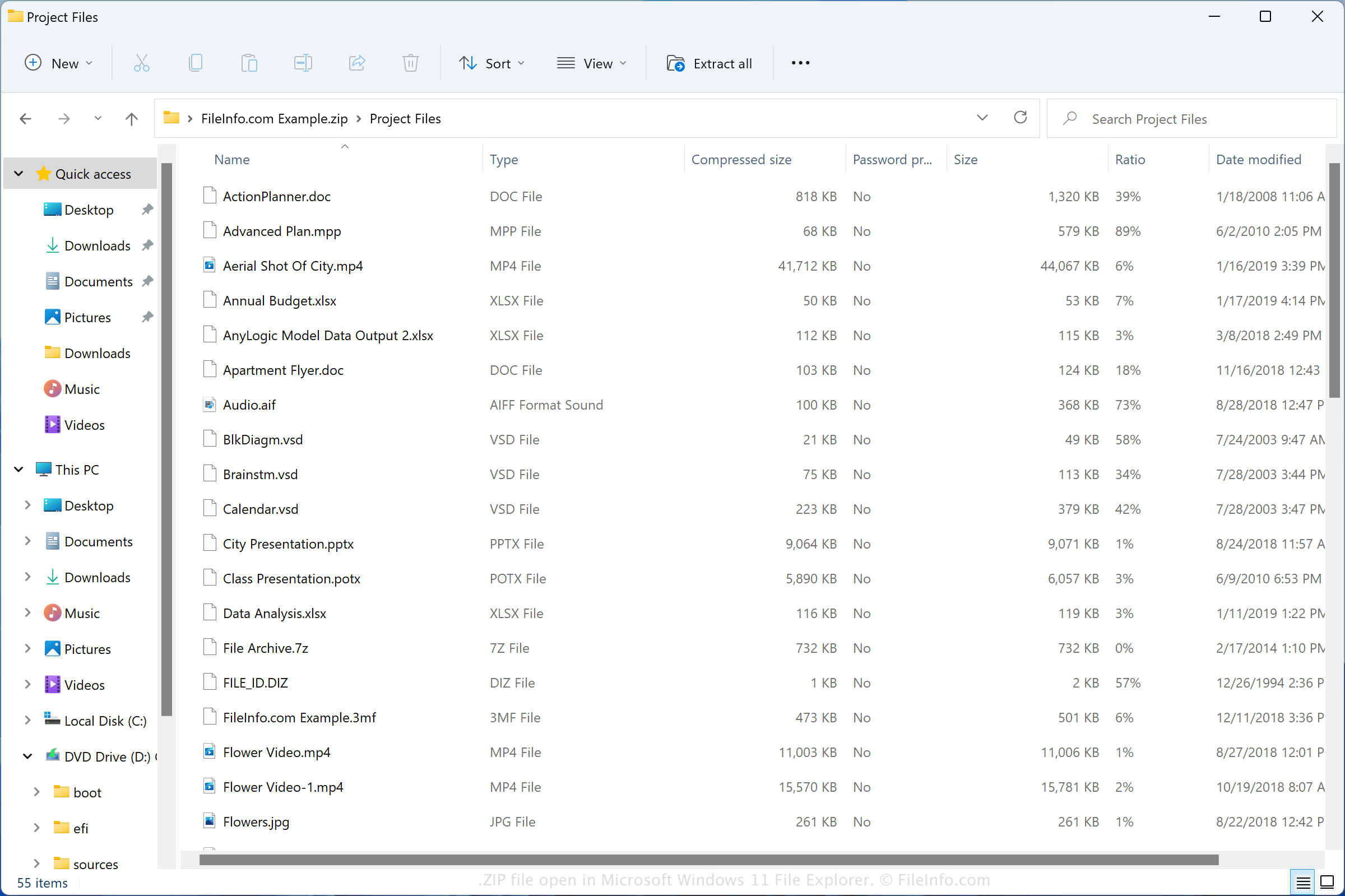
Le format Zip a été créé en 1989 par Phil Katz et utilisé dans l’utilitaire PKZIP développé par PKWARE, Inc. Le format a gagné en popularité et est maintenant pris en charge par la plupart des programmes de compression et de décompression de fichiers.
Vous pouvez rencontrer des fichiers ZIP de différentes manières, par exemple en recevant des fichiers compressés par e-mail d’un ami ou d’un collègue, en téléchargeant des fichiers en ligne ou en consultant des fichiers de sauvegarde qui ont été compressés avec la compression Zip. Windows et macOS sont tous deux fournis avec des programmes capables de compresser et de décompresser les fichiers ZIP.
Comment créer un fichier ZIP
Les utilisateurs de Windows peuvent créer des archives ZIP en cliquant avec le bouton droit de la souris sur un fichier et en sélectionnant . Les utilisateurs de macOS peuvent créer des archives ZIP en cliquant avec le bouton droit de la souris sur un fichier et en sélectionnant .
Noms de fichiers .ZIP courants
New Compressed (zipped) Folder.zip - Nom attribué par Microsoft Windows aux nouveaux fichiers ZIP créés via le menu contextuel (cliquez avec le bouton droit de la souris et choisissez ).
Comment ouvrir un fichier ZIP
Sous Windows, vous pouvez ouvrir un fichier ZIP avec l’Explorateur de fichiers, également appelé « Windows Explorer », en double-cliquant simplement sur le fichier. Vous pouvez ensuite choisir un, plusieurs ou tous les fichiers à extraire de l’archive Zip. Sous macOS, vous pouvez ouvrir un fichier ZIP avec Apple Archive Utility en double-cliquant sur le fichier.
Vous pouvez également ouvrir les fichiers ZIP avec d’autres utilitaires de compression, tels que Corel WinZip (Windows), Corel WinZip Mac (macOS), RARLAB WinRAR (Windows) et 7-Zip (Windows).
Comment convertir un fichier ZIP
De nombreux utilitaires de compression, tels que ConeXware PowerArchiver, Corel WinZip et 7-Zip, peuvent convertir les fichiers ZIP en extrayant leur contenu, puis en le compressant dans un autre format d’archive.
Par exemple, la version Windows de PowerArchiver peut extraire le contenu d’un fichier ZIP, puis le compresser sous différents types d’archives, notamment les formats suivants :