

.TAR Extension de fichier
Archive de bandes
| Développeur | AT&T Labs |
| Popularité |
3,8 | 152 Votes |
Qu'est-ce qu'un fichier TAR ?
Un fichier TAR est une archive enregistrée au format Archive de bandes. Il contient plusieurs fichiers regroupés pour faciliter leur stockage et leur partage. Contrairement aux fichiers .ZIP et à de nombreux autres types d’archives, les fichiers TAR ne sont pas compressés.
Plus d'informations
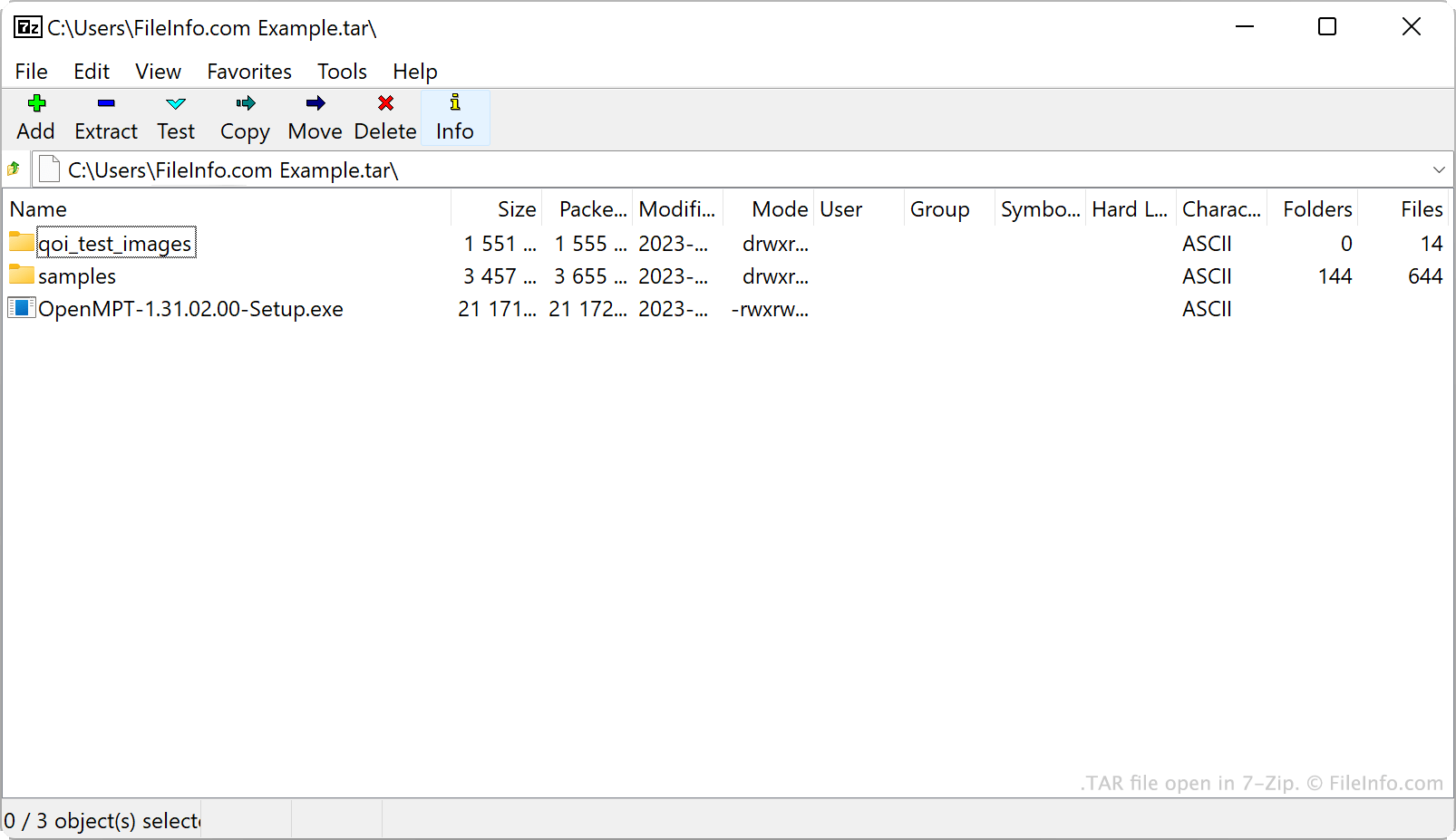
AT&T Bell Laboratories a développé l’utilitaire d’archivage tar et le format d’archive TAR en 1979. À l’origine, tar servait à écrire des données sur des lecteurs de bandes, qui sont des appareils de stockage lisant et écrivant les données sur une bande magnétique. Les archives créées par tar étaient donc appelées archives de bandes.
De nos jours, les utilisateurs de Linux et d’autres systèmes de type Unix sont la principale source de fichiers TAR. Par exemple, les utilisateurs de Linux distribuent souvent les logiciels sous forme de fichiers TAR afin de faciliter le téléchargement et l’installation de ces programmes. Beaucoup de ces utilisateurs appellent les fichiers TAR des tarballs, un surnom faisant référence à la nature collante et agglutinante des boules de goudron réelles.
Bien que les fichiers TAR eux-mêmes ne soient pas compressés, les utilisateurs les compressent souvent avec tar ou d’autres utilitaires de compression. Cela réduit la taille d’un fichier TAR, ce qui facilite encore son stockage et son partage. Les utilisateurs compressent principalement les fichiers TAR avec la compression Gzip, ce qui les transforme en fichiers .TGZ ou .TAR.GZ.
Comment créer un fichier TAR
Sous Windows, vous pouvez créer un fichier TAR avec 7-Zip. Pour ce faire :
- Si ce n’est pas déjà fait, installez 7-Zip.
- Dans le gestionnaire de fichiers de 7-Zip, sélectionnez les fichiers et dossiers que vous souhaitez regrouper dans votre fichier TAR.
- Cliquez avec le bouton droit sur l’un des éléments sélectionnés et sélectionnez .
- Dans la fenêtre , définissez le sur tar.
- Cliquez sur .
Sous macOS et Linux, vous pouvez utiliser la commande en ligne de commande tar pour créer un fichier TAR. Par exemple, vous pouvez saisir la commande suivante pour créer un fichier TAR :
tar -cf YourArchiveName.tar ~/path/to/your/files-or-folder
Si vous souhaitez compresser le fichier TAR créé au cours de ce processus (pour créer un fichier .TAR.GZ), saisissez plutôt la commande suivante :
tar -czf YourArchiveName.tar.gz ~/path/to/your/files-or-folder
Comment ouvrir un fichier TAR
Vous pouvez ouvrir un fichier TAR et extraire les fichiers qu’il contient avec plusieurs utilitaires d’archivage courants, notamment :
- 7-Zip (Windows)
- Apple Archive Utility (Mac)
- PeaZip (multiplateforme)
- B1 Free Archiver (multiplateforme)
Les utilisateurs d’Android peuvent ouvrir les fichiers TAR avec ZDevs ZArchiver. Les utilisateurs d’iOS peuvent ouvrir les fichiers TAR avec ComcSoft Corporation iZip.