

.ZIP Rozszerzenie pliku
- 1.Plik ZIP
- 2.ROM gry MAME
Plik ZIP
| Deweloper | Phil Katz |
| Popularność |
3,9 | 3009 Głosów |
Czym jest plik ZIP?
Plik ZIP to archiwum zawierające jeden lub więcej plików skompresowanych za pomocą kompresji Zip lub „spakowanych” do formatu ZIP. Przechowuje pliki oddzielnie, dzięki czemu można je kompresować przy użyciu różnych metod oraz wypakowywać bez konieczności kompresowania lub dekompresowania całego archiwum.
Więcej informacji
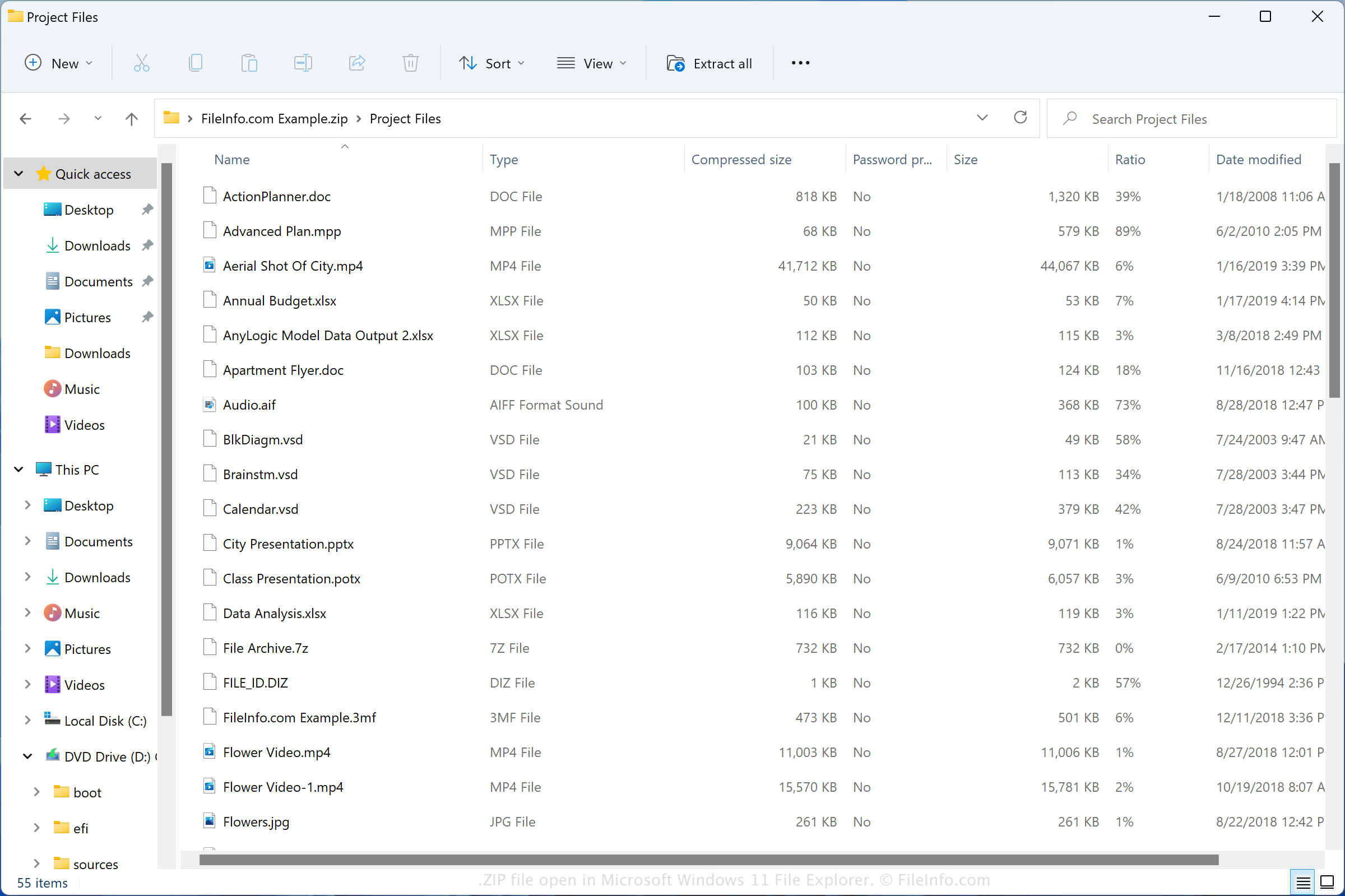
Format Zip został utworzony w 1989 roku przez Phila Katza i był używany w narzędziu PKZIP opracowanym przez firmę PKWARE, Inc. Format zyskał popularność i jest obecnie obsługiwany przez większość programów do kompresowania i dekompresowania plików.
Pliki ZIP można spotkać w różnych sytuacjach, na przykład otrzymując skompresowane pliki pocztą e-mail od znajomego lub współpracownika, pobierając pliki z internetu albo przeglądając pliki kopii zapasowych skompresowane za pomocą kompresji Zip. Zarówno system Windows, jak i macOS zawierają programy, które mogą kompresować i dekompresować pliki ZIP.
Jak utworzyć plik ZIP
Użytkownicy systemu Windows mogą tworzyć archiwa ZIP, klikając plik prawym przyciskiem myszy i wybierając opcję . Użytkownicy systemu macOS mogą tworzyć archiwa ZIP, klikając plik prawym przyciskiem myszy i wybierając opcję .
Popularne nazwy plików .ZIP
New Compressed (zipped) Folder.zip - Nazwa nadawana przez system Microsoft Windows nowym plikom ZIP tworzonym za pomocą menu kontekstowego (kliknij prawym przyciskiem myszy i wybierz opcję ).
Jak otworzyć plik ZIP
W systemie Windows można otworzyć plik ZIP za pomocą Eksploratora plików, znanego także jako „Windows Explorer”, po prostu klikając plik dwukrotnie. Następnie można wybrać jeden, kilka lub wszystkie pliki do wypakowania z archiwum Zip. W systemie macOS można otworzyć plik ZIP za pomocą programu Apple Archive Utility, klikając plik dwukrotnie.
Pliki ZIP można także otwierać za pomocą innych narzędzi do kompresji, takich jak Corel WinZip (Windows), Corel WinZip Mac (macOS), RARLAB WinRAR (Windows) oraz 7-Zip (Windows).
Jak przekonwertować plik ZIP
Wiele narzędzi do kompresji, takich jak ConeXware PowerArchiver, Corel WinZip i 7-Zip, może konwertować pliki ZIP, wypakowując ich zawartość, a następnie kompresując ją w innym formacie archiwum.
Na przykład wersja programu PowerArchiver dla systemu Windows może wypakować zawartość pliku ZIP, a następnie skompresować ją jako różne typy archiwów, w tym w następujących formatach: