.ZIP ファイル拡張子

2個のファイルタイプ.zip拡張子を使用しています。

Zipped File

開発元 Phil Katz
人気度
3.9  |  3001 
 

ZIPファイルとは?

A ZIP file is an archive that contains one or more files compressed or "zipped" with Zip compression. It stores files separately from each other, allowing the files to be compressed using different methods and extracted without compressing or decompressing the entire archive.

詳細情報

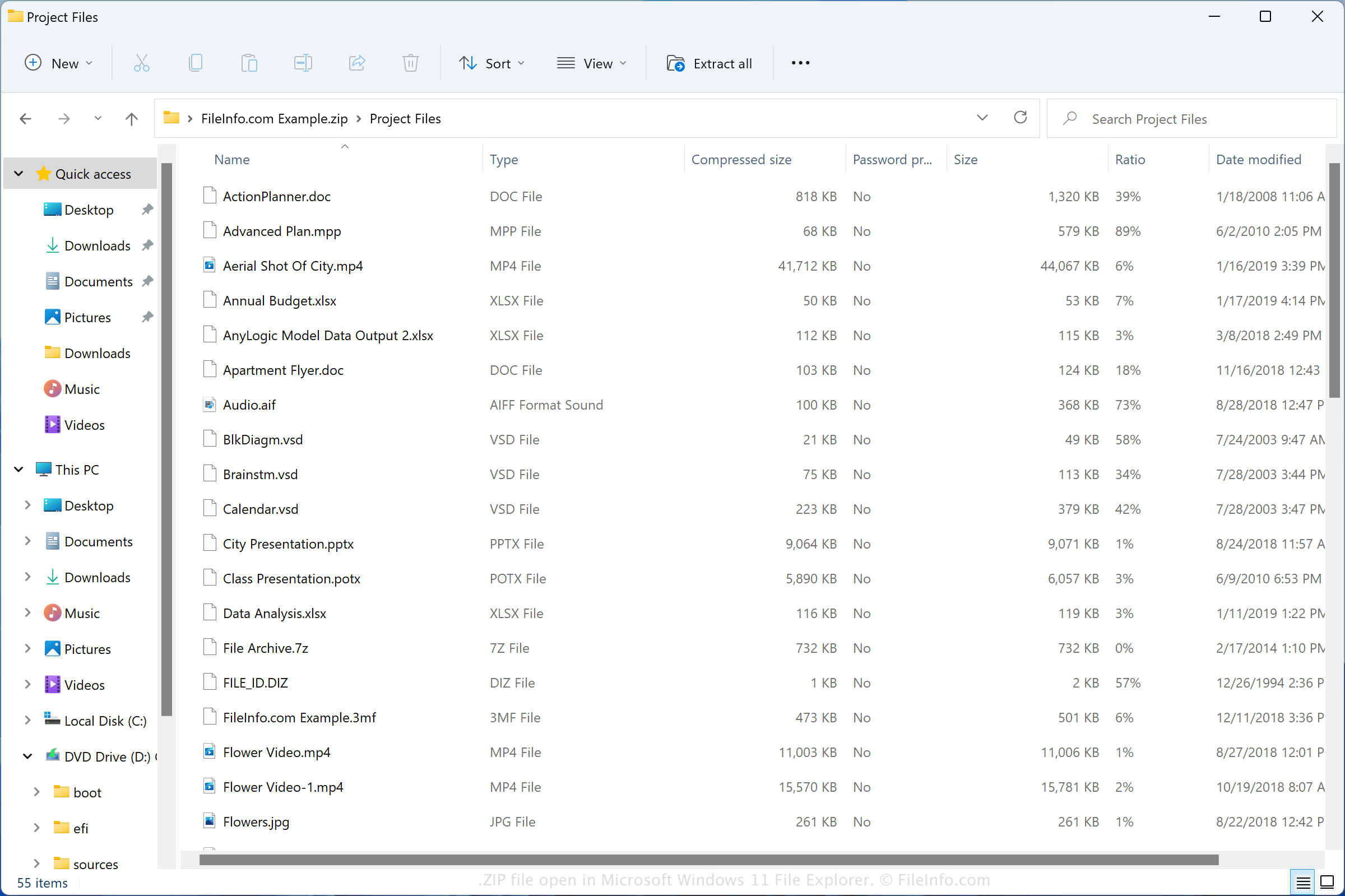
Microsoft Windows 11 File Explorerで開いた.zipファイルのスクリーンショット
Microsoft Windows 11 File Explorerで開いたZIPファイル

The Zip format was created in 1989 by Phil Katz and was used in the PKZIP utility developed by PKWARE, Inc. The format grew in popularity and is now supported by most file compression/decompression programs.

You may encounter ZIP files in various ways, such as receiving compressed files via email from a friend or co-worker, downloading files online, or exploring backup files that have been compressed with Zip compression. Both Windows and macOS come with programs that can compress and decompress ZIP files.

How to create a ZIP file

Windows users can create ZIP archives by right-clicking a file and selecting Send to → Compressed (zipped) folder. macOS users can create ZIP archives by right-clicking a file and selecting Compress "[filename]".

一般的な.ZIPファイル名

New Compressed (zipped) Folder.zip - The name Microsoft Windows gives to new ZIP files created via the context menu (right-click and choose New → Compressed (zipped) Folder).

ZIPファイルの開き方

In Windows, you can open a ZIP file with File Explorer, also known as "Windows Explorer," simply by double-clicking the file. You can then choose one, multiple, or all of the files to extract from the Zip archive. In macOS, you can open a ZIP file with Apple Archive Utility by double-clicking the file.

You can also open ZIP files with other compression utilities, such as Corel WinZip (Windows), Corel WinZip Mac (macOS), RARLAB WinRAR (Windows), and 7-Zip (Windows).

ZIPファイルの変換方法

Many compression utilities, such as ConeXware PowerArchiver, Corel WinZip, and 7-Zip, can convert ZIP files by extracting their contents and then compressing them in a different archive format.

For example, the Windows version of PowerArchiver can extract the contents of a ZIP file, then compress them as various archive types, including the following formats:

  • .7Z - 7-Zip Compressed File
  • .TAR - Consolidated Unix File Archive
  • .CAB - Windows Cabinet File
  • .LZH - LZH Compressed File
  • .RAR - WinRAR Compressed Archive
  • .PA - PowerArchiver Compressed File
  • .BH - BlakHole Archive
File Viewer Plusで.zipファイルを開いて表示。無料ダウンロード

ZIPファイルを開くプログラム

カテゴリ: 圧縮
更新日: 2022-12-12

MAME Game ROM

開発元 The MAME Team
人気度
3.4  |  276 
 

A ZIP file is a ROM used by MAME and other arcade video game emulators. It may contain the entire contents of an arcade game, or it may be supplemented by a .CHD (Compressed Hunks of Data) file. ZIP files are compressed using Zip compression.

詳細情報

Video game system emulators like MAME (short for Multiple Arcade Machine Emulator) allow gamers to play classic video games on their PCs and mobile devices. MAME specializes in emulating arcade games, originally played in arcade cabinets.

Players distribute MAME ROMs, which contain the contents of an arcade game, as ZIP files. If the ROM was created from an arcade game stored on a chip, its entire contents may be stored in a ZIP file. If the ROM was created from an arcade game stored on a hard drive, it is likely split into a ZIP and CHD file. If the ROM is split into two files, you need both to open it in MAME.

ZIPファイルの開き方

You can open a ZIP file in MAME (multiplatform) and related emulators. To open a ZIP file in MAME, place the file in MAME's Roms directory. If your ZIP file is paired with a CHD file, place the CHD file in a subdirectory named for your ZIP file (e.g. for a ZIP file named MyGame.zip, place your CHD file in Roms/​MyGame/​).

ZIPファイルを開くプログラム

Windows
無料
無料体験版
無料
Mac
無料
無料
無料
無料
Linux
無料
無料
iOS
無料
Android
無料
カテゴリ: ゲーム
更新日: 2022-05-26

検証者 FileInfo.com

FileInfo.comチーム は、このページに掲載されているすべてのファイル形式とソフトウェアについて独自に調査しました。 私たちの目標は100%の正確性であり、検証済みのファイルタイプに関する情報のみを公開しています。

このページへの追加や更新をご提案いただける場合は、お知らせください。