.ZIM ファイル拡張子

2個のファイルタイプ.zim拡張子を使用しています。

OpenZIM Wiki Archive

開発元 The OpenZIM Project
人気度
3.1  |  37 
 

ZIMファイルとは?

Archive created in the OpenZIM format, a standard file format for storing Wiki content offline; organizes articles, references, and other Wiki information in a compact format; supported by readers such as Kiwix and ZIMReader.

詳細情報

Developers can use the free ZIMLib C++ library to incorporate OpenZIM content in their applications.

File Viewer Plusで400種類以上のファイル形式を開けます。無料ダウンロード

ZIMファイルを開くプログラム

Windows
無料
Mac
無料
Linux
無料
無料
無料
Android
無料
カテゴリ: データ
更新日: 2014-09-16

SimLab Composer Package

開発元 Simulation Lab Software
人気度
2.5  |  2 
 

A ZIM file is a Zip-compressed package that contains a SimLab Composer 3D Scene .SIM file and its resource files. It is utilized to share 3D scenes with other SimLab users as one package. ZIM files are typically created with SimLab Composer, but may also be created by other 3D applications, such as SketchUp and 3ds Max, with the SimLab exporter plugin.

詳細情報

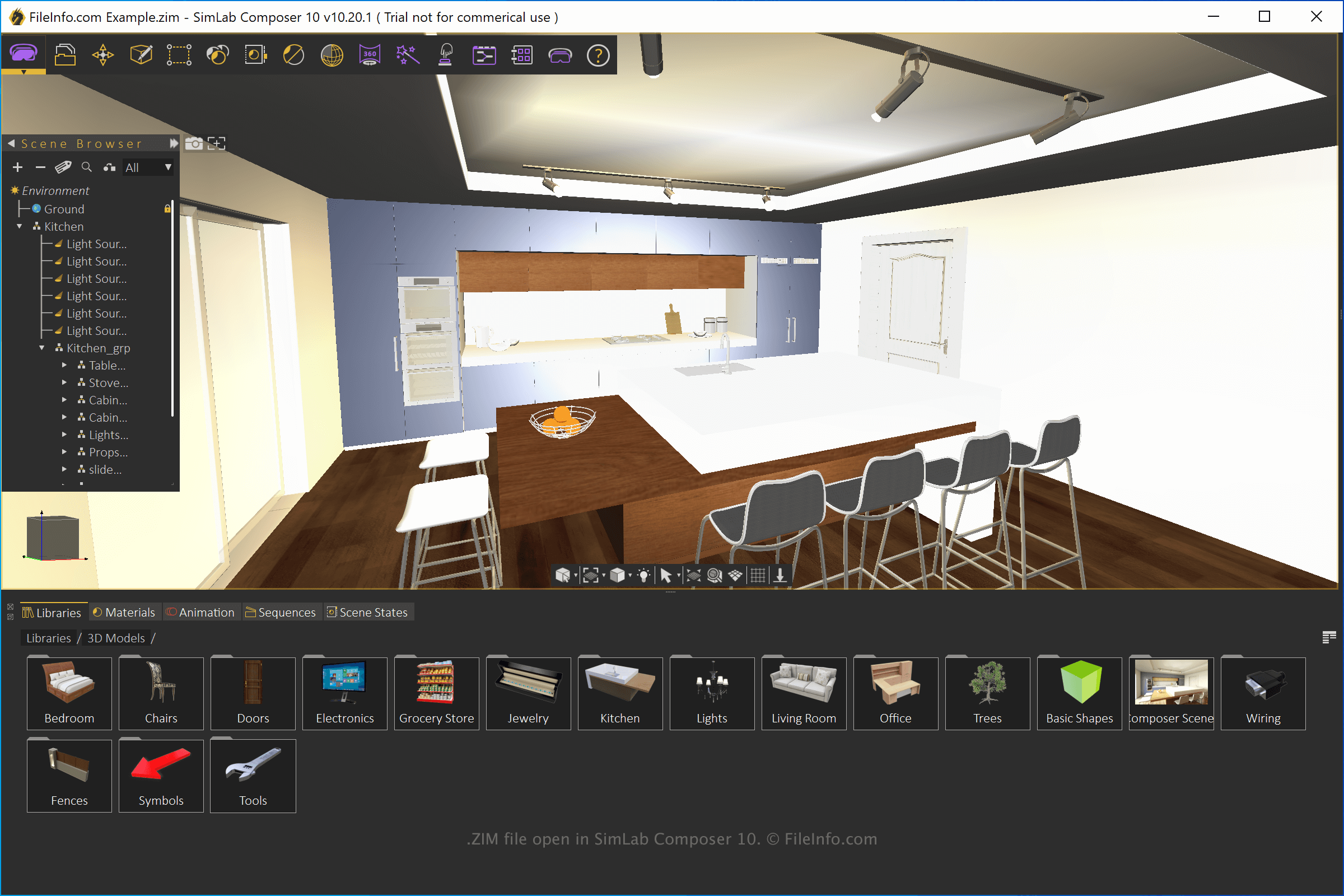
SimLab Composer 10で開いた.zimファイルのスクリーンショット
SimLab Composer 10で開いたZIMファイル

SimLab Composer is a 3D modeling, animation, and rendering application. You can use the application for various purposes, including VR training tutorials, architectural models, and 3D product visualizations.

To create a ZIM file with SimLab Composer, create a scene, select File → Export, then choose the "SimLab Archive" format from the dropdown menu.

ZIMファイルの開き方

You can open ZIM files with SimLab Composer (Windows and macOS). To open the file, select File → Open. You can also open ZIM files with SimLab CADVRter (packaged with SimLab Composer) and SimLab CAD Viewer (Android and iOS).

Since ZIM files are compressed with Zip compression you can open them with a Zip utility and directly access the SIM file and the resource files. To do this, rename the .zim file extension to .zip, then open it with a Zip utility.

ZIMファイルを開くプログラム

Windows
無料体験版
Mac
無料体験版
iOS
Android
カテゴリ: 圧縮
更新日: 2021-07-28

検証者 FileInfo.com

FileInfo.comチーム は、このページに掲載されているすべてのファイル形式とソフトウェアについて独自に調査しました。 私たちの目標は100%の正確性であり、検証済みのファイルタイプに関する情報のみを公開しています。

このページへの追加や更新をご提案いただける場合は、お知らせください。