.ZIM 파일 확장자

2개의 파일 유형.zim 확장자를 사용합니다.

OpenZIM Wiki Archive

개발사 The OpenZIM Project
인기도
3.1  |  37 투표
 

ZIM 파일이란 무엇인가요?

Archive created in the OpenZIM format, a standard file format for storing Wiki content offline; organizes articles, references, and other Wiki information in a compact format; supported by readers such as Kiwix and ZIMReader.

추가 정보

Developers can use the free ZIMLib C++ library to incorporate OpenZIM content in their applications.

File Viewer Plus(으)로 400개 이상의 파일 형식을 여세요.무료 다운로드

ZIM 파일을 여는 프로그램

Windows
무료
Mac
무료
Linux
무료
무료
무료
Android
무료
카테고리: 데이터
업데이트: 2014-09-16

SimLab Composer Package

개발사 Simulation Lab Software
인기도
2.5  |  2 투표
 

A ZIM file is a Zip-compressed package that contains a SimLab Composer 3D Scene .SIM file and its resource files. It is utilized to share 3D scenes with other SimLab users as one package. ZIM files are typically created with SimLab Composer, but may also be created by other 3D applications, such as SketchUp and 3ds Max, with the SimLab exporter plugin.

추가 정보

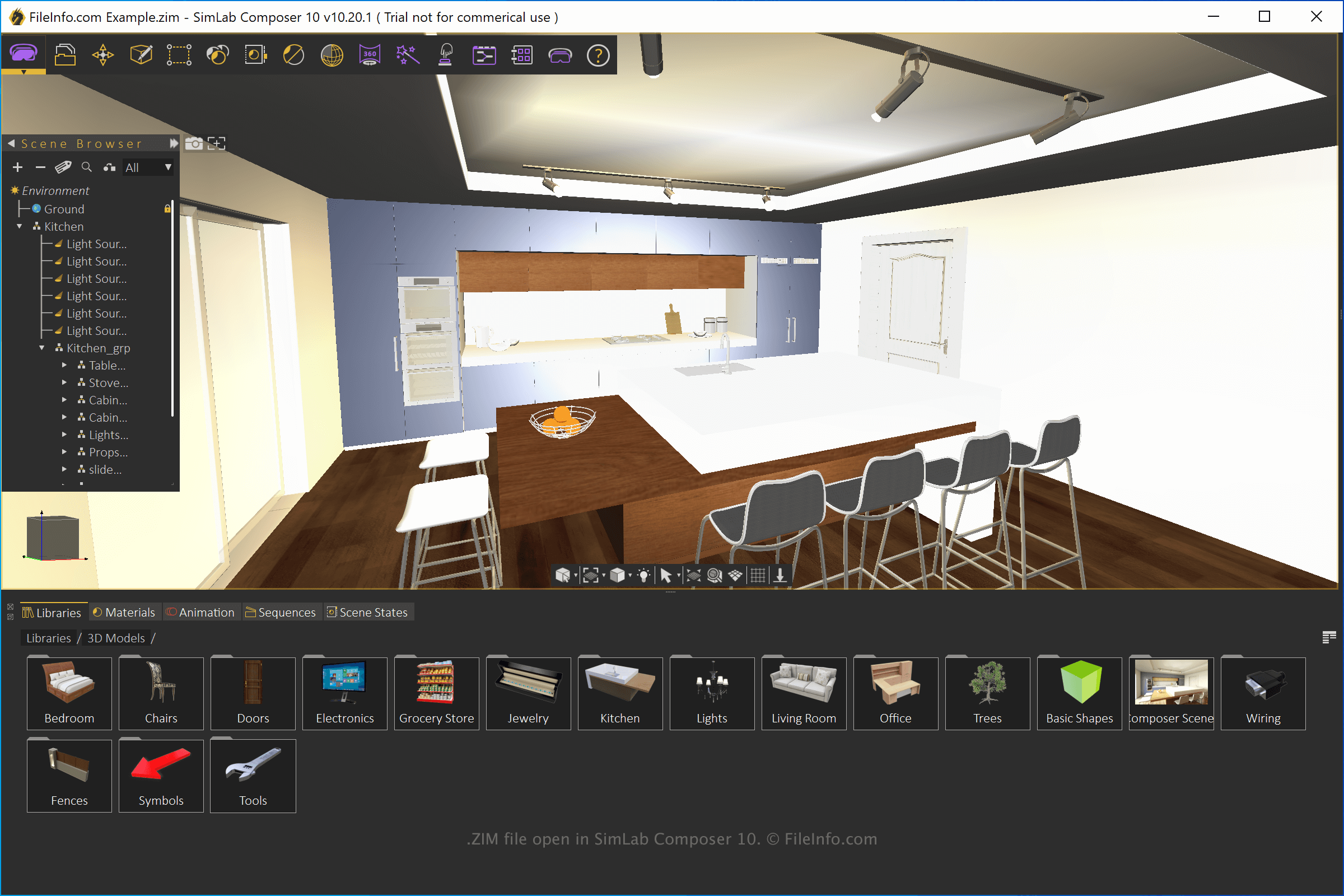
SimLab Composer 10에서 열린 .zim 파일의 스크린샷
SimLab Composer 10에서 열린 ZIM 파일

SimLab Composer is a 3D modeling, animation, and rendering application. You can use the application for various purposes, including VR training tutorials, architectural models, and 3D product visualizations.

To create a ZIM file with SimLab Composer, create a scene, select File → Export, then choose the "SimLab Archive" format from the dropdown menu.

ZIM 파일을 여는 방법

You can open ZIM files with SimLab Composer (Windows and macOS). To open the file, select File → Open. You can also open ZIM files with SimLab CADVRter (packaged with SimLab Composer) and SimLab CAD Viewer (Android and iOS).

Since ZIM files are compressed with Zip compression you can open them with a Zip utility and directly access the SIM file and the resource files. To do this, rename the .zim file extension to .zip, then open it with a Zip utility.

ZIM 파일을 여는 프로그램

Windows
무료 체험판
Mac
무료 체험판
iOS
Android
카테고리: 압축
업데이트: 2021-07-28

검증자 FileInfo.com

FileInfo.com 팀 이 페이지에 나열된 모든 파일 형식과 소프트웨어 프로그램을 독자적으로 조사했습니다. 저희의 목표는 100% 정확성이며, 검증한 파일 유형에 대한 정보만 게시합니다.

이 페이지에 추가하거나 업데이트할 내용을 제안하고 싶으시면 알려 주세요.