

.TPL Bestandsextensie
Canvas-sjabloon
| Ontwikkelaar | Canvas GFX |
| Populariteit |
3,1 | 15 stemmen |
Een TPL-bestand is een tekensjabloon dat is gemaakt door bepaalde Canvas GFX-toepassingen, zoals Canvas X Pro en Canvas X Draw, programma's voor technische illustraties. Het bevat vooraf ingestelde afbeeldingen en instellingen voor het maken van nieuwe tekeningen, zoals diagrammen of bouwtekeningen, met een vergelijkbare vormgeving en inhoud.
Meer informatie
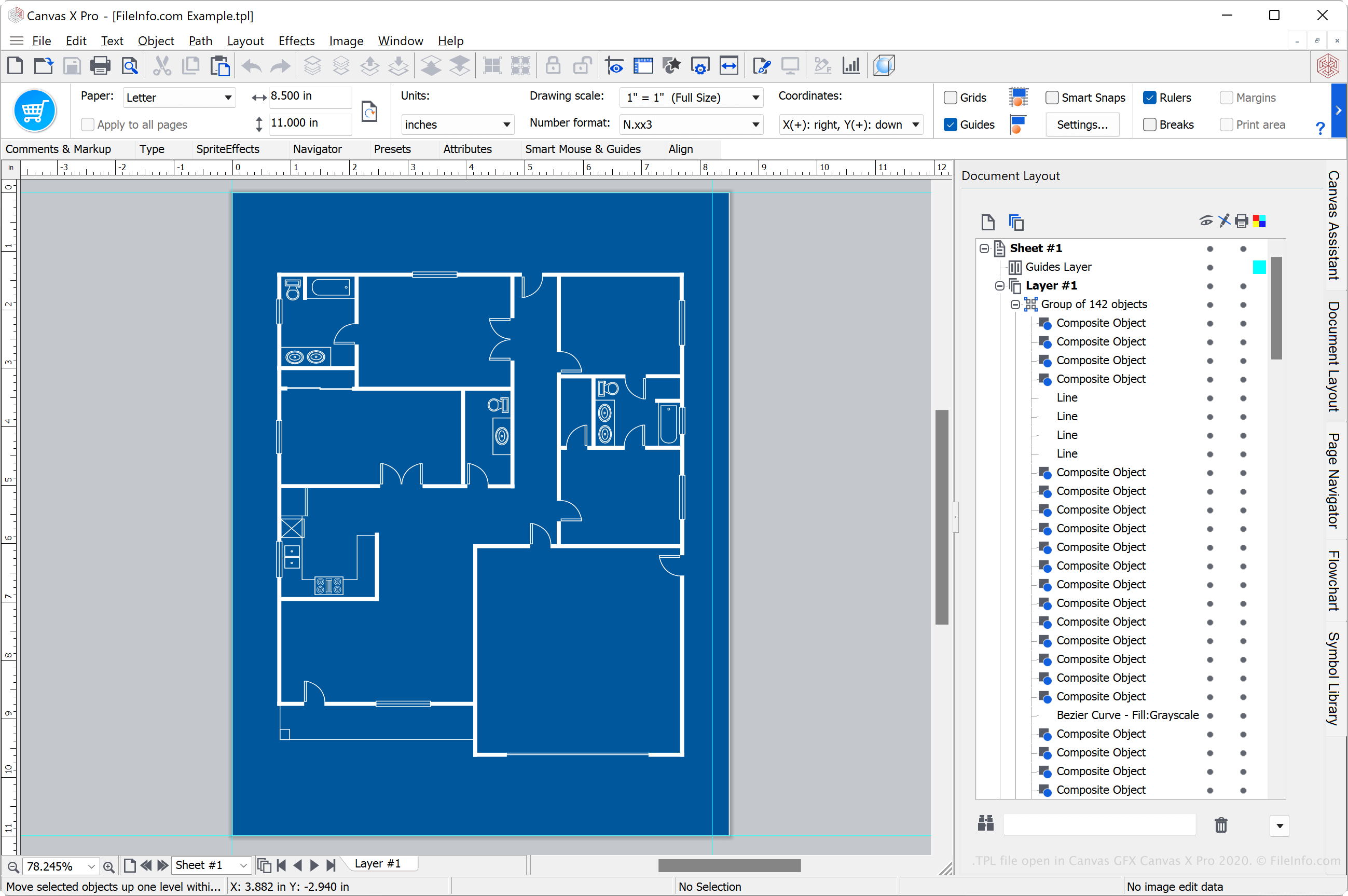
Verschillende Canvas-tekenprogramma's, zoals Canvas X Pro, Canvas X Draw en Canvas X Geo, ondersteunen de indeling Canvas Template (TPL). De reeks Canvas X-toepassingen is gespecialiseerd in het maken en bewerken van technische illustraties en gespecialiseerde visualisaties, zoals bouwtekeningen van gebouwen, plattegronden, werkstroomdiagrammen en kaarten met geospatiale gegevens.
Gebruikers van Canvas X gebruiken TPL-bestanden om tekeningen op te slaan die ze kunnen hergebruiken voor het maken van andere tekeningen. Door sjablonen te maken, besparen gebruikers tijd omdat ze een tekening niet helemaal opnieuw hoeven te maken.
Een TPL-bestand maken met Canvas X Pro
Verschillende Canvas X-toepassingen kunnen TPL-bestanden maken. Als je bijvoorbeeld een TPL-bestand wilt maken met Canvas X Pro, selecteer je en kies je vervolgens in het vervolgkeuzemenu "Save as type".
Een TPL-bestand openen
Je kunt een TPL-bestand openen met verschillende Canvas GFX-toepassingen, waaronder Canvas X Pro, Canvas X Draw en Canvas X Geo.
Als je bijvoorbeeld een TPL-bestand wilt openen met Canvas X Pro, selecteer je . Als het TPL-bestand is opgeslagen in de standaardmap "Templates" in de installatiemap van het programma, kun je selecteren.
Een TPL-bestand converteren
Verschillende Canvas GFX-toepassingen, waaronder Canvas X Pro, Canvas X Draw en Canvas X Geo, kunnen TPL-bestanden converteren naar andere indelingen.
Canvas X Pro kan TPL-bestanden bijvoorbeeld converteren naar veel bestandstypen, waaronder de volgende indelingen:
- .CVXCAD - Canvas X Pro-tekening
- .CVX - Canvas-tekening
- .DWG - AutoCAD-tekening
- .DXF - Drawing Exchange Format
- .PSD - Photoshop-documentindeling
- .JPG - JPEG-afbeelding
- .PNG - Portable Network Graphic
- .GIF - Graphical Interchange Format
- .SVG - Scalable Vector Graphics-bestand
- .EPS - Encapsulated PostScript
- .PDF - Portable Document Format
Programma's die TPL-bestanden openen of ernaar verwijzen
Phorum-sjabloon
| Ontwikkelaar | Phorum |
| Populariteit |
3,8 | 5 stemmen |
Een TPL-bestand is een sjabloon dat wordt gebruikt door Phorum, een opensourceberichtensysteem op basis van PHP en MySQL. Het bevat sjablooncode, die voornamelijk uit gewone HTML bestaat, gemengd met de aangepaste sjabloontaal van Phorum, die uit eenvoudige instructies bestaat. TPL-bestanden worden gebruikt om dynamische gegevens weer te geven die door Phorum worden gegenereerd, zoals zoekresultaten, berichtinformatie en lijsten met privéberichten.
Meer informatie
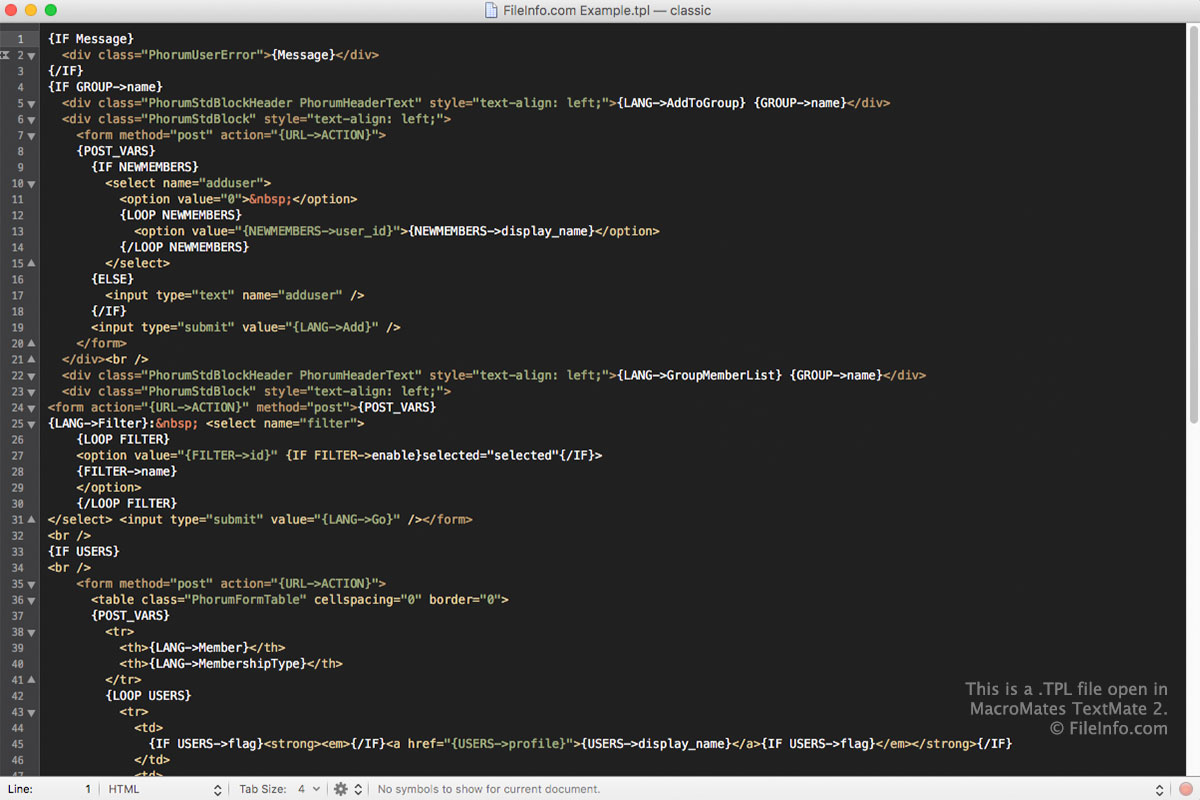
De sjabloontaal in TPL-bestanden bestaat uit HTML en eenvoudige Phorum-sjablooninstructies. Deze instructies ondersteunen vier gegevenstypen, die gehele getallen, tekenreeksen, PHP-constanten of sjabloonvariabelen kunnen zijn. Omdat de sjabloontaal in TPL-bestanden als platte tekst wordt opgeslagen, kun je TPL-bestanden met elke teksteditor openen en bewerken.
Phorum gebruikt doorgaans TPL-bestanden om sjablooncode op te slaan, maar kan ook .PHP-bestanden gebruiken als deze in de sjabloonmap worden geplaatst en de juiste basisnaam krijgen. Als Phorum bijvoorbeeld de voettekstsjabloon weergeeft, zoekt het eerst naar footer.php in de sjabloonmap. Als het bestand niet bestaat, zoekt Phorum vervolgens naar footer.tpl. Dankzij het gebruik van PHP-bestanden kunnen gebruikers voor sjablonen alleen PHP/HTML-code gebruiken als ze de Phorum-sjabloontaal die voor TPL-sjablonen vereist is niet willen gebruiken.
Programma's die TPL-bestanden openen
PrestaShop-sjabloonbestand
| Ontwikkelaar | PrestaShop |
| Populariteit |
3,3 | 4 stemmen |
Een TPL-bestand is een sjabloon die is geschreven in de Smarty 3-sjabloontaal, die vergelijkbaar is met HTML. Het wordt gebruikt door PrestaShop-e-commercesoftware om de HTML van een webpagina te genereren en e-commercegerelateerde pagina's aan te passen die door gebruikers worden bezocht, zoals product-, winkelwagen- en afrekenpagina's.
Meer informatie
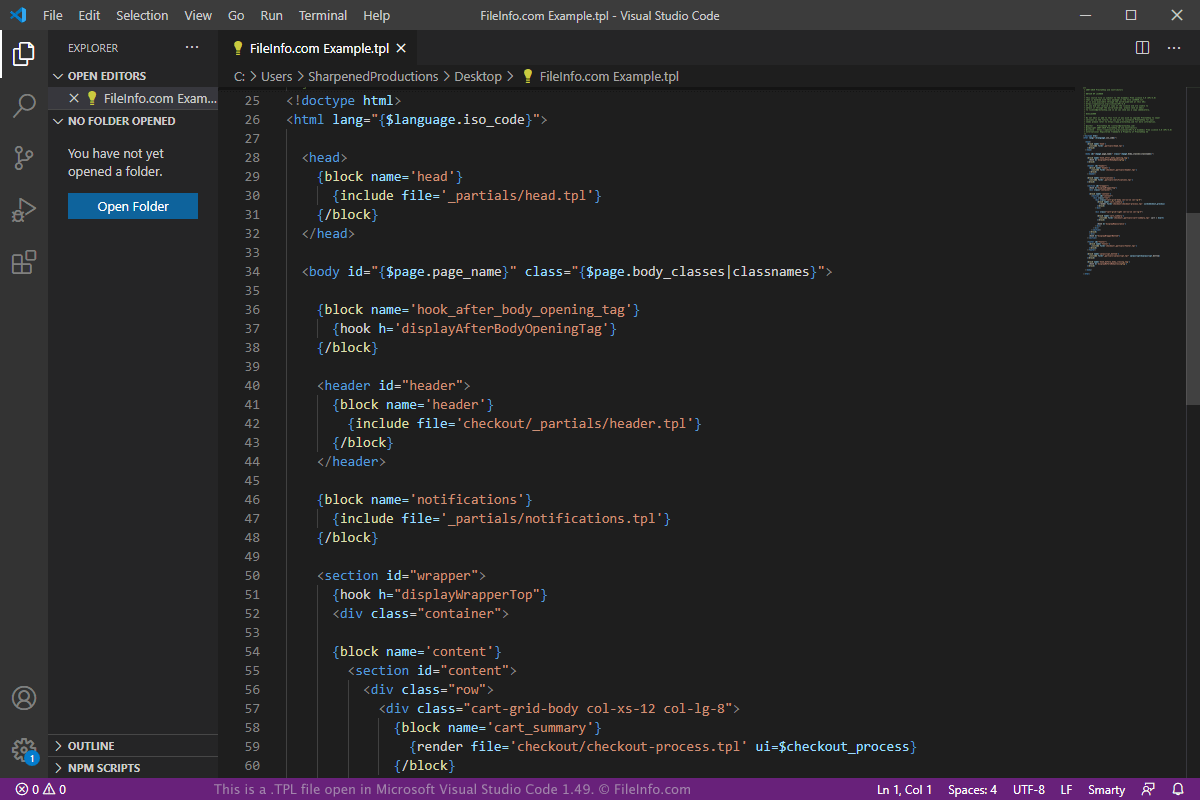
PrestaShop is een opensource-e-commerceoplossing waarmee gebruikers verschillende e-commercebehoeften op hun websites kunnen beheren, zoals productoverzichten en betalingen. Gebruikers kunnen deze verschillende onderdelen aanpassen via thema's, die bestaan uit TPL-sjablonen en add-onmodules die door PrestaShop en externe ontwikkelaars worden geleverd.
Gebruikers kunnen de software gratis downloaden en deze vervolgens uploaden naar en installeren op de webserver waarop hun website wordt gehost. Gebruikers kunnen vervolgens nieuwe TPL-sjablonen maken of bestaande sjablonen aanpassen voor hun specifieke e-commercebehoeften.
Als je bijvoorbeeld verschillende indelingen wilt voor dezelfde productpagina, die veranderen op basis van het land van de gebruiker, kun je een nieuw TPL-sjabloon voor de productpagina maken en dit in de juiste map plaatsen. Wanneer een gebruiker op de specifieke locatie dat product bekijkt, zoekt PrestaShop naar dat nieuwe bestand product.tpl, genereert het een webpagina en stuurt het deze terug naar de gebruiker, die de pagina in zijn webbrowser bekijkt.
PrestaShop wordt geleverd met het thema "Classic" vooraf geïnstalleerd. Dit thema staat in de map "themes" van de PrestaShop-installatie. De map van het thema "classic" bevat de submappen "assets", "modules", "plugins" en "templates" (waarin de TPL-bestanden worden opgeslagen). Alle TPL-sjablonen moeten worden opgeslagen in de submap "templates" van de themamap. In dit geval worden TPL-sjablonen voor het thema "classic" opgeslagen in de volgende map:
/themes/classic/templates/
Elk thema bevat een groot aantal TPL-sjablonen, die zijn georganiseerd in verschillende submappen in de map templates. Enkele bekende TPL-bestanden die in deze submappen te vinden zijn, zijn product.tpl (productpagina), product-list.tpl (pagina met productlijst), cart.tpl (gegevens van de winkelwagen) en checkout.tpl (aankoopproces bij het afrekenen).
Een TPL-bestand openen
Je kunt TPL-bestanden openen met elke teksteditor, omdat de bestanden in platte tekst worden opgeslagen. Misschien wil je echter een broncode-editor gebruiken die de Smarty 3-sjabloontaal ondersteunt of waarmee je een plug-in kunt installeren die de taal ondersteunt, zodat je handige functies voor het schrijven van code krijgt.
Je kunt TPL-bestanden openen met Microsoft Visual Studio Code in Windows, macOS of Linux. Vervolgens kun je de gratis extensie "Smarty" installeren om ondersteuning toe te voegen voor syntaxismarkering en codefragmenten in de Smarty 3-sjabloontaal.
Programma's die TPL-bestanden openen
Archicad-sjabloon
| Ontwikkelaar | GRAPHISOFT |
| Populariteit |
2,5 | 2 stemmen |
Een TPL-bestand is een projectsjabloon dat is gemaakt met de architectuursoftware GRAPHISOFT Archicad. Het bevat standaardinstellingen voor een project, projectvoorkeuren en elementen die in het projectmodel zijn geplaatst. TPL-bestanden lijken op .PLN-projecten, maar zijn bedoeld om instellingen op te slaan waarmee je de configuratie van een project kunt repliceren.
Meer informatie
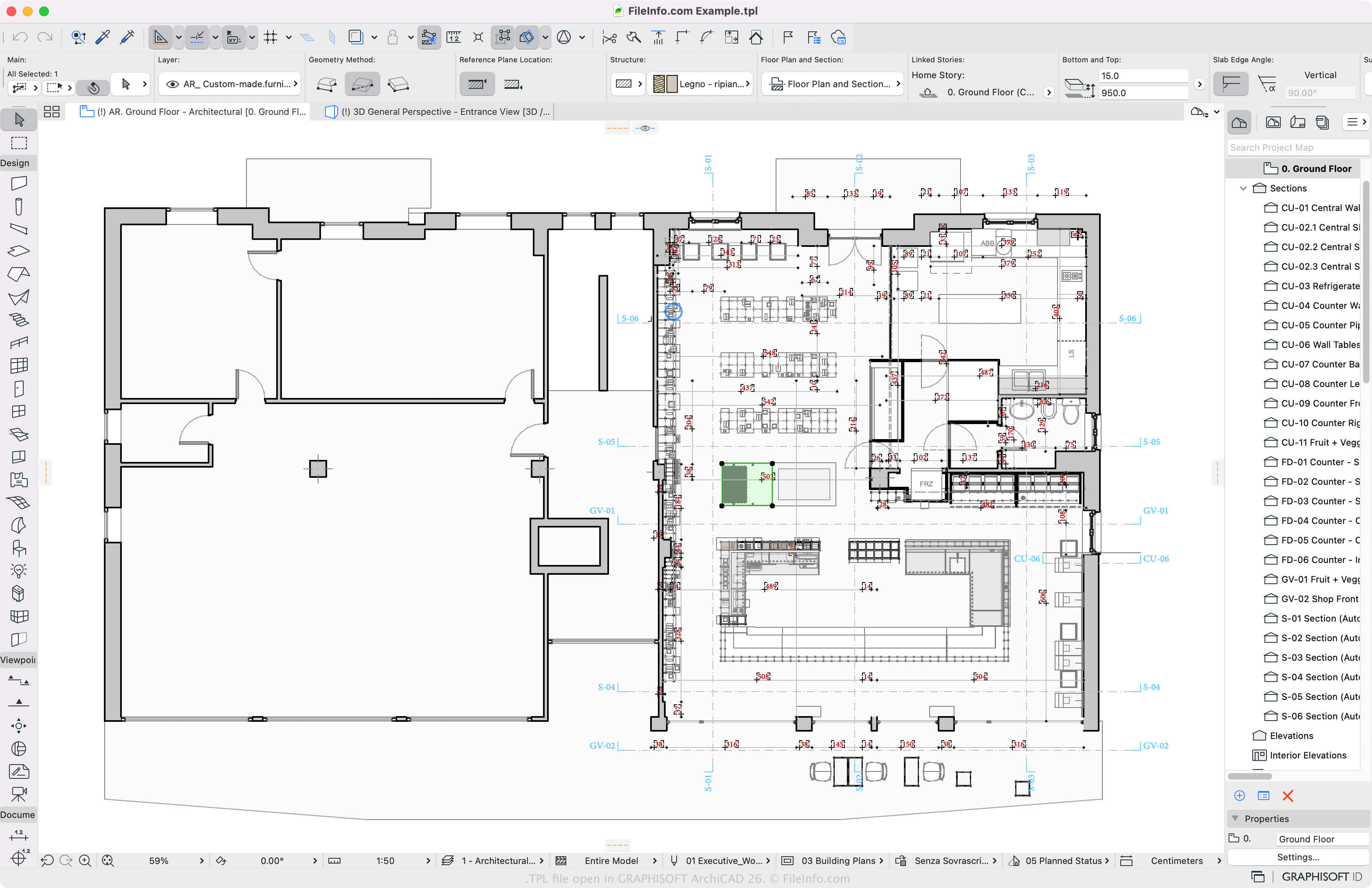
Archicad is een programma voor bouwinformatiemodellering (BIM) met verschillende tools voor het ontwerpen en visualiseren van constructies, interieurs, exterieurs en landschappen. Hoewel je projecten waarschijnlijk meestal opslaat in de oorspronkelijke Archicad-indeling PLN, kun je een project opslaan als TPL-bestand als je het wilt repliceren.
Een TPL-bestand maken met Archicad
Als je een aangepast TPL-sjabloon wilt maken, selecteer je en kies je "ARCHICAD Project Template" als bestandstype in het vervolgkeuzemenu. Archicad slaat TPL-bestanden standaard op de volgende locaties op:
- Windows - \Program Files\Graphisoft\ARCHICAD 24\Defaults\ARCHICAD
- Mac - \Applications\Graphisoft\ARCHICAD 24\Defaults\ARCHICAD
Een TPL-bestand openen
Je kunt een Archicad TPL-sjabloon openen met GRAPHISOFT Archicad in Windows en macOS. Als je een TPL-bestand wilt openen, selecteer je en kies je het sjabloon dat je wilt openen. Je kunt ook selecteren en kiezen.
Een TPL-bestand converteren
GRAPHISOFT Archicad kan TPL-sjablonen converteren naar verschillende bestandstypen, waaronder de volgende indelingen:
- .PLN - Archicad Solo-project
- .PLA - Archicad-projectarchief
- .DWG - AutoCAD-tekening
- .DXF - Drawing Exchange Format
- .IFC - Industry Foundation Classes-bestand
- .C4D - Cinema 4D-model
- .3DS - 3D Studio-scène
- .SKP - SketchUp-document
- .OBJ - Wavefront 3D-objectbestand
- .STL - Stereolithografie-bestand
- .PDF - Portable Document Format
- .JPG - JPEG-afbeelding